
Hair logo templates


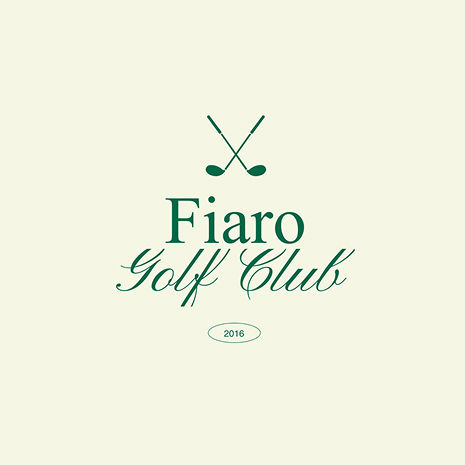


.jpg)


How to make a hair logo
-
Sign in or create a free Wixel account
Create a free Wixel account or sign in to an existing one. Your account gives you access to the editor, saved projects, and all brand assets in one place.
-
Describe your brand and vision
Enter your business name and a short description into the prompt field. Wixel's AI design agent uses this context to research current visual trends in the hair industry and generate logo directions tailored to your niche.
-
Customize your hair logo
Select the logo concept that resonates with your vision, then refine every detail in the editor. Adjust fonts, colors, icons, and layout until the design fully represents your brand's personality and style.
-
Download your free hair logo
You can download your finished logo in a variety of formats, including SVG. Choose the file type and image quality you need, and download your high-res hair logo for free.
-
Generate a complete brand identity
Turn your logo into a full brand kit with a cohesive look and feel across every touchpoint. Ask the AI design agent to create social media assets, business cards, and more that carry your brand guidelines forward with a consistent, professional presence.
Build a standout brand with our hair logo maker
Hair logo ideas backed by research
Wixel's AI design agent analyzes current visual trends in the hair industry and generates logo directions informed by real data, so you can start your design process with professional, relevant concepts instead of guessing what works.
Full control over every detail
Once your hair logo concepts are generated, the editor puts you in charge of every element—from typography and color palette to icon placement and layout. You refine the design on your own terms, so you can create a logo that feels authentically yours.
From a hair logo to a complete brand identity
Your finished logo becomes the foundation for a full brand kit, complete with coordinated colors, fonts, and themes. Wixel generates cohesive branded materials from your brand kit, so you can present a seamless, professional image across every platform.
.jpg)
Make your hair logo versatile
A strong hair logo needs to look just as polished on a small social media profile picture as it does on a large salon window decal or website header. When you design with versatility in mind, you ensure that your brand stays recognizable whether clients discover you through Instagram, a video ad, or a walk-in visit. Consider how your logo scales at different sizes and test it against both light and dark backgrounds so it maintains clarity everywhere. If you're also creating a hair design website, a versatile logo adapts seamlessly across every page and touchpoint without losing its impact.
Create a unique hair logo icon
Your hair logo icon should communicate the essence of your brand before a client reads a single word. Think beyond generic scissors or comb imagery and explore symbols that reflect your specific specialty, whether that's textured hair care, color artistry, or precision cuts. A well-chosen icon carries emotional weight and helps potential clients instantly understand what sets your salon apart from the competition. Wixel's AI logo generator researches current visual trends in the hair industry and suggests icons that align with your niche, so you can start with informed hair logo ideas and refine them into something truly distinct.
Download in high resolution
Once your free hair logo design looks exactly the way you envisioned it, downloading in the right file format ensures it stays sharp across every use case. Export as a scalable SVG, transparent PNG, or shareable JPEG. With as many variations, formats, and sizes as you need, you’ll always have the right logo for any use, so you never need to worry about pixelation or quality loss when sharing your hair logo with the world.
Remix your hair logo into new designs
Your hair logo is the foundation of a cohesive brand identity, not just a standalone graphic. Once you finalize it, you can generate a complete brand kit that captures your logo's colors, typography, and visual language. You can apply your brand theme to anything else you create in Wixel, from social media templates to promotional materials. This consistent look and feel builds trust with clients because every touchpoint reinforces the same professional image. If your salon offers a full range of services beyond hair, our beauty logo maker is a natural next step for building out additional branded assets that stay visually cohesive with your existing identity.
Discover more beauty logo makers

Hair logo FAQs
Why do I need a logo for my hair salon business?
A logo serves as the visual anchor of your hair salon business, giving clients an immediate sense of your style and professionalism before they ever walk through the door. It builds recognition across every touchpoint—from your storefront signage and appointment cards to your social media profiles and website.
A well-designed hair logo communicates trust and consistency, so you can attract new clients while reinforcing loyalty with existing ones. Without a cohesive visual identity, your salon risks blending into a crowded market where first impressions carry significant weight. This is true for any beauty business—if you also run or are considering a barbershop or beauty counter, our barber logo maker and makeup logo maker can help you build a consistent visual identity across every venture.
Once you have your logo in place, the next natural step is building a digital presence around it. Wixel's hair salon website templates provide a strong foundation for showcasing your services, booking system, and portfolio—all tied together by the brand identity your hair logo establishes.
What makes a good hair logo?
A good hair logo balances simplicity with meaning, ensuring it remains legible at small sizes while conveying the personality of your brand. The most effective designs use intentional typography, a focused color palette, and an icon that reflects your specific specialty—whether that's styling, coloring, or texture work.
Clarity matters more than complexity. Your hair logo should work equally well on a dark salon apron as it does on a bright white website header, so you can maintain a consistent presence across physical and digital spaces.
Pro-Tip: Start by exploring hair logo ideas that align with your target audience. A high-end salon might lean toward refined serif fonts and muted tones, while a bold street-style studio could benefit from a black hair logo design with strong geometric shapes. The key is ensuring every element supports the story your brand tells.
Can I edit my hair logo after creating / downloading it?
Yes, you can return to the Wixel editor and modify your hair logo after creating it. Your project saves automatically to your account, so you can revisit the design and adjust fonts, colors, icons, and layout whenever your brand evolves or your needs change.
This flexibility means you are never locked into a single version of your design. If you decide to refresh your free hair logo design for a seasonal promotion or a rebrand, the editor preserves your working file so you can pick up exactly where you left off.
Keep in mind that edits apply to the project file within the editor. If you have already downloaded and printed materials with a previous version, you will need to re-export the updated logo and replace those files manually. Wixel's online hair logo maker gives you full control over every revision, so your brand identity can grow alongside your business.
How do I design a hair logo from scratch?
Designing a hair logo from scratch starts with describing your brand to Wixel's AI design agent. Enter your business name and a short description of your salon's style, and the agent researches current visual trends in the hair industry to generate multiple logo directions tailored to your niche.
From there, you select the concept that best matches your vision and move into the editor, where you refine every detail—typography, color palette, iconography, and layout. This workflow combines the speed of AI with the precision of manual editing, so you can produce a professional result without prior design experience.
Once your hair logo looks exactly right, export it in production-ready formats and consider extending the design into a full brand kit. You can also explore our crown logo maker or our eyelashes logo maker if your business spans multiple beauty specialties that each need a distinct visual identity.
Do I own my hair logo after downloading it?
When you create a hair logo using Wixel's AI tools, you are essentially getting an AI-generated output. Because this content is created by artificial intelligence, it is your responsibility to:
• Review your logo carefully before using, publishing, transmitting, or displaying it in any format
• Confirm that you are legally permitted to use your logo for your personal or commercial needs
When it comes to ownership, we do not claim any rights over the AI-generated output you create to the extent that the output does not contain any pre-existing intellectual property owned by us. Otherwise, you are free to evaluate your hair logo and use it as permitted by law without ownership claims from us.
What logo file should I use for my website?
For website use, a transparent PNG is generally the best option for a hair logo because it sits cleanly over any background without hard edges or visible borders. This matters especially when your logo features fine details like strand illustrations or styled typography that are common in hair logo design.
Wixel's editor lets you export your finished logo in several formats—including PNG, JPG, and SVG—so you can select the right file type for each placement on your site. A JPG suits solid-background headers where smaller file size is a priority, while an SVG maintains perfect clarity at any scale, which is valuable if your hair logo needs to appear across different page layouts and screen sizes.
Pro-Tip: Export a transparent PNG for standard site use alongside an SVG for responsive or scalable placements. Keeping both formats ready means your online hair logo stays sharp wherever it appears, without you returning to the editor each time your site evolves.