Free AI logo generator
Design the perfect logo with our AI logo maker and use it to shape a consistent brand presence across every channel in just a few seconds. Customize colors, fonts and icons—then export a logo that's entirely yours, ready to use on any platform.
Try these...

Your brand starts with an AI logo
.webp)
Customize with intention
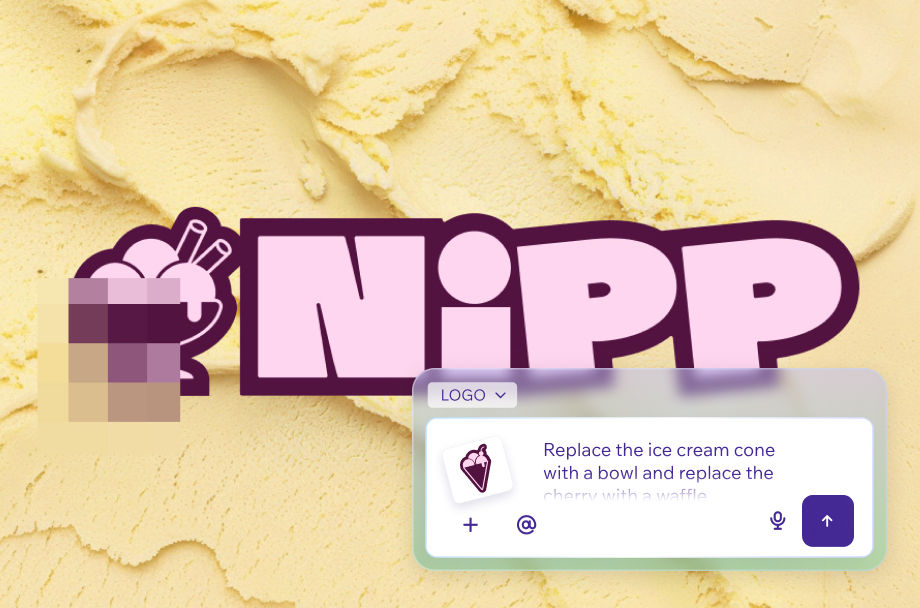
Dial in every detail—fonts, colors, icons, layout—with our AI Breakdown panel that separates your logo into unique components so you can edit with precision. Built into our AI logo maker, these controls help you turn an AI‑generated logo into a polished, designer‑level result.
.webp)
.webp)
How to create a logo with AI
1. Enter your prompt
Type your business name and a short brief (industry, vibe, keywords) to kick off your AI logo design. Your prompt will carry you into the editor after a quick sign-up flow.
2. Find the perfect logo style
The AI chat will suggest a style for your logo based on its research about your industry. All you have to do is choose the style that best fits your business.
3. Select your logo
Once you’ve chosen the style, you’ll get a few AI‑generated logo options so you can simply take your pick.
4. Customize your logo
Fine‑tune every detail like colors, icons, and layout while smart suggestions keep your logo looking professional.
5. Download and take it further
Export your ready‑to‑use logo files and generate more assets based on your logo theme.

01
Be specific about your brand
Don't just say "coffee shop logo." Tell the AI your brand name, what makes you different and the feeling you want customers to get. The more context, the more tailored your results.
02
Describe your target audience
Who are you designing for? A logo for a children's toy brand looks different from one for a law firm. Mention your audience and the AI will factor that into the design direction.
03
Include style references
Words like "minimal," "bold," "playful" or "elegant" help the AI understand your aesthetic. You can also reference industries or styles that inspire you—without copying them.
04
Mention your color preferences
Colors carry meaning. If you have a palette in mind—or want to avoid certain colors—say so in your prompt. The AI will use that as a guide and you can always fine-tune later.
05
Try more than one prompt
Don't stop at the first batch of results. Rephrase your prompt, try a different style direction or ask for a variation on a concept you liked. Each version gives you more to work with.
06
Refine with the AI chat
Once you have an initial logo point, use the chat to make specific requests. Ask for a lighter palette, a different font style or a simpler icon—and the AI will update your design in real time.
See what else Wixel offers


FAQs
How does the AI logo design generator work?
Wixel's AI logo generator turns your idea into a polished logo in seconds—no design experience needed. Just describe your brand and the AI handles the rest.
Start by entering a short prompt about your business. Include your brand name, industry, the style you're going for, or the feeling you want your logo to convey. You can keep it simple—"modern bakery logo in warm tones"—or go into more detail. The more context you give, the more tailored your results will be.
From there, our AI logo maker processes your input in real time and generates a range of logo styles to choose from. Each option is unique to your description—so you're not picking from a generic library, you're seeing designs built around your exact brand. Browse through the suggestions, compare styles and pick the one that feels right.
Once you find a style you like, you can customize every detail to make it yours:
Colors and color palettes
Fonts and typography
Icons and graphic elements
Layout and sizing
When your logo is ready, export it as a transparent PNG—clean, high-quality and ready to use straight away. Apply it to your website, social media profiles, business cards, email signatures and product packaging. You can also download different size variants to make sure your logo looks sharp across every format.
Your logo also serves as the foundation for a consistent brand identity. Use it across every channel to build recognition and make sure your brand looks cohesive wherever it shows up.
How do I create a logo in Wixel using AI?
Creating a logo in Wixel takes just a few minutes—and you don't need any design experience to get started. The whole process is guided by AI, so you stay in control while the AI takes care of the rest.
Start by opening the AI logo maker and describing your brand. Tell our AI chat about your business name, industry, style preferences and the vibe you're going for. The more detail you share, the more relevant your logo options will be—but even a short description is enough to get great results.
Once you submit your prompt, Wixel's AI logo creator gets to work and generates a set of editable logo drafts in seconds. Each one reflects your description—different styles, layouts and color directions for you to compare. Browse through the options and pick the one that feels right for your brand.
From there, you can refine your logo by chatting directly with the AI. Adjust things like:
Colors and gradients
Font style and size
Icon shape and placement
Background and layout
When your AI logo design looks exactly how you want it, hit download and export it as a high-quality transparent PNG. Your finished logo is ready to use across your website, social media, business cards, packaging and any other brand touchpoints.
Your logo is also the starting point for a consistent visual identity. Apply it across every channel and asset to make sure your brand looks cohesive wherever it shows up.
How long will it take to generate a logo for my business using AI?
Wixel's AI logo generator produces a full set of logo options in seconds—so you can go from idea to a polished logo in a single session. Enter your prompt and the AI gets to work immediately, producing multiple logo styles for you to browse and compare. Each option is built around your description—different aesthetics, color directions and icon styles to explore. Most users find a strong starting point right away.
How long the whole process takes depends on how much refining you want to do:
A quick result: If you love one of the first options, you can export it and be done in under 2 minutes.
Some tweaking: Adjusting colors, fonts and icons typically adds another 5–10 minutes—still quick, even if you go through a few rounds of edits.
Exploring multiple directions: If you want to try different prompts or test a few AI logo design variations, budget 15–20 minutes. It's still well within a single session.
When you're done, exporting takes seconds. Download a transparent PNG for everyday use across social media, business cards and digital assets—or grab an SVG for a scalable vector file that stays sharp at any size.
Either way, you can go from first prompt to a launch-ready logo the same day. No lengthy back-and-forth, no waiting around.
Can I customize the generated logo design?
Yes—every logo you create in Wixel is fully customizable. Whether you want to make a small tweak or completely rethink the direction, you're never locked into the first result. The whole experience is designed to give you creative control without getting in your way.
The editor gives you direct control over every element of your design. Start by breaking your logo into elements—this unlocks the Smart Breakdown panel, where you can isolate individual components and adjust them independently. From there, you can fine-tune:
Colors and color palettes
Fonts and typography
Icon shape, size and placement
Layout and spacing
Background style
If you'd rather work conversationally, just open the chat and describe what you want to change. Ask for a different color scheme, a more minimal look or a bolder font—and the AI updates your design in real time. It's a fast way to explore different directions without having to manually adjust each element yourself.
You can also prompt the AI logo generator to create entirely new AI logo designs based on a revised description. Browse the new results, compare them against your current version and mix and match elements from different options to build exactly what you're looking for.
Once you're happy with the result, export your logo as a transparent PNG or SVG—ready to use across every brand touchpoint.
What is the best AI logo generator?
The best AI logo generator does more than produce a pretty result—it gives you real creative control at every step of the process.
Here's what to look for:
Speed and quality from the first prompt
Strong results shouldn't take time or multiple tries. The right tool turns a short description into multiple polished, designer-level concepts in seconds—each one tailored to your brief, not pulled from a generic template library.
Customization that goes beyond the surface
Generating a logo is just the start. The best tools let you break your logo into individual elements and fine-tune each one—colors, fonts, icons, layout and spacing—so the final result is truly yours.
AI you can talk to
The ability to refine your logo through natural conversation—not just sliders and dropdowns—is what separates modern tools from older logo makers. Describe what you want to change, ask for a different color direction or a bolder font, and watch the design update in real time.
Professional export options
Your logo needs to work everywhere. Look for tools that export transparent PNGs for everyday digital use and SVG files for a fully scalable vector logo that stays sharp at any size.
Wixel's AI logo generator is built around all of these principles. Start with a short prompt, explore different concepts, customize every detail and export professional-grade files—all in a single session, without needing any design experience.
Can I create a logo using AI for free?
Yes—you can start creating and downloading logos on Wixel for free, with no design experience needed to get started.
The platform runs on a credit-based system. When you sign up, you receive a set of free credits you can use to generate AI logo designs, customize them and download your finished logo—all at no cost. Each generation draws on those credits, so you can explore multiple concepts, compare different styles and make edits until you find something that feels right for your brand.
Here's what your free credits cover:
Generating logo concepts from a text prompt
Browsing multiple AI-created options to compare
Customizing colors, fonts and icons
Downloading your finished logo as a transparent PNG
Once your free credits run out, you'll need to upgrade to a paid plan to keep generating and downloading logos. A paid plan gives you a fresh credit allowance on a regular basis so you can keep creating at whatever pace you need—with access to the same full set of tools and features, no locked tiers or paywalled capabilities.
Whether you're exploring an idea for the first time or building out a complete brand identity, the free credits are a good way to experience what our AI logo maker can do—and figure out whether a paid plan makes sense for where you're headed.
Is an AI logo design suitable for all types of business?
Yes—AI logo design works for every type of business, regardless of industry, size or stage.
Whether you're launching a startup, running a small business, building a nonprofit or managing an established brand, the process is the same: describe what you do, who you're for and the kind of look you're going for, and the AI generates concepts tailored to your brief.
Here are just a few of the business types Wixel's AI logo maker works well for:
Startups and new ventures looking for a polished first impression
Small and medium businesses that need a professional brand without hiring a designer
Freelancers and creatives who want a logo that reflects their personal style
Nonprofits and community organizations with a specific mission to communicate
Enterprises and established brands exploring new directions or sub-brands
The AI draws on your industry context, so a tech company, a bakery and a law firm will all get results that feel relevant to their space. You describe what makes your business unique—the tone, the audience, the values—and the AI uses that to shape its output. The more specific you are, the more tailored your results.
You can also fine-tune every detail after generation. Adjust colors, fonts and icons, or chat with the AI to explore new directions. The result is a logo that's built around your specific business—not adapted from a generic template—and ready to use across every channel from day one.