eCommerce logo maker
Create a professional eCommerce logo that builds instant trust with your customers and sets your online store apart from the competition. Describe your brand to Wixel's AI design agent, personalize every element in the editor until it feels right, and download production-ready files you can use anywhere.





.jpg)


How to make an eCommerce logo
-
Sign in or create a free Wixel account
Start by signing in or creating a free Wixel account. This gives you access to the logo editor, saved projects, and all of your brand assets in one place.
-
Describe your brand
Enter your business name and a short description into the prompt field. Wixel's AI design agent uses these details to research visual trends in your industry and generate logo directions tailored to your eCommerce brand.
-
Customize your eCommerce logo
Choose the logo concept that resonates with your vision, then refine every detail in the editor. Adjust fonts, colors, icons, and layout so your design captures exactly the identity you have in mind.
-
Download your free eCommerce logo
You can download your eCommerce logo in a variety of formats, including SVG. Choose the file type and image quality you need, and download your high-res logo for free.
-
Generate a complete brand identity
Use your finalized logo to generate a full brand kit with Wixel's AI agent. Create coordinated social media assets and marketing materials that maintain a consistent look and feel across every customer touchpoint.
Build a standout brand with our eCommerce logo maker
eCommerce logo ideas backed by research
Wixel's AI design agent performs a real-time search of visual trends in your specific eCommerce niche, then recommends design directions with styles and icons that fit your market. This research-driven approach generates logo concepts grounded in what actually resonates with your audience, so you can launch with a professional identity that competes from day one.
Full control over every detail
Once the AI presents its suggestions, you move into a full editor with designer-made templates optimized to help you stand out. Adjust fonts, colors, iconography, and layout on your own terms, so you can shape a logo that matches the exact vision you have in mind—without compromising on any element.
From eCommerce logo to full brand kit
Once you’ve perfected your logo, you can turn it into a full brand identity. Use your logo’s colors and style to generate a ready-made brand theme you can use across everything you create with Wixel, so your eCommerce brand is recognizable wherever it appears.
.jpg)
Make your eCommerce logo versatile
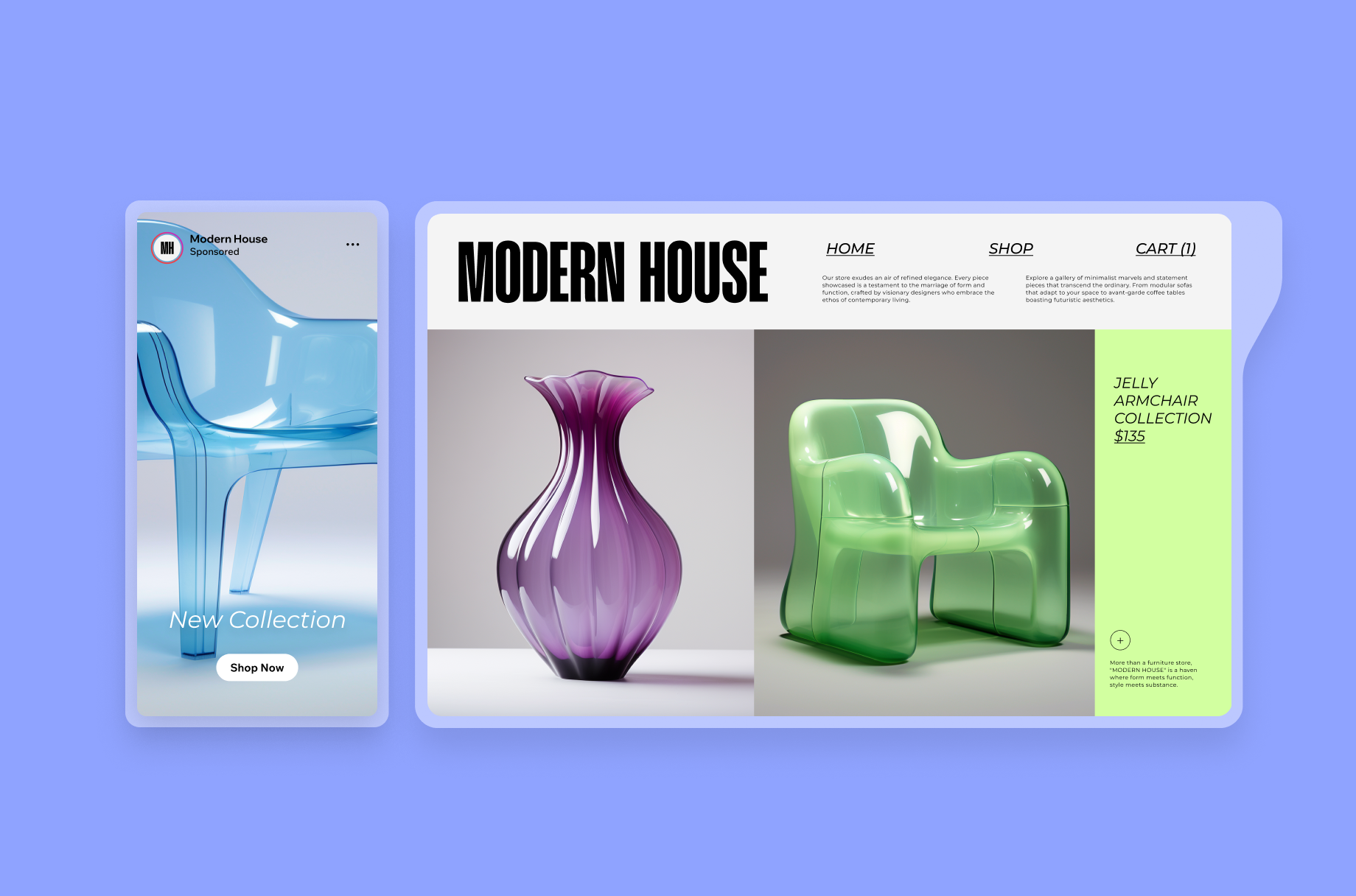
Your eCommerce logo needs to perform across a wide range of digital touchpoints, from your website header and product packaging to social media profiles and promotional video content. A versatile design maintains its clarity and impact whether it appears as a tiny favicon in a browser tab or a large banner on a website created with our eCommerce website builder. When you use an online eCommerce logo maker like Wixel, consider how your design reads at different scales and against varying backgrounds. Testing your logo across these contexts early in the process ensures that customers recognize your brand instantly, no matter where they encounter it.
Create a unique eCommerce logo icon
In a crowded online marketplace, your logo icon serves as the visual shorthand for everything your store represents. Rather than defaulting to generic imagery, think about what makes your specific eCommerce brand distinct—whether that's a commitment to sustainability, a curated product selection, or a particular customer experience. Wixel's AI design agent analyzes visual trends in your niche and suggests iconography that carries real strategic meaning, so you can move beyond surface-level eCommerce logo ideas and toward a symbol customers genuinely remember. The strongest icons balance simplicity with specificity, giving shoppers an immediate sense of your brand's personality before they read a single word.
Download in high resolution
You can download your eCommerce logo design in multiple file formats, so you’re ready for every use case. Save in a scalable vector format like SVG to keep your logo sharp at any size, download PNGs with transparent backgrounds, or export a JPG when you need something light and shareable. With a free eCommerce logo design from Wixel, every exported file meets professional standards so your brand looks polished across channels.
Remix your eCommerce logo into new designs
Your logo marks the starting point of a broader brand identity, not the finish line. Once you finalize your eCommerce logo in Wixel, you can generate a complete brand kit and apply it to any other design you create, including social media posts, banners, and marketing materials. Consistency matters, because customers who see the same cohesive look across your storefront, email campaigns, and social channels develop stronger brand recall and trust over time. Pair your new logo with our eCommerce website templates to launch a storefront that feels seamlessly connected to every other asset in your brand ecosystem.


eCommerce logo FAQs
How do I design an eCommerce logo?
Designing an eCommerce logo starts with defining your brand's core identity—what you sell, who you serve, and the impression you want to leave on customers. Wixel's eCommerce logo maker guides you through this process by using an AI design agent that researches current visual trends in your specific niche and generates logo directions based on your input.
Once the AI presents its suggestions, you move into the editor where you refine fonts, colors, icons, and layout so the final design reflects your exact vision. This workflow ensures you maintain full creative control while benefiting from research-backed eCommerce logo ideas.
After finalizing your design, you can export production-ready files and generate a brand kit and apply it when you create coordinated marketing assets. To pair your new logo with a professional storefront, explore our online shop logo maker for additional design directions tailored to retail and online selling.
Can I edit my eCommerce logo after creating / downloading it?
Yes, you can return to your saved project in Wixel and edit your eCommerce logo after creating it. Every project you save remains accessible in your account, so you can revisit the editor to adjust typography, swap icons, update colors, or rework the layout whenever your brand evolves.
This flexibility matters because an online eCommerce logo maker should support your brand as it grows, not lock you into a single version. Seasonal campaigns, product line expansions, or a shift in brand positioning may all call for subtle refinements to your logo.
Pro-Tip: If you have already downloaded your files and need to make changes, open your saved project in Wixel rather than editing the exported files directly. Working from the source project preserves vector quality and ensures your updated eCommerce logo exports at the same high resolution as the original.
Do I own my eCommerce logo after downloading it?
When you create a eCommerce logo using Wixel's AI tools, you are essentially getting an AI-generated output. Because this content is created by artificial intelligence, it is your responsibility to:
• Review your logo carefully before using, publishing, transmitting, or displaying it in any format
• Confirm that you are legally permitted to use your logo for your personal or commercial needs
When it comes to ownership, we do not claim any rights over the AI-generated output you create to the extent that the output does not contain any pre-existing intellectual property owned by us. Otherwise, you are free to evaluate your eCommerce logo and use it as permitted by law without ownership claims from us.
What is the best color combination for an eCommerce logo?
The best color combination for an eCommerce logo depends on your target audience, product category, and the emotional response you want to trigger. Blue and white convey trust and reliability, which works well for electronics or general marketplaces. Black paired with gold or copper signals premium quality for luxury goods. Green tones communicate sustainability for eco-conscious brands.
Wixel's AI logo generator factors in these associations when generating your free eCommerce logo design, suggesting palettes that align with current visual trends in your specific niche. You can then adjust every color value in the editor until the combination feels right for your brand.
Rather than following trends blindly, consider contrast and legibility first. Your eCommerce logo will appear on white product pages, dark mobile interfaces, and colorful social feeds—so the combination you choose needs to remain distinct across all of them.
What size should an eCommerce logo be?
An eCommerce logo should be saved as a vector file so it scales to any required size without losing clarity. For practical use, most online storefronts display header logos between 250×100 and 400×100 pixels, while social media profiles typically require square formats at 320×320 pixels or higher.
With Wixel's eCommerce logo maker, you can download your design in scalable SVG format alongside high-resolution PNGs and JPEGs, so you can cover any logo size or need.
Keep these common benchmarks in mind when preparing your assets:
- Website header: 250–400px wide, transparent background
- Social media profile: 320×320px minimum
- Favicon: 32×32px or 16×16px
- Print materials: SVG or high-resolution PNG at 300 DPI
Designing with our Wix logo maker ensures you can get the logo size you need.