




Build and design your real estate website

Drag and drop editor
Arrange property listings, market updates, property search tools and team pages exactly where you want them with a real estate website builder that needs no coding. Update property details, availability and pricing as listings change. A .realty domain is used almost entirely by independent brokerages and agent teams.
Lead capture built in
Give buyers and sellers easy ways to take the next step with contact forms, home valuation requests, property inquiries and consultation booking. Keep new inquiries organized so you can follow up quickly.
AI creation tools
Create first drafts for property descriptions, market reports, service pages and FAQs with built-in AI writing tools. Generate visuals to support your pages and keep your content consistent across the site.
Built-in growth tools
Help local buyers and sellers find your business with SEO tools, email marketing and social integrations. Refine your website design as you grow, adding new listings, service pages, market resources and locations over time.

Wix is trusted by over 300M users
Content ideas for your real estate website

Featured listings
Put your active listings front and center with large photos, price, beds and baths, and a clear link through to the full property page. Keep sold homes visible in a separate archive so visitors can see your track record.

Agent bio and credentials
Introduce yourself with a professional headshot, your license number, years in the market and the kind of client you work best with. Add client reviews next to it so trust is built on the same scroll.

Home valuation and contact
Offer an instant home valuation request, a booking link for a consultation and a simple contact form. Sellers rarely call first, so give them a low-pressure way to raise their hand.

Neighborhood guides
Write a page for each area you serve, covering schools, commute times, price trends and what it actually feels like to live there. These pages bring in local search traffic long after a listing sells.


Real estate website FAQ
What is a real estate agent website?
A real estate agent website is a site an individual agent, team or agency controls to attract clients, explain its services and present properties. It can include listings, buyer and seller resources, agent bios, market information, testimonials and lead forms.
Unlike a brokerage profile page, your own website stays with your business if you change brokerages. You control the domain, branding, content, contact details and marketing strategy, so you can build recognition around your own name, team or agency.
How do I create a real estate website?
You can create a real estate website by choosing an industry-specific template, customizing the design and adding the pages and features your clients need. Connect a domain, review the site on mobile and publish when your core content is ready.
Start with a homepage that makes your location and specialty clear, then add listings or property search, buyer and seller pages, an about page, testimonials, service areas and contact options. If you work across several neighborhoods, create dedicated pages for the areas you actually serve rather than putting every location on one generic page.
What pages should a real estate agent website have?
Most real estate websites need a homepage, property listings or search, buyer and seller pages, an about page, service-area pages and a contact page. Agents can also add testimonials, property valuation, mortgage resources and FAQs based on the services they offer.
For local SEO, dedicated neighborhood or service-area pages can be particularly useful. Give each one useful information such as property types, typical buyer profiles, local amenities, recent market activity and your experience in the area. Avoid creating near-identical pages that only swap out the neighborhood name.
How much does a real estate website cost?
The cost depends on how you build the site and which real estate features you add. A DIY website builder generally means paying for your site plan and domain, while custom design, professional photography, copywriting, IDX services and other third-party tools can add to the budget.
Before choosing a plan, list the features you actually need. An independent agent may only need property pages, lead forms, a valuation request and basic SEO. A larger agency may also need multiple agent pages, advanced property search, several locations and integrations with its existing systems.
Can I add property listings and IDX search to my site?
Yes. You can publish individual property pages on your site and connect an IDX or MLS search using an available integration, embed or app supported by your feed provider.
These serve different purposes. Your own property pages give you control over the photography, descriptions, calls to action and related content. IDX search lets visitors browse a broader set of properties. If you use IDX, check the requirements of your MLS and make sure your integration follows its display and data rules.
Do I need my own site if my brokerage gives me a profile page?
A brokerage profile and your own website serve different purposes. A profile can establish your affiliation and give prospects a place to find your contact information, while your own site gives you control over your brand, content and lead generation.
Your site can target searches for your name, neighborhoods and services, publish market content, collect testimonials and direct visitors to your preferred contact channels. It also gives you a home for your marketing assets if you change brokerages.
What makes a good real estate website design?
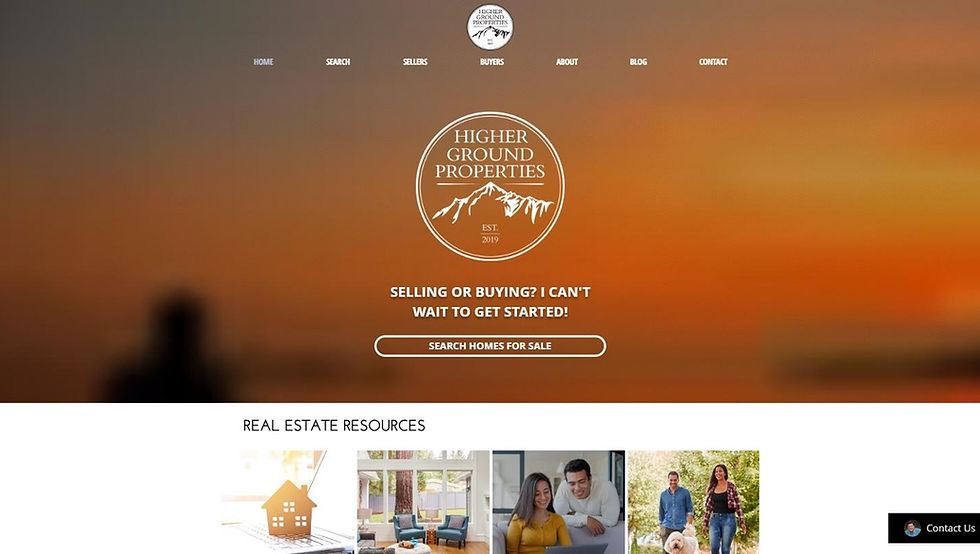
Good real estate website design puts properties and local expertise first while making it easy for visitors to search, learn and get in touch. Use high-quality property photography, clear property details, straightforward navigation and prominent actions such as View listings, Request a valuation or Book a consultation.
Design around how people actually browse properties. Listing cards should make price, location, bedrooms, bathrooms and key features easy to scan. Property pages should surface the most important information early and work well on mobile. Keep lead forms short and ask only for information you need to start the conversation.
How do I get leads from my real estate website?
Start by matching each page to a specific client action. A seller-focused page might offer a home valuation or market consultation, while a buyer page can direct visitors to property search, listing alerts or a buyer consultation.
Place relevant forms and calls to action alongside the content that creates buying intent. A valuation request can sit on seller pages, for example, while a property inquiry belongs on listing pages. You can also offer useful resources such as market reports, buyer checklists or neighborhood information in exchange for contact details.
Track which pages and forms generate inquiries so you can see what brings people to the point of contacting you.
Can I use a real estate template and still look different?
Yes. The template provides the starting structure, but your photography, branding, copy, listings and local content define the finished site.
Use your own property photography and team photos, set consistent colors and typography and write service and neighborhood pages around your actual experience. You can also change the layout of listing pages, feature different content on the homepage and create calls to action around the services you want to grow.
The goal isn't to make a template look completely different. It's to make the site clearly belong to your business and speak to the market you serve.
How do I get my real estate website to show up on Google?
Focus your SEO on the locations, services and property-related questions your potential clients actually search for. Make your location and specialty clear in your page titles, headings, copy and internal links, then create useful pages around your key service areas.
For example, an agent working in three neighborhoods could create a useful page for each area covering local property types, market trends, amenities, recent sales and the agent's experience there. Keep your business name, address and phone number consistent across relevant business profiles and encourage genuine client reviews.
Technical basics matter too: use descriptive page titles, write useful meta descriptions, add alt text to meaningful images, keep important pages crawlable and make sure the site works well on mobile. SEO is ongoing, so update listing and market content when the underlying information changes rather than publishing pages simply to add more URLs.