Updated: 6 days ago
Build your website, your way with Wix Harmony →

Looking for the best responsive website builder? Your site needs to look great and work smoothly on desktops, tablets and smartphones. Responsive website design ensures layouts, images and text automatically adjust to any screen.
The best website builders today incorporate responsive design principles, ensuring your website automatically adjusts layouts, images and text sizes to fit various screen dimensions. Platforms like Wix Harmony and Wix Studio simplify this process even further, automatically optimizing your design for seamless performance across devices.
Try Wix Studio AI today to see how an AI website builder can help you create a site that looks perfect on every screen.
TL;DR: best responsive website builders
Here's a quick comparison of how top responsive website builders meet these criteria:
Website Builder | Built-in mobile optimization | Responsive templates | Customization tools | Interactive navigation |
Wix | Wix Harmony, responsive layouts, AI optimization | 2,000+ templates | Drag-and-drop editor, responsive layouts, AI | Responsive by default |
Wix Studio | Responsive AI, advanced breakpoints, CSS grid, Flexboxes | 375+ free, responsive templates | Advanced responsive behaviors, responsive AI tool | Optimized with responsive behaviors & layout control |
Hostinger | Mobile-specific editor | 150+ mobile-optimized templates | Drag-and-drop editor, mobile editing | Adjust mobile view separately |
Weebly | Auto layout adjustments | 50+ responsive themes by default | Preset content blocks, drag-and-drop editor | Auto-rearranges for mobile/tablet |
WordPress | Dependent on theme or plugin | Thousands of responsive themes | CSS/media queries, responsive plugins | Plugin/theme-dependent; highly customizable |
Carrd | Based on templates | 200+ responsive templates | Basic layout tools, visual editor | Minimalist layout auto-adjusts |
Webflow | Custom & preset breakpoints, CSS grid, Flexboxes | 6000+ responsive templates | Full layout control with CSS logic and visual canvas | Full control over visibility settings per device |
Ucraft | Mobile preview, responsive layout options | 45+ responsive templates | Block-based editor with custom code options | Auto-adjust layout + manual tweaks for mobile |
Squarespace | Auto-optimized layouts + mobile editing | 180+ mobile-optimized templates | Visual editor, style customization per screen | Responsive design adapts per screen |
Want to see what great responsive design looks like in action? Check out these responsive website examples for inspiration across industries and screen sizes.

Wix Harmony brings AI and manual creation together in a single, smart platform. You can generate full pages, layouts and content with natural language, then fine-tune every detail with precise drag-and-drop control. It’s faster, more flexible website creation, without sacrificing quality or creative freedom.
What makes a website builder responsive?
Ever scrolled through a website on your phone, only to find cut-off text or buttons you can’t tap? You’re not the only one, and it’s a problem freelancers, agencies and enterprises can’t afford to ignore. With over 60% of global web traffic coming from mobile devices, every site you create needs to be responsive.
The best responsive website builders ensure that your design dynamically adjusts to different screen sizes and resolutions without compromising usability or aesthetics—making it a smart solution if you’re looking for how to make an existing website mobile friendly.
Responsiveness also depends on how much control you have over your design. Move fluidly between prompt-driven creation with Wix Harmony and precise drag-and-drop editing. You're never locked into one mode when vibe coding a website with Wix.
9 best responsive website builders
In this section, we'll review the most popular responsive website builders in detail, covering their standout features, ease of use and pricing options.
01. Wix

Wix is an AI-powered website builder that makes responsive web design accessible to everyone, from first-time creators to experienced entrepreneurs. Every Wix website is designed to work seamlessly across desktop, tablet and mobile devices, while giving you the flexibility to customize your site as your business grows.
At the center of the experience is Wix Harmony, an AI-powered website creation experience that combines conversational prompting with visual editing. You can generate a complete website, refine layouts using natural language and continue customizing every section with Wix's drag-and-drop editor. Instead of locking you into one way of building, Wix lets you move fluidly between AI-assisted creation and manual editing.
"Today, with Wix Harmony, we're making creation truly “Natural” and “Limitless.” You can move faster than ever before, in a way that feels comfortable to you and shape the exact vision you have in mind. Wix Harmony puts the creator’s needs at the center, combining AI speed with drag-and-drop precision on top of Wix’s professional-grade, scalable infrastructure. For years, the industry forced a tradeoff: move fast and lose control, or be precise and lose time. Wix Harmony removes that compromise, giving efficiency, flexibility and full creative freedom in a single platform." - Omer Shai, CMO at Wix
Beyond website creation, Wix includes built-in ecommerce platform, SEO, marketing, scheduling, analytics and business management tools so you can run your entire business from one platform.
For developers and businesses building omnichannel experiences, Wix also offers a powerful headless CMS that lets you manage structured content centrally while delivering it through APIs across websites, mobile apps and other digital products.
Best for: Small businesses, entrepreneurs, creators and anyone looking for an AI-powered website builder that combines responsive design, ease of use and room to grow.
Best features:
Wix Harmony: Build a fully responsive website using AI prompts, then switch seamlessly to drag-and-drop editing for complete creative control.
Responsive templates: Choose from more than 2,000 professionally designed templates that automatically adapt across desktop, tablet and mobile devices.
Drag-and-drop editor: Customize every page visually without code while maintaining responsive layouts.
AI tools: Generate copy, images, layouts and business assets with built-in AI tools that speed up website creation.
Business tools: Manage ecommerce, bookings, CRM, email marketing, SEO and analytics from one integrated platform.
Developer flexibility: Extend your site with a headless CMS and developer platform for custom web and app experiences powered by APIs.
Pricing: Free plan available. Premium plans start at $17/month (billed annually). Month-to-month billing is also available.
Free: Basic website with Wix branding and a Wix domain.
Light ($17/month): Connect a custom domain, remove ads and access basic marketing tools.
Core ($29/month): Accept online payments, access ecommerce features, analytics and bookings.
Business ($39/month): Advanced ecommerce, marketing tools and additional collaborator seats.
Business Elite ($159/month): Unlimited storage, advanced business features and priority support.
Enterprise: Custom pricing.
Learn more: What is a headless CMS
02. Wix Studio
Wix Studio is the website building platform for freelancers, agencies and enterprises. With high-end design capabilities, streamlined workflows and powerful business management tools, it empowers freelancers and agencies to build, manage and scale exceptional websites with maximum efficiency. Whether you’re focused on Wix Studio design, website development or marketing, this platform brings flexibility and speed at every stage of your project.
“Responsiveness isn’t just an afterthought in Wix Studio—it’s built into the entire design and development workflow. From the first breakpoint to publishing, everything adapts perfectly.” - Roy Wax, PMM at Wix Studio
Recognized as one of the best website builders for designers, Wix Studio includes 800+ responsive templates, a powerful Figma-to-Studio plugin and a comprehensive suite of AI tools designed to speed up workflows from design to delivery.
The platform is especially strong for agencies managing multiple clients. With reusable components and templates, you can reduce production time without sacrificing quality. Wix Studio developers benefit from features like a cloud-based IDE that work alongside the visual builder for maximum flexibility. These Wix Studio features are tailored to meet the needs of professional teams at scale.
For content-heavy sites, the Wix Studio CMS supports advanced content management and dynamic data structures. If you’re selling online, Wix Studio ecommerce tools help you build sophisticated, responsive shopping experiences that look and function seamlessly across all devices. And with built-in Wix Studio marketing integrations, you can automate campaigns, manage SEO and analyze performance all from one place.
“With Wix Studio, you don’t have to hack your way to a responsive site. The platform gives you granular control across devices, without slowing you down.” - Roy Wax, PMM at Wix Studio
Best for: Agencies, enterprises and any professional building websites for others who want full creative freedom without being boxed in by code or platform limitations.
Best features:
Responsive editor: The Studio Editor gives you full control over how elements behave across breakpoints, allowing you to edit for any breakpoint, including custom screen sizes.
Cascade system: Changes you make on larger breakpoints trickle down to smaller breakpoints, but changes on smaller breakpoints don't affect larger breakpoints.
Scale proportionally: You can start by designing in pixels and watch elements scale by default with scale proportionally.
Flexboxes: These smart containers streamline the way you showcase content. They are made up of responsive containers that adapt to any screen and elevate the style and functionality of any site.
CSS grid: In the Studio Editor, you can use an advanced CSS grid to organize the layout of elements and sections. You can choose the number of rows and columns you want and set their size using responsive measurements.
Responsive AI: This tool streamlines site creation by automatically optimizing layout and sizing adjustments for all screen widths with a single click. This tool significantly reduces the time spent manually adjusting content across different devices.
Templates: Access over 375 free, fully responsive templates plus 500+ partner-made templates covering various industries and design styles, allowing users to start their projects with professionally designed layouts.
Pricing: Free plan available. Paid plans start at $19/month (billed annually), with month-to-month billing also available.
Free: without a custom domain or try any plan subject to a 14-day money-back guarantee.
Basic ($19/month): Build online brands.
Standard ($27/month): Accepts online payments.
Plus ($34/month): Capture leads and boost sales.
Elite ($159/month): Scale business growth.
Enterprise (price available upon request): Site management for large-scale businesses.
Curious how Wix Studio stacks up against other platforms? Explore these comparisons:
Wix Studio vs. Wix | Wix Studio vs. Shopify | Wix Studio vs. Framer | Wix Studio vs. Elementor | Wix Studio vs. Webflow | Wix Studio vs. Duda | Wix Studio vs. WordPress
03. Hostinger

Hostinger Website Builder offers AI-powered tools and a drag-and-drop builder, helping users build professional-looking sites without any coding knowledge.
The builder supports users with mobile first capabilities, letting you adjust the mobile version of your site independently for better visual consistency across devices. With 150+ mobile-optimized templates and fast-loading website infrastructure, Hostinger ensures that sites look good and load efficiently on any screen size.
Best for: Small business owners, solopreneurs and first-time website creators looking for a simple way to create a responsive website.
Best features:
Responsive editor: Hostinger’s editor allows users to customize mobile versions separately—adjusting element positioning, font sizes and spacing—so designs don’t break on smaller screens. Changes you make on larger breakpoints do not trickle down to smaller breakpoints, and vice versa.
Responsive templates: The platform offers over 150 free responsive website templates designed to meet a variety of industry needs. All templates are mobile-optimized and editable with a simple drag-and-drop editor.
AI tools: Hostinger includes built-in AI design tools that help generate copy, layouts and entire site sections, cutting down on setup time and helping users get online faster.
Pricing: Paid plans start at $3.99/month (billed annually), month-to-month billing also available.
Premium Website Builder ($3.99/month): Includes a free domain for one year, responsive templates, AI website builder tools and mobile editing.
Business Website Builder ($4.99/month): Offers advanced AI tools and ecommerce website features.
Launch your responsive website with the perfect domain name, use a domain name search or a domain name generator to find a name that looks great and performs well on every screen.
04. Weebly

Weebly is a website builder designed with ease of use in mind offering a drag-and-drop editor and built-in responsive templates that adjust automatically to desktop and mobile views.
Since its integration with Square, Weebly's payment solutions makes it particularly suitable for small businesses and entrepreneurs who want to sell products or services online.
Best for: Small business owners, hobbyists and first-time website builders who need responsive functionality.
Best features:
Responsive layouts: You can build and update responsive layouts using pre-set content blocks, which resize to fit desktop and mobile screens.
Mobile builder: Weebly’s content and navigation "rearrange" themselves to better fit on a desktop, tablet or mobile device.
Responsive templates: Weebly’s templates are responsive by default, which means content adjusts automatically to different screen sizes with no extra effort required.
Pricing: Free plan available. Paid plans start at $13/month (billed annually), with month-to-month billing also available.
Free: Basic responsive site with Square ads and limited customization.
Personal ($13/month): Connect your own domain and access basic customization tools.
Professional ($15/month): Unlock site search, video backgrounds and more advanced ecommerce capabilities.
Performance ($32/month): Online store solution.
Learn more:
05. WordPress

WordPress is an open-source CMS that powers approximately 43.5% of all websites globally. It offers flexibility and control, allowing users to create fully responsive websites through a combination of themes, plugins and custom code. While it requires more setup compared to visual builders, WordPress is a solid option for experienced users.
Best for: Developers, content creators and businesses that want full control over site responsiveness and design behavior.
Best features:
Responsive themes: WordPress offers thousands of free and premium themes that are mobile-optimized, adjusting layouts and components automatically across different screens. Additionally, native blocks support responsive layout behavior and column stacking, facilitating the creation of mobile-friendly pages without the need for plugins.
Mobile editing plugins: Tools like WPtouch and Elementor provide mobile-specific layout controls and previews.
Breakpoints and CSS control: While not as intuitive, WordPress does give full access to CSS and media queries, allowing advanced users to set custom breakpoints and rules for how a site behaves on any screen.
Pricing: Free plan available. Paid plans start at $4/month (billed annually), with month-to-month billing also available.
Free: Basic features with WordPress.com subdomain.
Personal ($4/month): Includes free domain for one year, removes WordPress.com ads and offers email live chat support.
Premium ($8/month): Adds monetization tools, premium themes and advanced customization.
Business ($25/month): Offers plugin installation, advanced SEO features and the ability to install plugins.
Commerce ($45/month): Provides feature for online stores, including payment gateways and premium integrations.
Enterprise (pricing varies): For businesses that require more scalability and data-driven capabilities.
If you prefer more straightforward website builders, check out this article on the best WordPress alternatives.
Learn more:
06. Carrd

Carrd is a streamlined one-page site builder that emphasizes responsiveness from the ground up. It’s built for speed and simplicity, with every design automatically optimized for mobile, making it one of the best one-page website builders on this list.
Best for: Freelancers, independent creators and small projects.
Best features:
Built-in responsiveness: Every template automatically adapts to screen size. No need for breakpoints or manual mobile adjustments.
Responsive layout controls: Elements stack, collapse or resize as needed and spacing can be tweaked specifically for mobile.
Mobile-friendly embeds: Carrd’s integration-friendly widgets like forms and Stripe checkouts work across all devices.
Pricing: Free plan available. Paid plans start at $9/year.
Free: Build up to three sites per account, limited features with Carrd branding.
Pro Lite ($9/year): Connects to custom domain and removes branding.
Pro Standard ($19/year): Build up to 10 sites and access more elements, forms and integrations.
Pro Plus ($49/year): Build up to 25 sites using advanced element settings like attributes and styles, infrastructure, support and website security features.
07. Webflow
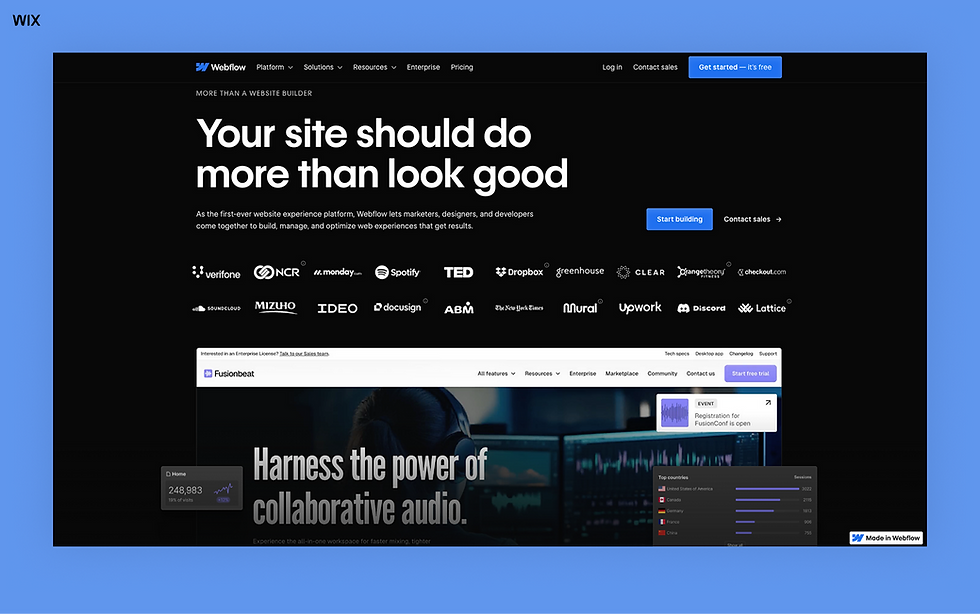
Webflow combines a designer-friendly visual editor with developer-level control, making it a favorite. Every element can be styled separately for mobile, tablet and desktop, using custom or pre-set breakpoints.
Best for: Designers and devs who want advanced visual control over how a site behaves across devices.
Best features:
Custom breakpoints: Add or modify breakpoints to control design behavior on any screen size.
Responsive canvas: Preview and style designs for mobile, tablet or desktop views directly in the editor. You can use Flexboxex for precise alignment and stacking control when designing layouts.
Visibility settings: Show or hide elements by device to simplify layouts for smaller screens.
CSS grid: Webflow allows you to create whatever structure your project needs by defining rows, columns and gaps visually.
Mobile-responsive animations: Build scroll-based and interaction-driven animations that work on all screen sizes.
Webflow AI Assistant: By providing basic details, the AI Assistant will generate a fully responsive website, which you can edit and adjust to fit your needs.
Pricing: Free plan available. Paid plans start at $15.00/month (billed annually), with month-to-month billing also available.
Starter (free): Suitable for those just getting started with Webflow.
Basic ($15/month): Includes a custom domain and 10 GB bandwidth.
Premium ($25/month): Ideal for blogs and content-driven sites.
Team ($2,500/month): Designed for growing teams that need more support.
Choose a responsive blog maker and learn how to start a blog that looks great on mobile, tablet and desktop.
08. Ucraft
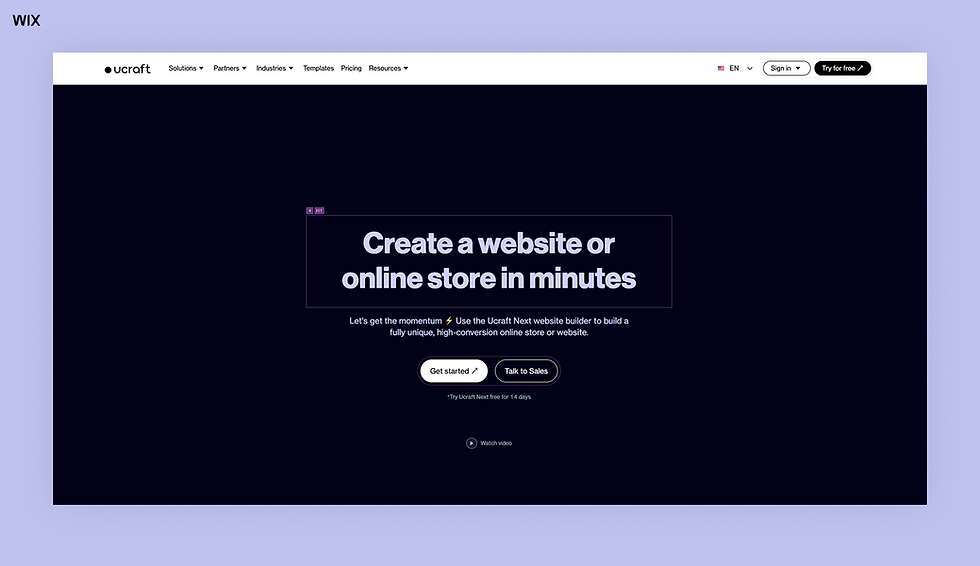
Ucraft is a block-based website builder that emphasizes responsive design and simplicity. It offers a range of templates and device-specific editing tools to help users create mobile-friendly websites.
Best for: Entrepreneurs and small teams looking for a visual, drag-and-drop builder with mobile-first layouts.
Best features:
Responsive templates: Among its 1200+ templates, you can find designs that have built-in responsiveness and automatically adjust to screen sizes.
Mobile preview: Users can preview and adjust layouts for desktop or mobile views. You cannot edit for tablets specifically though, instead, you can choose to generate the view from either the desktop or mobile versions.
Code access: For advanced customization, Ucraft enables adding custom HTML/CSS.
Pricing: Free plan available. Paid plans start at $6.00/month (billed annually), with month-to-month billing also available.
Free: Create a multi-page website for free.
Website ($6/month): Connect a domain, but must upgrade to remove Ucraft branding.
Basic Shop ($10/month): Unlimited number of pages and bandwith, but still includes Ucraft branding.
Pro Shop ($21/month): Unlocks advanced website features.
Unlimited ($69/month): Highest paid plan, unlocks all features.
Learn more:
09. Squarespace

Squarespace combines web design-focused templates with responsive functionality, making it a great choice for creatives. Every template is built to scale across screen sizes and mobile previews let you optimize the experience before publishing.
Best for: Creatives, photographers and small business owners.
Best features:
Responsive templates: Over 100 mobile-optimized themes designed with clean layouts.
Style editor: Customize font sizes, padding and section visibility based on device view.
Built-in mobile adjustments: Preview and modify mobile designs within the visual editor.
Advanced behaviors with code: Squarespace gives you the ability to use code to create flexboxes and CSS grids in order to fit different breakpoints better.
Blueprint AI: Squarespace’s native AI site builder creates a fully responsive site with high-quality, personalized content.
Check out our Wix vs Squarespace and Squarespace alternatives articles to learn more.
Pricing: Paid plans start at $19.00/month (billed annually), with month-to-month billing also available.
Basic ($19/month): Access to fully customizable templates and a free custom domain.
Core ($29/month): Advanced website analytics and a full array of business features.
Plus ($49/month): Selling tools to help grow your business and 1% transaction fees.
Advanced ($99/month): Maximize your revenue with the lowest payment processing fees from all the plans and advanced business tools.
Editor's note: All pricing updated as of July 21, 2026.
What to look for in a responsive website builder

When evaluating the best mobile website builders, certain features directly impact the quality of the responsive design experience. These key elements help ensure your website delivers the best possible user experience—especially when creating mobile websites that look and perform great across devices. Here’s a breakdown:
Built-in mobile optimization features
Mobile-specific tools, like mobile preview and automatic content adjustments, improve the user experience significantly.
Variety of responsive templates
Templates designed specifically for responsiveness help you build functional websites that also look good, more efficiently. Look for a wide selection of mobile templates to make sure your design works well on smaller screens right from the start.
Learn more: responsive vs adaptive design
Ease of customization and custom breakpoints
Simple, intuitive editing tools allow you to adjust layouts effortlessly without advanced technical knowledge. Advanced website builders let pros add or tweak breakpoints beyond the standard desktop/mobile set.
Consistent navigation on all devices
Reliable navigation across all devices ensures visitors can easily find information, enhancing usability and visitor retention.

With today’s responsive website builders, you have more control than ever to create a site that adapts beautifully to any screen. The best choice depends on your goals and how much flexibility you need.
If you’re building large-scale sites or client projects, look for a platform with visual editing power, custom breakpoints and developer-friendly tools. Wix Studio, for example, offers responsive AI, reusable components and code-friendly options designed for professionals who need precision and speed. For simpler sites, intuitive platforms with flexible pricing are a good starting point.
Consider your investment too. While some builders suit small projects, platforms like Wix Studio combine responsive performance, business tools and scalable infrastructure including SEO, hosting and ecommerce under one roof.
No matter your starting point, the right builder makes responsive design effortless. Wix Studio provides creative freedom, AI-enhanced efficiency and infrastructure that grows with you, giving you everything needed to build boldly.
Learn more about Wix Studio:
Editor’s note: all pricing and information are current as of July 21, 2026.
Best responsive website builders FAQ
How do I make my website 100% responsive?
To create a responsive website, start by choosing a platform that supports automatic layout adjustments across different screen sizes. Most modern website builders, like Wix Studio, include responsive templates and design tools that let your content adapt to desktop, tablet and mobile views. Using features like section-based design, flexible grids and scalable media ensures your site will look good and function well, no matter the device.
What is a responsive website?
A responsive website is one that automatically adjusts its layout, content and design elements to fit different screen sizes and devices—whether it’s a desktop, tablet or smartphone. Instead of building separate versions for each device, responsive sites use flexible grids, scalable images and CSS media queries to ensure everything displays properly in one unified design.
Is Wix/Wix Studio responsive or adaptive?
Most Wix templates and tools use responsive design, so your content adjusts automatically to different screen sizes. The Wix Editor still has some adaptive behaviors, like separate layouts for mobile and desktop, which may require manual adjustments. Wix Studio, on the other hand, is fully responsive. It features a flexible grid system, AI-powered layout tools and advanced breakpoints, letting your designs adapt seamlessly across all devices while giving you full control over how each element appears on desktop, tablet and mobile.


