Updated: 7 days ago

A therapist website often handles the first step of intake. It tells someone whether you treat what they're facing, what a session costs, whether you take their insurance and how to book a first consultation, all without asking for more personal detail than you need.
The right setup depends on your budget, how much time you have outside sessions and the practice software you already use. This guide compares the ways to create a website, then walks through the steps for a private practice.
Turn your idea into a business-ready therapist website. Choose a template or start with AI, make the design your own and add the tools you need to take consultation bookings, share intake forms and offer online sessions, all with Wix.
TL;DR: how to make a therapist website
To make a therapist website, pick a build method that fits your schedule and skills, then add pages for your specialties, fees and booking plus a secure contact form. Before collecting any health details online, check the privacy rules in your state or country.
You'll learn:
How the main setup options compare
What to ask before choosing a website builder
What new clients look for first
How HIPAA applies to forms and messages
How to get found in local search
Costs and the Wix tools that help

Ways to build a therapist website
There are eight common ways to build a therapist website. The real difference is who keeps it accurate after launch: updating fees, opening consultation slots and checking the contact form still reaches you. New to this? Start with how to make a website.
Whichever route you take, booking usually matters most. With Wix, for example, clients can schedule appointments 24/7 from any device.
Already know how you'll build? Skip ahead to the 8 steps.
Therapist website builder with templates
A website builder gives you pages that are already laid out, so you swap in your bio, specialties and fees instead of starting from a blank screen. Many therapist templates include services, booking and contact pages.
It suits solo and small group practices that want to make their own changes, like adding a couples counseling service on a Friday afternoon. Check that the template fits how clients reach you today: online booking, a phone call or an inquiry form.
Drag and drop editing means a new headshot or a reordered services list takes minutes, with no code.
Learn more: How to use a website template to make a website
Create a therapist website with an AI website builder
An AI website builder asks about your practice, your clients and your approach, then generates a first draft you can edit.
The Wix AI website builder, for example, creates a personalized site from that description, with online booking, contact forms and a blog.
It suits clinicians new to design who want a starting point this week. Read every generated line, since AI copy can describe a method you don't use or promise outcomes, and swap stock photos for your own.
Learn more: How to create a website with AI

Build a therapist website with an AI chat assistant
Some AI chat assistants, such as ChatGPT, Claude or Gemini, can connect to a website platform and edit a site from a conversation. You type a request like "add a page for my new grief support group" and the assistant makes the change.
With Wix, for example, you can type @Wix in ChatGPT to get a site plan and a Wix Harmony site, or connect your Wix account to Claude through the official Wix connector to create and manage your site.
This suits therapists who already use an AI chat. Never paste client names, notes or anything that could identify a client into the chat, and check every change before it goes live.
Build a therapist website with AI coding tools
AI coding tools, such as Claude Code, Cursor or Lovable, write a site's code from your prompts. The result still needs hosting, a booking system and someone to fix it when an update breaks the intake form.
It suits technically confident clinicians or a practice with a developer. AI-written code doesn't make a site HIPAA compliant: you still decide where form data is stored and who sees it.
The Wix MCP server, for example, connects AI tools such as Cursor and Claude to Wix bookings, forms and payments.
Learn more: How to build a therapist website

Use a content management system (CMS) for your practice
A content management system (CMS) is software for updating text, photos and pages without rebuilding them. Open-source options such as WordPress give you control, but you handle hosting, updates, security and the plugins for booking and secure forms.
A CMS suits group practices that publish often and have someone for maintenance. Ask who updates the plugins and whether each provider will sign a business associate agreement if it handles client health information.
Learn more: Website builder vs CMS
Hand-code a therapist website
Hand-coding means writing the site in HTML, CSS and JavaScript yourself: full control and full responsibility for hosting, security, forms and fixes.
It makes sense for clinicians who are also developers and want something custom, like a "find the right therapist" quiz. For a solo practitioner with a full caseload, coding hours are hours away from clients.
Headless website development for therapy practices
A headless website keeps the part visitors see (the design) separate from the part that stores content and handles bookings. A developer builds the design and connects it to tools for scheduling, forms and payments.
Headless is custom development, not a shortcut: a developer sets up and tests the full client journey, from choosing a slot to the confirmation email. It suits multi-location group practices with technical help.
Wix Headless, for example, is free to connect and provides the business tools and hosting behind a site built in code.

Hire a therapist website designer or developer
A web designer or developer builds the site for you, from layout to booking setup, and some agencies work only with therapists. You still approve every claim about your credentials and agree on who updates fees and availability.
It suits practices that would rather not touch the site. Before you sign, ask who owns the domain and site if you leave and what the monthly fee covers. You can find Wix-certified designers on Wix Marketplace.
Find the best way to create your therapist website
Method | Best for | Who updates fees and availability | Booking and intake | Skills needed |
Website builder with templates | Solo and small group practices | You or your admin | Built in or added as an app | Basic computer skills |
AI website builder | Clinicians new to web design | You, after editing the draft | Built in or added as an app | Basic computer skills |
AI chat assistants | Owners who already use an AI chat | You, through the chat | Depends on the connected platform | Comfort writing clear instructions |
AI coding tools | Technical clinicians or a practice with a developer | You or your developer | Connected by you or a developer | Some coding knowledge |
Content management system (CMS) | Practices that publish often | You, plus plugin upkeep | Plugins you install and update | Moderate technical skills |
Hand-coding | Clinicians who code | You | Built or connected by you | Strong coding skills |
Headless website | Multi-location group practices | A developer and your team | Connected by a developer | Developer required |
Hiring a professional | Owners who want it done for them | Your designer, or you after handover | Set up by the designer | None for setup |
Learn more: Best website builders
How to create a therapy website in 8 steps
Once you know how you'll build, work through these steps in order. Each one ends with something a new client will see or use.

01. Plan your therapy practice website
Before you choose a template or a tool, write down how your practice works today and which parts of a website you'll need.
Who you work with
Name the clients you see most and want more of, such as adults with anxiety, couples or teens and their parents. This shapes your homepage wording and specialty pages.
How clients reach you today
Note whether new clients call, email, fill in a form or book a free consultation, and how many new clients you can take each week.
The systems you already use
If you use practice management software or an electronic health record (EHR) with a client portal, decide whether clients book there or on your website. A Book online button that links to your portal keeps scheduling in one place, as one of the examples below does.
The questions clients ask before booking
Collect the questions you answer most by phone, such as insurance, fees, sliding scale and online sessions. These become your FAQ, fees page and policies.
Your budget
Budget for the website and the tools around it, such as booking, secure forms and business email. See how much a website costs for the main items.
02. Decide how to make your website
Choose a build method that fits the time you have outside sessions and how much control you want.
To take consultation bookings this month, start with a website builder or an AI website builder. To manage the site from an AI chat, connect a chat assistant. For a multi-location group practice with custom needs, talk to a developer.
Questions to ask before you choose a website builder for your practice
Can clients book a consultation and pay online?
Can you add video links for online sessions?
Can clients complete intake and consent forms before the first session?
Does it support HIPAA, and will the provider sign a business associate agreement (BAA)?
Does it work with your practice software, or can you link to your client portal?
Can you update fees, availability and policies yourself?
Therapist-only platforms bundle several of these for a monthly fee, while general builders give more design freedom and add booking and forms as apps. Compare the full yearly cost.
03. Pick a domain name that will stick
Your domain name is your practice's address on the web, so keep it short, easy to spell and close to your name or practice name.
Start with your name or practice name, or add a word like "therapy" or "counseling" and your city. The ending (top-level domain or TLD) can be .com, .org, .therapy, .clinic or .health.

Pro tip: If the domain you want is taken, run a domain name search or try a domain name generator for alternatives. In ChatGPT, you can also search for a domain by typing @Wix.
Your domain also needs web hosting, a core part of your website infrastructure. Website builders include it: every Wix site, for example, comes with hosting and a free SSL certificate (a secure connection) for your contact form.
Selected yearly or multi-year Wix Premium plans come with a voucher for a free domain for the first year. The voucher does not cover premium domains or WHOIS privacy, which you can add separately when you register your domain.
Learn more: Best domains for therapists
04. Start customizing your website design
Therapist templates let you preview a full site first, and many website templates for health and wellness websites include booking and contact pages.
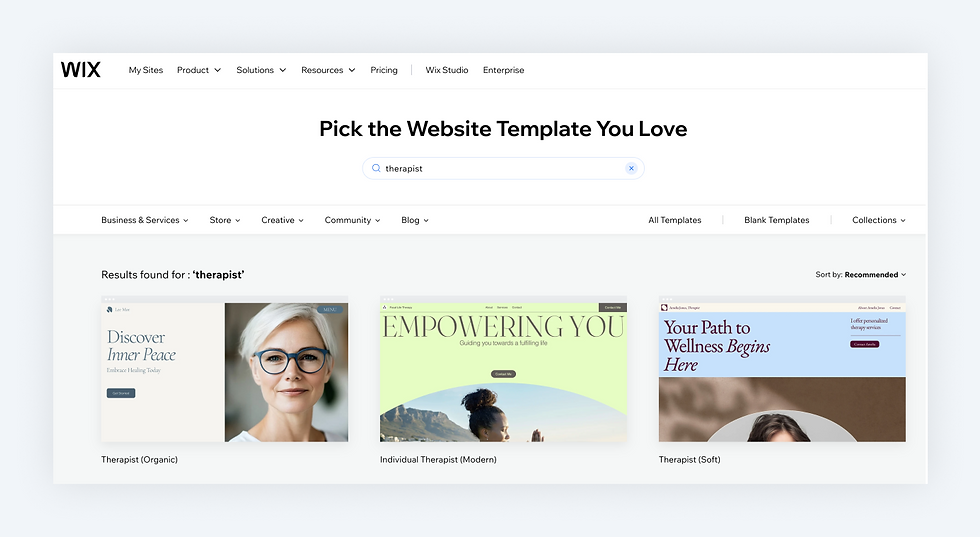
Simple website templates that put services and booking first suit a private practice, and a therapist website template gives you a professional start. Not sure? See how to choose a website template.
Before you commit to a template, check that it has:
A clear services or specialties section
A booking or consultation page
Room for fees, insurance and policies
A contact form you can keep short
A layout that's easy to tap through on a phone
Then make it your own with your colors, readable fonts and logo, so the site looks like the practice clients meet in the room or on screen.
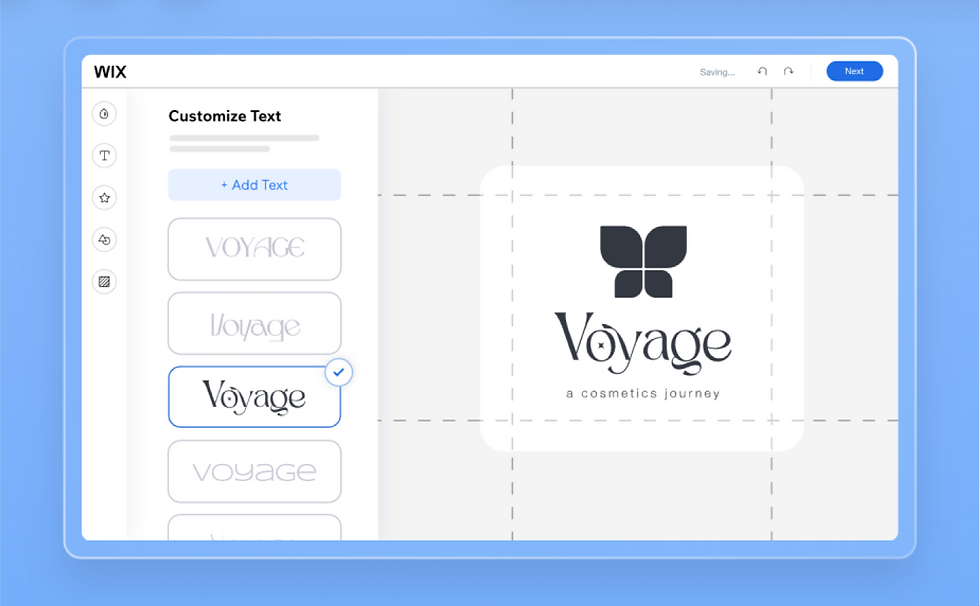
Learn more:
Yaya Aaronsohn, Head of Brand Maker & Alternative Funnels at Wix:
"Each combination of design elements has the potential to evoke specific emotions, convey subtle messages and leave a lasting impression on viewers. From the choice of font to the selection of colors and the incorporation of graphic elements, every detail plays a crucial role in shaping the overall identity of a brand."
05. Add the right pages, tools and content
Whether you choose a multi-page website vs single page website, every web page should answer one question a new client has. A small practice can start with a one-page website and add pages later.

Homepage
Your homepage is often someone's first contact with your practice. Say who you help in the first lines, show a real photo and keep the consultation button and phone number easy to find.
About or Meet your therapist page
An About Us page carries your bio, headshot, licenses and training in plain words. In a group practice, give each clinician a short profile that says whether they're taking new clients.
Specialties and approach
Give each specialty its own section or page, such as anxiety, trauma or couples counseling, and explain your approach (for example CBT or EMDR) in plain words. These pages also help you show up in searches for a specific kind of therapy.
Fees, insurance and payment
List your session fee and length, the insurance plans you're in network with and whether you offer a sliding scale or a superbill (a receipt clients submit for out-of-network reimbursement). Keep it current.
Booking a consultation
Online scheduling software lets clients book a free consultation or first session without phone tag. Look for a calendar that shows only the slots you choose, confirmation emails and a cancellation policy.
Learn more: Best scheduling software
Intake and consent forms
Online forms let new clients complete intake and consent before the first session. Health history can count as protected health information (PHI) in the US, so use a form tool that supports HIPAA or your practice software.
Online sessions (telehealth)
Say where you're licensed, what clients need (a private room and a stable connection) and how they get the video link. Check that your video provider will sign a BAA if HIPAA applies.
FAQ and policies
Answer what you're asked most, such as cancellations, the first session and confidentiality, and link your privacy policy in the footer.
Contact, location and crisis resources
List your phone number, a business email account and your office address, or say you see clients online only. Keep the contact form short and ask people not to share clinical details.
Add a crisis note on your contact page and footer: your practice doesn't provide emergency services, and anyone in crisis should call their local emergency number. In the US, people can call or text 988 to reach the 988 Suicide & Crisis Lifeline, open 24/7.

Blog and resources
A blog with posts on topics like managing stress lets visitors get to know your voice before they book.
Use real photos of yourself and your office, and see how to choose website images.
Top features of a great therapist website
Features of a great therapist website | Why it's important |
Warm, clear bio | Shows your background, approach and credentials |
Service descriptions | Explains what you offer and who you help |
Online booking | Lets clients schedule without back-and-forth emails |
Contact form | Gives a private, low-pressure way to reach out |
Clean, calming design | Helps visitors feel at ease |
Mobile-friendly layout | Works on any device |
SEO basics | Helps local clients find you in search |
Client resources | Gives visitors useful help right away |
Privacy and accessibility | Keeps the site secure and usable for everyone |
Custom domain | Looks professional and is easy to share |
06. Make sure your site is mobile-friendly
Clients often search for a therapist on their phone, so every page, button and form needs to work on a small screen. With Wix, for example, your content adjusts for mobile as you build, and the mobile editor lets you fine-tune it.
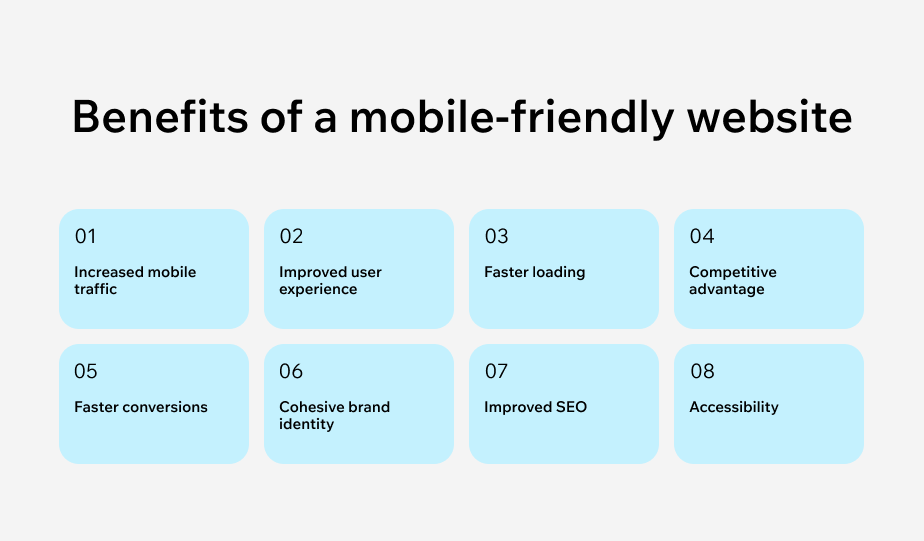
Test it yourself: book a consultation on your phone, fill in the contact form and tap the phone number to check it dials. Keep the booking button visible and use a short menu or a hamburger menu.
07. Pay attention to web accessibility
Web accessibility means people with disabilities can use your site. More than 1 in 4 US adults have some type of disability, according to the CDC, and it's a legal requirement in many places.
Templates cover basic accessibility, but your content still needs care. Learn how to make a website accessible, then check these:
Alt text on informative images (decorative ones can be skipped)
Strong color contrast, especially on soft palettes
Fonts large enough to read easily
Buttons and forms that work with a keyboard
Captions or transcripts on videos
Link text that says where it goes
08. Review and publish
You're almost ready to launch your new website like a pro. Before you press publish, work through a website launch checklist and test the client journey from start to finish:
Book a free consultation and a paid session
Cancel and reschedule a test booking
Submit the contact and intake forms and check where they arrive
Join a test online session from the confirmation email
Pay on a phone with a card
Ask a friend to find your fees and insurance details
Then ask a few trusted people whether the site feels welcoming and whether anything was hard to find.
Once you publish, website management is ongoing. Review these items on a schedule:
Fees, insurance and sliding scale: whenever they change
Availability and new-client status: monthly
Policies and forms: once a year or when rules change
Bios, licenses and photos: when anything changes
Links, forms and speed: monthly, with PageSpeed Insights
Keep the business side running quietly. Symphony by Wix is an AI agent platform for independent business owners and small teams, with agents for marketing, client communications, scheduling and finance in one conversation.
In a practice, that could mean session reminders or invoice follow-ups. Symphony asks for your approval before its agents act and works whether or not your site is on Wix. If your site handles PHI, check which tools your BAA covers before you connect them.
Marine Levy, Product Marketing Manager at Symphony by Wix:
"A therapist in private practice shouldn't have to spend their Sunday evening organizing client follow-ups and reviewing their booking calendar. That's time they'll never get back."
Helen, a solo therapist who runs Stillpoint Therapy, set up a weekly traffic summary from Symphony that arrives every Monday at 9am, so she no longer pulls her analytics by hand. Read her Symphony user story. Results vary by practice.
Is a therapist website HIPAA compliant?
A website by itself isn't HIPAA compliant or non-compliant. What matters is whether it collects, stores or sends protected health information (PHI). HIPAA is the US law that protects health information, and whether it applies depends on how you work, so check with a professional (this isn't legal advice).
A site that only shares your bio, fees and phone number usually doesn't handle PHI. Intake forms, booking notes and messages about symptoms often do, and the providers that handle them need to sign a business associate agreement (BAA) with you.
Practical steps for a therapist website:
Keep the public contact form free of symptom or history fields
Collect intake details in a HIPAA-supported tool
Sign a BAA with each provider that handles PHI
Limit who on your team can see client data
Add a privacy policy that explains what you collect and why
With Wix, for example, sites built in the Harmony Editor, the Wix Studio Editor or Wix Headless can be set up to support HIPAA compliance for eligible US providers. You need a supported plan (Business, Plus, Elite, Business Elite or Enterprise) to activate PHI protection in your dashboard, and you then sign a BAA with Wix.
Wix provides tools and HIPAA compliant hosting, but you're responsible for how you set up and use your site. Some apps aren't compatible with HIPAA, and PHI protection hides visitor data that could identify someone in your analytics.
Rules outside the US differ, such as GDPR in the EU. For other health practices, see how to create a medical website.
Worth knowing: HIPAA support covers how data is handled, not what you publish. Avoid testimonials or photos that reveal someone is your client, and check your licensing board's rules on testimonials and advertising.
Learn more: How to make a website HIPAA compliant

Why are therapist websites important?
So, what is a healthcare website, and how does it help a private practice? Clients often compare therapists on directories, review sites and search results before they book.
In a 2021 American Psychiatric Association poll, 59% of US adults said they would use telehealth for mental healthcare. Your site is where clients check whether you offer it.
The benefits of a website for a practice come down to four jobs.
Credibility before the first call
Clients can check your licenses, training and approach before they reach out, in your own words rather than a directory summary.
New clients from search
Clients often start by searching for "therapist near me" or for a specific concern. Website SEO helps your practice show up in those results alongside your directory listings.
Less admin for you and your clients
Online booking, intake forms and payments cut phone tag and paperwork, so the first session starts with the basics in hand.
Support between sessions
Blog posts and resource lists give clients something useful between sessions.
A website won't replace referrals or directory listings. It's where those referrals go to check whether you're the right fit.
Learn more: What is a website?
Therapist website design tips
Good web design for a therapist balances calm and clarity. Start with what makes a good website, then use these website features as your blueprint.

A calm, professional look
Unlike portfolio examples with bold creative elements, a therapy site works best with soft colors, white space and readable fonts, with enough contrast for text and buttons.
Learn more:
Photos that build trust
Use a recent headshot and real photos of your office. Avoid stock images that look like clients in session, and never use photos of real clients.
Informative and trust-building content
Put who you help, fees, insurance, location and how to book up front. Show licenses near your bio and write in the voice you'd use on a first call.
Easy-to-use website navigation
Website navigation decides how quickly visitors find what they need. Keep the menu to services, about, fees and contact, with the booking button on every page.
Practical tools for your clients
Booking, secure forms, payments and a client portal link save time on both sides. Add only what you'll maintain: a chatbot that answers clinical questions creates more risk than it saves.
SEO best practices for websites for therapists
Marketing strategies such as directory listings, referrals and email bring clients to your site, and SEO (search engine optimization) helps your pages show up when people search for therapy near them.
Start with local search, in this order:
Claim your Google Business Profile: keep your hours, location and booking link accurate.
Use the words clients search: phrases like "therapist in [city]" in page titles, website headers and service pages.
Fill in your metadata: write meta tags and alt text for each page, and make sure your site has an SSL certificate.
Keep directory profiles consistent: use the same name, phone and website on directories such as Psychology Today.
Publish helpful content: starting a blog answers client questions. Learn how to start a blog and use blog SEO.
SEO takes time, and no setup guarantees a ranking.
Examples of the best therapy websites
These therapy websites were made with Wix. Use them for ideas on layout, tone and booking.
01. Gavett Burch
Gavett Burch's therapy website uses a simple design with calm imagery. The homepage lists the states the practice serves and says sessions run online, and separate pages introduce the therapist and explain what to look for in one.

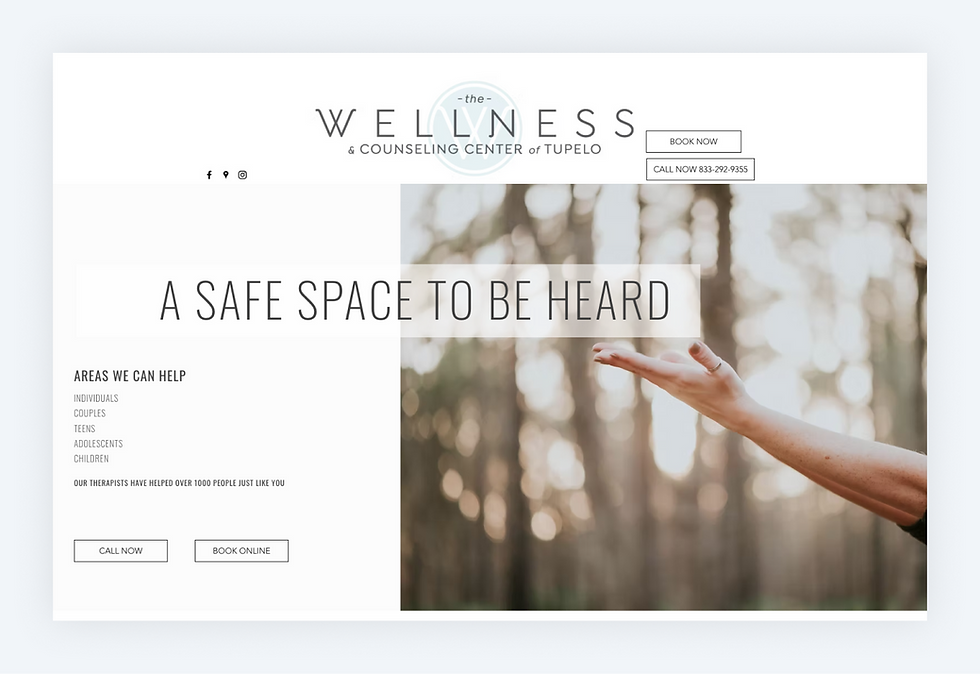
02. The Wellness and Counseling Center of Tupelo
Promising "a safe space to be heard," The Wellness and Counseling Center of Tupelo repeats short CTAs like "Call now" and "Book online," and the Book online button links to the practice's own scheduling system. The homepage explains how to start therapy in three steps.
03. Revive Therapeutic Services
Revive Therapeutic Services is a multi-state therapy and psychiatry practice. Its homepage leads with services, social proof and a phone number, and a mental health blog gives visitors a reason to come back.
How much does a therapist website cost?
Budget for more than the plan price: a domain, a plan that supports booking and payments, payment processing fees, HIPAA-supported tools if you collect health information, video conferencing, business email and your time keeping it current.
Therapist-only platforms usually bundle templates, secure forms and support for a monthly fee, while general builders let you add tools as needed. Hiring a designer adds a setup fee and sometimes a retainer.
With Wix, you can build for free and upgrade to a paid plan to take bookings and payments. PHI protection needs one of the supported plans listed in the HIPAA section.
How to make a therapist website with Wix
Wix gives a private practice one place to build the site, take bookings and run online sessions.
Build and update your site
Start from a therapist template, the AI website builder or Wix Harmony, which combines prompts with drag-and-drop editing and Aria, its AI agent, to build pages and rewrite copy. You can also start in ChatGPT with @Wix or manage your site from Claude with the Wix connector.
Take bookings and run online sessions
Wix Bookings lets you offer a free consultation alongside paid sessions, set different prices for one service (for example a sliding-scale rate) and approve requests before they're confirmed. Booking policies set cancellation windows and cancellation or no-show fees.
For online sessions, you can connect Zoom, Google Meet or a custom video link on a plan that supports payments. The Intake Forms app lets clients complete and sign forms before their session; a shareable form link needs a Business or Business Elite plan (Plus or Elite on Wix Studio).
Protect client health information
If your site handles PHI, activate PHI protection and sign the BAA with Wix before you collect any health information, then use apps from the list of HIPAA-supported apps. Keep health details out of booking notes, and use Wix Invoices to send invoices protected by an access code.
Build for clients or in code
If you build sites for therapists, Wix Studio adds advanced design tools and client project management. If a developer codes your site, Wix Headless provides the booking, payments and hosting behind it.
Hand off the admin
Symphony by Wix can take on reminders and follow-ups, as covered in step 08. For the full platform, read What is Wix.
Other types of websites to create
How to make a therapist website FAQ
What should a therapy website include?
A homepage that says who you help, an About page with your licenses, specialty pages, a fees and insurance page, online booking, an FAQ and a contact page with crisis resources.
How can I make my therapy website stand out?
Write in your own voice, use real photos, explain your approach plainly and make booking easy from every page.
How can clients book appointments on my website?
Add online scheduling software so clients can book a free consultation or paid session and get a confirmation email. Wix Bookings can also add a video link and a cancellation policy.
What is the best website builder for therapists?
One that covers booking, secure intake forms, video links and HIPAA support on a plan you can afford, and that you can update yourself.
Do therapists need a HIPAA compliant website?
In the US, if your website collects protected health information, such as intake forms, the tools that handle it need to meet HIPAA requirements and sign a BAA with you. This isn't legal advice.
Should a therapist website have a crisis disclaimer?
Yes. Say your practice doesn't provide emergency services and list the local emergency number. In the US, add the 988 Suicide & Crisis Lifeline.
Should I list my fees and insurance on my website?
Yes. Listing your fee, insurance plans and any sliding scale saves time on calls that won't lead to a booking.
How much does it cost to make a therapist website?
It depends on the build method. Budget for a domain, a plan with booking and payments, payment fees and any HIPAA-supported tools.
Can I make a therapist website myself?
Yes. A website builder or AI website builder needs no design or coding skills. Test booking and forms on a phone before you publish.


