Updated: Jul 14

Learning how to make a day spa website helps you connect with clients and grow your business. A well-designed site works around the clock to bring in reservations, showcase your services and build trust with new visitors. With a free website builder, you can get your spa online quickly and create a space where clients can explore treatments and book appointments easily.
This guide walks you through every step so you’ll know how to start a website for your day spa. Follow these tips to make your site both beautiful and functional, attracting new clients and keeping your business running smoothly.
Start building with Wix's AI website builder.
TL;DR: how to make a day spa website
A day spa website helps clients discover your treatments, relax before their visit and book appointments with ease. It’s your online showcase, highlighting your services, atmosphere and the expertise of your team.
Start by choosing a website builder and selecting a template that fits your spa’s vibe. Add your service menu, set up online booking and include photos or testimonials to give visitors a sense of the experience you offer. With a professional site in place, clients can find, trust and choose your spa effortlessly.
Essential feature | Why it matters |
Online booking | Allows clients to reserve treatments anytime. |
Service menu | Displays prices and treatment details clearly. |
Photo gallery | Shows the calming environment of your spa. |
Contact details | Helps visitors find your location easily. |
How to make a day spa website in 6 steps
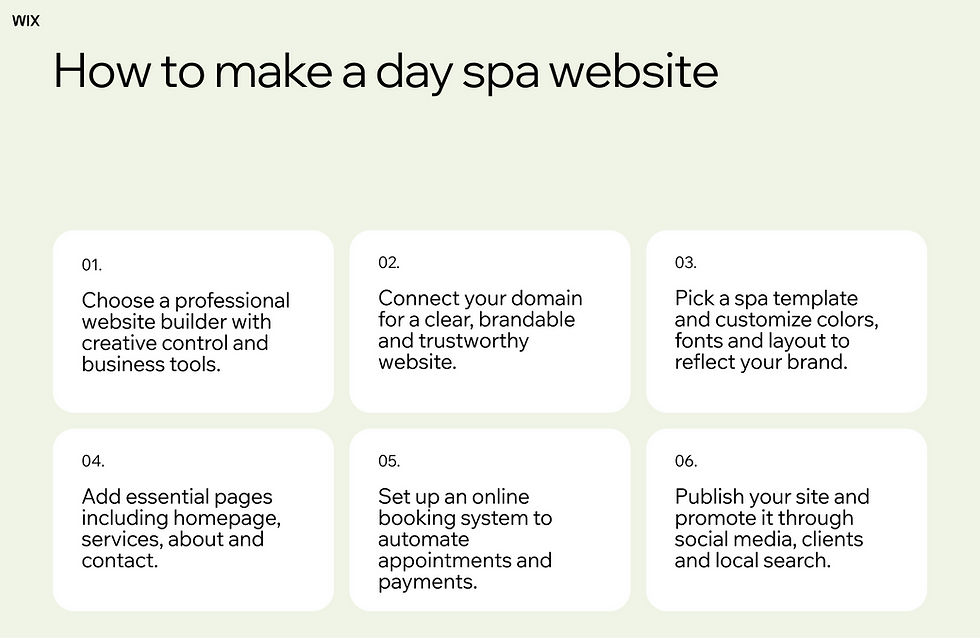
Building a site for your spa is a straightforward process. You just need to follow a few simple steps to get everything up and running.
01. Choose a professional website builder
Finding the right platform is the most important step. You want a tool that gives you creative control and powerful business features. Website builders for service businesses are designed to help you confidently present your brand and manage every part of your spa business with ease. Wix powers growth with a service website builder that scales with your business, giving you all the tools needed to manage a successful spa. Wix offers an easy-to-use website builder with designer-made, fully customizable templates.
With the right platform, you can enable online services on your website, offering automated scheduling, confirmations and client management—all from one place. This makes running your day spa much easier and lets you spend more time doing what you love, rather than handling admin tasks.

02. Connect your domain
A custom domain makes your spa website easy to find and remember. Choosing a clear, brandable name helps clients trust your business and makes your website look professional. It also makes it simple for clients to share your site with friends, family and colleagues, boosting word-of-mouth referrals. Wix offers quick domain registration.

Connecting your domain to your website is straightforward with modern builders. You can register a new domain or link an existing one, set up secure HTTPS and manage your domain settings all in one place. With a professional domain in place, your spa’s website looks polished, trustworthy and ready to attract new clients.
Pro tip: To choose a domain name, try out a domain name generator or domain name search for inspiration.
Learn more:
03. Pick a template and customize your design

Website templates give you a strong foundation for your design. Browse through a variety of wellness themes to find one that matches your brand and captures the feeling you want clients to experience. Wix lets you create a service website with beautiful designs and full functionality, so your site feels just as calming as your spa’s real-world space.
You have complete freedom to change colors and fonts to reflect your style and location. Aim for a design that feels both relaxing and professional. Your website design should reflect the relaxing experience clients can expect at your spa.
Explore designer-made website templates:
04. Add essential pages

Every great day spa website starts with a clear website structure. Begin by creating a welcoming homepage that introduces your spa, highlights your atmosphere and guides visitors toward your services. Then add a dedicated services page where you list treatments with clear descriptions, duration and pricing so clients can easily understand what you offer and book with confidence.
An about page helps you build trust by sharing your story, philosophy and team experience, while a location and contact page makes it simple for clients to find you. Include your address, opening hours and an integrated map to remove friction and encourage bookings. With the right pages in place, your website becomes a smooth journey from discovery to appointment.
Explore more website page examples:
05. Set up an online booking system
Taking appointments over the phone takes up valuable time, but an online booking system can automate your schedule and free you up to focus on what really matters, your clients. With a system in place, visitors to your site can check your calendar, pick an open slot and even pay for their treatments ahead of time, all without the back-and-forth of phone calls.
This streamlined process means you save hours of administrative work each week, thanks to the efficiency of online scheduling. You can spend less time handling bookings and more time creating a welcoming spa experience. When you make booking this easy, you'll see more appointments and happier clients who appreciate the convenience.
Expert tip from Raquel “Rocky” Harris, founder and owner of Warm Up
“The biggest thing was scheduling my training sessions online when I was still training clients. I used the Wix Bookings app, so they could schedule sessions on their own from my site. I was training out of two locations and virtually. I liked that clients could easily see their options, and I think having a clear virtual option helped me pick up more clients during the pandemic. The confirmation email gets sent out automatically, and this gave me more time for Warm Up because I wasn’t managing it all myself. Now, people can reschedule or cancel on my site, and I don’t worry about missing something.”
Learn more:
06. Publish and promote your spa site
Once everything looks perfect, you're ready to share your site with the world. Hit the publish button to make your site live and watch as your spa business steps into the spotlight, ready for new and returning clients alike.
Now it’s time to let people know about your new site. Share your website link on your social media profiles, mention it to clients and add it to printed materials like business cards. Don’t forget to add some search-friendly details to your site’s copy—this way, locals searching for spa treatments are more likely to find your business and book that relaxing appointment.
Learn more about how to promote your website and how to make a med spa website.
Essential features for a day spa website
Online booking: Lets clients to book, cancel or reschedule appointments anytime, with automated confirmations and reminders to reduce no-shows.
Service menu with pricing: Clearly presents treatments, packages and add-ons with transparent pricing so clients know exactly what to expect.
Therapist profiles: Introduces your team with photos, certifications and specialties to build trust before the first visit.
Mobile-friendly design: Ensures your site looks and works great on any device, making it easy to book on the go.
Secure payment options: Lets clients pay deposits or purchase gift cards online with trusted and secure checkout.
Customer reviews and testimonials: Showcases real client experiences to strengthen credibility and increase conversions.
Photo gallery: Highlights your spa atmosphere, treatment rooms and results to create a calming and premium first impression.
Contact information and location map: Makes it easy to find your spa with clear address details, opening hours and integrated maps.
Promotions and memberships section: Promotes seasonal offers, loyalty programs and membership plans to encourage repeat visits.
Email signup form: Captures leads for newsletters, exclusive offers and appointment reminders to stay connected with clients.
Day spa website templates
Using a template gives you a professional head start on your website. These layouts provide a beautiful, functional foundation that you can easily customize. This way, you can skip the guesswork and jump right into adding your unique touch. It's the perfect way to get a designer-quality site up and running in no time.
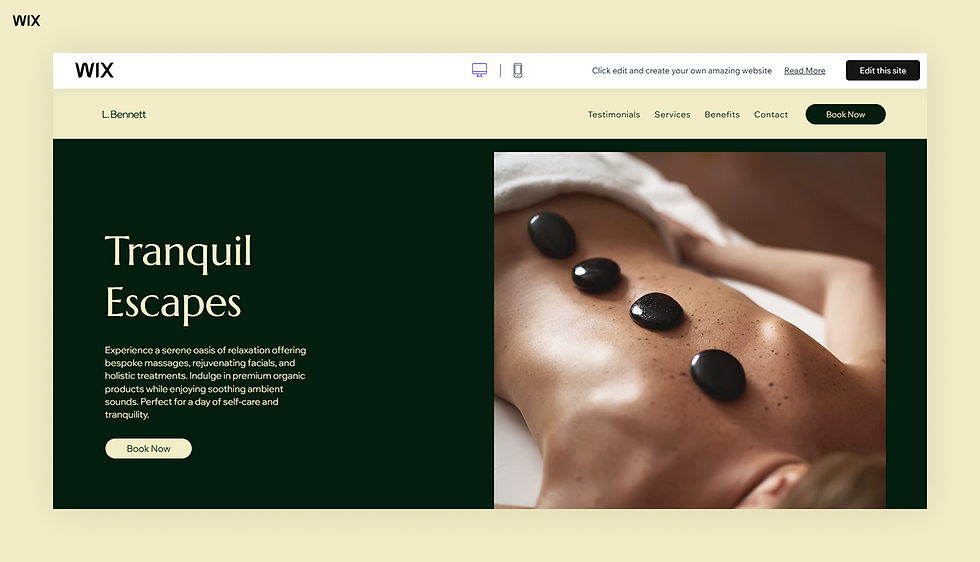
Template name: Day spa (elegant) website template

Template name: Spa (sleek) website template

Template name: Day spa (energetic) website template
Check out some popular website templates to get started quickly:
How to make a day spa website FAQ
What is the best platform to build a spa website?
The best platform offers scheduling tools, beautiful designs and the ability to manage your spa business efficiently. You want a system that handles reservations, client communication and automated confirmations easily, so you can spend less time on admin tasks and more time focusing on your clients. Many website builders provide these features, making it simple to set up and run a professional spa website.
How much does it cost to build a day spa website?
Costs vary depending on the features you need and the size of your spa business. You can start with a basic plan and upgrade as your business grows or your needs change. Many platforms offer free trials, allowing you to explore the tools and see how they work before committing to a paid plan.
Learn more:
Do you need a booking system for a spa website?
A booking system is essential for any wellness business. It allows clients to schedule appointments at their convenience, choose their preferred treatments and receive confirmations automatically. This reduces the need for phone calls, helps fill your calendar faster and ensures a smoother experience for both you and your clients.


