
Blackag Summit
Blackag Summit
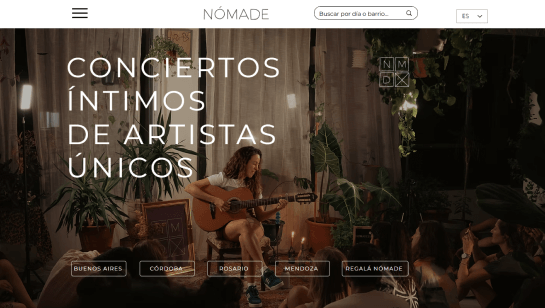
Nomade
Nomade

McCleary Bear Festival
McCleary Bear Festival

Americana Festival
Americana Festival

Sherman Celtic Festival
Sherman Celtic Festival

Palm Springs Pride
Palm Springs Pride

Moxie Festival
Moxie Festival

Red Rock Arts Festival
Red Rock Arts Festival

Freedom Country Fest
Freedom Country Fest

High Desert Chamber Music
High Desert Chamber Music

Atlantic City Beer & Music Festival
Atlantic City Beer & Music Festival

BECAUSE Conference
BECAUSE Conference


Build and design your event website

Drag and drop editor
Build an event website without coding. Drag in schedules, speaker bios, maps, ticket sections and galleries, add a page for every event you run and update dates or lineups whenever plans change.
Design features
Use bold imagery, video backgrounds, countdowns and scroll effects to build excitement before doors open. With flexible website design, you can match your site to your event branding and keep key details easy to find on any screen.
AI creation tools
Built-in AI tools can draft event descriptions, speaker introductions, FAQs and page sections in seconds. Generate copy for agendas, venue details or sponsor pages and edit it directly in the editor.
Event management tools
Sell tickets, collect RSVPs and manage guest lists from one dashboard. Add seating plans, send reminder emails, accept online payments and check guests in on the day, so registration and attendance stay organized.

Wix is trusted by over 300M users
Content ideas for your event website
Event details and schedule
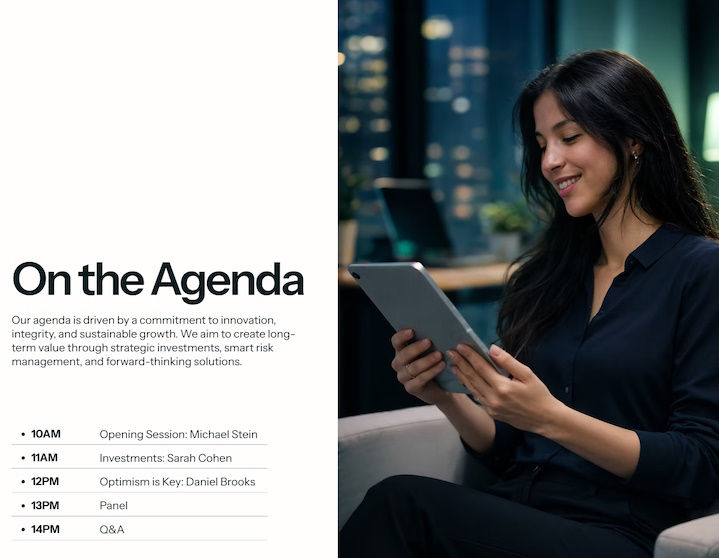
Put the date, time, location and agenda front and center so visitors understand what is happening and when within seconds of landing on your site.

Tickets and RSVPs
Add ticket tiers, early bird pricing or a simple RSVP form close to the event details, so guests can register the moment they decide to attend.

Speakers and lineup
Introduce performers, speakers or hosts with photos and short bios to give people a reason to buy a ticket and share the event with friends.

Past event gallery
Show photos and video from previous events to set expectations, build trust with first-time guests and help sponsors see the audience you attract.


Event website examples FAQ
What are event website examples and why should I look at them?
Event website examples are real sites that show how festivals, conferences, concerts, venues and other events organize information online. Looking at several examples before you start can help you decide what pages to create, what information to prioritize and how visitors should move from learning about the event to registering or buying tickets.
Look at how each site handles the homepage, event details, schedules, speakers or performers, ticketing and mobile navigation. Pay attention to patterns that could work for your event rather than copying the design of one site.
What should a good event website include?
An event website should make the key details easy to find: what the event is, when and where it takes place, who it is for and how to attend. Put the event name, date, location and a clear ticket, registration or RSVP action in a prominent place.
Depending on the event, you may also need an agenda, lineup, speaker or performer profiles, venue and travel information, FAQs, accessibility details, sponsors and contact information. If you're promoting a recurring event, add photos or highlights from previous editions to give visitors more context.
How do I sell tickets or collect RSVPs on an event website?
You can connect an event registration or ticketing system to your website and let visitors register or purchase tickets directly. Depending on your setup, you may need different ticket types, prices, capacity limits, discount codes, registration questions or payment options.
Keep the registration or ticket button close to the information visitors need before deciding to attend. After someone registers, provide a confirmation with the important details, such as the date, location, ticket type and next steps.
What types of events need a website?
A website can be useful for almost any event that needs to share detailed information, collect registrations or sell tickets. Common examples include festivals, concerts, conferences, summits, fundraisers, galas, fairs, workshops and community events.
The bigger or more complex the event, the more useful a dedicated site becomes. It gives you one place to keep schedules, ticket information, venue details and updates current instead of relying only on social media or third-party event listings.
How is a conference website different from a festival website?
A conference website usually needs to help visitors evaluate the event and plan their attendance. The agenda, speakers, session descriptions, registration, venue and travel information are often central to the experience.
A festival or concert website tends to put more emphasis on the lineup, visual content, dates, location, tickets and practical details such as maps or entry information. The structure should reflect what attendees need to know before they decide to attend and once they have their tickets.
How do I design an event website that matches my event branding?
Start with the visual identity you already use for the event, such as your logo, colors, typography, photography and promotional materials. Apply those elements consistently across the homepage, event pages, registration areas and other key sections.
Choose imagery that reflects the actual event and use typography that stays easy to read on mobile devices. Keep important actions such as tickets, registration or RSVP visually distinct so visitors can find them quickly.
Should my event website have a countdown or schedule?
A countdown can be useful when you want to highlight an approaching event or a specific deadline, such as early-bird ticket sales. It is an optional feature, though, and should not replace the actual event date or other important information.
A schedule or agenda is more important for events with multiple sessions, performers or activities. For a multi-day event, organize it by day, stage, track or session so visitors can quickly find what they want to attend.
How do I make my event website easy to find on Google?
Use the event's actual name, type, location and date naturally in page titles, headings and copy. Create dedicated pages when visitors are likely to search for specific information, such as tickets, speakers, lineup, schedule or venue details.
Keep dates, ticket information and event status updated, especially for recurring events. You can also share the site through social channels, partner organizations and relevant event listings to help people discover it.
Can I use one website for recurring or multiple events?
Yes. One website can work well for organizers, venues and community groups that run multiple or recurring events. You can create a central events page with individual pages for each event, while keeping shared information such as your organization, venue or contact details in one place.
For recurring events, keep the current edition easy to find while deciding which past event pages are worth keeping. Past schedules, lineups and photos can help visitors understand the history of the event, but outdated ticket or registration information should be clearly removed or updated.
How much does an event website cost?
The cost depends on how much you need the website to do. A basic site with event information and an RSVP form will generally be simpler to set up than one that includes paid ticketing, multiple ticket types, seating, complex schedules or several recurring events.
Start by listing the functions your event actually needs, then factor in website hosting, your domain and any ticketing or registration fees. If you run events regularly, also consider which features you'll need to update and reuse for future events.