








Build and design your dental website

Drag and drop editor
With Wix's flexible website design tools, you can arrange your services page, team bios, office hours and contact details without writing a single line of code.
Online appointment booking
Add a scheduling tool so patients can book cleanings, consultations and follow-up visits directly from your homepage, any time of day or night.
AI creation tools
Generate patient-facing copy, team bios and service summaries using built-in AI writing tools that save time while keeping your site consistent and professional.
Dental practice solutions
Manage patient inquiries, collect intake forms, send appointment reminders and connect your business website to the tools your practice already relies on.

Wix is trusted by over 300M users
Content ideas for your dental website

Clear practice homepage
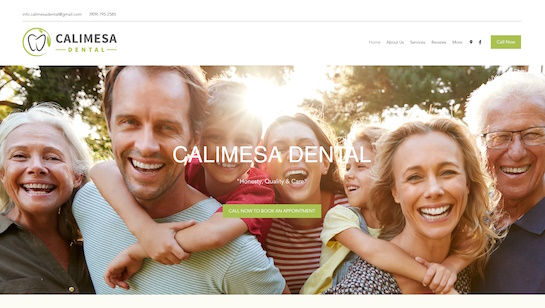
Use a calming hero image, website design that shows your office hours clearly and a prominent Book Now button so new patients find what they need as soon as they land on your site.

Treatments gallery
Showcase your core services, from routine cleanings to cosmetic dentistry, with before-and-after photos and short descriptions of each procedure to help patients choose the right care.

Meet the team
Introduce your dentists and hygienists with professional headshots and brief bios that highlight credentials, specialties and years of experience to put patients at ease before their first visit.

Booking and contact
Add an online booking form, practice hours, a map and a direct phone number so every visitor can schedule an appointment or reach your front desk without friction.

.png)

Dental website design FAQ
What are dental website design examples?
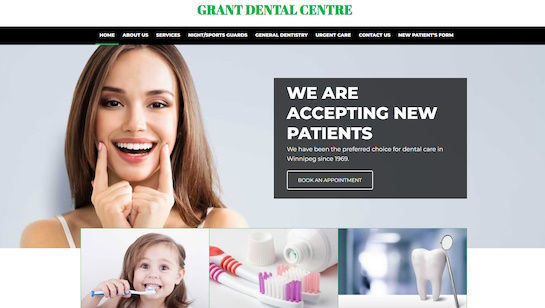
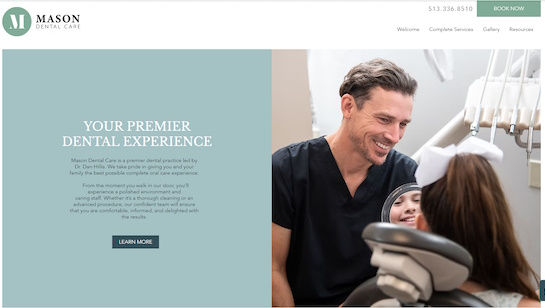
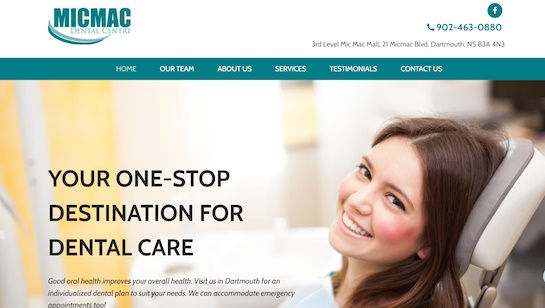
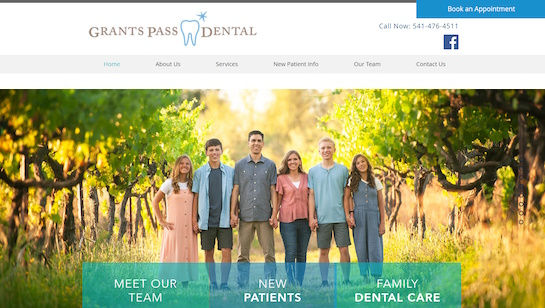
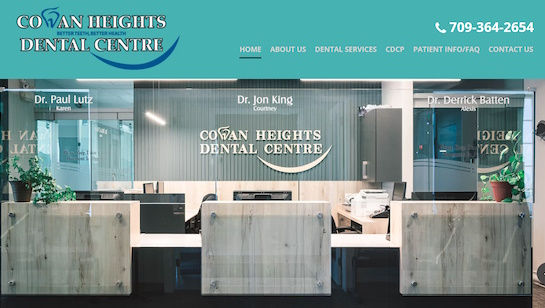
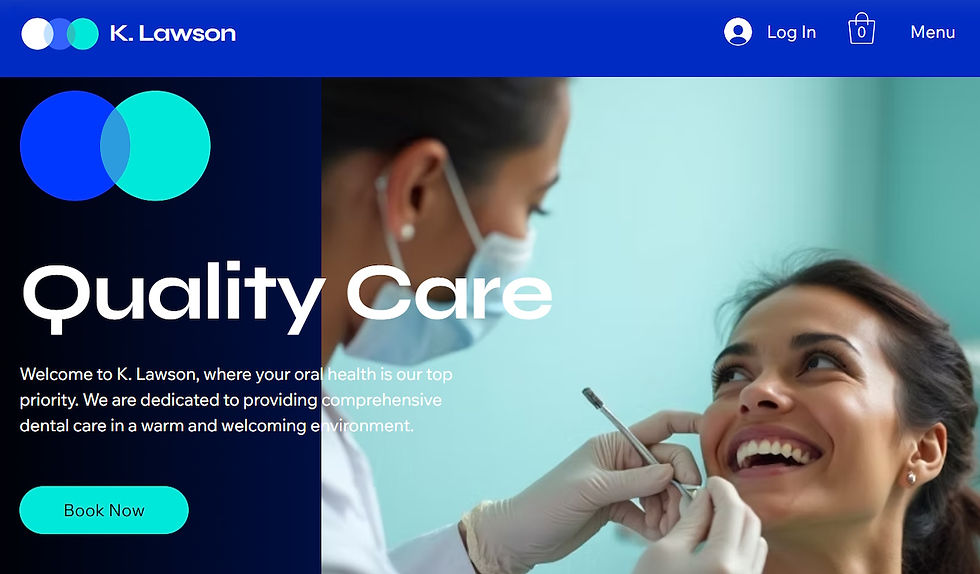
Dental website design examples are real dental practice sites that show how services, team bios, booking tools and branding can be organized and showcased online. They help dentists and practice managers see what works in website design, spark ideas for their own site and explore the features that improve the patient experience.
Looking at examples from similar practices, whether a general dentist, orthodontist or specialist clinic, gives you a concrete starting point for layout, tone and the content that resonates with new patients.
Why should I look at dental website examples before building my own?
Reviewing dental website examples is a practical way to get design inspiration and see how other practices present their services, team and contact information. You can learn which layouts make appointment booking easy, which visual styles build patient trust and which pages tend to convert visitors into booked patients.
Seeing what is included on successful dental sites also helps you plan your own content and prioritize the features that matter most, from online scheduling to before-and-after galleries and patient testimonials.
What should a good dental website include?
A good dental website should include a clear homepage with your practice name, location and hours, a services page outlining your treatments, an About page with team bios and credentials, an online booking tool and a contact page with a map and phone number. Patient testimonials, before-and-after photos and an FAQ section also help build trust with new visitors.
Mobile-friendly design is essential since many patients search for a dentist on their phone. A site built with a reliable business website builder handles mobile responsiveness automatically while giving you full control over layout and content.
What makes a dental website design effective?
An effective dental website design is clean, easy to navigate and immediately reassures visitors that they are in professional hands. It should load quickly, display your services and contact details clearly and include a prominent call to action for booking an appointment so patients can take action without hunting around the page.
Trust signals are just as important as aesthetics. Patient reviews, professional headshots, accreditation badges and before-and-after galleries all reinforce credibility and help convert curious visitors into confirmed appointments.
How do I showcase dental services on my website?
Showcase your dental services by giving each treatment its own section or page with a clear heading, a short description of what the procedure involves, who it is right for and what patients can expect. High-quality photos, before-and-after comparisons and pricing ranges where appropriate all help visitors make informed decisions.
Group services logically, for example under General Dentistry, Cosmetic Dentistry and Orthodontics, so patients can quickly find what they are looking for. A sticky booking button or link at the end of each service description makes it easy to act right away.
Should I include patient photos on my dental website?
Including patient photos, especially before-and-after images, is one of the most effective ways to demonstrate the quality of your work and build confidence with prospective patients. Visual proof of results from real patients carries more weight than written claims alone and can be the deciding factor for someone choosing between two local practices.
Always get explicit written consent before using any patient images. If you do not yet have a gallery of cases, high-quality stock photos that reflect the look and feel of your practice are a solid placeholder while you build your library.
How do I add online booking to a dental website?
Adding online booking to a dental website is straightforward with a website builder that includes native scheduling tools. You can set your available appointment slots, specify service types and durations, and let patients self-book at any hour without calling the front desk. Automated reminders reduce no-shows and free up staff time.
If you use an external practice management system, look for integration options or embed a third-party booking widget directly into your site pages so the experience feels seamless to the patient.
How long does it take to build a dental website?
Building a dental website with a template-based builder can take as little as a few hours for a simple site or a few days for something with custom pages, a full services section and an integrated booking system. The biggest time investment is usually gathering your content: team photos, service descriptions, logo and any patient imagery you want to feature.
If you start from a professionally designed template built for health and wellness practices, the layout and structure are already in place and you just need to swap in your details and brand colors to get a polished result quickly.
Do I need a professional designer for my dental website?
You do not need to hire a professional designer to get a high-quality dental website. Modern website builders offer healthcare-specific templates with thoughtful layouts, pre-built sections and design tools that make it possible to create a polished, patient-ready site on your own without any coding knowledge.
That said, if your practice is growing rapidly, rebranding or needs custom functionality, working with a web designer can speed up the process and ensure every detail is precisely on brand. Many dental practices start with a DIY site and bring in a professional later as their needs evolve.
What is the best website builder for a dental practice?
The best website builder for a dental practice is one that combines ease of use with the business tools practices actually need: online appointment booking, patient contact forms, a mobile-responsive design and reliable hosting. Look for a platform that offers health and wellness templates so you have a professional starting point and does not require coding to customize.
Wix ticks all of those boxes and is HIPAA-compatible for practices that collect patient information through forms or portals. The drag-and-drop editor, built-in booking system and AI writing tools make it straightforward to build and manage your site as your practice grows.