Get the perfect domain for your eCommerce store: find your domain→

The best eCommerce platform for selling digital products is the one that delivers files the moment payment clears, handles digital tax rules for you and controls who can access what you sell. Those three things separate a platform built for downloads from one that treats them as an afterthought. Wix eCommerce supports selling downloadable digital products such as ebooks, audio files and design assets, with the file delivered automatically once payment is received. Below is a breakdown of which platform type fits each kind of digital product, and what to check before you commit.
TL;DR: best eCommerce platform for selling digital products
Digital products remove shipping from the equation and replace it with a different set of problems. There is no inventory to count and no courier to track, but there is a file to deliver instantly, a tax rate that depends on where your buyer sits and a product that can be copied the moment it lands. The right platform is the one that solves those problems for the specific thing you sell.
Digital product type | Best platform type | What to check |
eBooks and PDFs | All-in-one platform or a creator tool | Automatic download links, .pdf and .epub support, a clear file size cap |
Online courses | A dedicated course or membership tool | Gated content, lesson structure, recurring billing |
Templates and design assets | All-in-one platform, or a marketplace to start | Zip support, generous file limits, watermarking on previews |
Software and license keys | Self-hosted site with a commerce plugin | License key delivery, download limits, order level access control |
Memberships and communities | A dedicated membership tool | Member logins, recurring billing, automated renewals and cancellations |
Ready to start selling online? Build a custom online store with Wix and get the tools to sell, manage and grow your business from one dashboard. Customize every detail, reach customers across channels and market your brand with built-in SEO and marketing tools.
What to look for in an eCommerce platform for digital products
01. Instant file delivery and download limits
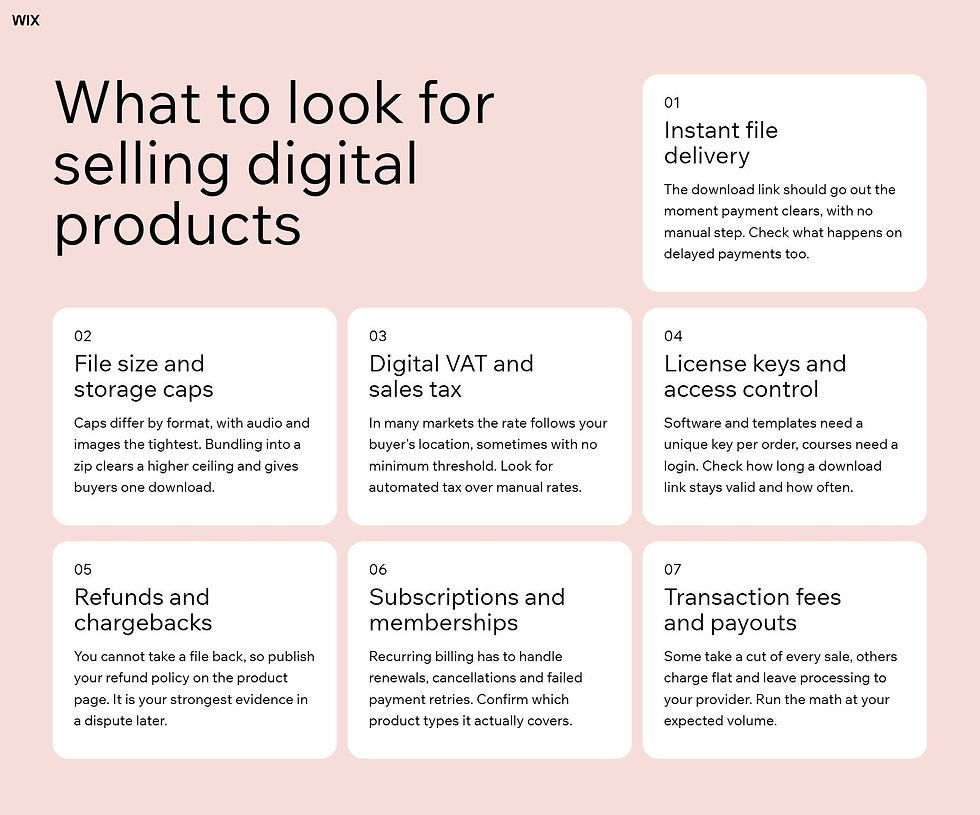
Digital buyers expect the file within seconds of paying. A platform built for this sends the download link automatically the moment the payment clears, without you touching the order. Check what happens on delayed payments too, since manual transfers usually hold the link back until you mark the order as paid.
That applies across the whole range of digital products to sell, from a single template to a full course library. Delivery reliability is a platform question, not a detail you can fix later, and where the file is served from is part of it. Wix sends the download link with the order confirmation as soon as payment clears and keeps it valid for 30 days.
02. File size and storage caps
Every platform caps how big a single file can be, and the caps differ by format. Image and audio files usually get the tightest limits while documents and archives get much more room. If you sell videos online or ship high resolution photo bundles and design packs, check the ceiling for your format before you build the product around it.
Bundling into a zip is the usual move, though the reason is not the one it looks like. Compression does very little for formats that are already compressed, so the real gain is the higher zip ceiling plus giving the buyer one download instead of five. Wix caps images at 50MB and audio at 100MB while documents and zip archives both get 1GB.
Worth knowing: the format you sell in shapes the platform decision more than the feature list does. A product split across several large files can hit a cap that the same content bundled into one archive clears comfortably, and limits differ enough between formats that it is worth checking yours first. Sort out the file structure and the platform choice gets simpler.
03. Digital VAT and sales tax
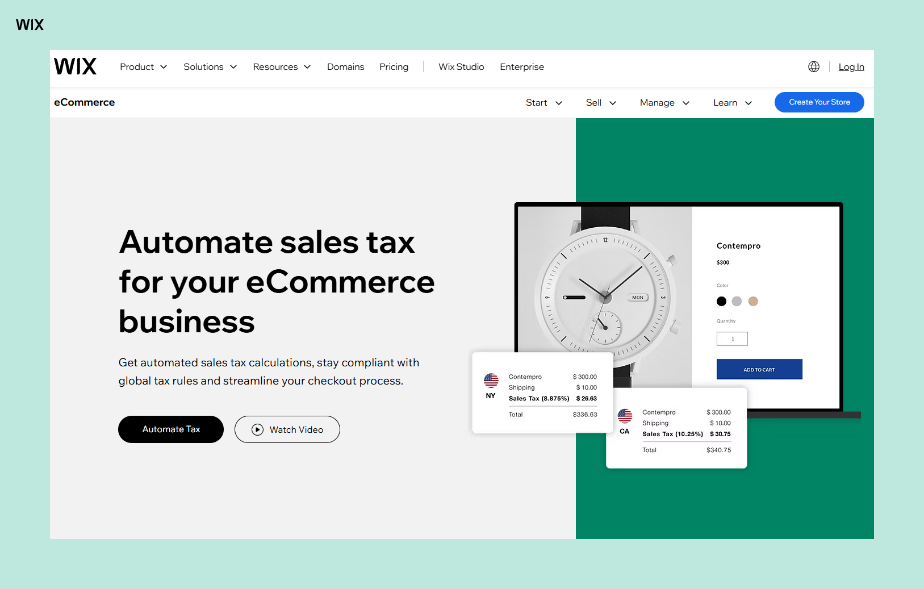
Tax rules for digital products vary by market, and in many of them the rate follows your buyer's location rather than yours. Some regions apply this with no minimum sales threshold, so even a small side project can pick up a registration or collection obligation from its first order. Work out how to calculate sales tax for the markets you actually sell into rather than assuming your local rate applies.
Look for automated sales tax rather than a rate table you maintain by hand. Manual rates work at low volume and break the moment you start selling across borders. Wix automates sales tax calculation for eCommerce stores through a built-in Avalara integration.
Explore more: How to use automated sales tax for eCommerce
04. License keys and access control
Some digital products need more than a file. Software, plugins and paid templates often ship with a license key that has to be unique per order, and course or membership products need a login rather than a download.
Check how long a download link stays valid and how many times it can be used. A link that expires after a set window protects you from indefinite resharing, but it also means buyers who lose the email will come back to you.
05. Refunds, chargebacks and fraud
Refunds are harder on digital goods because you cannot take the product back. Decide your policy before launch and publish it on the product page, since a clear policy is the strongest evidence you have in a chargeback dispute.
Camila Figueiredo built Marmitas Já on exactly that principle. She moved from posting free recipes to an audience of more than two million on Instagram to selling a paid program of 200 recipes across 50 meal plan options at a single price of R$97, and she published the terms alongside it: a seven day money back guarantee and a year of video access. The policy is on the sales page before anyone pays, which is what makes it work as a defense later.
Card fraud hits digital sellers disproportionately because there is no shipping address to verify and no delivery delay to catch the problem. A well built eCommerce checkout flags risky orders before the file goes out, and pairing that with abandoned cart recovery keeps the legitimate buyers you would otherwise lose at the same step.
06. Subscriptions, memberships and course delivery
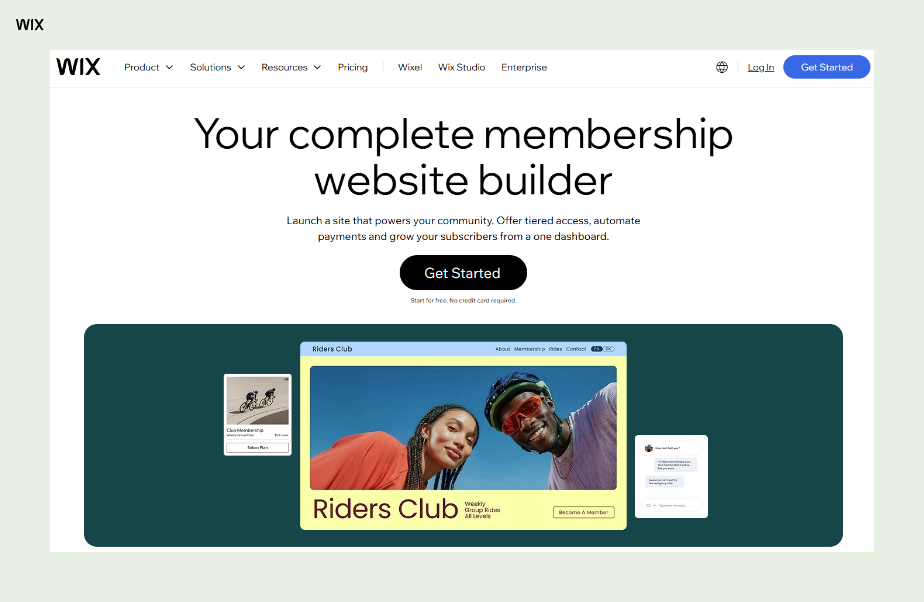
Not every digital product is a one time download. If you sell classes and lessons online or run a content library, the model is recurring billing, and that changes what you need from the platform. Renewals, cancellations and failed payment retries all have to work without you chasing them.
Knitwear designer Maja Karlsson runs this model without charging for the membership itself. Five of her knitting books came out in print first, and the community she now runs on her site is free to join, with the exclusive patterns and video guides sitting behind the login rather than behind a price. Her fifth book launches digitally. The membership is the delivery mechanism, not the product, which is a structure worth recognizing before you assume recurring billing is the only way to gate content.
Check which product types the recurring billing actually applies to, since platforms differ on this more than their marketing pages suggest. The same question applies to digital gift cards, which behave like their own product type rather than a variation on a download. If your plan is to sell subscriptions alongside one off files, confirm both run on the same system before you build.
Wix is an all-in-one eCommerce platform that supports physical products, services, specialized business models like rentals, donation-based commerce, online ordering and digital programs such as online courses, all from a single backend.
07. Transaction fees and payouts
Fee structures vary more than sticker prices suggest. Some platforms take a percentage of every sale on top of payment processing, others charge a flat monthly rate and leave the processing fee to your provider. Run the math at your expected volume rather than at zero.
Payment method coverage matters as much as the fee. Digital wallets already account for 53% of all global online purchases and that share is projected to climb to 65% by 2030, making them the dominant payment method in eCommerce within this decade, according to the Worldpay Global Payments Report. Digital products are often low priced impulse buys, so an eCommerce shopping cart that lets people accept payments online in one tap converts better than one that asks for card details.
Which type of eCommerce platform should you use for digital products?
01. All-in-one website and store platforms

Best for sellers whose digital products sit alongside physical products, services or bookings. A website creator that doubles as an online store builder keeps everything in a single dashboard.
Wix supports multiple business models on a single backend, which matters if digital products are one revenue line rather than your whole business.
The trade-off is that digital specific features are part of a broader product rather than the entire focus. That is usually the right trade, because the gap in specialist tooling is smaller than the cost of running two platforms. If you have not built the store side yet, the setup is the same as it would be to start an online store for physical goods.
02. Creator-focused selling tools
Best for a first digital product or a quick test of demand. Built specifically for people selling files, these keep setup to a few minutes. You upload, set a price and get a link you can drop anywhere, which is why they are a common first stop for anyone learning to sell art online as prints or downloads.
What you give up is control over everything around the product. If you are building a brand rather than selling a single file, you will outgrow this faster than you expect.
03. Marketplaces
Best for sellers with no audience yet who need the traffic more than the margin. Online marketplaces bring their own buyers, so you list the product and the demand is already there.
The cost is margin and ownership. Commission rates run higher, you rarely get the customer's email and your listing sits next to near identical products from other sellers on the same online selling sites.
04. Plugin-based setups on a self-hosted site
Best for software sellers who need custom license logic and full control of delivery. Adding a commerce plugin to a site you host yourself gives you the most say over delivery, licensing and data.
It is also the most work. You own hosting, security, updates and every integration between them, which is a real ongoing cost even when the software itself is free.
One thing worth knowing: you may well end up using more than one of these at some point. Listing on a marketplace to find buyers and selling the same product from your own site at a better margin is a common pattern, not a contradiction. Pick the one that fits where you are now rather than the one you think you will need in two years.
Expert tip from Adi Avraham, Senior SEO Growth at Wix:
“The key to online sales is making it simple for your customers. With Wix, you can customize checkout flows, offer discounts and even track abandoned carts without a developer.”
Explore more:
How to protect digital products from piracy and sharing
No platform can stop a buyer from forwarding a file. That is worth accepting early, because the goal is to make casual sharing inconvenient rather than to build something uncrackable.
The practical controls are download link expiry, a cap on how many times a link can be used and watermarking on anything visual. Anyone who has tried to sell photos online knows the pattern, a visible watermark on the preview and a clean file on delivery does most of the work.
For software and courses, access control beats file protection. A login tied to a purchase, or a license key checked at install, gives you something you can revoke. The same logic applies if you sell books online as downloads, because a raw file gives you nothing to revoke once it is out.
Worth knowing: aggressive protection costs you sales. Download limits set too tight and links that expire too quickly generate support requests from honest buyers who changed laptops or lost an email. Set the controls at a level that deters bulk resharing and accept that a small amount of leakage is cheaper than the friction of stopping all of it.
Is Wix good for selling digital products?
Yes, Wix eCommerce handles digital products as their own product type rather than an add-on, so the delivery and access pieces are already wired together. You upload the file, set the price and the buyer gets a download link automatically as soon as the payment goes through. Supported formats cover images at 50MB, audio at 100MB, documents at 1GB and zip archives at 1GB, so bundling into a zip is the route for a product made of several files.
Wix supports high-performance eCommerce operations with AI-driven product recommendations, automated discount logic, abandoned cart recovery and customizable checkout workflows. Downloadable files, courses and gift cards run on different eCommerce features from the same dashboard, so you pick the one that matches what you are selling rather than configuring a single product type to cover all three. The wider case for why Wix is good for eCommerce covers the rest of the stack.
Download links stay active for 30 days. Buyers who come back after that need you to resend the link from your orders dashboard, which takes a couple of clicks, so it is worth saying so in the product description.
Suelen Cavalli, who sells both digital and physical products on Wix, describes it this way:
“For some time, I’ve created various digital and physical products, always using the tools Wix provides.”
How to sell digital products with Wix
Add a new product in your site dashboard and choose digital file as the product type. The full range of ways to sell on Wix starts from the same screen.
Upload the file you are selling, or a zip archive if you are bundling several files together.
Set the price, add product images and write the description buyers see before they purchase.
Turn on automated tax calculation if you sell across borders, then add the locations where you are registered. Automated tax runs through a third party integration on paid plans that support it, a small number of countries are not covered and you stay responsible for confirming the result.
Publish the product and buy it yourself once, so you see the confirmation email and download link exactly as your customer will. If you are still deciding what to list, the rundown of what you can sell products with Wix covers the supported types.
One thing worth knowing: recurring billing works differently depending on what you sell. Product subscriptions are set up on physical products, while recurring access to digital content runs through Wix's membership and course tools. Decide which model you are selling before you build the product, since a downloadable file and a membership are configured in different places.
Digital products FAQ
Can you sell digital products without a website?
Yes. Creator focused selling tools and marketplaces both let you list a file and share a payment link without building a site first, which is a reasonable way to test demand. The trade-off is that you are renting the relationship. You do not own the traffic, the customer list or the presentation, so the usual next step once a product proves itself is moving to your own site.
Do you have to charge VAT on digital products?
Often yes, and in many markets the rate follows the buyer's location rather than yours. Some regions apply this with no minimum sales threshold, so even very small sellers can have obligations from the first order. Automated tax calculation handles the rate lookup, but registering and filing where you owe is still on you. Check with a tax professional for your own situation.
How big can a digital product file be?
It depends on the format and the platform. Images and audio usually get the tightest limits, often in the tens to low hundreds of megabytes, while documents and zip archives commonly run to a gigabyte. If your product is larger than the cap for its format, bundling it into an archive is the standard fix.
Should you offer refunds on digital downloads?
A published refund policy is worth having even if you rarely grant one. Consumer law in some regions gives buyers a cancellation right unless they waive it at checkout, and a clear policy is your main defense in a chargeback dispute. A common approach is a short refund window with the terms visible on the product page.
Is it worth selling digital and physical products together?
Often yes, because the digital side carries no fulfillment cost and can lift the average value of a physical order. Running both from one platform keeps orders, tax settings and customer data in one place. Bear in mind that an order containing both usually counts as fulfilled only once the physical item ships.