
Clients checking out a one-person business want to know what you offer, whether you're credible and how to hire or contact you. A solopreneur website should answer those questions on a few clear pages you can run on your own.
The best setup depends on your budget, your skills and how much time you can give it. This guide walks through planning, building with a website builder, choosing a domain, designing and launching the site.
Turn your idea into a business-ready solopreneur website. Choose a template or start with AI, make the design your own and add the tools you need to win clients, take bookings and get paid, all with Wix.
TL;DR: how to make a solopreneur website
A solopreneur website has to do the work of a sales team: explain your offer, prove you can deliver and make it easy to get in touch. Map your pages and keywords, choose how to build, pick a domain, customize the design for your brand and usability, then launch and keep improving it.
You'll learn:
Comparing the main ways to make one
Planning pages and navigation
Booking, payments and lead capture
Checks to run before going live
What it costs to set up and run
Which Wix tools fit each job

Website design for solopreneurs: where to begin?
For solopreneurs new to the web design game, begin by determining your website's primary purpose. This early clarity also helps when choosing the best website builder for small business, ensuring the platform aligns with your goals from the start.
Why are you creating a website from scratch? Do you need to showcase your portfolio website? Are you building your first storefront? Determining your site’s purpose first makes it easier to find the best competitive keywords, identify your target audience and design click-worthy content.
It can also guide decisions around branding, including exploring website name ideas that reflect your business and resonate with your audience.
Before you embark on your design phase, another important factor to consider is your target demographic. As a solopreneur, targeting the right niche could be the difference between creating a website that sinks or swims.
At this stage, many also start researching how much does a business website cost, helping set realistic expectations for tools, design and growth.
Identify your target audience’s preferences, online behaviors and the other competing websites they interact with. This will provide you with a foundation for creating a powerful website from scratch.
Design is what visitors react to first, often before they read a word of your content. If you target your niche’s search preferences from the beginning, you raise your chances of driving conversions.
Ways to build a solopreneur website
You can build a solopreneur site from a template, with AI, with code or by hiring a professional. When you run the business alone, the decision that matters more is how much time the site will take each week, and whether it can take bookings, payments and inquiries without you checking in.
Pick the method you can keep up with. A simple site you update every month does more for a one-person business than an ambitious one that sits untouched.
Already know how you'll build? Skip ahead to the 5 steps.
Solopreneur website builder with templates
A website builder gives you a ready-made design, called a template, and a visual editor where you swap the sample text and images for your own. You can add a new service package or a testimonial between client calls without a developer.
This suits consultants, coaches, creators and other one-person businesses that want to manage the site themselves. Before you choose, check that the builder handles booking, payments and contact forms, either built in or through an app.

Create a solopreneur website with an AI website builder
Describe your business, who you serve, what you offer and the look you want, and an AI website builder generates a first draft with pages, text and images. Ask it to add a pricing page or a discovery call booking form, and it revises the draft.
It suits solopreneurs who are short on time and design experience. Treat the draft as a starting point: rewrite the copy in your own voice and check every service, price and promise against what you actually deliver.
Learn more: How to create a website with AI
Build a solopreneur website with an AI chat assistant
If you already use an AI assistant such as ChatGPT, Claude or Gemini as a sounding board for offers or emails, some platforms let that same chat build and update your site. With Wix, for example, you can type @Wix in ChatGPT to start a site or connect your Wix account to Claude through the official connector.
The Wix MCP server works with other MCP-compatible AI clients. Once you're live, a chat is a quick way to add a new offer or update your availability. Check each change on the live site before you share it.

Build a solopreneur website with AI coding tools
Vibe coding means describing what you want to an AI coding tool, such as Claude Code, Cursor or Base44, and letting it write the code. The result still needs hosting, booking and payment setup, security updates and someone to fix it when something breaks, and that someone is usually you.
It suits technically confident solopreneurs, for example a consultant who wants a custom pricing calculator or a client portal.
Learn more: How to vibe code a website
Make a solopreneur website with a content management system (CMS)
A content management system (CMS) lets you update text, images and pages without rebuilding them. Many add booking, payments and forms through plugins, so you choose the hosting and keep each plugin updated.
A CMS suits solopreneurs whose business runs on content, such as a writer or coach who publishes weekly. Ask how much time plugin updates and fixes will take, since there's no one else to hand them to.
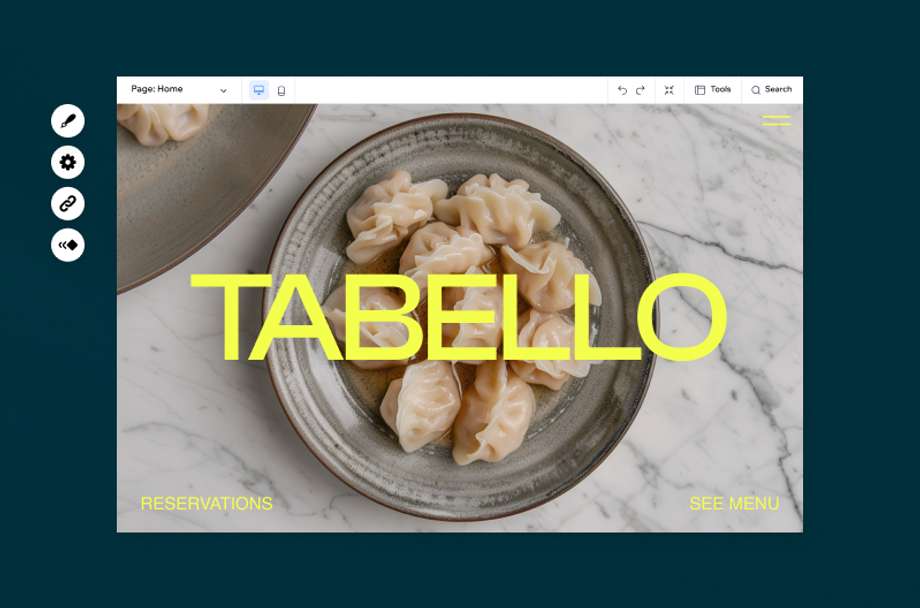
Hand-code a solopreneur website
Hand-coding means writing HTML, CSS and JavaScript yourself or paying someone to. You control every detail and take responsibility for hosting, security, booking, payments and every future change.
It suits developers whose site is also their portfolio. For most solopreneurs, the hours spent coding are hours not spent with clients.
Headless website development for solopreneurs
A headless website separates the design visitors see from the systems that run content, bookings and payments. A developer builds the custom front end, connects it to those services, then sets up and tests the full journey from landing page to payment.
Headless suits technical solopreneurs or growing businesses with specific requirements. It's a custom-development approach, not a simpler alternative to a builder.

Hire a solopreneur website designer or developer
A designer or agency handles design, setup and launch. This suits solopreneurs with a bigger budget, complex needs or a move from another platform, or those who would rather spend their time on paid work.
Before you hire, agree on who updates services and prices after launch, who fixes problems and what ongoing support costs.
Find the best way to create your solopreneur website
Method | Best for | Who updates the site | Booking and payments | Skills needed |
Website builder with templates | Most one-person businesses | You | Built-in or app | None to basic |
AI website builder | Solopreneurs short on time | You, after the AI draft | Built-in on many builders | None to basic |
AI chat assistants | Solopreneurs who prefer instructions | You, through chat | The connected platform's tools | Basic |
AI coding tools | Technically confident solopreneurs | You or a developer | Needs setup and hosting | Intermediate to advanced |
Content management system (CMS) | Content-led businesses | You, plus plugin maintenance | Plugins | Basic to intermediate |
Hand-coding | Developers and custom features | You or a developer | Built or connected by a developer | Advanced |
Headless website | Growing businesses with technical help | You and developers | Separate services | Advanced |
Hiring a professional | Complex or outsourced projects | Depends on your agreement | Set up by the professional | None |
Whichever route looks right, test it the way a client would before you commit: find your offer, book a call and pay on your phone.
How to make a solopreneur website from scratch in 5 easy steps
Now that we’ve built an initial foundation, it’s time to start creating your first website. While the process can feel overwhelming, it has never been easier to build powerful landing pages that attract engagement from all across the globe.

01. Map out your website components
Let’s start by building on that foundation. With your website's purpose in mind and your audience research at hand, you’ll need to first map out your website’s core components.
This is your information architecture, your target keywords, your site’s navigation plan and the type of domain you wish to have.
Pro tip: As you define your domain early on, use a domain name search to check availability.

Information architecture
With a clear understanding of your target audience, you are ready to map out your website architecture.
This is essentially the structure of the website. Draw out your main sections on paper first, including a rough plan of your homepage, sub-pages and any content you wish to add.
Next, it’s time to start organizing your web design. Opt for a logical order that enhances the user's overall experience on the website. This would be the natural navigation path from first impression to conversion.
"Each combination of design elements has the potential to evoke specific emotions, convey subtle messages and leave a lasting impression on viewers. From the choice of font to the selection of colors and the incorporation of graphic elements, every detail plays a crucial role in shaping the overall identity of a brand." - Yaya Aaronsohn, head of Brand Maker at Wix
Site navigation
Once you’ve designed your structure, think about your site navigation.
This is crucial for creating a positive user experience. Make it easy for viewers to move through your pages and for targets to navigate to your monetized content.
This is a great time to consider which navigation elements you want to add to your site design. Components like navigation breadcrumbs that make it easy for users to return to previous pages are always a great place to start.
Keyword research
When creating a website from scratch, it’s important to ensure that your pages and content naturally align with target search terms for the best website SEO payoff.
Conduct keyword research ahead of the building phase to discover what search terms are ranking highly within your demographic and where there are gaps you could optimize.
With tools like Ahrefs for keyword research, you can input popular search terms into their keyword checker and then scroll through results of similar, lower-ranking keywords and phrases that have a lower difficulty.

While it may seem tempting to choose the most popular terms, these are much more difficult to rank for against industry competition, especially if you’re a solopreneur, just starting out.
When you incorporate relevant keywords into your site design, you instantly increase the likelihood of appearing in search results and AI Overviews, as well as attracting potential customers.
Learn more: best website builders and how to make a business website
02. Decide how to make your website
Now that you’ve planned out the structure of your website and generated ideas for keywords and content, it’s time to start the initial building phase.
As a solopreneur you’re also the designer, the marketer and the IT department, so the best way to build is the one that fits around everything else on your plate. Either of these two options gets you a professional site without hiring an agency.

Use the comparison above to pick a method. A coach or consultant who books calls and sells packages can launch with a template or an AI website builder, while a solopreneur with a custom product may need code or a developer.
If you already use booking, invoicing or email marketing software, check that it connects to the new site before you commit, or plan to move your client list and services over.
Whichever option you choose, make sure your platform ticks a few more boxes:
Easy setup: The best website builders for beginners should allow for easy setup and simple navigation across design elements. Opt for a web builder with ready-made templates that let you customize key elements, such as color and content blocks with ease.
Security focused: Top web builders like Wix include free SSL certificates that help you build an HTTPS website automatically. When building your first website, choose HTTPS over HTTP to ensure that any sensitive customer data is protected and encrypted. This improves website security, authority, trust and search engine rankings as a result.
Built-in hosting: Every website has to be hosted on the web. Opting for an all-in-one website builder that also offers a powerful hosting plan could save you the hassle of setting one up later. Wix includes free hosting with all plans, making it even easier for solopreneurs to get online quickly.
Content management: Does your chosen website builder include a built-in content management system? It should be easy to update content, add and manage blog posts and insert forms and other interactive elements that can be tracked from one built-in CMS dashboard.
03. Choose a domain name
Your domain is the part of your business that shows up everywhere, from your email signature to your invoices, so it’s worth settling it now that you know how you’ll build.
If you’ve chosen a web builder with a built-in domain name generator, you’ve instantly made your life easier. Wix has an AI-powered domain name generator that turns your business idea into a list of available, brandable domain names in seconds.
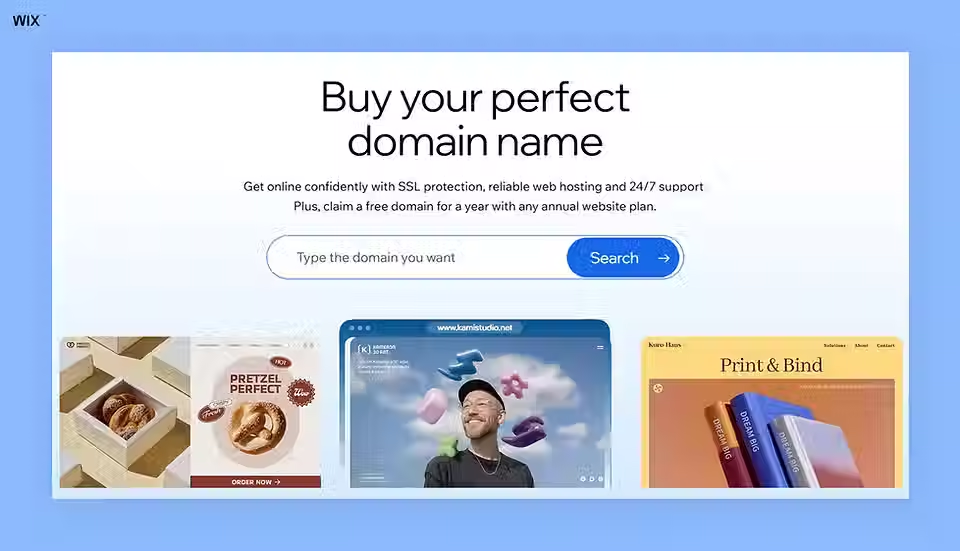
When choosing your domain name as a solopreneur, opt for something that naturally aligns with your brand. Whether this is the name of the brand itself or a version of it, your chosen domain name should be unique, memorable and representative of the services you’re offering.
There are plenty of ways to form a powerful domain name. For example, you may choose to register a brandable term, such as yourbrand.com.
For portfolio-based websites, it’s best to get your name into the domain (yourname.com). This makes it easy for targets to recognize your site immediately across multiple platforms.
Once you have a shortlist, a domain name search checks it across more than 400 extensions, suggests alternatives if your first choice is taken and shows the price before you buy. You can also search for a domain from inside ChatGPT with @Wix.
Every Wix domain includes a free SSL certificate, and Wix sites come with web hosting built in, so there’s no separate host to sort out. Choose an annual premium plan and your domain is free for the first year.
Learn more about domains:
04. Customize your design
Once you’ve decided how to build and secured your domain, it’s time to shape the look of your site.
For a head start, ready-made business website templates give a solopreneur with little to no web design experience a responsive, pre-designed foundation, and you can rearrange anything in the drag-and-drop editor. Wix speeds up designing a website with fully customizable templates for any industry.
If you started from an AI-generated draft or built your site in a chat with Claude or ChatGPT instead, the checks below apply just the same.

If you’re using an all-in-one web builder like Wix, it will have already done the heavy lifting for you.
Before you go further, ensure your site includes your essential pages, such as Home, About Us, Services/Products and Contact and is easy to customize.
Learn more about responsive websites:
Match your branding
This is the fun part. Start customizing your website template using your brand colors and any design elements that help you create a cohesive experience.
Look for a website builder that offers an integrated logo maker so you can use the same logo and fonts within your web design. This is especially important if you want to create a powerful visual identity.
Your color scheme is especially important, especially if customers associate certain web gradients with your branding.
For example, the brand The Pink Stuff is historically associated with bright pink. Therefore, it's no surprise that their website matches the shade of their famous product.

Keep your colors minimal. Just pick one or two standout shades that design your brand. This helps your website design appear more professional and well put together.
Prioritize usability
A confusing site costs you inquiries, because visitors who can't find what they need rarely stay to look for it.
If you want to learn how to create a website from scratch properly, ensure that you prioritize accessibility and user experience.
This includes building a simple navigation system, creating accessible content with large, readable fonts and removing any distracting design elements, such as large files and animations that slow site speed.
Another key element to remember is mobile responsiveness. With most web traffic now coming from mobile, you can’t launch a site that isn’t mobile-friendly.
When researching how to choose a website builder, opt for a platform that lets you preview your design across multiple screen sizes before launching your site. This makes it easy to comb through any snags before it’s too late.
Don’t forget your call-to-action (CTA)
If you really want to drive website engagement, you need to give your audience a reason to get behind your new startup or small business.
Including clear calls to action (CTAs) within your content makes visitors not only want to convert, but also shows them how.
A CTA could look like “start free trial” or “sign up for more information.” These are action phrases that naturally guide users to the next stage of the conversion process.
As a solopreneur, prioritizing the addition of CTAs throughout your website could be the key to achieving your site’s primary objectives.
Let clients book and pay
When you're the whole team, every manual step costs you time. Let clients book a discovery call or session, pay a deposit or package and receive confirmations without an email back-and-forth.
With Wix Bookings, for example, you can set durations, buffer times and prices for each service, and sell packages or memberships that clients use when they book.
Questions to ask before you choose booking and payment tools
Not every system supports every feature, so check these before you commit:
Can clients book calls and sessions online?
Can you take deposits, full payment or packages?
Can you send invoices and track who has paid?
Does it send reminders and confirmations?
Can it connect to your calendar and email list?
Can new clients answer intake questions when booking?
05. Launch your creation
At this point, your website should be ready to launch. Once you’ve established a structure, built your site and customized the content, your website is fully functional and ready to launch.

However, before you send your website live, we’d suggest conducting testing to identify any issues ahead of the launch.
As a solopreneur, you know your demographic best. Does this website meet their needs? If you’re unsure, try A/B testing your content to ensure your chosen keywords, topics and CTAs are strong enough to grab your target audience's attention.
Before proceeding to the launch phase, also remember to test your website on different devices and browsers to ensure users receive a consistent experience across all platforms.
Test before you launch
Run through each of these on your own phone:
Book, reschedule and cancel a call
Pay for a service, then check the receipt
Submit every contact and lead form
Sign up for your email list and check the welcome email
Check every service description and price
Click every link on your homepage and about page
Finally, you’re ready to send your website live. However, the fun doesn’t stop there.
Learning how to create a website from scratch is an ongoing process that requires constant analysis and improvement. The best solopreneurs monitor their website and SEO performance from day one, gathering valuable insights into user behavior, engagement and SERP rankings.
By regularly monitoring site data, you stay ahead of the competition and can adjust your website accordingly to achieve the best results.
Use this website launch checklist to review every detail before you go live →
Once you’re live, get yourself some backup. Running a business alone means every inquiry, invoice and social post lands on your desk. Symphony by Wix is an AI agent platform for independent business owners and small businesses of up to 10 people, which makes it a natural fit for a team of one.
It brings together agents for areas like marketing, client communications, scheduling, finance and operations, and you direct all of them through one conversation.
For a solopreneur, that could look like an agent drafting social posts to announce your launch, another answering routine client emails and a third keeping track of unpaid invoices.
Symphony learns how your business works, suggests what to do next and waits for your approval before any agent acts. It also works whether or not your site is on Wix, so it suits either of the options from step 02.
Creating a website from scratch: key takeaways
Knowing how to create a website from scratch is an essential entrepreneurial skill to possess.
A website immediately opens doors for your small business to expand into the global marketplace.
The key is to create a website that grows with your solo business. Using the right tools from the beginning makes the process twice as easy. Opting for an all-in-one website builder that lets you build a website, register a domain and host it immediately could be the difference between a website that sinks or swims.
A website has limits, though. It doesn't bring clients by itself, and it adds work, from updating services to answering inquiries. Keep your social and marketplace profiles and point each one back to the site.
Ready to get started? Try Wix to build, customize and launch your website, all in one place.
Step | What to do | Why it matters |
Plan your site | Define structure, content and keywords | Builds a strong foundation for SEO and user experience |
Decide how to build | Pick AI or an AI assistant, on an all-in-one platform | Simplifies setup and reduces technical work |
Design & launch | Customize, test and publish | Drives engagement and supports long-term growth |
How much does it cost to make a solopreneur website
The yearly cost of a solopreneur website adds up from a domain, a plan that accepts payments, booking or ecommerce tools, payment processing fees, any premium apps and the time you spend keeping it current.
Some providers bundle hosting, booking and payments into one plan while others charge separately, so compare the total yearly cost.
On Wix, you need a paid plan to accept online payments. Compare current plans on the Wix plans page or, to test first, read how to build a website for free.
How to build a solopreneur website with Wix
Wix covers the jobs a one-person business website has to do: building and updating the site, taking bookings and payments and helping people find you.
Build and manage the site
Start from a business template, generate a first draft with the AI website builder or build with Wix Harmony, which combines prompts and drag-and-drop editing with an AI agent called Aria. If you prefer chat, you can make a website with Wix in ChatGPT or use Claude with Wix.
Take bookings and payments
Wix Bookings handles calls and sessions, and Wix Payments handles deposits and payments. Built-in SEO tools help you set page titles and descriptions for the keywords you researched in step 1.
A practical note: set your cancellation window, refund rules and no-show fee before you take your first booking, since the default policies may not match how you work.
Build for clients or with custom code
Solopreneurs who build sites for clients can use Wix Studio. Developers who want a fully custom front end can use Wix Headless, which provides business services such as bookings and payments plus hosting, while a developer still builds and tests the client journey.
Why use Wix for a solopreneur website
Wix keeps the site, domain, hosting, booking, payments and SEO tools in one dashboard, so a one-person business has fewer systems to connect and update.
Meet the expert
Dmytro is the founder of Solvid, a company specializing in SEO, copywriting, content marketing and web design services. He’s also the founder of Pridictor, a network analytics startup.
He holds a Bachelor’s degree in Marketing from Birkbeck, University of London, and his work has been featured in U.S. News, Forbes, New York Post, The Independent, Entrepreneur and TechRadar.
How to make a solopreneur website from scratch FAQ
How do I create a website from scratch as a solopreneur?
Decide what the site has to do, such as booking calls or selling a service, map out a few core pages, then pick a build method that fits your time and skills. A template or an AI website builder gets most solopreneurs to a first version fastest.
What is the best platform for small business owners to build a website?
It depends on what the business needs. Look for a platform that includes hosting, security, booking or ecommerce and SEO tools, so you aren't connecting and paying for separate services. Builders such as Wix bundle these in one dashboard.
How much does it cost to build a business website as a solopreneur?
It depends on the platform, plan and tools you add. Budget for a domain, a plan that accepts payments, booking or ecommerce tools, processing fees and your time, and compare the total yearly cost rather than the monthly price.
Do I need a website if I already have social media and a marketplace profile?
It helps. Social and marketplace profiles bring attention, but your own site keeps your offer, prices, reviews and booking in one place under your name, and it stays yours if a platform changes its rules.
Can clients book and pay me through my website?
Yes, with booking and payment tools. Clients can pick a time, pay a deposit or package and get a confirmation, so you spend less time on scheduling emails.
How can I create a solopreneur website using AI?
An AI website builder creates a first draft from a description of your business, and you refine it by describing changes or editing by hand. You can also build and manage a Wix site from Claude or type @Wix in ChatGPT. Rewrite the copy in your own voice before you publish.


