Ready to showcase your best work? Start building your portfolio →

How do I create a portfolio with no experience? You can start by gathering personal projects, volunteer work and school assignments into one professional space. Even without prior experience, you can create a portfolio that highlights your skills.
Anyone can use the right tools to bring their portfolio to life. Wix makes portfolio website creation easy, providing a simple way for anyone to get started.
Learning how to make a portfolio takes a little planning. This guide explains exactly what you need to do to get started today.
Ready to build your portfolio quickly? Try our AI portfolio generator to create a professional online portfolio in minutes, even without prior experience.
TL;DR: how do I create a portfolio with no experience?
You can create a portfolio with no experience by starting with personal projects and building a simple website that highlights your skills.
Focus on a clear layout, concise project descriptions and essential pages like About and Contact to guide visitors through your work. Start by uploading your projects and organizing them effectively.
Below are key features to include in your portfolio website:
Feature | Description |
Clean layout | Organizes your work so visitors can navigate easily |
Contact form | Allows potential clients to reach out directly |
About section | Explains your background and professional goals |
Mobile optimization | Ensures your site works on phones and tablets |
Portfolio showcase | Highlights your best projects to demonstrate skills |
Clear project descriptions | Explains your role and results in each project |
How to create a portfolio with no experience in 6 steps
Even if you have no prior work experience or have never created a portfolio before, building your own portfolio from scratch is straightforward. Follow these steps to showcase your skills and launch your site today.

01. Start with personal projects
Gather your school assignments, personal hobbies and volunteer work. Focus on projects that best showcase your skills and creativity. Even small or incomplete projects can highlight your potential when presented thoughtfully.
Choose a variety of pieces to show different strengths, such as design, writing, coding or teamwork. This variety helps create a well-rounded picture of your abilities.
For each project, write a short description explaining what you did and the problems you solved. This helps employers or clients understand your thinking process and the value you can bring, even without professional experience.

Learn more:
02. Choose a professional portfolio builder
A portfolio builder gives you the tools to design, customize and publish your site quickly. It handles the backend infrastructure automatically, so you can focus on showcasing your work without technical hassles. Wix simplifies your online portfolio setup, making it easy for anyone to get started.
You should pick a platform that fits your specific needs. Look for portfolio website builders with drag-and-drop features to make creating a professional portfolio easier. These tools help you save time during setup and simplify the design process.
Using the right builder saves time and ensures your portfolio looks professional. It helps your site function smoothly on all devices, allowing you to present your skills effectively to employers or clients.
Expert tip from Sharon Hafuta, SEO blog editor at Wix
“Building a portfolio doesn’t have to be a long, stressful process. With AI, you can create a polished, professional site in minutes—and actually enjoy the process.”

With Wix’s portfolio builder, you can create a professional, eye-catching portfolio in just a few clicks. Customizable templates and intuitive tools make it easy to showcase your work with confidence, leaving a lasting impression on every visitor.
03. Register a domain and set up hosting
Your domain name is your portfolio’s web address. Choose a short, memorable name that reflects your personal brand and makes it easy for visitors to find you online.
Hosting ensures your site is accessible to everyone on the internet. Wix provides reliable hosting for your online portfolio, taking care of technical setup so you can focus on creating content.
Registering a domain and setting up hosting correctly ensures your portfolio runs smoothly and loads quickly on all devices. A professional web address and dependable hosting help you make a strong first impression on employers or clients.
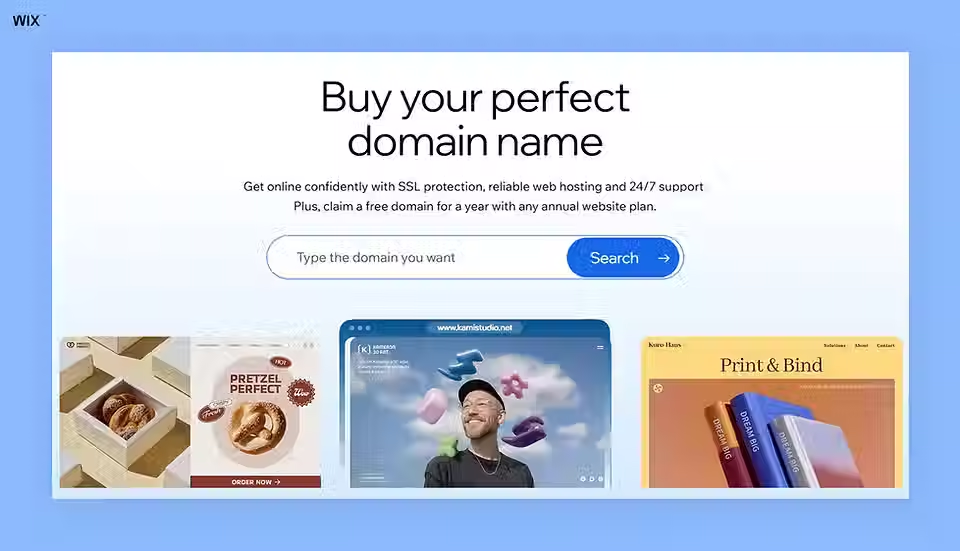
Expert tip from Ofir Gvili, domains PMM at Wix
“When you buy your domain through Wix, you’re not just getting a name, you’re getting peace of mind. It comes with security, reliability and smooth integration, so your brand can shine without extra work.”
Learn more:
04. Select a suitable template
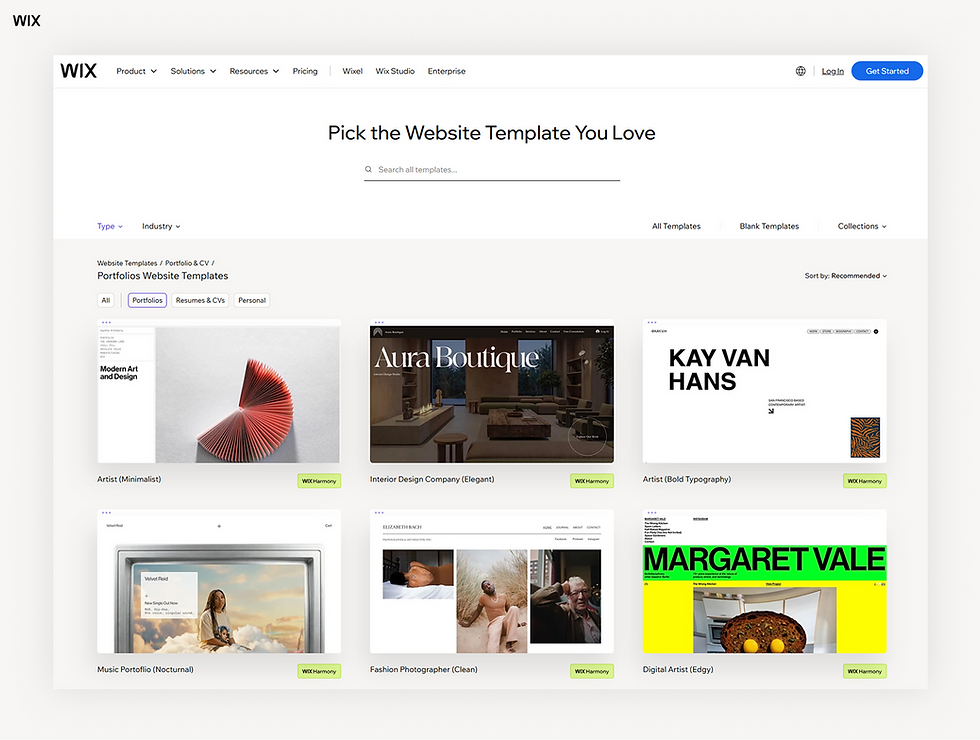
A template gives your site a pre-designed structure, helping you organize your content quickly. Templates set the initial look and feel of your pages, giving your portfolio a professional appearance from the start. Wix offers beautiful templates for your online portfolio, making it easy to find a style that fits your brand.
You can customize these portfolio layouts to match your personal brand. Change colors, fonts and image placeholders to reflect your style and personality.
Clean and well-organized portfolio website templates keep the focus on your work. By presenting your projects clearly, visitors can navigate your portfolio easily and understand your skills at a glance.
05. Create an about page

Your portfolio’s about page introduces you to your site visitors. You share your background, education and career aspirations here. This page builds a personal connection with potential clients.
You should include a professional photo of yourself. A clear, professional image makes the page more engaging and memorable.
Keep your writing friendly and direct. Employers hire people, so let your personality shine through.
06. Add a contact form

A contact form allows visitors to email you directly from your site. A thoughtful contact form design ensures employers can reach you easily and prevents missed opportunities.
You only need to ask for a name, email and short message. Long forms deter people from reaching out.
You can also place your social media links on this page. This gives visitors alternative ways to connect with you and learn more about your work.
Common mistakes to avoid
When building a portfolio, beginners often fall into predictable traps. Understanding these common portfolio mistakes can help you create a site that effectively showcases your skills and makes a strong impression on visitors.
Unclear project roles: Sharing projects without describing what you actually did can confuse visitors.
Hard-to-navigate site: A confusing layout or menu makes it difficult for users to explore your portfolio.
Showing old projects: Including outdated or incomplete work may not reflect your current skills.
Inconsistent branding: Mismatched fonts, colors or layouts make your portfolio look unpolished.
No mobile optimization: Neglecting mobile design can make your site hard to use on phones or tablets.

If you are not sure where to begin, browsing real portfolio website examples shows how to present even a few projects effectively.
How do I create a portfolio with no experience FAQ
What should a beginner put in a portfolio?
A beginner should include personal projects, school assignments and volunteer work. You can also create concept projects for fictional brands to showcase your creativity. These pieces demonstrate your skills, problem-solving abilities and potential, even without paid experience.
Do I need a degree to make a portfolio?
You do not need a degree to build a portfolio. Employers care more about your actual skills and problem-solving abilities. Your work samples matter more than formal education.
Is it free to build a portfolio?
You can build a portfolio for free using various website builders. Many platforms, including Wix, offer free plans with basic features to get started quickly. You can always upgrade later if you want a custom domain or additional tools.
Learn more about how much does a portfolio website cost.


