Ready to showcase your best work? Start building your portfolio →

Creating an online portfolio is a crucial step for anyone looking to showcase their skills, experience and creativity. Whether you're an artist, designer, writer or professional in any field, your portfolio serves as your online brand ambassador.
Its not uncommon though for portfolios to fail to impress because of avoidable mistakes. Understanding these pitfalls can help you understand how to build a portfolio that truly stands out and opens doors to new opportunities.
TLDR: Common portfolio mistakes
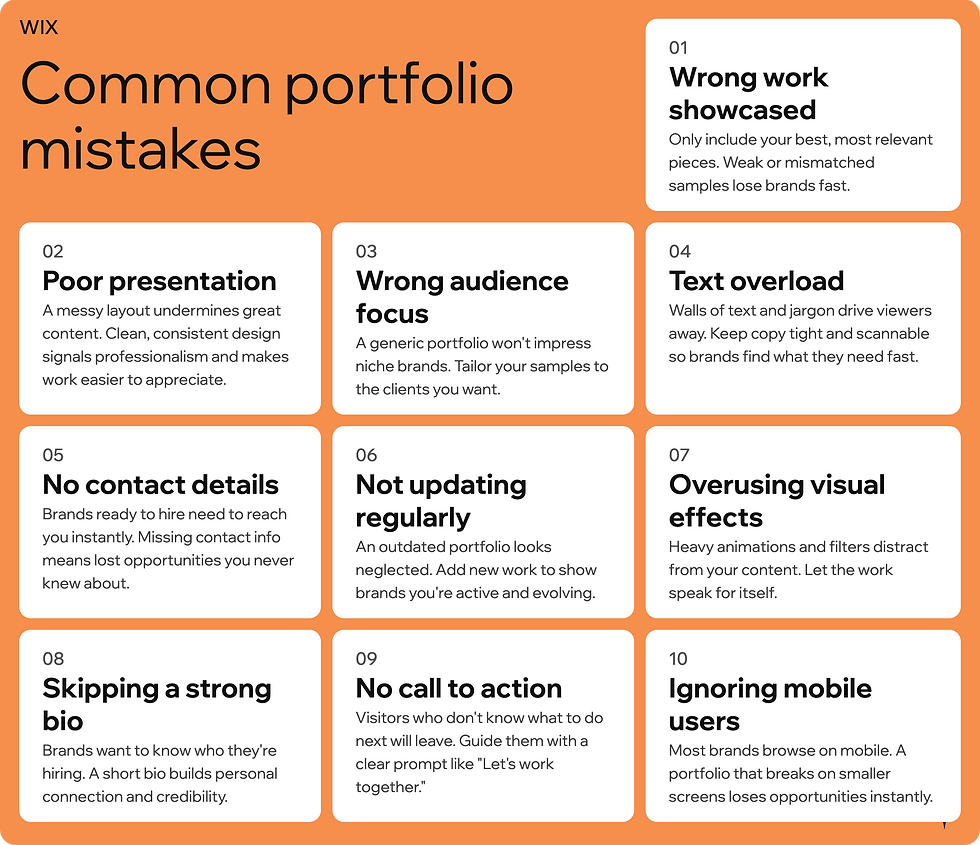
7 of the most common portfolio making mistakes
01. Choosing the wrong work to showcase
One of the biggest errors in portfolio creation is including every piece of work you've ever created. A portfolio should be a carefully curated selection of your best that highlights your best and most relevant projects. Including too many items or irrelevant work can overwhelm viewers and dilute your strengths.
How to fix this portfolio mistake:
Select 8 to 12 pieces that demonstrate your skills and versatility.
Prioritize recent work that aligns with the type of job or client you want.
Remove projects that don't reflect your current abilities or style.
For example, if you're a graphic designer applying for branding work, your graphic design portfolio should focus on logo design, packaging and brand identity projects rather than unrelated illustrations or personal experiments.
Hear from Wix user Longodesigns:
With the Wix platform I was able to make a stunning website with minimal cost and time. With no web design experience, I was able to figure it out all on my own.

02. Neglecting the presentation and layout
Even the best work can lose impact if the portfolio is poorly organized or visually cluttered. A confusing layout or inconsistent formatting can frustrate viewers and make it hard to find key information.
Tips for better portfolio presentation:
Use a clean, simple design that lets your work shine.
Maintain consistent fonts, colors, and spacing throughout.
Group similar projects together and provide clear headings.
Include brief descriptions explaining your role and the project’s goals.
For instance, a photographer’s portfolio, like this example from Lorenzo Fanfani, might group images by theme or style, with captions that describe the shoot location, concept, or technical details.

03. Forgetting to tailor the portfolio to the audience
A common mistake is creating a generic portfolio that tries to appeal to everyone. This often results in a lack of focus and fails to address the specific needs of potential employers or clients.
How to tailor your portfolio better:
Research the company or client before submitting your portfolio.
Highlight projects that match their industry, style or values.
Adjust your portfolio’s tone and content to fit the audience’s expectations.
If you're applying for a role in a tech startup, emphasize innovative and fast-paced projects. For a traditional marketing agency, showcase more polished, professional work..
Learn more: Common website creation mistakes
04. Overloading with text or technical jargon
While it’s important to explain your work, too much text or complex language can distract or confuse readers. Many viewers skim portfolios quickly, which means clarity and brevity are key.
Best practices for portfolio descriptions:
Use simple, direct language.
Focus on your contribution and the project outcome.
Avoid jargon unless it is widely understood in your field.
Use bullet points to break up information.
For example, instead of writing “Implemented a multi-faceted digital strategy leveraging cross-platform synergies,” say “Created a social media campaign that increased engagement by 30%.”
05. Ignoring the importance of contact information and accessibility
A portfolio that lacks clear contact details or is difficult to navigate misses its purpose. Potential clients or employers need an easy way to reach you and explore your work.
Make sure to remember for your portfolio:
Include your email, phone number, and professional social media links.
Use a mobile-friendly/ responsive design that works on mobile devices.
Test your portfolio on different browsers and devices.
Provide downloadable versions if relevant.
A portfolio website that loads slowly or breaks on smartphones can lose you valuable opportunities.
Explore these mobile-friendly portfolio templates from Wix to get building your site today.

06. Not updating the portfolio regularly
An outdated portfolio can give the impression that you're inactive professionally or not improving your skills. Regular updates keep your portfolio fresh and relevant.
How often to update your portfolio:
Add new projects as you complete them.
Remove older work that no longer represents your best abilities.
Refresh the design every year or two to stay modern.
For example, a web developer might add recent websites they built and remove older projects that use outdated technologies.
Be inspired: Web development portfolio examples
07. Overusing visual effects and complex navigation
While creativity is important, excessive animations, sound effects or complicated menus can distract from your work and frustrate users.
Keep a portfolio user-friendly by:
Using simple navigation with clear labels.
Avoiding auto-play audio or flashing graphics.
Ensuring fast load times.
A portfolio should make it easy for viewers to focus on your work, not on figuring out how to use the site.
Learn more:


