Build your website, your way with Wix Harmony →
You do not need to set up MCP for your Wix site, because every Wix site is already an MCP server out of the box.
That means AI agents can already work with your site without you installing or configuring anything, and what is worth understanding is when the separate Wix MCP server, Wix Harmony and Wix Headless come into play for you.
The Wix MCP server allows developers and business owners to build, manage and operate Wix projects through AI prompts.
TL;DR: do I need MCP for my Wix site?
MCP is the standard that lets AI agents talk to software directly. For your Wix site that mostly happens on its own, and the parts you might choose to add are optional. If you are starting a new website, Wix's AI website builder can generate one for you, and everything below explains where MCP fits.
Question | Quick answer |
Do I need to install MCP on my Wix site? | No. Every Wix site is already an MCP server out of the box. |
What is the Wix MCP server then? | A separate opt-in tool that lets you build and manage Wix through AI clients like Claude or Cursor. |
Who actually needs it? | It depends on your role. If you only serve visitors it already works, and if you want to build or manage through AI you add the Wix MCP server. |
Where do Harmony and Aria fit? | Wix Harmony is the AI website builder and Aria is its agent, both reachable through MCP. |
When should I look at Wix Headless? | When you build your own frontend with AI tools and want Wix to run the backend. |

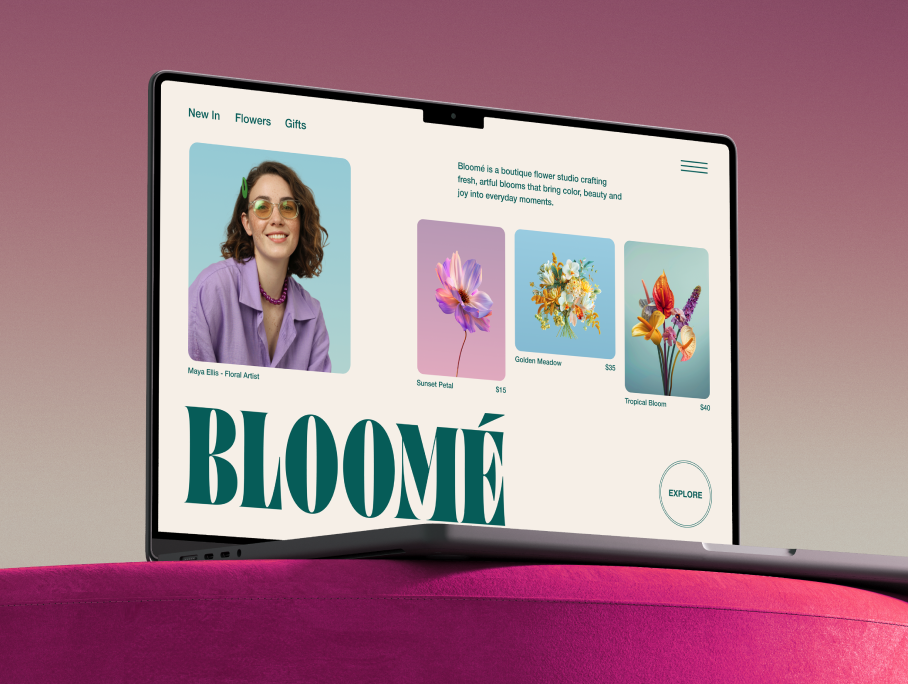
Wix Harmony brings AI and manual creation together in a single, smart platform. You can generate full pages, layouts and content with natural language, then fine-tune every detail with precise drag-and-drop control. It’s faster, more flexible website creation, without sacrificing quality or creative freedom.
Your Wix site already has MCP built in
Here is the part that surprises people. You do not add MCP to a Wix site, because the site already is one. MCP stands for Model Context Protocol, an open standard that lets AI agents and tools work with software through plain language instead of manual clicks. Wix builds this in at two different levels, and it helps to keep them separate.
01. The MCP that is already there
Every Wix site comes with a built-in MCP endpoint, which means your site is already agent-accessible from day one, with no extra setup.
In practice that means a visitor using an AI assistant can ask your site questions, see what you offer and start a booking or a purchase without clicking through page after page. The Wix Site MCP allows AI agents and tools to interact with a live site using natural language requests.
Worth knowing: The built-in Site MCP works automatically, but it reflects whatever is already published on your site. Keeping your services, hours and product details current is what makes those AI answers accurate, since the agent is reading your live content.
02. The Wix MCP server, for when you want to build or manage
The Wix MCP server is a Model Context Protocol server that allows AI agents and tools to interact with Wix capabilities through natural language.
This one is a separate opt-in tool rather than something baked into your site. The Wix MCP server exposes all core Wix platform capabilities as structured, callable tools. Once you connect it to an AI client like Claude or Cursor, you can build, update and run your Wix project just by describing what you want.
Read more:
Who actually needs to think about MCP
So the real question is less about setup and more about you. The Wix MCP server serves three distinct audiences. They are developers, Wix business owners and end customers of Wix businesses. Most people fit more than one at the same time.
01. If you build sites or write code
Developers use the Wix MCP to build on Wix, integrate Wix into workflows and work within AI-powered IDEs like Cursor. If that is you, the Wix MCP server is the part worth setting up, since it turns documentation lookups and API calls into a single prompt.
02. If you run a business on Wix
Wix business owners use the Wix MCP to create and operate their sites and businesses through AI conversation. You can manage a store, adjust bookings and update content by chatting with an AI client, without opening the dashboard for every small change.
03. If you have customers and visitors
End customers of Wix businesses benefit from the Wix MCP through AI-powered interactions including booking, purchasing and customer service. This is the group that is already covered by your built-in Site MCP, with nothing for you to switch on.
Worth knowing: Most site owners fall into more than one of these groups at once. You might never touch the Wix MCP server yourself and still benefit from it every time a customer's AI agent books or buys through your site.
How Wix Harmony and Aria use MCP

If you built your site with Wix's AI website builder, you have already met the agent side of this story. Aria is Wix's proprietary AI agent, not a generic chatbot with editing features.
Aria lives inside Wix Harmony, where you can generate a full site from a prompt and then keep shaping it by chatting or editing by hand. The Wix MCP server makes Aria's capabilities accessible through any MCP-compatible AI client, not just the Wix Business Manager. So the same generation and management skills Aria uses inside Wix can be driven from the AI tools you already work in.
Expert tip from Nir Zohar, President of Wix:
“Unlike many AI-first tools built for quick demos, Wix Harmony is designed for real businesses. AI is native to the platform, not layered on top, so changes are applied consistently across the site. Users can move fluidly between prompting and hands-on design, confident they are building something stable, scalable and ready to grow.”
Worth knowing: You do not have to choose between prompting and hand editing with Wix Harmony. The AI generates the first version fast, and you can step in with drag-and-drop control whenever you want a specific detail exactly right.
Learn more:
When Wix Headless is the right move

Wix Headless is the business backend for AI builders, vibe coders and agencies who want full creative freedom on their frontend.
So this is the path for a different kind of project. Instead of building inside Wix, you can vibe code a website on your own frontend and connect it to Wix for payments, bookings, a CMS and the rest of the business layer. For AI builders and vibe coders, the fastest path is one prompt into Claude, Cursor or any AI tool using wix-headless.dev/skill.md. You keep the frontend you built and Wix runs the parts that turn it into a real business.
Worth knowing: Wix-managed headless means Wix handles all hosting, CDN, SSL and scaling automatically. Self-managed headless means you host the frontend on your own infrastructure and connect to Wix business data via API. Both paths connect to the same complete Wix business backend. The choice comes down to how much control you want over your hosting environment, not what backend features you can access.
Find out more:
How to get started with MCP on your Wix site
Software is becoming agent-operated. That is the bigger shift behind all of this, and it is why the built-in Site MCP matters even if you never write a line of code. Your Wix site is ready for it now, and the pieces around it are there when you want them.
Here is how to get the most out of MCP on your Wix site, depending on where you are starting from.
Wix's AI tools help you generate and manage a site, and if you prefer to start inside a chat tool you can even build with a ChatGPT website builder and connect it to Wix. You can also use the Wix plugin for ChatGPT and tag @wix in your prompt to generate a live Wix site directly in the conversation. The core website builder covers design, hosting and business tools once your site is live.
01. Keep your site content current, since the built-in Site MCP answers from your live pages.
02. If you want to build or manage through AI, connect the Wix MCP server to your AI client of choice.
03. If you are creating a new site, try Wix Harmony and let Aria generate and refine it with you.
04. If you are bringing your own AI-built frontend, connect it to Wix Headless so it can take payments and bookings.
Expert tip from Ran Levi, Developer Advocate at Wix:
“The hardest part of shipping something real has never been the frontend. Anyone can build a beautiful UI fast now. The wall people hit is always the same: payments, bookings, a CMS that actually works. Wix Headless knocks that wall down. You connect your frontend to the infrastructure millions of businesses already run on, in one prompt. You are not a backend engineer, you are just shipping.”
Worth knowing: None of these steps are all-or-nothing. Plenty of Wix users only ever benefit from the built-in Site MCP and never set up anything else, and that is a perfectly complete way to use it.
Do I need MCP for my Wix site FAQ
Do I need to set up MCP for my Wix site?
No. Every Wix site is its own MCP server automatically, so AI agents can work with it without any setup from you. You only add something extra if you want to build or manage your site through an AI client, which is what the separate Wix MCP server is for.
Is the Wix MCP free?
Yes. The MCP server that comes with your site is provided by Wix at no extra cost when you create a site. Connecting an AI client through the Wix MCP server does not carry a separate fee either.
Which AI tools work with Wix MCP?
The Wix MCP works with any MCP-compatible AI client. That currently includes tools like Claude, Cursor and others that support the protocol.
What is the difference between Wix Harmony, Wix Headless and the Wix MCP server?
Wix Harmony is the AI website builder where Aria generates and edits your site. Wix Headless is the backend you connect to when you build your own frontend with AI tools. The Wix MCP server is the bridge that lets AI clients work with Wix capabilities through natural language. They solve different jobs and you can use one without the others.


