Build your website, your way with Wix Harmony →
An MCP is a Model Context Protocol server, a standard connection that lets AI tools reach live software instead of working only from training data. Connect one and your AI client can search real documentation, call an API and act inside a service you already use.
Every Wix site automatically includes a built-in MCP server endpoint. That puts an AI website builder such as Wix Harmony in the same agent-accessible space as your other business tools. The sections below cover how an MCP works, what it does well, where the limits sit and what it changes if you run a business.
TL;DR: what is an MCP
An MCP gives an AI tool a documented way to reach a service and do something there, rather than describing it from memory. That shift matters because it changes what AI can be trusted with. A model that reads your live data and acts on it is useful in a way that a model guessing from training data never is. The same connection works across every compatible client you use.
Topic | Summary |
What it is | An open standard that connects AI tools to live software, data and actions |
What it stands for | Model Context Protocol |
How it works | A host runs a client, the client connects to a server and the server exposes tools the model can call |
Main benefits | One connection reused across AI tools, live data, real actions and far less custom code |
Who it is for | Developers, business owners and anyone whose AI client supports it |
What it does not do | Decide when a tool gets called, replace APIs or store memory |
What is an MCP?
MCP stands for Model Context Protocol. As an acronym it carries older meanings in aviation and IT certification, but in anything AI related it points to this one open standard, which Anthropic built and released as an open standard before donating it to the Linux Foundation.
The problem it solves is arithmetic. Before a shared protocol existed, connecting five AI tools to five services meant building and maintaining 25 separate integrations. Each had its own authentication, its own data shapes and its own way of breaking. An MCP replaces that grid with a single interface. A service publishes one server and every compatible AI client can use it.
An MCP server publishes a machine-readable description of everything it can do. The client reads that list on connection and passes it to the model, so nobody has to write fresh instructions for each new capability.
How an MCP works

Three pieces do the work. Two of them get mixed up constantly, so it is worth separating them before following a request through all three.
01. The host
The host is the AI application you are actually sitting in. A desktop assistant, a code editor with an AI panel, an automation platform. The host is where the model runs or gets called from, and it controls what the model is allowed to reach. Learning how to make a website with Claude shows one driving a real build.
02. The client
The client lives inside the host and manages one connection to one server. Connect three servers and the host runs three clients. This is the piece that gets folded into the host in most people's mental model, which is where the confusion starts.
03. The server
The server belongs to the service being connected. It exposes capabilities in three fixed shapes, tools the model can call, resources it can read and prompts it can reuse. That is what an MCP server is in AI terms. It is a translator that presents whatever sits behind it, an API, a database or a filesystem, in a form a model can discover on its own. What a server exposes is a choice its developer made, so two servers built for the same service can offer very different sets of actions. Check the tool list before assuming a task is possible.
04. How a request travels
You ask for something in plain language. The host passes the request to the model along with the tool list its clients collected, and the model picks one and fills in the arguments. That call goes from the client to the server, which runs it against the real service and hands back the result. Back in the host, the model reads the result and answers you. Connections run either locally over stdio on your own machine or remotely over Streamable HTTP, a difference that matters more than it sounds like it should.
Main benefits of an MCP

The value shows up in four places.
01. Live data instead of stale answers
A model without a connection answers from training data that stopped at a fixed point. A model with one reads the current state of the service it is connected to, so answers about that service reflect what is there now rather than what was there at training time.
02. Actions, not just answers
Models could already call functions before MCP existed. What changed is that the same action now works from any compatible client instead of being wired to one provider. A connected model can create a record, update a price or publish a page. The output stops being text about the work and becomes the work.
03. The same server works across AI tools
Switching AI tools no longer means rebuilding your integrations, which is worth more in a market moving this fast than it looks on paper. How much carries over depends on how completely each client implements MCP. Learning how to make a website with Wix in ChatGPT shows what that looks like from a chat client. In ChatGPT specifically, that same MCP connection is packaged as the Wix plugin for ChatGPT, connect it once, then tag @wix in any prompt to put it to work.
04. Less glue code to maintain
Custom integrations break quietly over time. APIs change, tokens expire and nobody notices until something fails. A shared protocol shrinks the surface area where that can happen.
One thing worth knowing: Reusing a single connection across tools only pays off once you actually use more than one AI client. If you work in one client and never switch, the payoff is smaller and the setup may not be worth it yet.
What an MCP is not
Three misreadings show up constantly. Each one leads somewhere unhelpful.
Not a replacement for APIs
An MCP server sits in front of an API rather than removing it. The endpoints are still there doing the work. What changes is who reads the documentation, since a developer used to do that manually and now the model does it at connection time.
Learn more: MCP vs API
Not an agent framework
The protocol does not decide when a tool gets called or why. That judgment sits with the model, the host and whatever orchestration layer wraps them. An MCP standardizes the connection and stops there, which is exactly why it works alongside agent frameworks rather than competing with them. Deciding what you want an agent to do is separate work. Learning how to get your business ready for agentic AI covers that side.
Not memory
The protocol is stateless by design. Every request carries what the server needs to handle it, so nothing is inferred from what came before. A server can expose stored data, but persistence is a property of the service on the other end, not of the connection.
Worth knowing: Because the model chooses which tool to call, results shift with the model behind your client. The same server can behave differently in different clients, so test in the one you plan to work in.
What to check before you connect one
Connecting a server means handing an AI client real access to a live service. That is the point of it and also the risk. A few checks cover most of the exposure, starting with who built the server.
Official servers published by the service itself carry accountability that an anonymous community build does not. Read the tool list before connecting, because that list is the full extent of what the model can do once it is in.
Keep a human in the loop on anything that writes. Review generated code before it runs against a live site. Keep action requests separate from code requests so you are never approving both at once. Platform-level website security still matters underneath all of this, since the connection inherits whatever protections the service already has.

What an MCP changes if you run a business
For a long time this was developer territory. That was never by design. Setting a server up locally meant a terminal, a runtime such as Node.js, a config file and token management. Each of those is a small barrier on its own. Together they kept the tooling inside developer circles.
Remote connections changed that. A hosted endpoint drops the local install entirely, so connecting a service can be closer to pasting a URL than running a setup script. Local setups still expect a runtime and a config file, but the hosted route is what moved MCPs out of the developer bubble.
The practical result is that making a website and running the business behind it start to happen in the same conversation. If you are still at the beginning of that, learning how to make a website comes first. Learning how to design a website with AI covers the layer above it.
Knowing how to run an SMB better with agentic AI helps once you have something connected. If you are still deciding on the shift itself, why prompt a website makes the underlying case.
Rebecca Tomasis, Head of AI visibility and OG content at Wix, describes what that ongoing relationship looks like.
“Agentic AI is the next evolution of what prompting started. Prompting a website is a single input, single output interaction. Agentic AI turns that into an ongoing relationship. The system monitors your site’s performance, identifies what needs updating and takes action without waiting to be asked. For small business owners, that’s the difference between having a website and having a digital business partner.”
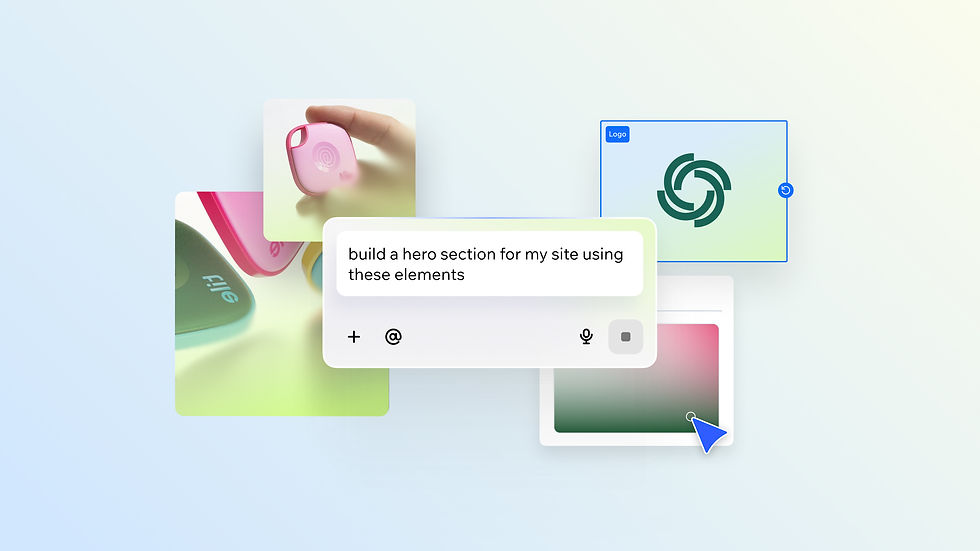
Wix Harmony brings AI and manual creation together in a single, smart platform. You can generate full pages, layouts and content with natural language, then fine-tune every detail with precise drag-and-drop control. It’s faster, more flexible website creation, without sacrificing quality or creative freedom.
How an MCP works with Wix
Wix runs two separate MCPs. The difference between them is the part people miss. One is for building on Wix, the other is built into every site for agents arriving from outside. For the product-level detail on the first, the Wix MCP covers setup and prompt patterns in depth.
01. The Wix MCP server
The Wix MCP server is a Model Context Protocol server that allows AI agents and tools to interact with Wix capabilities through natural language. Configuring the Wix MCP server enables an AI client to search Wix documentation, write platform code and make API calls on live Wix sites. In practice that means around a dozen tools covering REST, SDK, Headless and Design System documentation, plus site queries and site-level actions. It runs on the hosted Wix MCP server endpoint over HTTP or as a local install. Local setups expect Node.js 19.9.0 or higher.
The Wix MCP server is designed for any MCP-compatible AI client, not just one tool or ecosystem. Connecting remotely runs through OAuth, so the first time you connect your client opens a browser to sign in. API key authentication covers automation tools that need it.
If you want to see it working end to end on a live account, learning how to use Claude with Wix is the clearest walkthrough.
02. The built-in Site MCP
The second one needs no configuration at all. The Wix Site MCP allows AI agents and tools to interact with a live site using natural language requests. Nothing to install and nothing for your visitors to set up. The Wix Site MCP serves as a bridge toward WebMCP, the emerging W3C standard for agent-to-web interaction. That is the same direction headless site architecture has been heading for a while.
03. Agentic commerce
Wix Agentic Commerce is a new generation of online shopping where AI agents help discover, recommend and complete purchases. For an eCommerce website, that means a shopper’s assistant can query your catalog and check availability without anyone clicking through your pages. The same endpoint serves a scheduling system, so bookings work the same way. AI eCommerce builder features covers what sits on top of both.
04. Wix Harmony and Aria
Wix Harmony is a hybrid AI creation and management environment for building and operating Wix sites. Aria is the AI agent inside it, aware of what is on your canvas and able to generate pages, rewrite copy and configure business tools through conversation. Wix Harmony represents Wix’s flagship expression of the shift from UI-first to agent-first software. In practice that is vibe coding with full drag-and-drop control rather than a prototype generator.
The Wix MCP server makes Aria’s capabilities accessible through any MCP-compatible AI client, not just the Wix Business Manager. Learning how to make a website with a prompt shows the mechanics and AI prompts for website building gives you tested starting points. What varies between clients is how each one handles multi-step work, so naming the site and the business solution in your prompt makes results more predictable.
Learn more: Do I need MCP for my Wix site?
Model Context Protocol FAQ
What does MCP stand for?
Model Context Protocol. It is an open standard for connecting AI applications to external tools, data and actions.
Who created the Model Context Protocol?
Anthropic built it and released it as an open standard. Governance has since moved to the Agentic AI Foundation under the Linux Foundation, co-founded with Block and OpenAI, with Google, Microsoft, AWS and Cloudflare among its backers. No single company controls the specification now, which is part of why it works across tools from competing vendors.
Is an MCP just an API?
No. An API tells a developer what is possible. An MCP server tells a model what is possible, in a format it can read the moment it connects. The API underneath still does the work.
Do I need coding skills to use an MCP?
Not for remote connections. Clients that support hosted endpoints need a URL and an authorization step. Local setups are more involved and expect Node.js and a config file. If you would rather stay in plain language throughout, prompts to use with AI website builder is a better place to start than a config file.
Which AI tools support MCP?
Claude, Cursor, Copilot and Windsurf all handle remote connections. The list keeps growing. Automation platforms can connect using an API key instead.
Is it safe to connect an MCP to my business data?
It depends on the server and how you use it. Prefer servers published by the service itself, read the tool list before connecting and review anything generated before it runs against live data.
Does every website need an MCP?
No, though the calculation is changing as more people shop and search through AI assistants. On Wix you do not have to decide, because the endpoint is already there on every site. For how platforms differ on this, best AI website builder compares the options.


