Launch your website in minutes with Wix AI website builder →

If you're planning on using an AI website builder to vibe code a website, the AI prompts you use to create your site are crucial to the process. Their quality determines the design and functionality of your site and the faster you refine your prompts, the faster you can build.
The AI prompts you use to understand how to make a website will depend very much on the type of website you want to create, its design or vibe and its functionality. The more complex your site, the clearer your website building prompts should be.
We're going to walk through some of the best AI prompts organized by type of website.
Wix Harmony democratizes vibe coding for websites so the next generation of entrepreneurs can succeed online in an AI-powered world. You can generate a business-ready site from a single prompt, and keep shaping it by chatting with AI or editing by hand.
How to write AI prompts for website building
When writing AI prompts to help you vibe code a website its important to clearly define your business type, target audience and main website goal. Whether its for bookings, sales or to showcase your work, you must explain clearly what type of website you want to build and what you want it to help you do.
Its always important to specify your preferred website design style, modern, minimal, bold or professional and include the colors, fonts and brand voice you're using.
You should also use your prompts to list your site's required pages (Home, About, Services, Contact) and any features or functionality such as forms, galleries or chat.
You want to be clear but detailed with your prompting.
"When it comes to website building, one of the biggest challenges for business owners is the amount of time needed to create one. With AI, everything is much faster and easier. Business owners can now build their own websites, update their content and create or enhance images with minimal effort. AI is revolutionizing the world and the technology is expanding into everything we do." Marine Levy Belder, product marketing manager at Wix
For example now, Wix's core commerce and website building capabilities are now accessible from the AI tools people use every day. Wix's platform is future proofing for the growth of the agentic web. Wix has a plugin for ChatGPT that lets you type "@Wix" in a conversation, to invoke its Wix Harmony vibe code website builder. You can describe a business idea and the agent generates a full, live Wix website including booking systems and menus.
Learn more: Prompt engineering for website builders
AI prompts for website building by website type

01. Restaurant website prompts
Prompt for type of website:
A modern, mobile-friendly website for a cozy local restaurant that focuses on seasonal dishes and reservations.
Prompt for which website pages to include:
Create the following pages for the restaurant website, home, menu, about us, reservations, events and specials, gallery, contact and location.
Prompt for restaurant website design and branding:
Use a warm, inviting website design with earthy tones (terracotta, cream, olive green), large food photography, minimal icons and a handwritten-style accent font for headings. The design should feel intimate but contemporary.

Prompt for website navigation and hierarchy:
Create a top navigation with: Home | Menu | About | Reservations | Events | Gallery | Contact.
Include a footer with address, opening hours, phone, social links and a small embedded map.
Pro expert tip to apply to your prompt planning, from Nitzan Eiges, Tech SEO team lead at Wix:
"When it comes to making a website, it's worth considering building a plan for all your website pages from the start of the process. This means creating a clear website plan that includes your planned and potential future pages. This allows you to build a URL structure for your site that is clean and consistent. In turn, this can also help you avoid making fixes to your URL structure later, such as adding redirects and manually updating or changing your internal linking."
Prompt for restaurant website functionality:
Include the following: online reservation form (with date, time, party size), click-to-call on mobile, Google maps integration, photo gallery with lightbox, basic events list (include dates and descriptions)
02. Portfolio prompts
Prompt for type of website:
A personal portfolio site for a freelance graphic/UI designer to showcase projects and attract clients.
Prompt for which website pages to include:
Create the following pages for the portfolio website: Home, Portfolio pages with Categories, Services, About Me page, Client Testimonials, Blog, Contact Page.
Prompts for portfolio websites design and branding:
Clean, minimalist, lots of white space, monochrome base with one accent color (e.g., electric blue).
Use bold typography, grid-based project layouts and subtle animations.
Learn more: How does and AI website builder work?

Pro expert tip to apply to your portfolio prompting, from Hani Safe, product lead (Showcase) at Wix:
"An outstanding portfolio is all about storytelling. It’s not just a showcase of work but a narrative that weaves together a professional’s skills, creativity and personality. Features like dynamic presets, AI setup and beautiful templates let creators bring their stories to life, ensuring that every portfolio not only stands out for its aesthetic appeal but also tells a compelling story about the creator behind it."
Prompts for website navigation and hierarchy:
Include top navigation with: Home | Portfolio | Services | About | Blog | Contact.
Highlight Work with me as a persistent button in the header.
Prompts for website functionality:
Create a fliterable portfolio gallery
Include project detail pages with images, descriptions and results
Add a simple contact form with project brief fields (budget, timeline, type of work)
Create a newsletter signup
Include social links (Dribbble, Behance, LinkedIn, Instagram) in the footer
Create your own portfolio with our AI portfolio generator.
03. SaaS product landing page prompts
Prompts for type of website:
A conversion-focused landing website for a B2B SaaS product.
Prompts for website design and branding:
Modern, tech-focused design with gradients, illustrations and product screenshots.
Use a cool color palette (blues & purples), rounded buttons and clear CTAs.
Prompts for website navigation and hierarchy:
In the top navigation include — Product (Features, Solutions dropdown) | Pricing | Resources | About | Contact.
Create a primary CTA button titled Book a demo always visible in the header.
Prompts for website functionality:
Create lead capture forms (for demo request, trial signup)
Add a pricing comparison table
Create an FAQ accordion
Include a testimonial slider with logo placeholders
04. Personal blog prompts
Prompts for type of website:
A personal blog for long-form articles and opinion pieces on technology, productivity and lifestyle.
Prompt for which website pages to include:
Create the following pages — Home (latest posts), Blog (with categories), Contact.
Prompts for blog design and branding:
Simple, reader-friendly blog layout with serif typography for posts, soft neutral colors and a clean sidebar.
Focus on readability and minimal distractions.

Prompts for website navigation and hierarchy:
Create a top navigation with: Home | Blog | Categories dropdown | About | Contact.
Insert clear category filters/tags on blog listing pages.
Prompts for website functionality:
All blog posts should have categories
Include a search bar for posts
Add a newsletter signup (prominent in sidebar and end of posts)
Include an author bio section on all posts
Include social sharing buttons on each post
05. Online coaching and consulting website prompts
Prompts for type of website:
A website for a personal coach or consultant offering 1:1 sessions and group programs.
Prompts for which website pages to include:
Create the following pages - Home, Services, About me, Testimonials, Blog, Contac
Prompts for consulting website design and branding:
Use a calm, professional, trust-building design with soft colors (light blues, greens or neutrals), warm photography and approachable typography.
Prompts for website navigation and hierarchy:
In the top navigation include: Home | Services | About | Testimonials | Blog | Contact.
Contact should be emphasized as the primary CTA.
Prompts for website functionality:
Include a booking form, lead capture form for a free discovery call, testimonial slider, simple blog.
06. eCommerce/online store prompts
Prompts for website type:
A small online shop for a boutique selling curated lifestyle products (e.g., candles, home decor, stationary).
Prompts for which website pages to include:
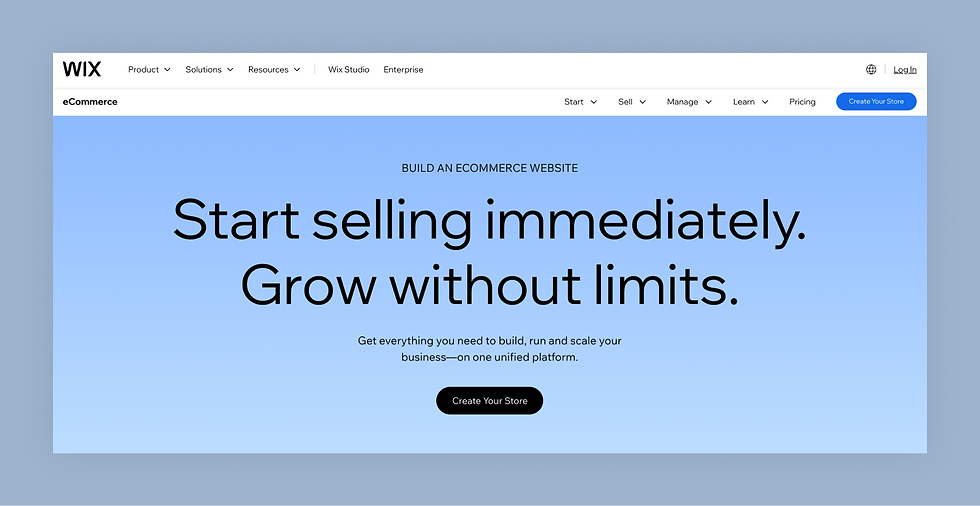
Create these pages — Home, Shop with product categories, Product pages, About the brand page, FAQ&Shipping, Contact, Checkout and payments page.
Prompts for ecommerce website design and branding:
Use an elegant, boutique feel with soft colors, product-focused photography and subtle textures. Use clear, legible fonts and generous spacing.
Prompts for website navigation and hierarchy:
In the top navigation include —Home | Shop (with categories dropdown) | About | FAQ | Contact.
Include a persistent shopping cart icon and search in header.
Prompts for website functionality:
Create product catalog with all product variants (size, color)
Create shopping cart and checkout, include a wishlist/save for later option
07. Service business website prompts
Prompts for website type:
A lead-generation website for a local service business (plumber, electrician, handyman).
Prompts for which website pages to include:
Create the following pages: Home, Services, About, Testimonials, FAQ, Contact and Request a quote.
Prompts for service website design and branding:
Make the design straightforward, trustworthy and professional.
Use a strong brand color (blue, green or orange), clear service icons and photos of real work or team.
Prompts for website navigation and hierarchy:
Include in your top navigation: Home | Services | About | FAQ | Contact.
Make Request a Quote a highlighted button in the header.
Prompts for website functionality:
Include a service inquiry form with details (type of job, location, urgency), click-to-call on mobile, Google maps and full business operating area, testimonials section.
08. Wedding website prompts
Prompts for website type:
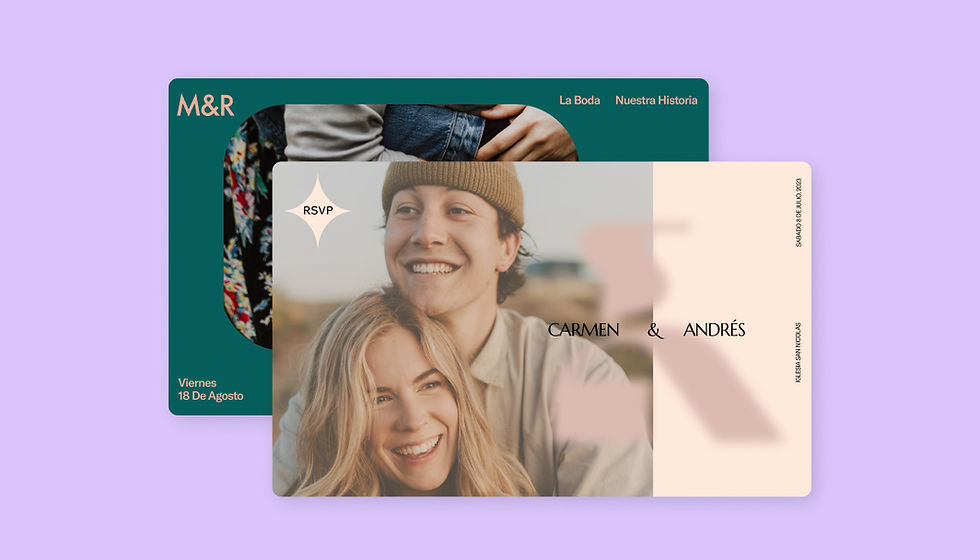
A wedding website for a couple to share details, collect RSVPs and show photos.
Prompts for which website pages to choose:
Create the following pages - Home, event details, RSVP, Wedding party, Travel and accommodation, Gift registry, Gallery.
Prompts for wedding website design and branding:
Use a romantic and elegant design with soft pastel colors, floral accents and script headings. Use large photos of the couple and a cohesive style with subtle decorative elements.
Prompts for website navigation and hierarchy:
Include in the top navigation — Our Story | Event Details | RSVP | Wedding Party | Travel | Registry | Gallery.
Make RSVP easy to access from multiple sections.
Prompts for website functionality:
Create a RSVP form with fields for guest names, attendance, meal preferences, links to registry sites, basic guest info (guest code, parking), photo gallery
09. Non profit website prompts
Prompts for website type:
A website for a non-profit organization that raises awareness and donations.
Prompts for which website pages to include:
Create the following pages — Home, About, Programs, How to get involved, Events & News, Donate, Contact.
Prompts for non profit website design and branding:
Use an impactful but warm design using the organization’s brand colors.
Use photos of the communities served, clear typography and strong calls to action.
Prompts for website navigation and hierarchy:
Include in the top navigation — Home | About | Programs | Get Involved | Events | Donate | Contact.
Donate should be emphasized as a primary CTA in the header and repeated across pages.
Prompts for website functionality:
Create a donation page, volunteer sign-up form, events listing, newsletter signup.
10. Photography portfolio prompts
Prompts for website type:
A visual portfolio for a professional photographer specializing in <niche>
Prompts for which website pages to include:
Create the following pages — Home with hero slideshow, portfolio categories (by type of niche), About the photographer, Pricing and packages, Testimonials, Blog, Contact.
Prompts for photography portfolio design and branding:
Use an image-first design with dark or light minimal backgrounds, large full-width photos and subtle typography that doesn’t distract from the images.

Prompts for website navigation and hierarchy:
Include in the top navigation —: Home | Portfolio (subcategories) | About | Pricing | Blog | Contact.
Include a clear “Book a Session” CTA button in the header.
Prompts for website functionality:
Create filterable galleries with lightbox, a booking form with fields such as shoot type, date and location, social media feed integration, testimonials section.
Once those prompts get your site live, the next layer of work is running the business behind it. Symphony by Wix is a multi-agent AI platform built for small business owners who want the operations side running as smoothly as their site. Symphony by Wix coordinates agents for marketing, client communication and business operations simultaneously. It runs inside the Wix ecosystem and connects directly to your site, acting on your behalf while you focus on the work that actually requires you.
Learn more about Symphony by Wix:


