Create a photography portfolio that stands out
Start free with a photography website builder made to show your best work. Design your photography portfolio website with AI or by hand, then add built-in business tools and turn your vision into opportunities.


Start with a photography portfolio website template
Browse 100s of free portfolio templates, professionally designed and customizable, to highlight every detail of your photography.

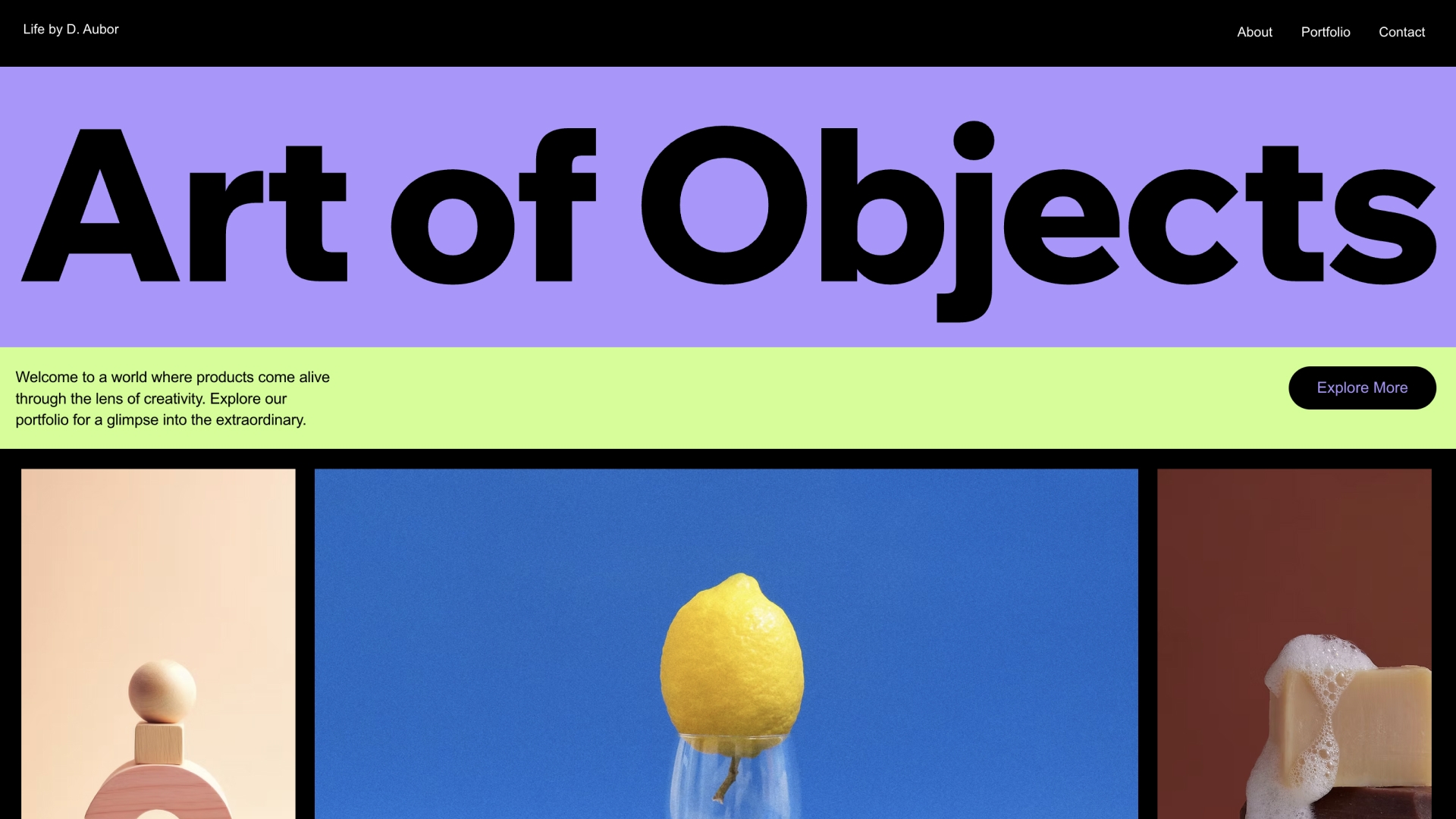


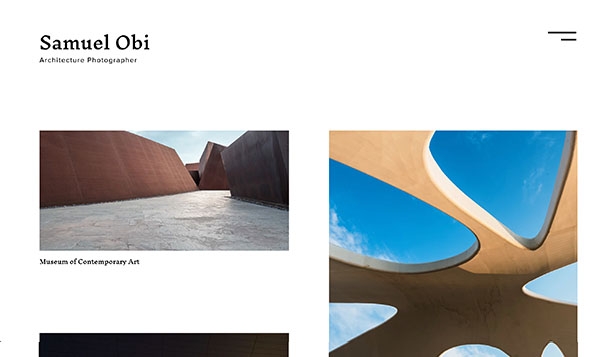
Or build your online portfolio with AI
Describe your vision to the AI Portfolio Generator and get a photography portfolio website built around your work. Publish it as is or keep going, switching between AI and hands-on editing to change any detail whenever you want.


Pick your design path. Choose a free photography website template or use AI to instantly create your website layout. Customize the design to match your style.
Upload your work to your photo portfolio. Arrange photos into clean galleries and project collections to highlight your top projects for visitors to explore.
Style it your way. Use the photography website builder to customize colors, fonts and layouts and make your portfolio look clean and consistent.
Take your site live. Choose a domain name and publish your photography portfolio website in a click. Update your galleries anytime as your work grows.
Grow your audience. Share your work using built-in marketing features. Bring more visitors to your galleries and projects.
Get a photography portfolio that has it all
Display your photography in pixel-perfect detail with responsive photo portfolio layouts that adapt perfectly to any screen.
Let AI analyze and sort your photos into themed collections, complete with descriptions that capture each project's essence.
Track client inquiries, manage bookings and monitor photography portfolio performance from one intuitive control center.
Safeguard your work with customizable watermarks and right-click protection while maintaining professional photo presentation.

Monetize your portfolio
Create opportunities to earn money from your work by adding business functionalities to your site.
Book sessions
Transform inquiries into bookings with integrated scheduling software and payment tools for photo shoots and consultations.

Sell photos
Launch your online store to sell prints, digital downloads and custom photo merchandise with automated fulfillment.

Share knowledge
Create and sell photography courses featuring your expertise in composition, editing and professional techniques.

Host workshops
Organize and manage photography workshops, studio sessions and exhibitions on your event website, with built-in ticketing and registration.

Make your portfolio official with your own domain name
Enjoy a free domain name for one year with select website plans.
Get found on Google
Drive organic traffic with guided SEO tools that optimize your free photography portfolio for top search rankings and local discovery.
Expand your digital reach
Target ideal clients through integrated social media campaigns and professional Google Ads management.
Nurture client relationships
Convert visitors into clients with smart forms and AI-powered email campaigns that showcase your latest work.


We’re here for you 24/7
FAQ
What is a photography portfolio?
A photography portfolio is a curated collection of your best photographic work that demonstrates your skills, style and expertise. It serves as your visual resume, showcasing your artistic vision and technical abilities to potential clients or employers. To see how working photographers put theirs together, browse these photography portfolio examples.
What is the best website builder for photographers?
The best website builder for photographers is one built for showing images and running a photography business, and Wix covers both: photographer templates, high-res galleries, watermarks and right-click protection, plus tools to book sessions and sell prints from the same site. When you compare platforms, look for:
• Image quality: galleries that show high-resolution photos in sharp detail on any screen.
• Image protection: watermarks and right-click protection for your work.
• Design control: templates made for photographers that you can fully customize.
• Business tools: built-in booking, payments and an online store for prints.
• Getting found: SEO and marketing tools that bring clients to your site.
• Hosting and support: reliable hosting included, with help when you need it.
To compare options side by side, read our roundup of the best website builders for photographers, or see what you can build with Wix as a portfolio website builder.
How do I create a photography website?
You can create a photography website in 6 steps with a website builder designed for photographers:
• Pick a template: choose a photography website template that matches your style, or start with AI.
• Add your work: upload and organize your best images into galleries.
• Customize the design: adjust colors, fonts and layouts until the site feels like yours.
• Introduce yourself: add your bio and contact information.
• Add business tools: include booking and payment options if you offer services.
• Publish and promote: optimize your free photography website for search engines and connect your social media accounts.
With the Wix photography website builder, you can start from a photographer template or AI and add booking and an online store whenever you're ready. For a full walkthrough with examples, read our guide on how to make a photography website.
How much does a photography website cost?
A photography website can cost $0 to start, because you can build and publish one on the Wix free plan. Paid plans run from $17 to $159 a month, as of November 2026: they let you connect your own domain and remove Wix ads, and the higher plans add more storage and advanced features. For a full breakdown of how much a website costs, including design and marketing, see our guide, or compare website plans.
Can I make a photography website for free?
Yes. You can create, publish and host a photography website on the Wix free plan. It runs on a free Wix address (siteprefix.wixsite.com/siteaddress) and shows Wix ads, and it's a good way to see which layout shows off your work best before you upgrade. The free plan includes:
• Designer templates: access 900+ templates, including dozens of options specifically tailored for photographers. These provide a solid site framework that is mobile-optimized from the start.
• Wix Pro Gallery: even on the free plan, you have access to our most powerful gallery functionalities. You can upload high-resolution images, enable right-click protection and use advanced tools to organize your work instantly.
When you're ready, upgrading to a paid plan lets you connect a custom domain, and the first purchase of selected yearly plans includes a free domain for the first year. Start by picking one of our photography website templates.
Why do I need an online photography portfolio?
An online photography portfolio is how potential clients find you, judge your work and decide to hire you. According to PhotoShelter's survey, 87% of clients research photographers online before hiring. An online photo portfolio gives you 24/7 visibility, helps establish credibility and makes it easy for clients to find and share your work. It also provides a professional platform to display your photography across all devices while maintaining image quality, and it's where bookings and print sales can start if you want to make money as a photographer.
What should a photography portfolio include?
A strong photography portfolio should include your best work plus the details clients need to trust and book you:
• Your best 15-20 images per category
• Clear navigation and organized galleries
• An engaging 'About Me' section
• Client testimonials
• Contact information and booking options
• Pricing information or service packages
• Social proof (awards, publications, notable clients)
For the bio, these tips on writing an about me page for a photographer will help.
How do I build a photography portfolio without clients?
You can build a photography portfolio without clients by creating the work yourself, focusing on the subjects you want to specialize in. Good ways to start:
• Personal projects: shoot the subjects and style you want to be hired for.
• Styled shoots and practice sessions: plan shoots that show your technical skill.
• Collaborations: team up with other creatives.
• Local events and non-profits: shoot local events or volunteer for non-profits.
• Self-assigned projects: document your daily life with intention and set projects that showcase your desired style and expertise.
On Wix, you can organize that work into galleries on a free photography website and publish it while you look for your first clients. If you're just starting out, our guide on how to become a photographer covers the next steps.
What should I include in my photography website design to stand out?
A photography website design stands out when it puts your best images first and makes them easy to explore. To stand out from other websites for photographers, include:
• Only your best work: show your absolute best images, not everything you've shot.
• A consistent visual style: keep one look running through every gallery.
• Stories: tell stories through your images and add project descriptions that share your creative process.
• High-resolution galleries: let visitors see the detail in your work.
• Smooth navigation and fast loading: make your site easy to move through and quick to load.
• Personal touches: add behind-the-scenes content that shows how you work.
Wix photography templates and high-res galleries give you that starting point, and image protection keeps your work safe while you show it. For more ideas, look through these photography website examples.
What kind of photos should I include in my portfolio?
Include photos that represent your specialty and target market. Focus on images that demonstrate technical skill, creative vision and versatility within your niche. Show consistency in style while displaying range in composition, lighting and subject matter. Each image should serve a purpose in telling your story as a photographer. If you plan to sell photos online, add a few shots that show buyers the kind of prints they can order.
How many photos do I need for a photography portfolio?
You need 15-20 of your absolute best images per category or project, because quality matters more than quantity. If you specialize in multiple areas, create separate galleries for each, but keep the total number manageable. Viewers typically spend just 3-5 minutes reviewing portfolios, so make every image count. Our photography portfolio guide shows how to choose and order them.
How often should I update my photography portfolio?
Review and update your professional photo portfolio every 3-4 months with your newest and best work. Remove older images that no longer represent your current skill level or style. Regular updates show active engagement in your craft and give returning visitors new content to explore. As nature photographer Egoitz Icaza puts it, "Wix is the perfect tool to keep my website updated from anywhere in the world." Between updates, a blog keeps your site fresh, and you can start a photography blog on the same site.
Where can I find photography portfolio examples?
You can browse real photography portfolio examples built on Wix to see how other photographers handle galleries, high-resolution images and mobile layouts. When you find a layout you love, notice how the photographer leads visitors from the homepage galleries to the contact page, so people who like your photography can reach out about project work.