Updated: 1 day ago
Build your website, your way with Wix Harmony →
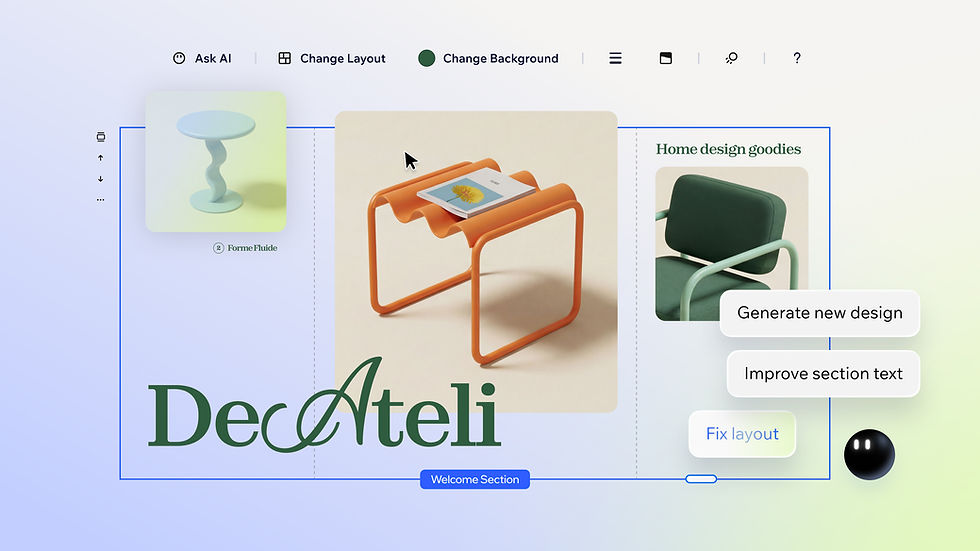
Why prompt a website with Wix? In short, because you skip the learning curve of traditional site building and go straight to a complete website by describing what you need in plain language.
Instead of figuring out how to create a website from scratch, you type a prompt and Wix generates a complete site with pages, content, images and built-in business tools. And you can do it all through Wix’s flagship AI website builder, Wix Harmony or your favorite Large Language Models (LLMs).
Whether you’re launching a new business, refreshing an outdated site or testing an idea, prompting removes the biggest barriers to getting online: time, technical skill and cost.
This article describes why you should prompt a website with Wix and the steps you take to do it.
TL;DR: why prompt a website with Wix
Here's a quick of summary of the article:
Prompt-to-website building lets you describe your site in natural language and get a ready-made result in minutes.
You can prompt a website with Wix using Wix Harmony or directly through the chat of leading LLMs.
Key benefits include speed, lower costs, built-in business functionality, creative control and enterprise-grade security.
You don't need design or coding experience to get a polished, business-ready website.
Better prompts lead to better results, so being specific about your industry, audience and goals makes a real difference.
What is prompt-to-website building?
If you’ve ever searched ‘what is vibe coding’, you’ve likely already come across the core concept. Prompt-to-website building is a way to create a website by describing what you need in everyday language. You write a prompt, and an AI website builder generates a site based on your description, complete with layout, content, images and functionality.
This is different from traditional website building, where you start from a blank canvas or with website templates and manually assemble each page.
Read also:

Wix Harmony brings AI and manual creation together in a single, smart platform. You can generate full pages, layouts and content with natural language, then fine-tune every detail with precise drag-and-drop control. It’s faster, more flexible website creation, without sacrificing quality or creative freedom.
Why prompt a website with Wix: 6 key benefits
The benefits of prompting a website with Wix go well beyond speed. While AI generation is fast, the real value is in what it unlocks: creative control, professional quality and a lower barrier to entry for anyone building online.
01. You go from idea to live site in minutes
Describe your business, your audience and what you need. Wix can generate a fully designed site from that single prompt. Pages, navigation, images, copy and layout are all handled for you. What used to take days or weeks now takes minutes. It’s up to you if you want to switch to manual design for greater creative control or prompt your way from start to finish.
02. You don't need design or coding skills
Prompt-to-website building closes the skills gap. You don't need to understand typography, color theory, layout principles or HTML. And when you prompt with Wix Harmony, Aria has your back. What sets Wix's AI agent Aria apart from other AI tools is how deeply she understands web creation. She doesn't just generate generic content—she thinks in terms of your business, your website design and your overall goals.
03. Business tools are built in from the start
Your prompted site isn’t just a design. It comes with real business functionality wired in as you build. Wix includes built-in solutions for eCommerce, blogs, scheduling, payments and more. You don't need to find third-party plugins or set up integrations separately. The infrastructure you need is there from the moment your site is generated.
Those functions need running, not just installing. Symphony by Wix coordinates specialized agents for areas including marketing, scheduling, customer communication and business operations.
04. You get enterprise-grade security and reliability
Every site built on Wix Harmony is backed by fully managed infrastructure. Your site is hosted across multiple cloud providers (including AWS and Google Cloud) with 99.9% uptime, built-in threat prevention, real-time security detection and fast load times. It means you can focus on your business while Wix handles the rest.
05. Your site is optimized
Wix builds SEO and accessibility standards into every generated site. You don't need to configure meta tags, alt text or responsive breakpoints manually. Auto-responsive design means your site adjusts to any screen size. Wix includes built-in SEO tools for optimizing pages, so your site is ready to be found the moment you publish.
06. You keep full creative control
Speed doesn't mean compromise. With Wix Harmony, you can flow between AI prompting and precise drag-and-drop editing whenever you want. If Aria generates a section you love, keep it. If something isn't quite right, click into it and adjust. You can customize colors, fonts, layouts, images and content at pixel-level.
While you’re here: Discover AI agent use cases that work
At a glance: Why prompt a website with Wix
Benefit | What it means for you |
Speed | Go from a prompt to a complete, functional website in minutes |
No technical skills required | AI handles design, layout and coding so you can focus on your message |
Full creative control | Switch between AI prompting and manual drag-and-drop editing at any time in Wix Harmony |
Built-in business tools | eCommerce, scheduling, payments and more are wired in automatically |
Enterprise-grade security | Fully managed hosting with built-in threat prevention and 99.9% uptime |
SEO and accessibility | Optimization and responsive design are included out of the box |
AI guidance with Aria | A built-in AI agent trained on millions of sites offers expert support as you build |
Why prompt a website with Wix: who stands to benefit?
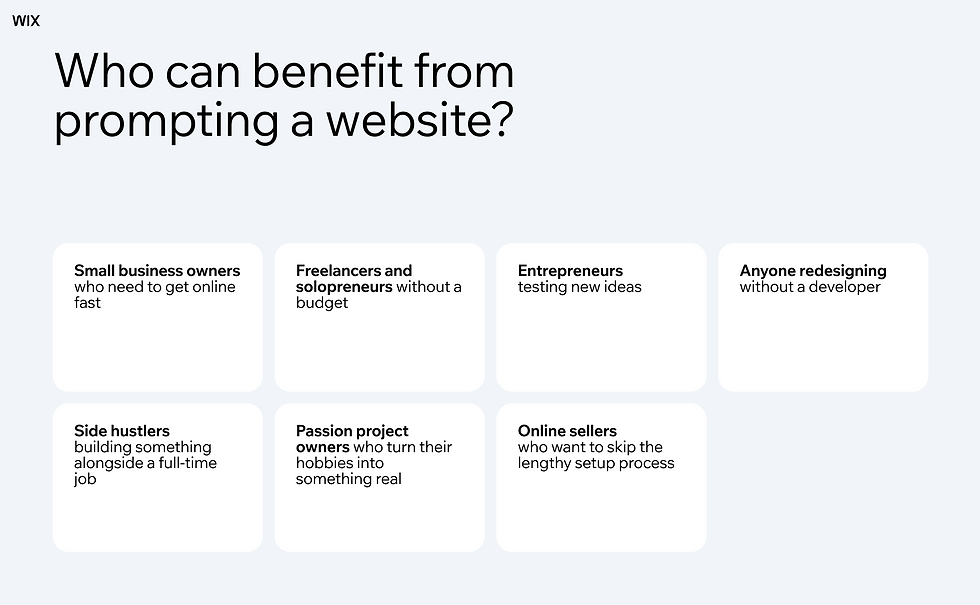
Prompt-to-website building is for anyone who lacks the web design skills to do it manually or wants a professional website without the traditional time or cost investment. Here’s a glance at some of those who benefit most:
Small business owners who need to get online fast
Your business can be anything from a bakery to a local gym. Describe your business in a prompt and get a site with the right pages, layout and functionality built in. Wix includes built-in business solutions like scheduling software and online payments processing, so your site is ready to work from day one.
Freelancers and solopreneurs without a budget
Prompting lets you create a polished portfolio or services site on your own. You can describe your brand, your audience and your goals, and AI generates something that looks like you spent weeks on it. Take inspiration from Kevin Zych, who turned a sketching side-hustle into a signature art brand overnight by building his website on Wix Harmony.
Entrepreneurs testing new ideas
If you need a landing page or a minimal site to validate a concept, prompting gets you there in minutes instead of days. You can iterate quickly, try different approaches and pivot without losing time.
Caitlin and Kelly Stefanick who built a website for their events company The Shaka Club on Wix Harmony, advise others to build early. “It’s a good exercise to go through when you're starting a business—laying it all out on a website—because it makes you think through, ‘How can we present this to customers?’”
Anyone redesigning without a developer
Maybe your current site is outdated but you don't have the technical skills to overhaul it. Prompting gives you a fresh starting point that you can customize at your own pace using Wix’s drag-and-drop website builder.
Side hustlers building something alongside a full-time job
If you’re in the business of side hustles, you probably don't have hours to spend learning a website editor. Prompting lets you describe what you need during a lunch break and come back to a site that’s ready to refine.
Passion project pursuers turning a hobby into something real
Whether it's a blog, a photography portfolio or a community page, prompting gives you a professional-looking site without needing to learn the technical side first.
Online sellers who want to skip the lengthy setup process
Describe your store, your products and your brand and Wix generates an eCommerce site with product pages, a checkout flow and payment tools built in.
Why prompt a website with Wix: the steps to take
Prompting a website with Wix is a straightforward process, and there’s more than one way to do it.
Prompt a website with Wix Harmony
Wix Harmony takes you from a single prompt to a business-ready site for any industry or creative vision. While it lets you write an open-ended prompt describing exactly what you need, the difference here from vibe coding is you can move fluidly between prompt-driven creation and precise drag-and-drop editing. You're never locked into one.
Learn more about Wix Harmony:
Prompt a website with Wix through an LLM
You can also prompt a Wix website directly through AI tools like ChatGPT, Claude or Copilot. These large language models connect to Wix, so you can describe your site in a conversation and have it built without leaving the chat. This is a useful option if you're already working within an LLM and want to keep your workflow in one place.
Whichever route you take, the core steps are the same. Describe your business, your audience and what you need. Review the generated site. Refine it with follow-up prompts or manual edits. Add business functionality like Payments, Bookings or a Blog. Then publish on Wix’s fully managed, secure infrastructure.
For a detailed, step-by-step walkthrough of each approach, see our full guide: How to prompt a website with Wix.
Or go even deeper:

Why prompt a website with Wix: 6 tips for getting better results
The quality of your prompted website depends largely on the quality of your prompt. A vague description gives the AI less to work with. A specific one produces a site that’s closer to your vision from the start.
Be specific about your industry and business type
Instead of “make me a website,” try “create a website for a freelance interior designer based in London who works with residential clients.” This gives the AI context to choose the right layout, imagery and tone.
Expert tip: “The AI is a statistical model, so if you give it generic prompts, you get generic results. But when you bring your own human touch, like your specific taste, a website you love, or a specific brand of humor, AI adapts.” - Yuval Naor, AI Expert & Designer at Content, Wix
Describe your target audience
Mention who your customers are. A site aimed at corporate clients will look different from one designed for college students. When Aria understands your audience, it can tailor the design and messaging accordingly.
Expert tip: “A common mistake first-time creators make with AI web design is withholding the insider info only they know: the little details that set them apart, what’s unique about their offering, their specific services, their key benefits.” - Oz Golan, Group Product Lead for AI Creation, Wix
Include your key pages and features
If you know you need a portfolio, a contact form, a pricing table or an online store, say so in your prompt. Wix generates the pages and functionality you ask for.
Expert tip: “Don't be afraid to lean on AI to handle the technical stuff like spacing and hierarchy. Let it remove the anxiety of the blank page. But never forget that you’re the source of inspiration.” - Oded Nachshon, Head of Wix Editor
Mention design preferences
If you want a minimalist look, bold typography or a dark color scheme, include that. The AI responds to visual direction as well as content direction.
Expert tip: “As they say, ‘garbage in, garbage out.’ Giving generic instructions will only get you generic results. If you want your site to feel like you, you need to put yourself into the prompt.” - Yarin Singolda, Product Marketing Manager, Wix
State your goals
Are you trying to generate leads, sell products, book appointments or build a community? Including your business goal helps the AI prioritize the right calls to action and page structure.
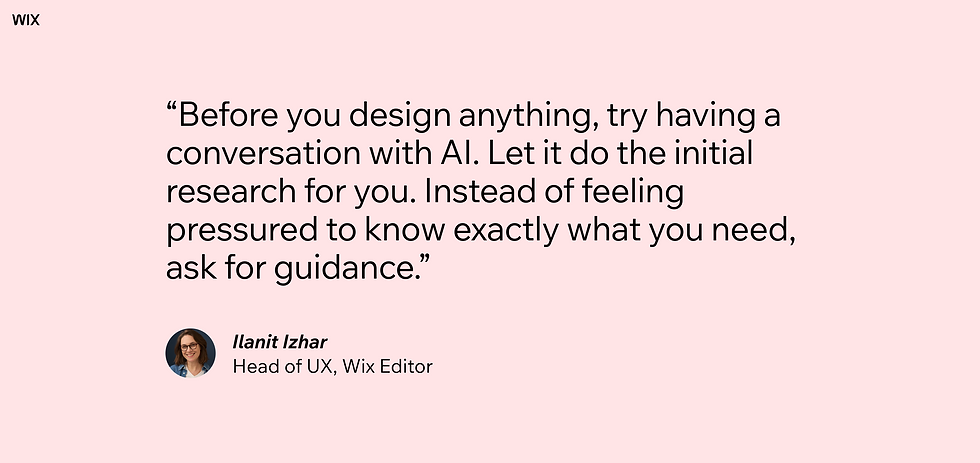
Expert tip: “Before you design anything, try having a conversation with AI. Let it do the initial research for you. Instead of feeling pressured to know exactly what you need, ask for guidance.” - Ilanit Izhar, Head of UX, Wix Editor
Iterate with follow-up prompts
Your first result doesn't have to be your final one. For example, chat with Aria to adjust sections, swap images, rewrite copy or restructure pages. Wix supports a conversational workflow where you refine your site through ongoing prompts.
Expert tip: “There’s a final ingredient to ensuring your AI-generated web content isn’t bland and generic. That ingredient is you. Your personality, your expertise, and your ideas. AI has amazing capabilities, but to get amazing results, you have to bring yourself to the party, too.” - Josh Brentan, Content Team Lead, Wix
Related reading:
Why prompt a website with Wix FAQ
Is a prompted website as good as one built from scratch?
Yes, it can be. For example, with Wix Harmony, Aria can generate professional-grade sites with responsive design, built-in SEO and real business functionality through prompting alone. But you can also customize every element by hand, so the final result is as polished as anything built manually.
Do I need any technical experience to prompt a website with Wix?
No. Prompting a website with Wix requires no coding, design or technical knowledge. You describe what you want in plain language and AI handles the rest. Aria, Wix’s Harmony’s built-in AI agent, provides expert guidance throughout the process.
Can I edit my Wix site after it's been generated through prompts?
Absolutely. Wix Harmony combines AI prompting with precise drag-and-drop editing. You can adjust layouts, swap images, rewrite text, add pages and configure business tools at any time.
How is prompting a website with Wix different from using a template?
A template gives you a pre-designed starting point that you customize manually. Prompting generates a site tailored to your specific business, audience and goals from the start. You can also begin with a template on Wix if you prefer, or combine both approaches.
What kind of websites can I prompt with Wix?
You can prompt any type of website: online stores, portfolios, service-based sites, blogs, landing pages, restaurants, fitness studios and more. Wix includes a range of built-in business solutions, including eCommerce, scheduling, payments and content management.


