Updated: Apr 2

Let’s get one thing straight: website templates aren’t dead. They’re far from it.
Even with the explosion of website builders (including AI website builders and vibe coders), templates are still some of the most useful tools for creating a website, whether it’s your first site or your tenth.
For me, the real question isn’t whether templates are dead. It’s how their role is evolving. In all my years as a web designer, I’ve never seen a moment quite like this: it’s both the most exciting and confusing time in web design.
And while the old-school idea of templates might be dead, the modern version is alive and kicking. Here’s what I mean.
TL;DR: Are website templates dead?
Website templates aren’t dead. They’ve evolved. Modern templates combine smart layouts, ready-to-use content and AI enhancements, making them easy to customize and practical for any business. They aren’t just convenient, either. They’re central to the future of web design.
The anatomy of a modern website template: 5 traits
A lot of people assume templates are boring—and sometimes, that’s true. After all, even vibe-coded apps can turn out dull.
But the best modern templates do the opposite. Instead of giving you a generic-looking site, they offer a thoughtful design with strong bones.
Take Wix templates, for example. We approach them like real design projects, blending visual research with current trends and a designer’s personal touch. (We essentially try to make our templates feel as least template-y as possible.)
In general, a good website template has these traits.

01. A layout backed by research
A strong layout is the backbone of any template. Designers usually study how people navigate similar sites, what layouts work best for each industry and how the content should flow, so the structure is clear and logical for your business. This gives you a better starting point than a blank canvas because the fundamentals (the "roots" of the site) are already in place.
02. A fresh, modern look
Modern templates don’t just play it safe. They draw from current design trends and user research to recommend the best color palettes, fonts and visuals for your business type. They give you something that feels both current and one-of-a-kind.
03. Built-in ideas for content
A template isn’t just a framework. It’s a full creative vision. Many designers include curated content (such as hand-picked photos or AI-generated text and images) that are all shaped by a visual expert. So no matter what type of business you run, you can explore various design directions before adding your own content.
04. Industry-specific features
The best templates are built for specific business needs, with all the essential pages and features already included. For example, an online store template comes with everything you need to showcase products and handle sales, while a portfolio template keeps it simple with a clean gallery and a “contact me” page. That way, your template isn’t just attractive. It’s practical and ready to support your business from day one.

Educational landing page website template 
Home goods store website template 
Fitness coach website template 
Fashion designer website template 
Cyber security company website template 
Life coach website template 
Digital artist website template 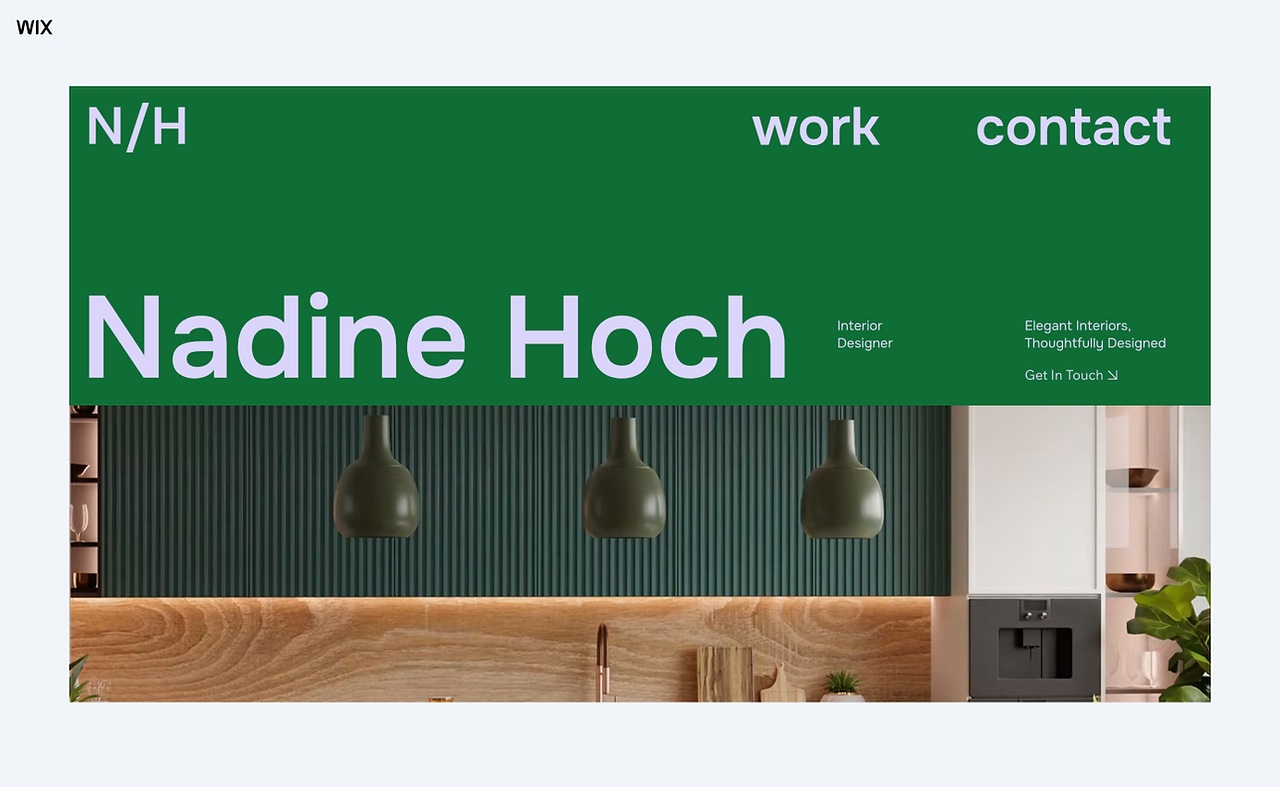
Interior designer website template 
Wedding website template
Each template above was created with a specific type of business in mind. Click an image to take a closer look.
05. Accessibility and legal guardrails
There are strict rules for web accessibility that can be difficult for a business owner to navigate alone. Professional templates have these accessibility standards built into its DNA. They also provide a safety net for legal requirements, such as including the specific pages needed for privacy policies, reducing the risk of something going wrong during the setup process.
The difference between old-school vs. modern-day templates | |
Old-school website templates | Modern-day website templates |
Basic, flat structure | Advanced structure, built to support specific types of businesses |
Generic design | Thoughtful design, created by an expert designer and backed by industry research |
Full of stock images and placeholder text | Full of contextually relevant (sometimes ethically AI-generated) content that you can personalize |
Hard to customize (required manually coding or design) | Very easy to customize (can achieve with drag and drop, AI and other tools) |
The default option if you wanted to create a website | Often the preferred option, plus the source of inspiration for AI website builders and vibe coders |
The hybrid reality: the end of “either-or” thinking
Templates aren’t just surviving because they’re higher quality than before. The way we design has changed fundamentally. It's no longer about choosing between templates or AI or manual editing.
Rather, templates are now part of a bigger ecosystem, where the boundaries between these tools are becoming more and more blurry.
Today, many designers are using AI to create templates faster. Meanwhile, AI systems are learning from the templates that real designers create to suggest website layouts to their users.
This leaves you with a different choice to make: Would you rather start your website journey with AI or a template?
In my opinion, a template is a great place to start for most people because it gives you a solid starting point, whereas vibe coding solutions don’t give you any starting point. You’re left staring at a completely blank canvas.
Editing a template can also feel easier than having to enter prompt after prompt to get things right. Or, if you use Wix Harmony (a first-of-its-kind hybrid solution), you can start with a template that gives you a website layout, then easily switch back and forth between AI or manual editing to get all the details just right.
Try out Wix Harmony for free.
3 tips for getting the most out of a template
It’s worth nothing that if you choose to use a template, these simple tricks can help to ensure that you get the most out of your selection.
Don’t judge a template by its cover: It’s easy to be blinded by how a template looks, but I always advise digging into both the design and the content. They’re equally important. Go through and check that it has all the core sections and business functionality you need. Otherwise, you may end up needing to put in more work than you anticipated to create the user experience you envision.
Check the "rhythm" of the content: The most successful websites happen when the content and the design work together in harmony. If a template is designed to highlight three key services, but your business has 10, that specific layout might not be the right fit. It’s more efficient to find a template that already maintains the right volume of information, instead of forcing too much content into a space that wasn't built for it.
The "Logo Test": Drop your logo into the header. It’s a quick reality check to see if your branding actually fits the style you’re going for. In some cases, this test might even reveal that your logo itself needs a redesign to work in a professional online space. It’s a small step, but an important one in making sure all your design elements play nicely together.
The future of templates: a new renaissance
Web templates aren’t just basic building blocks anymore. Thanks to AI, they’re living starting points that anyone can build on.
It feels a bit like a modern Renaissance. Back then, art was mostly for the elite. Today, AI is democratizing design, letting more people create polished websites quickly. Templates are like the bridge between mass accessibility and creative expression.

So what’s next? Will templates become fully AI-powered and personal for everyone, or will there be a split between mass-produced designs and high-end, bespoke experiences? Either way, templates aren’t just a fallback—they’re part of the foundation for faster, more creative web design.


