Make any AI project business-ready in one prompt. Try Wix Headless →
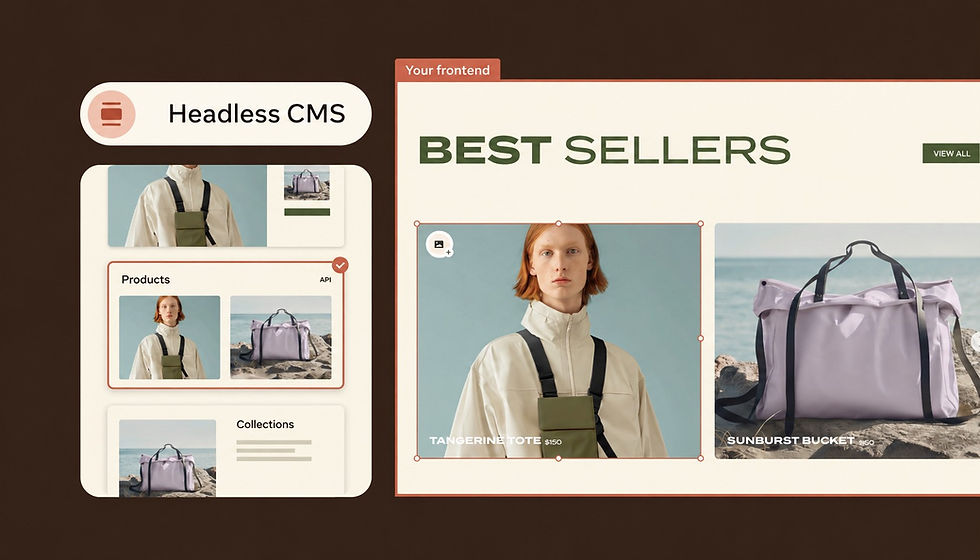
Yes, a headless CMS can handle multiple sites. Your content lives in one hub, and each website or app requests what it needs through an API (a connection that lets one system request data from another).
The real question is how much your sites should share and how strictly you keep them apart. That choice shapes your content setup, permissions, costs and the work it takes to run everything.
Go from code to live site with Wix Headless. Upload or drag in your HTML, CSS and JavaScript files to get your site live with a shareable URL. Wix handles the hosting and infrastructure, and you can add ecommerce, bookings, CMS, payments and more with a single prompt.
TL;DR: headless cms multisite
A headless CMS multisite setup stores content once and delivers it to as many websites and apps as you connect. What you get out of the box depends on the platform, so plan how sites share content, separate access and refresh updates before you build.
You'll learn:
How one headless CMS powers several websites
The difference between a multisite CMS and a multi-tenant CMS
How to choose between one shared project and separate projects
The trade-offs to plan for, from permissions to SEO
How to run multiple sites with Wix Headless

Can a headless CMS handle multiple sites?
Yes. A headless CMS keeps the place where you create content separate from the place where people see it. It's called headless because the "head" (the part visitors see) is cut off from the "body" (the part that stores your content).
Content is saved as structured pieces, like a product, an article or a store location. Any website or app can request those pieces through an API. Since the CMS doesn't care what's on the other end, one content hub can feed two sites or twenty.
Traditional CMSs vary here. Some support multisite management and content reuse natively, while others need a separate install for each site. Separate installs make central management harder as the number of sites grows.
With a headless CMS, you can update an entry once and every connected site can show the change after it's published. How fast it appears depends on your publishing workflow and how each site caches and refreshes content.
Learn more: Headless CMS vs traditional CMS

How a headless CMS multisite setup works
01. One content hub, many frontends
At the center sits one content hub. Around it sit the frontends (the parts visitors see), and each site has its own. Every frontend can use a different design or coding toolkit and asks the hub only for the content it needs.
Performance isn't automatic. Sites that share one hub also share its API capacity and infrastructure, so heavy traffic on one site can still affect the others if the setup isn't built for it. Caching and servers around the world help pages load quickly.
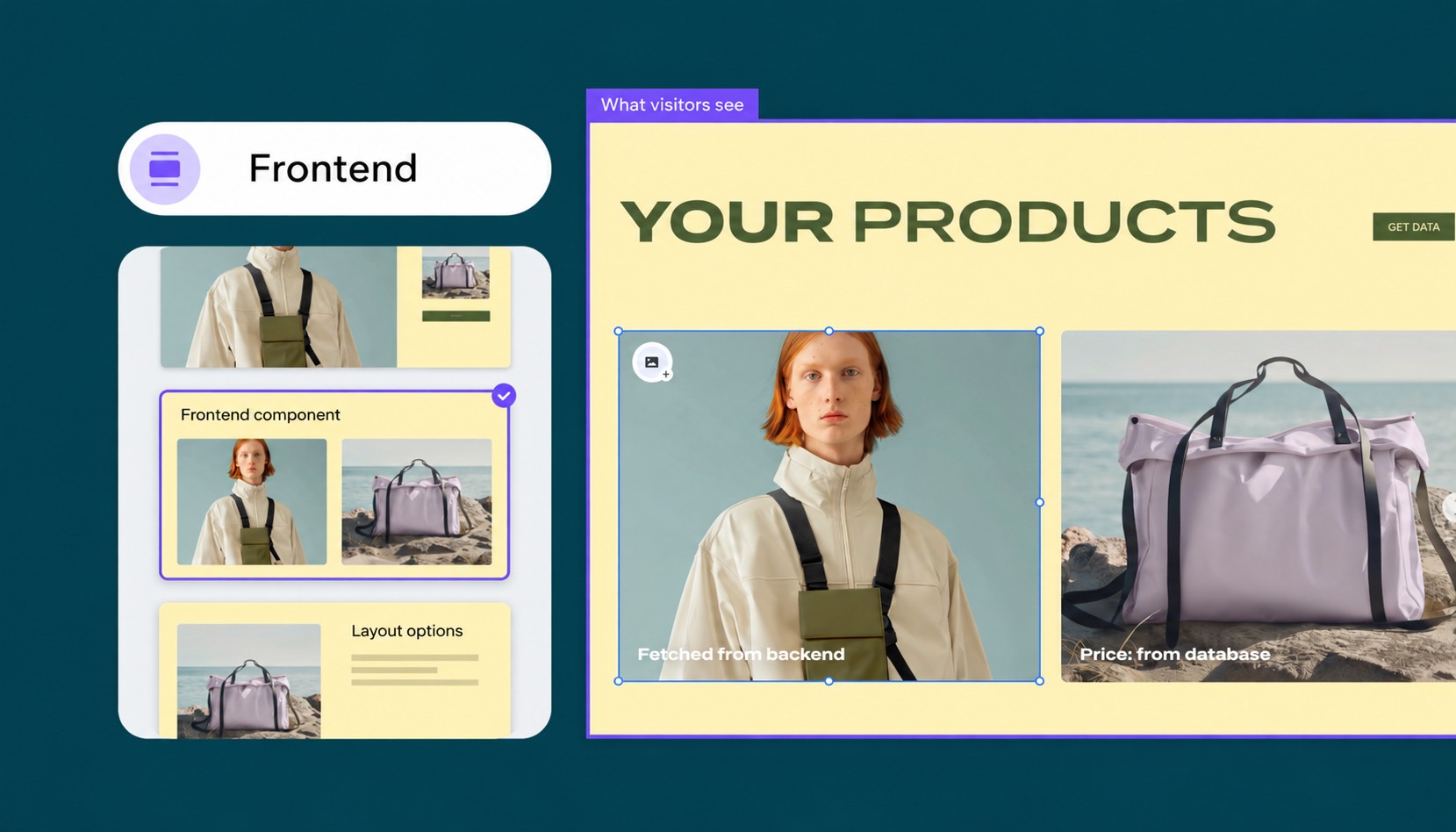
02. Shared and site-specific content
A content model is the blueprint for one type of content, such as a blog post, a product or a team member. Sites can share some models and keep others to themselves. A company might share product descriptions and brand assets across every site while keeping prices, promotions and regional legal copy separate.
One common pattern is a "site" field on each entry. It only works if each frontend filters content by that field, and the field alone doesn't stop editors from seeing or publishing to the wrong site. Pair it with permissions and publishing rules when that matters.
03. Roles, permissions and publishing workflows
A central team usually owns shared elements like logos, legal copy and page components, while local teams manage the content for their own site. Not every CMS can limit permissions to a single site, so check this before you choose one.
Look for approval steps that can differ by site and previews that show content on the right site before it goes live. A legal page might need two sign-offs, while a campaign landing page can go live after one quick review.
Content filters and access controls do different jobs. A filter in the frontend decides what visitors see, while permissions decide what editors can change. Sensitive or client-owned content needs real access controls, not just a filter.
04. Localization and regional sites
Regional sites are one of the most common reasons to go multisite. Many headless CMSs can store several language versions of the same entry. Decide early how each site handles untranslated content, such as hiding it until the translation is ready or showing another language.
Keep language and region separate in your setup. English for the US and English for the UK may share most of their copy but differ on prices, spelling and legal notices. Planning for that early saves a lot of rework.
05. Domains, URLs and content updates
Each site can use its own domain or subdomain and its own URL structure, even when they share one CMS. Domains are set up in your hosting and frontend, not in the CMS, so the domain setup and the content structure are separate decisions.
Publishing doesn't always mean a change is live everywhere. Depending on the setup, a site might refresh on its own, clear its cache when the CMS sends a webhook (an automatic message sent when content changes) or need a new build before visitors see the update.

Multisite vs multi-tenant CMS
These two terms overlap, but they describe different concerns. Multisite is about managing several websites in one place. Multi-tenant is about keeping separate customers or organizations apart on the same platform.
What a multisite CMS is
A multisite CMS lets you manage several websites centrally, often with some shared content, models or rules. Think of a brand with a main site, a careers site and a few regional sites.
How much content those sites share depends on the setup. Some reuse almost everything, while others share only brand assets and keep the rest separate. The goal is consistency and less repeated work.
What a multi-tenant CMS is
A multi-tenant CMS lets many separate customers or organizations, called tenants, use the same platform while their data, permissions and settings stay separated. Agencies managing client sites, franchise networks and software companies that offer websites to their own customers often need this.
That separation only holds if the platform's access controls and data isolation are built and tested properly, so ask vendors how they keep tenants apart. Some platforms also allow deliberate sharing between tenants through approved connections.
Which one do you need?
Several brands or teams inside one company don't automatically need a multi-tenant setup. They can often run as separate sites or workspaces in one project with the right permissions.
Multi-tenant features matter most when sites belong to different customers or organizations that must never see each other's data. Some platforms support both, with multisite management inside each tenant.
Multisite CMS | Multi-tenant CMS | |
|---|---|---|
Main focus | Managing several sites centrally | Separating customers on one platform |
Who owns the sites | Usually one company or brand | Separate customers or organizations |
Content sharing | Some or most content, depending on the setup | Separate by default, shared only when allowed |
How sites are separated | Site fields, workspaces, projects or permissions | Separate data, users and settings for each tenant |
Who manages content | A central team plus local editors | Each tenant manages its own team |
Typical users | Multi-brand companies and regional sites | Agencies, franchises and software platforms |
Want one backend for every site you build? Try Wix Headless and connect each of your frontends to it.

One shared project or separate projects?
Headless CMSs organize content in different ways, and the names vary by vendor (projects, spaces, workspaces or environments). Most setups fall somewhere between these three patterns.
One shared content pool. Sites read from the same content, and a field or folder decides what appears where. It suits sites that share most of their content, editors and rules.
Separate areas in one project. Each site gets its own section, while shared models and images stay available to all of them. It's a common middle ground where the platform supports it.
Separate projects. Each site gets its own content and settings. Depending on the platform, users and permissions may still be managed at the account level. It gives the clearest boundaries for client work or strict security needs.
Base the choice on how much content your sites share, who owns each site, your security needs and how you expect to grow. Changing the structure later can mean migrating content, rebuilding connections, changing credentials and redoing permissions.
If your requirements are still unclear, test the setup with one representative site before you commit.

Benefits of running multiple sites from one headless CMS
Content reuse. Write once and publish to every site that needs it, instead of copying and pasting between systems.
Brand consistency. Shared components and one image library keep logos, colors and messaging aligned across sites.
Faster launches. A new regional site or campaign site can start from existing models and content rather than a blank page.
Less admin work. One content system to secure and update replaces separate admin areas you'd otherwise manage one by one.
Room to grow. Adding a new site, app or channel means connecting another frontend, not rebuilding your content.

Trade-offs to plan for
Every site needs a frontend and a deployment setup that fits it. Sites can share one codebase, build process and hosting while using different domains and settings, but someone still has to build and maintain them. Much of the hidden cost lives there, in developer time rather than the CMS bill.
Costs can also change as you add sites. Headless CMS pricing models vary. Some platforms charge by usage, some by seats or projects and others bundle features into plans. Map out your sites, editors and languages, then check how each plan counts them.
SEO and content management across sites
SEO needs attention site by site. Each site needs its own sitemap, page titles and descriptions. A headless CMS doesn't always create these for you. Often the frontend or hosting platform has to generate them.
Reusing content doesn't mean every copy needs a canonical tag. Use one when two pages are duplicates or nearly identical, so search engines know which URL you prefer. Regional pages with different prices or legal details can stay independently indexable.
When pages are language or regional versions of each other, add hreflang tags so search engines can show each visitor the right version. Google's guide to localized versions explains how to set them up.
Shared content models cut both ways too. A change to one model can break a site that depends on it. Make backward-compatible changes where you can, like adding a field instead of renaming one, and test every connected frontend in a staging copy before publishing a breaking change.
Expert tip from Dor Chaouat, Frontend Developer at Wix:
"The agencies getting ahead right now are the ones who figured out that building custom frontend experiences doesn't have to mean managing custom backend infrastructure. You can have full creative freedom on the front and total reliability on the back. Wix Headless is how those two things coexist."
When one CMS isn't the right choice
Sharing a CMS makes less sense when sites have unrelated content, separate teams and different release schedules. A shared CMS cuts duplicated admin work, but it also makes correctly configured access controls more important. When strict data isolation is required, separate projects or tenants are often safer.
If you're running a few small sites without developers on hand, a visual website builder may get you live faster than a headless build.

How to set up a headless CMS for multiple sites
A little planning upfront saves a lot of rework later. These steps work for most teams, from a two-site brand to a large network.
List your current sites and the content each one shares with the others.
Design shared content models first, then add site-specific fields.
Choose how to separate sites, based on sharing, ownership and security needs.
Set up roles, permissions, previews and approval steps for each site.
Moving existing sites? Map old fields to new models, keep URL structures where you can and test your redirects.
Launch one site first, fix what breaks and then roll out the rest.

How to run multiple sites with Wix Headless
Wix Headless gives you a headless CMS plus a full business backend (the part that stores content and handles orders) in one place. It natively includes a CMS, ecommerce, bookings, events and payments, so there's nothing extra to stitch together.
You own and control the design, built on any AI tool or code stack, while Wix handles the backend. Every Wix Headless project is a Wix site without the editor, and it shows up in your account on wix.com next to your other sites.
One project can power several frontends, like a website and a mobile app, that share the same business data and content. Separate projects make more sense when sites need their own settings, management or access boundaries. You can still run them all from one Wix account.
01. Create a project or connect an existing site
There are two ways to start. You can create a new headless project, including a Wix-managed one where Wix hosts your frontend. Or you can connect a custom frontend to an existing Wix site, which keeps serving its own site while sharing its business data with the new frontend.
If you build with AI coding tools, you can start with a single prompt using wix.com/headless/skill.md. Our guide on how to make a Wix Headless website walks through each step.
02. Set up credentials for each frontend
Each external site or app connects through a headless client, a set of credentials that tells Wix where requests come from. A Wix-managed project already has one. You only create another client when you add a separate frontend, such as a mobile app alongside your site.
03. Organize content in CMS collections
Wix Headless CMS organizes content into collections that connect to your frontend. If several frontends share a project, you can add a field that marks which site each item belongs to. Developers then filter by that field in each frontend, while permissions control who can edit what.
04. Connect your frontends
Connect each frontend through the Wix JavaScript SDK or REST APIs. Wix Headless supports modern web frameworks, and frontends built with AI coding tools can connect too.
Already have a finished static site? You can upload website files (HTML, CSS, JavaScript and assets) by dragging them in to get a live URL on Wix-managed hosting. Uploading deploys static files only. It doesn't build or run a full server-side app.
05. Choose how each site is hosted
With Wix-managed headless, Wix hosts and deploys your frontend and takes care of a secure connection, servers around the world and extra capacity when traffic rises.
With self-managed headless, you host the frontend on the platform of your choice and handle its hosting and setup yourself. Both connect to the same Wix business backend.
06. Manage your business from one dashboard
Content, orders, bookings and permissions live in the Wix dashboard. SEO support depends on how each site is built.
Wix-managed projects built with the Astro integration get titles, meta descriptions, canonical links and structured data from your dashboard settings, with a little code needed for item pages like products. On self-managed projects, your frontend renders SEO tags, the sitemap and the robots file itself.
Expert tip from Tuvit Rubin Kaplan, Head of DevRel at Wix:
"Frontend creation became easy almost overnight. But running a business still requires real infrastructure. Wix Headless is where those two things meet."
Pricing stays simple too. Wix Headless is free to connect, with no developer pricing or API fees. A Premium plan adds payments, in-depth analytics and a custom domain when you're ready.
Headless CMS multisite FAQ:
Do all sites need the same content model?
No. Most teams share core models like products, articles or locations across every site, then add site-specific fields or extra models where one site needs something different. Sharing the basics keeps content reusable without forcing every site into the same shape.
Can each site use a different frontend framework?
Yes. Since content travels through an API, each frontend can use its own coding toolkit, design and hosting. One site might be built with React, another with plain HTML and a third as a mobile app, all reading from the same CMS.
Is a multi-tenant CMS the same as a headless CMS?
No. Headless describes how content is delivered, through an API to any frontend. Multi-tenant describes how a platform keeps separate customers or organizations apart on shared software. A CMS can be headless, multi-tenant, both or neither.
How does pricing work for multiple sites on a headless CMS?
It depends on the platform. Some charge by usage, some by seats or projects and others bundle features into plans. Count your sites, editors and languages first, then check how each plan counts them.
How do you handle SEO across multiple sites?
Give each site its own sitemap, page titles and descriptions. Use canonical tags only when pages are duplicates or nearly identical, and use hreflang tags when pages are language or regional versions of each other. Pages that share content but serve different markets can stay independently indexable.
When shouldn't you run multiple sites from one CMS?
Keep sites separate when they share little content, have independent teams and release schedules or must meet strict compliance or data storage rules. In those cases a shared setup adds coordination work without much payoff.


