Updated: 1 day ago
Make any AI project business-ready in one prompt. Try Wix Headless →
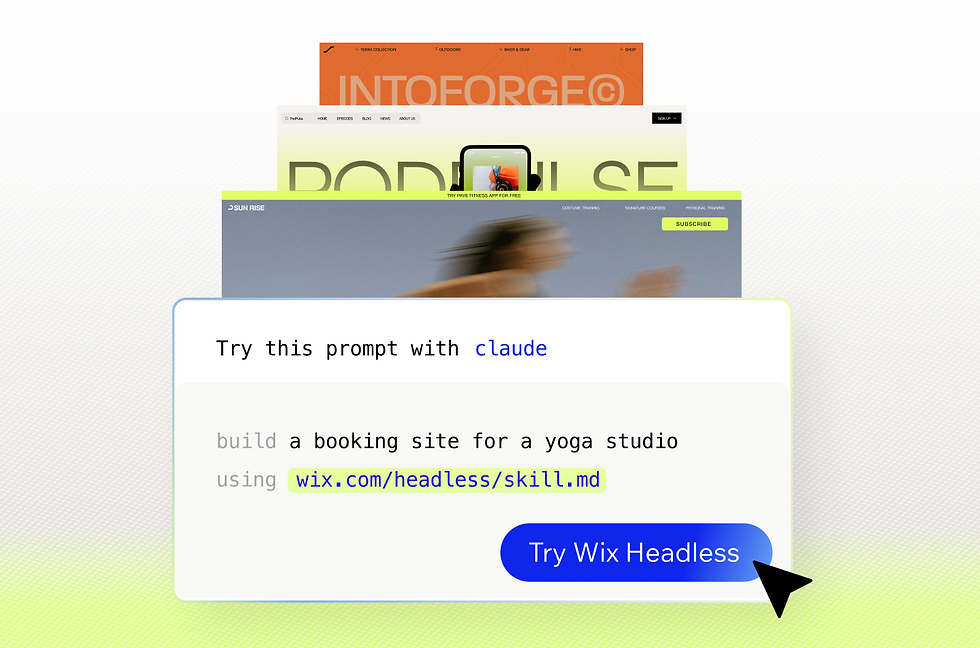
A Headless CMS sounds like the obvious upgrade until you hit the question that stops most teams: is it worth the added complexity? The honest answer is that headless CMS pros and cons both matter and which side wins depends on what you're building.
However for a growing business that needs speed, flexibility and content across more than one channel, the pros of a Headless CMS, especially a robust one like Wix Headless, increasingly carry the day.
Wix Headless connects any frontend to a complete, proven business backend in a single prompt. The CMS is free with no content cap.
TL;DR: Headless CMS pros and cons
A headless CMS separates content management from how content is displayed, so the same content can feed a website, an app or a smart display through an API. That split unlocks flexibility, speed and reuse and introduces some setup and editing tradeoffs.
This guide weighs both sides and shows when going headless actually pays off.
You'll learn:
What a headless CMS is and how it works
The main pros of going headless and why they matter
The real cons and how to handle each one
When a headless CMS is worth it, and when it is not
What is a headless CMS?
A traditional CMS keeps content and design locked together in one system but a headless CMS, like Wix's, separates them. The backend stores and structures your content, then delivers it to any frontend through an API. The website, the mobile app and anything else all pull from the same source.
That separation is the root of every pro and con below. It gives you freedom on the frontend and asks you to own a bit more of the stack in return.
Read more: What is a headless CMS
The pros of a headless CMS
The upside of going headless is concrete and it compounds as your content and channels grow.
Flexibility and omnichannel delivery: content is not tied to one theme or template, so you can publish the same source to a website, an app, a kiosk or a smart display without duplicating work.
Speed and SEO: a decoupled frontend loads faster because it is not dragging a heavy monolith behind it, and faster pages help both users and search rankings.
Developer freedom: teams build the frontend in the framework they already know, like React, Vue or Next.js, and pull content over an API instead of fighting a rigid theme.
Stronger content security: with content living apart from the presentation layer, the public frontend exposes a smaller attack surface than a traditional all-in-one setup.
Scalability and future-proofing: you can update or replace the frontend without rebuilding the backend, so the system grows into new channels instead of boxing you in.
Content reuse: structured content is modular, so a single entry can power many pages, regional sites, apps and campaigns at once.
Learn more: What is headless commerce
The cons of a headless CMS (and how to handle them)
None of these are dealbreakers necessarily but they are real, and each has a clear way around it.
More upfront development: a headless build needs a developer to wire the frontend to the API. Managed backends and AI coding tools have lowered that bar a lot, so a small team or a solo builder can now do what used to take an engineering department.
Editor preview friction: many headless platforms ship without a visual editor, which frustrates content teams used to seeing changes live. Pick a platform with a clean dashboard and preview and this mostly disappears.
Two systems to manage: running a separate backend and frontend can mean more infrastructure, maintenance and hosting cost. A fully managed headless backend removes the ops work so you are not babysitting servers.
Integration and learning curve: connecting payments, search or analytics takes more setup than a plug-in-and-go CMS. Choosing a platform with native business features instead of bolt-ons keeps the integration list short.
Worth being clear on: going headless means the frontend is yours to build and own. That is the whole point of the model and its main cost. The platforms that make it painless are the ones that hand you a full business backend so you are not solving payments, scheduling and commerce from scratch on top of the frontend work.
Read more: How much Wix Headless costs
When a headless CMS is worth it
Headless earns its keep when your content needs to travel and your frontend needs to be yours. It is the right call if you publish across more than one channel, want full control over design and performance, or expect to scale into new surfaces over time. A single simple blog with one editor and no plans to expand is usually better served by a traditional CMS. The more custom and multi-channel your project, the more the pros outweigh the cons.
How it actually works with Wix Headless: pasting a prompt from wix.com/headless/skill.md into an AI coding tool like Claude Code or Cursor connects your project to the backend instantly. If you build on a vibe coding platform like Base44, you start from the Wix Headless page and your project opens with the backend already wired in. The path is fast either way, but which one fits depends on how you are building the frontend.
Read more: Is headless CMS the future
How Wix Headless removes the usual tradeoffs

Most of the cons above come from managing infrastructure and wrestling with editor experience. Wix Headless takes both off your plate. You get a complete business backend, with a CMS, eCommerce, payments, bookings and events all natively connected, and you connect any frontend to it in a single prompt.
Ran Levi, Developer Advocate, Wix
The hardest part of shipping something real has never been the frontend. Anyone can build a beautiful UI fast now. The wall people hit is always the same: payments, bookings, a CMS that actually works. Wix Headless knocks that wall down. You connect your frontend to the infrastructure millions of businesses already run on, in one prompt. You're not a backend engineer, you're just shipping.
Something most people don't expect: the Wix headless CMS is included at no cost. You create content collections, define your fields and serve structured data to your frontend through an API without paying for a separate CMS plan. There is no per-collection fee and no content cap at the free tier.
You get two hosting paths, not one: Wix-managed hosting handles CDN, SSL and scaling automatically, or you self-host the frontend on your own infrastructure and connect to the Wix backend by API. Both paths reach the same complete business backend, so the choice comes down to how much control you want over hosting.
After handoff, clients manage content, orders and bookings from a clean dashboard with natural-language editing, which answers the editor-friction con directly. Nearly 32,000 people used Wix MCP to connect external AI tools like Claude directly to their sites in 2025, managing content and updates through natural conversation (Wix State of Websites 2026).
Explore more: the full Wix Headless guide
Explore more: Wix Headless vs Shopify Headless Commerce
Headless CMS pros and cons FAQ
Is a headless CMS worth it?
For multi-channel content, custom frontends or fast-scaling sites, a headless CMS is usually worth it. For a single simple website with one editor, the extra setup may not pay off. Match the choice to how many places your content needs to live and how much control you want over the frontend.
Is a headless CMS good for SEO?
Yes, often better than a traditional setup. Decoupled frontends can be faster and cleaner, and you control the markup, structured data and performance directly. The SEO results still depend on your content and technical choices, not the architecture alone.
Is a headless CMS harder for content editors?
It can be, since many platforms lack a visual editor. The gap closes fast on platforms with a clean dashboard, live preview and natural-language editing. Wix Headless gives clients that kind of dashboard after handoff, so editors are not stuck guessing how a change will look.
Is a headless CMS more expensive?
Not always, ppen-source options are free to self-host, and some managed infrastructure platforms include the CMS at no cost, Wix Headless for example. Costs rise when you add hosting, seats or API volume, so compare pricing on how you will actually use it rather than the headline number.
Do you need developers to use a headless CMS?
No, day-to-day editing is built for non-technical users and AI coding tools now let small teams handle the initial setup that once needed a full engineering team.


