Updated: 35 minutes ago
Make any AI project business-ready in one prompt. Try Wix Headless →

For years, headless CMS has been mostly associated with large, technical projects. That is changing as AI makes custom frontends easier to build and businesses look for more flexible ways to manage content across websites, apps and other channels.
But does that make headless the future of CMS? To answer that, you need to look at what headless solves, what it makes harder and how the technology is changing.
Go from code to live site with Wix Headless. Upload or drag in your HTML, CSS and JavaScript files to get your site live with a shareable URL. Wix handles the hosting and infrastructure, and you can add eCommerce, bookings, CMS, payments and more with a single prompt.
TL;DR: is headless CMS the future?
Yes, headless CMS is likely to keep growing, but it won't become the default for every website. Its strongest use cases are custom frontends, content shared across multiple channels, complex business experiences and AI-built applications. For simpler content sites a traditional or hybrid CMS often stays the easier choice.
You'll learn:
Why headless is becoming more relevant
Where traditional CMS platforms still make more sense
The technologies shaping headless CMS
Who should consider going headless
What headless looks like with Wix
What to expect from headless CMS in the coming years
What is a headless CMS?
A headless CMS is a content management system that has no built-in presentation layer. It stores and manages content separately from the website, app or other frontend that displays it.
The term “headless” refers to the missing “head,” or presentation layer. Instead of controlling how content appears on a specific website, the CMS makes that content available through an API so a separate frontend can decide how to display it.
Learn more: What is a headless CMS?

Why headless CMS could shape the future
Several shifts are making the headless model practical for more teams than before. Better developer tools, APIs and managed infrastructure have reduced some of the work involved in building a headless setup, while AI is making custom frontend development more accessible.
At the same time, businesses are publishing content across more channels and connecting websites to commerce, bookings and other services. Here are the main reasons headless is becoming more relevant:
01. Content needs to work across more than one website
This is the original reason headless exists. A business today might run a main website, a mobile app, a few regional or campaign sites and digital displays in physical locations. Copying the same content into each of those systems by hand gets slow and error-prone fast.
A headless CMS gives all of them one content source. Product data, articles and event details live in a single place, and each frontend decides how to present them. When a price changes or a menu gets updated, every channel reflects it without someone hunting through five dashboards.
02. AI made custom frontends much faster to build
This is the biggest change behind the headless conversation in 2026. Until recently, the main cost of going headless was building the frontend from scratch, which meant hiring developers and waiting weeks. Now someone can describe an interface to an AI coding tool and get a working frontend in an afternoon.
The interesting part isn't simply that AI makes websites faster. It's that AI lowers the effort needed to create the frontend, which makes separating the frontend from the backend practical for far more teams. A freelancer or small agency can now generate a fully custom design and connect it to a separate backend that handles content, products and payments.
That shift turns headless from an enterprise architecture into something a solo builder can realistically use. It also raises a new question. Once the frontend is easy, where does the business logic behind it live?

03. Frontends can evolve without rebuilding the content layer
Headless isn't automatically faster than a traditional site, and it's worth being clear about that. Page speed depends on how the frontend is built, how pages are rendered and where they're hosted. A poorly built headless site can easily load slower than a well-built traditional one.
The real architectural benefit is independence. Teams can redesign the frontend, switch frameworks or launch a new app without touching the content layer underneath. Performance work also happens at the frontend and infrastructure level, so developers can tune rendering, caching and image delivery for each experience.
04. Business data and content can support custom experiences
A modern custom frontend rarely needs just blog posts and page copy. It might need products and inventory, bookings and availability, event tickets, payments, customer accounts and memberships. Content is only one part of what makes the experience work.
That's why the headless story is moving beyond the CMS. The most useful backends now combine structured content with the business functions a site needs to actually make money. Without them, a beautiful AI-built frontend is still just a brochure.

05. Structured content becomes more useful for AI and new interfaces
Structured content stores information in defined fields, like a product's name, price and description, instead of one block of formatted text. That makes it easier for software and AI systems to access, understand and reuse. An app, a voice assistant or an AI agent can request exactly the fields it needs.
This doesn't mean structured content automatically makes a site rank better in AI search. It does mean your content is ready for interfaces that don't look like web pages at all. As AI agents start browsing, comparing and even buying on people's behalf, content that's organized as clean data has more places to go.
See how businesses use Wix Headless
Where headless CMS still falls short
The case for headless is strong, but it comes with tradeoffs that sales pages tend to skip. These are the ones that matter most for real teams.
01. You lose some visual editing convenience
In a traditional CMS, editors see the page they're changing as they change it. The more you separate the frontend from the CMS, the more work it can take to give editors that same familiar experience. Without a reliable preview, people end up publishing blind or asking a developer to check every update.
Some headless platforms now offer visual editors, live previews or hybrid modes to close this gap. They're getting better, but the setup still varies a lot from one platform and project to the next. If your team is mostly writers and marketers, test the editing experience before you commit.
02. Headless usually requires more technical work
Someone has to build and maintain the frontend, connect it to the backend and deploy it. AI tools reduce that work dramatically, but they don't remove the need to think about frontend architecture, integrations, deployment, SEO and long-term maintenance. Generated code still needs someone who understands what it does when something breaks.
For a small team without technical help, that ongoing responsibility is often the real cost of going headless. It's less about the first launch and more about the hundredth update.
03. Your costs can spread across more systems
A traditional setup is fairly simple. You have a CMS and it produces your website. A headless setup can grow into a CMS plus a frontend framework, hosting, APIs, search, commerce, analytics and a handful of other services, each with its own account and bill.
That doesn't make headless more expensive by default. It means the architecture can involve more moving parts, and every extra part adds a subscription, a usage limit or a maintenance task. Free tiers that look generous at launch can turn into higher plans once traffic, team size or the number of languages grows.
Read more: Headless CMS pricing: what it really costs
04. SEO needs deliberate implementation
Headless doesn't inherently hurt SEO. The issue is that tasks a traditional CMS often handles automatically can become the developer's responsibility. That includes metadata, canonical URLs, redirects, structured data, rendering, sitemaps, internal linking and page performance.
The difference comes down to architecture versus implementation. A headless site with server-side rendering, clean URLs and proper schema can perform very well in search. One that renders everything in the browser and skips the basics can struggle to get indexed at all.
How Wix Headless addresses these challenges
Wix Headless can reduce some of the extra work that comes with a headless setup. You can build your own frontend with the tools you prefer, while using Wix for things like content, eCommerce, bookings, events and payments.
With Wix-managed Headless, Wix also takes care of hosting and deployment, so you don't have to set up and maintain your own hosting. If you build your site with Astro, a web development framework for building fast websites, Wix also provides tools to manage SEO settings such as page titles, descriptions and canonical URLs.
You still need technical skills to build and maintain the frontend. But instead of putting every part of the system together yourself, you can use Wix for the backend services and infrastructure your site needs.
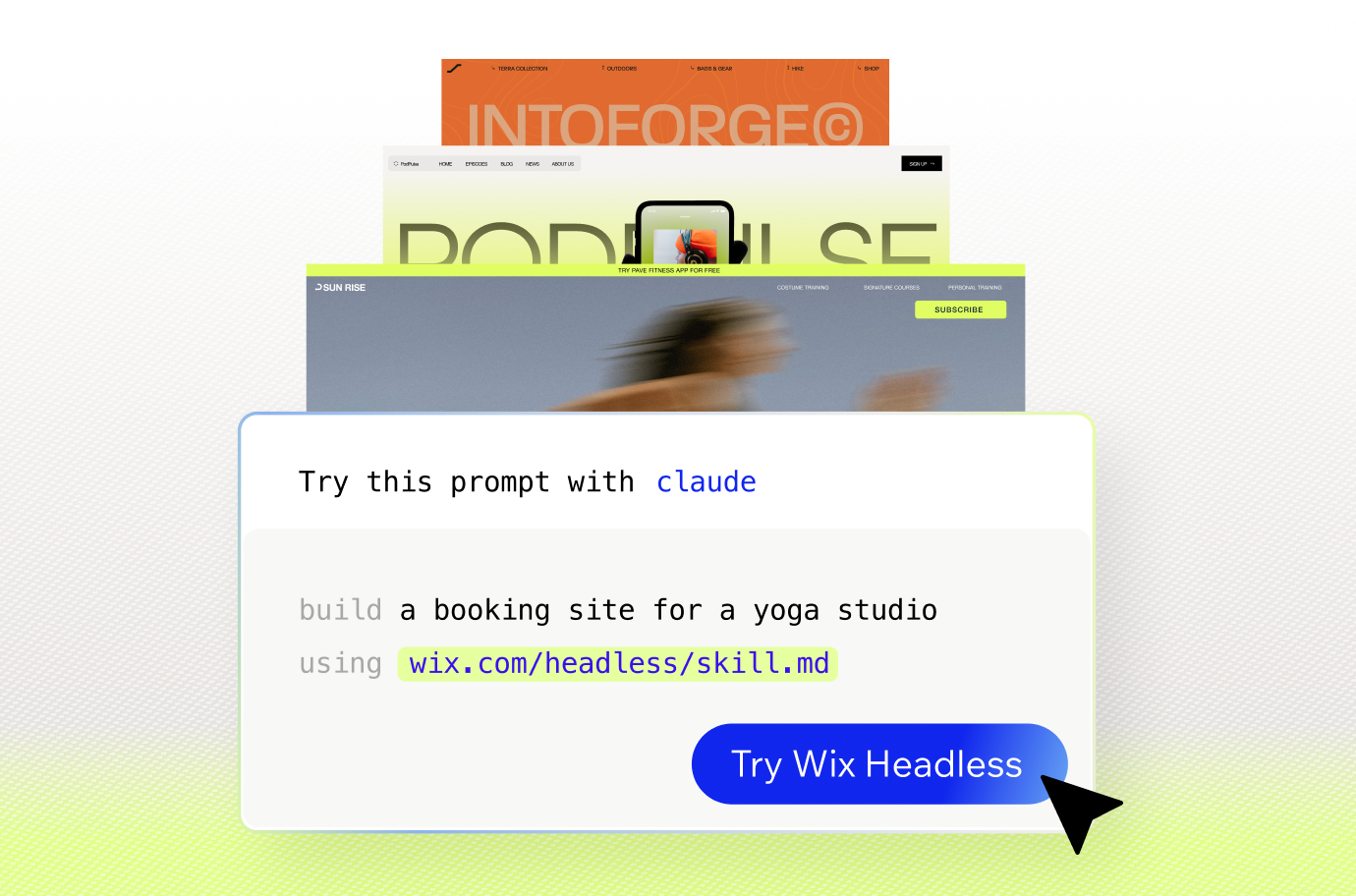
Wix Headless drag and drop deploy lets you upload your HTML, CSS and JavaScript files and get your site live with a shareable URL.

Headless CMS trends shaping what comes next
None of these trends will play out the same way for every business. Together, though, they show where content management is heading.
01. Hybrid headless and visual editing
This is arguably the most important counterpoint to the idea that traditional CMS is disappearing. Platforms are working to combine custom frontend flexibility with editor-friendly content management, so marketers keep visual editing while developers keep control of the code. That approach is usually called a hybrid headless CMS.
Hybrid setups let teams choose per project or even per page. A campaign landing page can stay in a visual editor while a custom app pulls the same content through an API. For many businesses that middle path is more realistic than going fully headless.
02. Headless platforms are expanding beyond content
Early headless platforms were content-only. If you needed checkout, scheduling or ticketing, you connected separate services yourself and kept them in sync. That stitching is where a lot of headless projects got expensive and fragile.
The newer approach, often called composable, puts more business functions behind the same backend. Commerce, bookings, payments, events and memberships increasingly sit alongside the CMS in one connected system. That makes headless more practical for businesses that sell something, not just publish something.

03. AI changes how developers connect frontends to backends
Connecting a frontend to a backend used to mean reading API docs, writing integration code and debugging authentication. AI coding tools are changing that. Builders can now describe what they want connected and let the tool write the integration, often from a single prompt.
Some platforms now publish instructions written specifically for AI coding tools, so the tool knows how to wire a project to the platform's services correctly. That cuts setup time from days to minutes and makes headless realistic for people who wouldn't call themselves developers.
04. AI agents are creating new ways to interact with business data
AI agents don't just generate content. They increasingly take actions like updating products, checking orders or publishing pages. To do that safely they need structured, permission-controlled access to business data.
The Model Context Protocol (MCP) is one example of how this is taking shape. An MCP server exposes a platform's capabilities as tools an AI client can call through natural language. Headless architectures are well suited to this because the backend is already built to be accessed through APIs rather than a single interface.
Expert tip from Tuvit Rubin Kaplan, Head of DevRel at Wix:
"Frontend creation became easy almost overnight. But running a business still requires real infrastructure. Wix Headless is where those two things meet."

05. All-in-one platforms are adding headless options
The choice between a traditional platform and a headless one is becoming less binary. All-in-one platforms are adding APIs, custom frontend support and headless modes, while still offering visual site building, managed hosting and built-in business tools.
For businesses, that means you don't have to pick one architecture forever. You can start with a visual website and connect a custom frontend or app later, using the same content and business data. That flexibility is likely to matter more than any single architecture winning.
06. The market keeps growing
Market research points to continued growth in headless CMS adoption, although estimates vary significantly depending on how researchers define the market. For example, Future Market Insights currently projects the U.S. headless CMS software market to grow from $365 million in 2026 to $2.555 billion by 2036, at a 21.5% CAGR. The exact market size is difficult to pin down, but the broader trend points toward continued demand for headless architectures.

What will happen to traditional CMS platforms?
Traditional CMS platforms aren't going away. For blogs, portfolio websites, local business sites and most content-focused websites, an all-in-one website builder that combines content and design is still simpler to launch and easier to manage. Most of these sites have one channel and a small team, so the benefits of headless rarely outweigh the extra work.
Headless makes more sense when frontend freedom, multiple channels or complex integrations matter. Hybrid approaches sit between the two, combining visual editing with a decoupled frontend where it's needed.
So the future of CMS is likely to be more choice between architectures, not one architecture replacing all the others. The better question isn't which approach wins. It's which one fits the project in front of you.
Build your project on any AI tool, run it on Wix. Try Wix's headless solution →

How to go headless with Wix
Going headless with Wix follows a simple model. Your frontend handles what visitors see, while Wix provides the CMS and business tools behind it. Wix Headless is built for developers, AI builders, vibe coders and agencies who want more control over the frontend without building every backend service themselves.
What sets it apart is that the backend goes beyond content. Wix Headless connects your frontend to Wix services for eCommerce, payments, bookings, events and more, so you can manage these services from Wix instead of building each one yourself.
01. Build or generate your frontend
Start with the frontend you want. You can bring an existing coded project, build one with a framework you already use or create a new frontend with an AI coding tool.
Wix-managed Headless supports frameworks including Astro, React, Vue, Svelte and Solid. The exact setup and level of Wix integration depends on the framework you choose.
02. Connect the frontend to Wix
How you connect depends on your project. If you're building an ongoing coded project, you can use the Wix Headless skill with an AI coding tool to help set up and work with Wix Headless.
If you already have a finished static site, you can use drag and drop deploy to upload your HTML, CSS, JavaScript and other site files and publish them with Wix-managed hosting.
These are two different workflows. The skill is suited to projects you'll continue developing, while drag and drop deploy is designed for finished static sites that are ready to publish.

03. Add the business functionality
Once you're connected, add the business tools your site needs. Wix Headless gives you access to Wix services for content, eCommerce, cart and checkout, bookings, events, pricing plans, payments and more.
You can start with the services you need and add others as your project grows, using the same Wix backend.
04. Choose your hosting setup
You have two options. With Wix-managed hosting, Wix handles hosting, a global CDN, SSL and automatic scaling, giving you a managed way to publish your frontend. With self-managed hosting, you host the frontend on your own infrastructure and connect it to Wix through APIs and the JavaScript SDK.
Both options connect your frontend to Wix business services. You can also connect a custom domain to your site.
05. Hand off the Wix dashboard
This is one of the practical benefits of headless with Wix. The developer controls the custom frontend, while the business owner can manage Wix content and business services through the Wix dashboard.
That means a business owner can update content, products, bookings and orders without changing the frontend code or asking a developer to make every routine update.
Expert tip from Itay Shmool, VP, Chairman of Payments at Wix:
"I am the chairman of payments at Wix. If a checkout goes down on a Saturday night, my team gets the alert, not the agency. People ask me whether the headless setup is the same infrastructure or some lighter version, and the answer is yes, it's the same thing. Same rails, same monitoring. We didn't build a separate system for headless, there was no reason to. Honestly, agencies shouldn't need to think about any of this. That's kind of the point."

Learn more: Wix Headless vs Shopify Headless Commerce
Is headless CMS the future FAQ:
Is headless CMS worth it for small businesses?
It depends on what the business needs from its website. For a single brochure site or blog with no developer, a traditional CMS is usually simpler and cheaper to run. Headless becomes worth it when you need a custom frontend, an app alongside your site or business features a standard template can't support.
Is a headless CMS better for SEO?
Not automatically. A headless CMS gives you more control over URLs, metadata, structured data and rendering, which can lead to strong SEO results. But those things have to be implemented on purpose, since the CMS doesn't handle them for you the way many traditional platforms do.
Do I need a developer to use a headless CMS?
Usually someone needs technical skills to build and maintain the frontend. AI coding tools have lowered that bar a lot, so a confident non-developer can now generate and connect a frontend. Editing content day to day typically doesn't require a developer once the setup is done.
What is a hybrid headless CMS?
A hybrid headless CMS combines traditional visual editing with headless API delivery. Editors can build and preview pages visually, while developers pull the same content into custom frontends and apps. It's a middle path for teams that want flexibility without giving up an easy editing experience.
Will headless CMS replace traditional CMS?
Unlikely. Traditional CMS platforms remain a strong fit for content-focused sites with one channel and a small team. The more likely future is that businesses choose between traditional, hybrid and fully headless setups based on each project, with many platforms supporting more than one approach.
Is headless CMS more expensive than a traditional CMS?
Not necessarily, but it can be. A headless setup often involves more services, such as separate hosting, frontend tools and integrations, each with its own costs. Platforms that bundle the CMS, business tools and hosting together can keep costs closer to a traditional setup.


