Updated: 1 day ago
Make any AI project business-ready in one prompt. Try Wix Headless →

Spinning up a slick frontend takes an afternoon now because AI tools generate the UI, the animations and the whole look in minutes. The wall builders actually hit is everything behind it: payments that clear, bookings that hold, a content layer that does not fall over in production.
That is exactly the gap a headless CMS is meant to close and picking the best headless CMS for your project comes down to how much of that backend you want handled for you.
Ship your frontend on a backend that just works
Wix Headless connects any frontend to a complete, proven business backend in a single prompt. The CMS is free with no content cap.
TL;DR: Best Headless CMS
Headless CMS platforms split where you manage content from where it gets displayed, so the same content can feed a website, an app or anything else through an API.
The eight Headless CMS examples below cover every common need, from open-source control to enterprise governance to a fully connected business backend. This guide ranks them by what they are genuinely best at and not by marketing budget.
You'll learn:
What a headless CMS is and how it differs from a traditional one
The eight best headless CMS platforms for 2026 and who each one suits
How pricing, hosting and API models compare across platforms
How to match a platform to your team, budget and project type
Explore: Wix Headless drag and drop
What is a headless CMS?
A traditional CMS ties your content and your presentation together in one system but headless CMS splits them apart. The backend stores and structures your content, then serves it to any frontend through an API. Your website, your mobile app and your smart display all pull from the same source.
What's the appeal? In one word, freedom. Developers or builders can build the frontend in their framework of choice and never fight a rigid theme system. The tradeoff is that you own more of the stack, which is exactly why the one you choose matters so much.
What to look for in a headless CMS
Six things separate a headless CMS you will still be happy with in a year from one you will be migrating off. Content modeling flexibility decides how cleanly your data maps to real needs. API type (REST, GraphQL or both) shapes how your frontend queries it. Editor experience determines how much developers get pulled into routine content changes. Hosting model, SaaS or self-hosted, sets who carries uptime. Pricing at scale is where hosted platforms can surprise you. And how complete the backend is decides how much you build yourself versus connect.
Worth being clear on: going headless means the frontend is yours to build and own. That is the whole point of the model and its main cost. Some platforms hand you only a content API, so payments, scheduling and commerce become your problem to solve later. Others, like Wix Headless, wire a full business backend in behind your frontend so you are not stitching separate vendors together down the line.
Learn more: What is headless commerce?
The 8 best headless CMS platforms
Each headless CMS below leads at something specific. Start from what your project actually needs, then match it to the entry that fits.
Headless CMS comparison at a glance
A side-by-side view of how the eight platforms line up on the factors that usually decide the choice.
Headless CMS | Best for | Model | API | Free tier | Standout |
Wix Headless | A complete business backend | Managed or self-hosted | REST + SDK | Yes (free CMS, no content cap) | CMS + commerce + payments + bookings + events, native |
Contentful | Enterprise content ops | Hosted SaaS | REST + GraphQL | Limited | Governance and maturity |
Sanity | Developer flexibility | Hosted SaaS | GraphQL + GROQ | Generous | Real-time, customizable Studio |
Strapi | Self-hosted open source | Self-hosted or cloud | REST + GraphQL | Open source | Full control, MIT license |
Storyblok | Marketing and visual editing | Hosted SaaS | REST + GraphQL | Yes | Visual page editor |
Directus | Existing SQL database | Self-hosted or cloud | REST + GraphQL | Open source | Data stays in your database |
Payload | Next.js teams | Self-hosted | REST + GraphQL | Open source | Code-first, TypeScript-native |
Hygraph | GraphQL-native, multi-source | Hosted SaaS | GraphQL | Yes | Content federation |
1. Wix Headless
Wix Headless is the only platform here that treats the CMS as one piece of a full business backend. Alongside content collections you get eCommerce, payments, bookings and events, all natively connected and managed from one dashboard. You build the frontend on any AI tool or framework (Base44, Claude, Cursor, and connect it in a single prompt. It means nothing to stitch together, no separate CMS vendor to pay.
As of April 2026, Wix powers 4.3% of all websites on the internet, holds a 6.0% share among sites using a known CMS and is growing 32.6% year over year, making it one of the fastest-growing major platforms (W3Techs, April 2026).
According to Dor Chaouat, Frontend Developer, Wix:
Wix Headless isn't a website builder with some API access added on top. It's a full business backend with commerce, bookings, events and a CMS that you connect to in one prompt. You build and own the frontend however you want, and Wix runs everything underneath it.
Something most people don't expect about Wix Headless: the Wix headless CMS is included at no cost. You create content collections, define your fields and serve structured data to your frontend through an API without paying for a separate CMS plan. There is no per-collection fee and no content cap at the free tier.
Read more: How much Wix Headless really costs

You get two hosting paths, not one: Wix-managed hosting handles CDN, SSL and scaling automatically, or you self-host the frontend on your own infrastructure and connect to the Wix backend by API. Both paths reach the same complete business backend, so the choice comes down to how much control you want over hosting.
Need more convincing? Nearly 32,000 people used Wix MCP to connect external AI tools like Claude directly to their sites in 2025, managing content and updates through natural conversation (Wix State of Websites 2026).
2. Contentful
Contentful spent over a decade building for scale and governance. It positions itself as a full digital experience platform, with strong localization, roles and permissions and a mature partner ecosystem. That maturity comes at a price: its entry paid tier is one of the steepest on this list, so it fits large content teams more than solo builders.
3. Sanity
Sanity treats content as structured data and gives developers deep control over how it is modeled and edited. Its Studio editing environment is fully customizable in React, and real-time collaboration is built in. It suits teams that want to shape the editing experience as much as the frontend.
4. Strapi
Strapi is MIT licensed and built on Node.js. You self-host it or run it on Strapi Cloud, and you get full control over your content API through REST or GraphQL. It's the natural pick for teams that want to own their stack end to end and are comfortable managing their own infrastructure.
5. Storyblok
Storyblok pairs a headless backend with a visual editor that lets marketers build and edit pages without a developer for every change. Its component-based approach maps neatly to design systems. If your content is mostly web pages and you want editors working independently fast, Storyblok is the smoothest path to that.
6. Directus
Directus sits on top of your existing SQL database and generates REST and GraphQL APIs automatically. The key difference is architectural: your data stays in your database rather than locked inside the CMS. That makes it a fit for teams that already hold data they want to expose through a clean, consistent API.
7. Payload
Payload is a code-first, TypeScript-native headless CMS that developers configure entirely in code. It has become a favorite for Next.js projects because it slots cleanly into that stack and stays version-controlled alongside the rest of the app. Teams that live in TypeScript will feel at home from the first commit.
8. Hygraph
Hygraph is built GraphQL-first and focuses on content federation: pulling content from multiple sources into one API. For projects that need to combine several backends behind a single query layer, it handles that natively rather than as a bolt-on. Teams standardizing on GraphQL get a clean fit.
How to choose the best Headless CMS for you
The best headless CMS is the one that matches how your team works, not the one with the longest feature list. A few honest cut lines to narrow it down:
Solo or AI builder: you want to ship without managing infrastructure, Wix Headless for example, fits best.
Agency: you are building many client sites and want a backend you never have to maintain. Wix Headless removes the permanent help-desk role after handoff.
Marketing-led team: editors need to work without a developer for every change.
Enterprise: governance, localization and granular permissions matter most.
How it actually works with Wix Headless
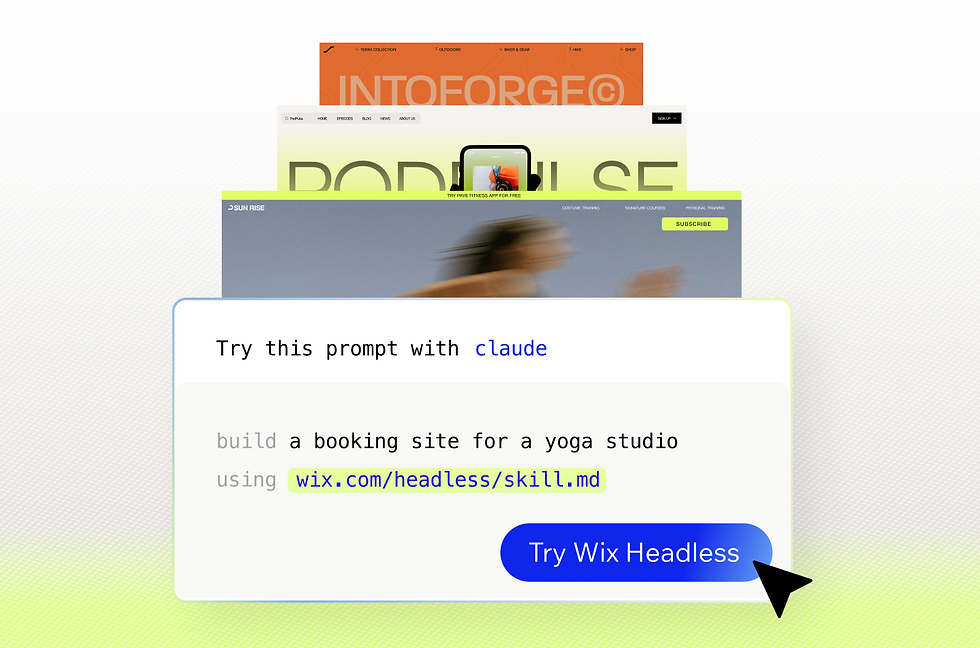
Pasting a prompt from wix.com/headless/skill.md into an AI coding tool like Claude Code or Cursor connects your project to the backend instantly. If you build on a vibe coding platform like Base44, you start from the Wix Headless page and your project opens with the backend already wired in. The path is fast either way, but which one fits depends on how you are building the frontend.

Read more: How to use Wix without an editor
Headless CMS FAQ
Can you use a headless CMS for eCommerce?
Yes, many headless platforms support eCommerce, though most do it through third-party integrations. Wix Headless is unusual (in a good way) in bundling eCommerce, payments and checkout natively, so you connect them rather than build them. For catalog-heavy stores, check how each platform handles products, variants and payments before you commit.
Are headless CMS platforms free?
Wix Headless includes its CMS at no cost with no content cap. Hosted platforms usually offer a limited free tier and then charge as you scale on API calls, seats or content volume.
Do you need to be a developer to use a headless CMS?
No, day-to-day content editing is designed for non-technical users, especially on CMS with visual editors or a clean dashboard. Wix Headless hands clients a business dashboard with natural-language editing after handoff.
When does headless win over a traditional CMS?
Headless wins when you need to serve content to more than one place, want full control over the frontend or expect to scale across channels. A traditional CMS is simpler for a single website that needs no custom frontend work. The more custom and multi-channel your project, the stronger the case for going headless.