Updated: Sep 7
Make any AI project business-ready in one prompt. Try Wix Headless →

Yes. While the visual editor is the way most people build a Wix site, it's far from the only way to use the platform. Depending on what you're building or managing, you may never need to open the editor at all.
From running your business through the dashboard to building with a headless CMS, there are several ways to work with Wix beyond the editor.
TL;DR: can you use Wix without an editor?
The Wix website builder is just one way to use Wix. You can manage an existing site from the dashboard without opening the editor, or skip the visual editor entirely with Wix Headless.
This guide explains when each option makes sense and how to choose the right one.
You'll learn:
The difference between the standard Editor and Wix Headless
How Wix-managed and self-managed headless projects work
What AI tools let you build without dragging anything
What you can still manage from the dashboard alone
What you give up when you skip the editor
What does "without the editor" mean on Wix?
There are two different things people mean when they ask this. One is switching between Wix's own visual editors. The other is skipping visual editing altogether and working through Wix Headless instead.
01. Switching between Wix editors

Wix Studio users can choose between the Studio Editor and the classic Wix Editor for any given site. Both are still visual, drag-and-drop tools. You're just picking which interface handles that dragging. Neither lets you edit a site's raw HTML or CSS directly.
If a visual editor is the right fit, Wix's drag-and-drop website builder lets you design and manage your site without writing a line of code, choose a website template, customize it and go live, all from one interface.
02. Wix Headless

Wix Headless is a different model. It decouples your site's frontend (what visitors see) from Wix's backend (stores, bookings, a CMS, online payment processing and more). You design and build the frontend using your own tools, then connect it to that backend through Wix's APIs or JavaScript SDK.
This means no drag-and-drop canvas at all. Wix Headless isn't a drag and drop headless CMS with a visual editor bolted on. You're either writing code, prompting an AI tool or a bit of both, and Wix runs everything on the backend underneath it.
Worth knowing: neither the Wix Editor nor the Wix Studio Editor gives you direct access to your site's raw HTML or CSS. Both manage layout through their own visual interface. If full control over frontend code is what you're after, Wix Headless is the setup designed for that.
What you can do on Wix without opening the editor
If you already have a site built in Wix, there's quite a bit you can handle day-to-day without ever opening the editor. The Wix dashboard covers the operational layer: managing an online store, including inventory and orders, booking calendars, customer contacts, email marketing, blog posts, SEO settings and site analytics. None of that requires touching a page layout.
Content collections in a headless or CMS-connected project work the same way. You add and update items from the backend dashboard and your site pulls the latest version automatically, no editor needed.
One thing worth knowing: the dashboard covers operations and content, not design. If you need to change what your site looks like, rearrange sections, update the header, add a new page, the editor is still the tool for that. The distinction is between running your business and changing your site's appearance.
Building with Wix Headless

Wix Headless gives you three distinct ways to connect a frontend to the Wix business backend, and two views into what that backend actually includes and how it's hosted.
In this section:
01. How to connect to Wix Headless
There are three paths into Wix Headless. Which one fits depends on how you build.
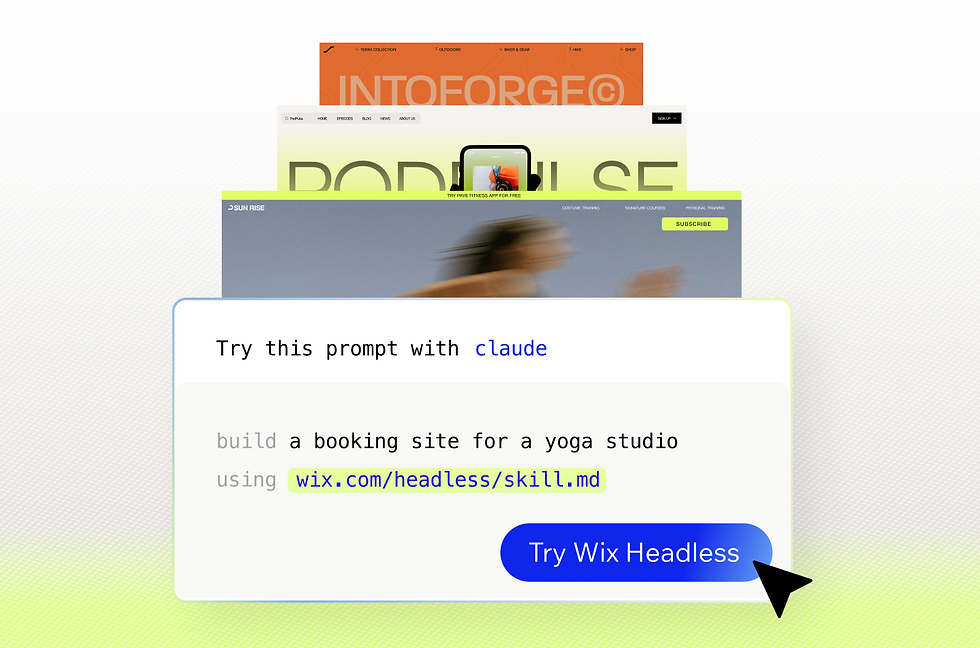
One-prompt AI connection: For AI builders and vibe coders, the fastest path is a single prompt. Reference wix-headless.dev/skill.md in your prompt to Claude, Cursor, Gemini or any AI coding tool, and your frontend connects to the full Wix business backend, including payments, bookings, SEO features, a CMS and more, without any backend engineering. You can start from an existing AI-built project or build a new one from scratch. Wix Headless removes the biggest blocker AI builders face: turning a working prototype into a real business with payments, bookings and content management.
"We wanted AI builders to be able to go from prototype to live product without context-switching into a completely different platform. With wix-headless.dev/skill.md, you describe what you want to your AI tool of choice and you get a running site with the business layer already wired in. It's not a workaround, it's the intended path." — Tuvit Rubin Kaplan, Head of DevRel, Wix
Wix-managed headless. Wix hosts and runs your frontend for you. You can scaffold a project with the Wix CLI, describe what you want and let its AI website builder generate it with conversational prompts. Projects are based on the Astro framework and support React, Vue, Svelte and Solid. This path gets you to a deployed project fastest. Wix handles free website hosting, a global CDN, SSL and scaling, so you can focus on the frontend instead of infrastructure.
Self-managed headless. You host the frontend on any infrastructure, Vercel, Netlify, AWS or your own servers, and connect it to Wix's business data via the REST API or JavaScript SDK. This path supports any frontend technology or mobile stack that can call Wix APIs. It's also the option if you already have a live Wix site and want to add a custom frontend without rebuilding from scratch.
Worth knowing: self-managed headless puts you in charge of hosting, authentication and uptime. If something breaks in your infrastructure, that responsibility sits with you, not Wix. For most small business sites, Wix-managed headless or the AI prompt path is the faster and lower-maintenance choice.
02. Hosting for AI-built frontends
If you built your frontend with an AI tool and now need somewhere to host it, Wix-managed headless is the most direct path. You connect your project with a single prompt and Wix takes over the entire hosting layer: multi-cloud infrastructure, a global CDN across 200+ servers, automatic SSL, 99.99% uptime and scaling that responds to traffic spikes with no configuration from you.
This is the same infrastructure that powers millions of Wix-hosted businesses worldwide, not a stripped-down developer tier. And because Wix manages the hosting, you keep full creative control of the frontend without inheriting an ops workload alongside it.
It's free to connect and host your project. You pay when you are ready to go live with a custom domain name and start accepting payments, not before.
Insights before getting started: if you want to host on your own infrastructure instead, the self-managed path keeps that option open. The backend stays the same either way; only who manages the hosting changes.
Learn more about hosting:
03. What Wix Headless includes
Wix Headless is the only headless solution that natively combines a CMS, eCommerce platform, payments, bookings and events in one place. Every competing headless solution is either CMS-only or commerce-only; Wix Headless covers the full business stack through a single connection, with no third-party integrations to stitch together and no separate vendors to manage.
"Wix Headless isn't a website builder with some API access added on top. It's a full business backend with commerce, bookings, events and a CMS that you connect to in one prompt. You build and own the frontend however you want, and Wix runs everything underneath it." — Dor Chaouat, Frontend Developer, Wix
Here's what Wix Headless's backend includes natively:
eCommerce: Managing orders, inventory, shipping and finances from one dashboard, with secure checkout, automated sales tax and product catalog syncing to Facebook and Instagram.
Bookings and scheduling: End-to-end online scheduling; clients book, pay and receive automated confirmations and reminders. The entire post-booking experience runs without manual management.
Events: Sell tickets, manage guest lists, send email invites and handle RSVPs for in-person or online events on your event website or app.
Pricing plans and memberships: Recurring billing and gated content for members, managed from the same dashboard.
Headless CMS: Content organized into collections that connect directly to your frontend as structured data. With a Wix headless CMS, you manage it from the backend dashboard, independently of wherever your frontend was built.
Blog: Use Wix's blog maker to create and distribute posts with built-in SEO tools, all from the Wix Business Manager.
All of this is managed from one Wix Business Manager dashboard. There's no separate charge per feature, no API fees and no enterprise tier to unlock, the full stack is available through a single connection.
04. Wix Headless infrastructure and performance
Wix Headless runs on enterprise-grade infrastructure designed to support real businesses at scale, the same stack trusted by millions of businesses worldwide.
Every connected project gets multi-cloud hosting. Wix Headless eliminates the need for backend engineering, server management or infrastructure work entirely.
On discoverability: every project includes server-side rendering, customizable meta tags, editable URL structures, structured data and an automatically maintained XML sitemap. An AI Visibility tool also shows how your site appears in LLMs like ChatGPT and Gemini, relevant if you're building content you want surfacing in AI search responses as well as traditional search results.
05. Who is Wix Headless for?
AI builders and vibe coders are one of the clearest fits. Wix Headless is designed for people who are know how to use AI tools, move fast and have real product vision, but don't want to become infrastructure engineers. If you built something impressive on Claude, Cursor or Gemini and need to turn it into a product people can actually use, with payments, bookings and real business operations, Wix Headless closes that gap in one prompt.
"If you built your frontend on Cursor or Gemini, you don't need to move your project into a Wix editor. You keep your stack, you keep your workflow, you just get a real backend behind it." — Gonen Jerbi, R&D Manager, Wix
Agencies and freelancers benefit from a different angle: parallel builds and cleaner handoffs. You can spin up multiple client sites from prompts, hand each client a clean Wix dashboard to manage their own CMS and business tools, and avoid being the permanent help desk after launch. No plugins to manage, no third-party integrations to maintain, no servers to patch.
Developers with an existing stack who want to add specific Wix capabilities can connect via API without rebuilding anything they've already built.
06. How much does Wix Headless cost?
How much does Wix Headless cost? Wix Headless is free to connect. There's no developer pricing tier, no per-API-call fee and no separate charge for each business feature you add. You pay the same way as any other Wix user, add a domain when you're ready to launch and upgrade to a Premium plan when you want to accept payments or unlock advanced features. Nothing is gated behind an enterprise tier.
Worth knowing: the one thing that does require a Premium plan is accepting payments and connecting a custom domain. You can build and test your full setup for free before committing to a plan.
Explore more resources on Wix Headless:
What you give up without the Wix editor
The visual editor is what makes Wix the starting point for millions of small business sites. You see changes happen in real time, with no setup required and a low barrier for non-technical owners to make updates later. Skipping it comes with trade-offs worth being clear about.
Self-managed Wix Headless puts hosting, deployment and authentication on your plate. For a developer who wants full control over infrastructure, that's a fair exchange. For someone building a first business site who just wants things to work, it's more moving parts than the situation calls for.
The one-prompt AI path and Wix-managed headless remove most of that overhead, but you're still working outside the visual canvas, which means design changes go through code or AI prompts rather than drag-and-drop.

Wix Editor vs. Wix Headless: which is right for you?
If you want… | The right path |
Visual control with no code | Standard Wix Editor or Wix Studio Editor |
Day-to-day site management without touching design | Wix dashboard (editor-optional for existing sites) |
An AI-built site with a real business backend, no canvas | One-prompt connection via wix-headless.dev/skill.md |
Code-based frontend, Wix handles hosting and backend | Wix-managed headless via CLI (Astro + React/Vue/Svelte/Solid) |
Full stack control: your framework, your host, Wix backend | Self-managed headless via REST API or JavaScript SDK |
Can you use Wix without an editor FAQ
Can I edit my Wix site's HTML or CSS directly?
Not in the standard Wix Editor or Wix Studio Editor. Both tools manage layout through their own visual interface rather than exposing raw code. You can add custom HTML embeds for specific elements, or switch to Wix Headless if you want full control over frontend code, in that case you're writing the frontend yourself, not editing Wix-generated HTML.
What's the difference between Wix Headless and the Wix Editor?
The Wix Editor is an all-in-one visual builder: you design your site's frontend inside the editor and Wix hosts the whole package. Wix Headless separates that frontend from the backend, so you build the interface yourself, using code, an AI tool or both, and connect it to Wix's business tools through APIs. Both use the same Wix infrastructure and the same dashboard for managing business operations.
Do I need to know how to code to use Wix Headless?
Not necessarily. You can scaffold a Wix-managed headless project with an AI builder or Wix Vibe using plain-language prompts. Self-managed Headless, on the other hand, does require writing your own frontend code.
Can I switch from the editor to Headless later?
Yes. If you already have a Wix site, you don't need to start a new project. You can set up a headless client to give a custom frontend access to that site's existing data and business features.
Is Wix Headless free to start?
Yes. There's no upfront cost to connect a frontend to the Wix backend. You can build and test your full setup, including eCommerce, bookings and CMS, before paying anything. A Premium plan is required when you're ready to accept payments or connect a custom domain.
What's vibe coding and how does it relate to Wix Headless?
Vibe coding means building software through natural-language prompts with AI tools rather than writing code manually. Wix Headless is built for this workflow, you describe what you want to Claude, Cursor or another AI platform and get a frontend wired to a real business backend in one flow. The infrastructure, security and business logic are handled by Wix, so the thing you built with AI can take payments and bookings from day one.