Updated: 6 hours ago

To learn how to make a university website, start with your audience, then secure a domain, choose a website builder and build clear pages for programs, admissions and campus life. Your site is often where prospective students, current students, faculty and alumni first see what makes your school different.
You can create a website for your institution without writing code. Wix provides schools and universities with industry-specific website templates for better branding. Start from one, add your crest and colors and shape each page around your programs. This guide walks you through every step, from planning your site to launch.
Building a website for your business, passion project or side hustle should feel simple and exciting. Wix generates a personalized starting point with AI. You can customize every detail with intuitive drag-and-drop tools, while Wix handles the tricky parts to make building your site simple. That way, you can focus on what matters most: bringing your ideas to life. Ready to get started? Create your website today.
TL;DR: How to make a university website
Building a university website well means pairing a consistent brand and authentic campus imagery with mobile-friendly, accessible design and pages that load fast. A clear course catalog, faculty profiles and up-to-date campus news give visitors a reason to stay, while SEO and analytics help the site keep improving after launch.
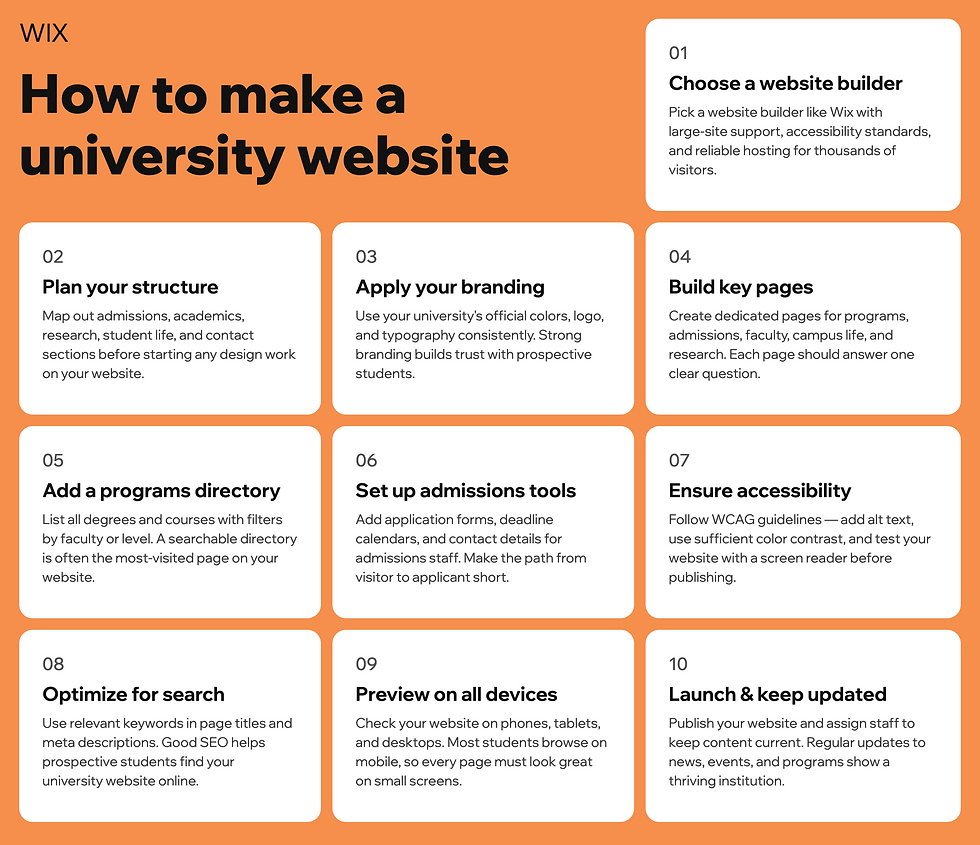
What makes a great university website
Feature | Why it matters |
Clear navigation | Visitors can quickly find programs, admissions info and resources |
Mobile-friendly design | Works smoothly on phones and tablets |
Engaging visuals | Creates a welcoming, professional impression |
Strong calls-to-action | Guides students to apply, request info or schedule a visit |
Program and faculty highlights | Builds credibility and informs decisions |
How to make a university website in 11 steps
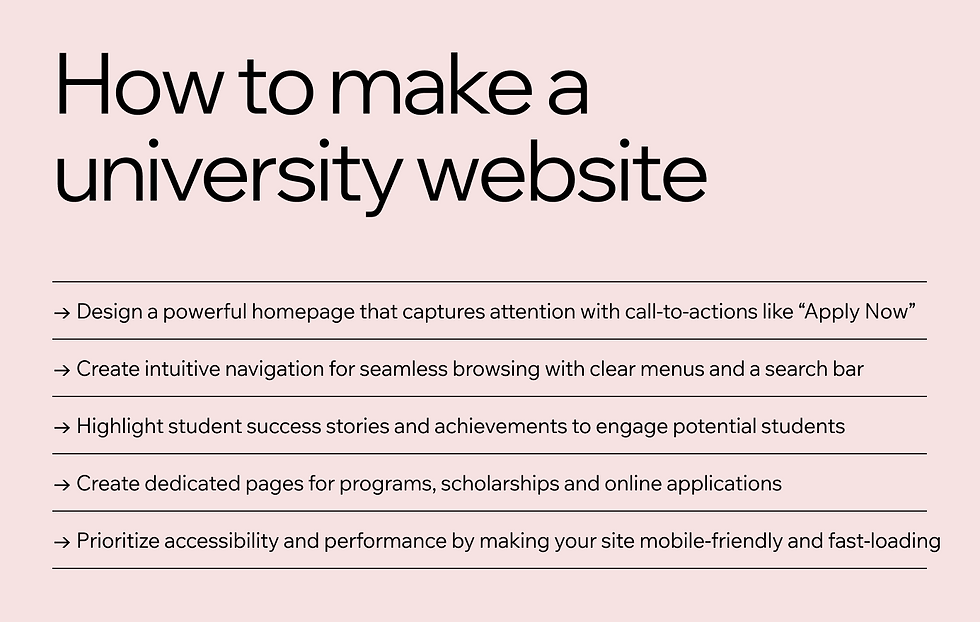
Creating a university website doesn’t have to be complicated. In this step-by-step guide, you’ll learn how to build a university website that showcases academic programs, attracts new students and keeps alumni engaged. From designing an intuitive layout to adding essential features, these 11 steps cover everything you need to create a professional user-friendly online presence for your institution.
01. Understand your target audience
Start with the most important question, which is who your website is for. Your audience isn’t just prospective students. It also includes current students, faculty, alumni and donors. Each group visits your site for different reasons, so tailoring your content to address their specific needs is essential.
Break it down: Prospective students want admissions info, current students need access to resources and alumni might be looking for ways to stay connected.
Do your homework: Use surveys, interviews or analytics to understand what matters most to your audience. This upfront effort saves time and rework later.
By truly understanding your users, you’ll create a site that feels intuitive and welcoming, no matter who’s visiting.
02. Select a domain name and web host

Before you start designing your university website, you'll need to secure the perfect domain name and a reliable web hosting solution. Think of your domain name as your website’s digital address, since it’s how people will find you online. For universities in the US, a .edu domain can add credibility and signal that your institution is an accredited educational entity. Eligibility is limited to US-based postsecondary institutions with institutional accreditation, so schools outside the US can choose an extension like .university instead. Your university's website's domain should be professional, simple and memorable. If you're stuck or the domain name you hoped for isn't available, a domain name generator can help spark ideas and save time.

Once you’ve chosen your domain, the next step is selecting a hosting website. Your hosting provider plays a crucial role in ensuring your site is always accessible and runs smoothly. Look for features like site reliability, uptime guarantees and scalability. Universities often experience high traffic during admissions season or major events, so choosing a hosting provider that can handle traffic spikes is key.
Remember, your domain name and hosting set the foundation for your website’s performance and professionalism. It’s worth taking the time to get it right, so your website performs well no matter the demand.
.university is a domain extension that suits a faculty, a research center or an alumni body as well as a whole institution, so it works below institution level too. .college is the alternative when the institution calls itself a college, and it carries no accreditation check at registration.
Learn more about what is a domain name and get started with Wix’s free web hosting.
03. Choose the right website builder

Building a university website doesn’t have to mean wrestling with complicated tech. Tools like Wix make it simple with drag-and-drop designs and customizable website templates. Whether you’re tech-savvy or just starting out, you can create a professional site that reflects your university’s branding while being scalable, secure and easy to update.
Think about what you need now and what you’ll need down the road. A good platform grows with your institution, so make sure it supports features like course catalogs, student portals and intuitive site navigation that ensures users can quickly find the information they’re looking for.
If you’d rather start from a prompt than a template, Wix Harmony can generate a full site from a short description of your school, complete with pages, layouts and starter content. Wix provides a website builder AI that generates beautiful, fully customizable sites. You can switch to drag-and-drop editing at any point to fine-tune every detail.
Explore the customizable Wix university templates today to get started.
04. Create a strong brand identity
Your university website should feel unmistakably yours. From colors to logos to tone of voice, every detail should reinforce your institution’s brand. This builds trust and makes your site instantly recognizable.
Stick to your website’s color scheme and fonts to keep things professional and consistent.
Craft messaging that aligns with your values, whether that’s innovation, community or academic excellence.
When visitors land on your site, they should immediately feel your university’s energy and mission.
Explore these website building tips to make your site shine.
05. Use high-quality images
Images do a lot of the work on a university website. Want to show prospective students what life on campus is really like? Share vibrant images of your students, faculty and facilities.
Think beyond stock photos. Authentic visuals of bustling libraries, lively events and scenic campuses will make your institution shine. Plus, they help visitors imagine themselves as part of your community.
Learn more: How to choose images for your website
06. Make your website mobile-friendly and accessible
Trying to navigate a clunky website on a phone is frustrating, so don’t let that be your site. Make sure your design works seamlessly on all devices, from desktops to smartphones.
Accessibility is just as important. Add alt text for images, ensure keyboard-friendly navigation and stick to readability-friendly fonts and colors. Everyone, regardless of ability, should have a great experience on your site.
Learn more:
07. Write university content that stands out
Let your web content do the talking and make sure it’s saying the right things to the right people.
Write engaging program descriptions that highlight what sets your institution apart.
Feature faculty bios that showcase expertise and bring your professors’ accomplishments to life.
Keep event updates and news fresh to reflect your vibrant campus culture.
And don’t forget about your tone. Speak directly to your audience with language that feels approachable and relatable. After all, your website is your university’s voice online.
Aria can help your team draft program descriptions, faculty bios and event pages faster. Aria is Wix’s proprietary AI agent, not a generic chatbot with editing features. Inside the Wix Harmony Editor, she can write content, build pages and customize designs on request. Aria edits the desktop view only, so review your mobile layout by hand before you publish.
"Once you pick the right layout or template for you, it's really important to take the time to customize all the content. Many people overlook this step. Make sure you remove any unrelated images or paragraphs, and focus on creating a clear flow for the content that tells the story you want to share with your audience."- Dafna Rabin, Wix Templates design team lead
08. Implement a course catalog and key features
Your course catalog is where prospective and current students compare programs, so it deserves a clear, easy-to-browse structure.
Use an intuitive layout to help students explore academic programs.
Include multimedia elements like videos to highlight standout courses.
Don’t forget extras like student portals, enrollment systems and event calendars, since they’re essential for making your site a one-stop shop.
09. Make sure your website loads quickly
If your site takes too long to load, visitors will leave fast. Optimize images, minimize large files and test your site regularly to keep loading times lightning quick.
Remember, your website is often a prospective student’s first impression of your institution. Don’t let a slow loading website ruin it.
10. Optimize for SEO
Your website won’t do much good if no one can find it. Use SEO best practices to boost your visibility in search engines. Add relevant keywords like “top university programs” or “best campus life,” use meta tags and clear URLs and publish content regularly to keep search engines and users engaged. A little SEO effort goes a long way in helping your site rank higher and attract more visitors.
Kleo, the Wix AI Marketing Agent, can keep your university’s SEO moving after launch. Kleo runs keyword research, suggests optimizations for your homepage and main pages and builds a monthly content plan for your blog, social media and emails, so you can plan content around admissions deadlines and campus events. Each task goes to you for approval before anything goes live.
The Wix SEO Learning Hub can deepen your understanding of search engine optimization, so you get more out of the built-in SEO features on your Wix site.
11. Launch your website
Before hitting “publish,” test everything, including forms, links, videos and compatibility on different devices. Once your site is live, the work isn’t over.
Set up analytics tools to track performance and user behavior. Pay attention to what’s working (and what’s not) so you can fine-tune over time. Regular updates, maintenance and tweaks are the secret to keeping your site fresh and effective.
Every Wix site comes with Wix analytics to help you track visitors, their behavior and your site's overall impact.
Learn more:
What is a university website?
A university website is much more than a digital brochure. It’s the heart of your university. It’s where prospective students get their first taste of what makes your school special, where matriculated students find resources to succeed and where faculty, staff and alumni stay connected. From admissions and academics to student life, news and events, every web page serves a purpose in keeping your community informed and engaged.
But it’s not just about sharing information. A well-designed university website strengthens your school’s brand, improves communication, supports online learning and helps you present your mission and values to the world. It’s the digital front door to your campus, welcoming everyone who visits.
Learn more:
Planning your university website
A strong plan is the foundation of any successful college or university website. Think of it as the blueprint for a building, since you need to know exactly what you’re working toward, what content you’ll need and how it should all come together. This is where setting clear goals, developing a content strategy and understanding both the technical and design requirements come into play.
Set clear goals for your website
Start by defining what you want to achieve with your website. Goals may include increasing enrollment, improving communication with students or shining a spotlight on research and faculty achievements. Your goals need to be specific, measurable, achievable, relevant and time-bound (yes, the classic SMART goals). When everyone knows exactly what the site needs to accomplish, it’s easier to bring those ideas to life.
Think about your university website requirements
Every great college website has a few essentials that keep things running smoothly for everyone who visits. These must-have website features belong on yours.
Admissions information: Step-by-step instructions on how to apply and a streamlined application process.
Academic programs: Clear, detailed descriptions of the courses and programs offered.
Campus life: A glimpse into what makes your campus unique, from student organizations to events.
Contact information: Simple, accessible ways for visitors to get in touch with the right departments.
University website examples built on Wix
Exploring real-world examples is one of the best ways to find inspiration and see what works well in university website design. These education websites built on Wix show those ideas in action.
01. Wheat Education

Wheat Education’s website stands out for its clean, modern design that’s both professional and easy to navigate. The minimalist layout directs attention to what really matters, making the experience stress-free for visitors. Call-to-action buttons like “Enroll Now” and “Contact Us” are thoughtfully placed to guide users toward key actions. The site uses high-quality visuals to highlight the unique aspects of its programs, creating an engaging browsing experience. Its structure is built to grow with the organization, ensuring scalability as more programs or features are added in the future.
02. Anahei University

Anahei University’s website combines vibrant design with practicality, creating a visually exciting and functional experience. Bright, eye-catching visuals and banners make a strong first impression, while the homepage effectively highlights academic programs and events. This focus on student-centric content, such as testimonials and success stories, gives prospective students a clear picture of the opportunities available. Anahei University’s website also shines in its mobile accessibility, ensuring that users can explore its offerings seamlessly from any device.
How to make a university website FAQ
How can I create a college website?
To create a college website, start by understanding your audience and defining clear goals. Choose a content management system, design for user experience, develop with SEO in mind and make sure the site is mobile-friendly and accessible.
How do I make a .edu website?
You can only make a .edu website if your institution is a US-based postsecondary school with institutional accreditation from an agency recognized by the US Department of Education. Eligible schools apply through the official .edu registration process and prove their accreditation. Institutions that don’t qualify can use an extension such as .university instead.
How can I design and build a school or university website?
Designing and building a school or university website requires careful planning around your institution's brand identity. Use high-quality imagery, ensure the site is easy to navigate and include essential features like student portals and course enrollment systems.
How do I create an institutional website?
Creating an institutional website involves establishing goals, creating a content strategy, considering technical requirements, designing for brand consistency, developing necessary features, optimizing for search engines and managing post-launch updates.


