Updated: 1 day ago

A nonprofit website tells donors, volunteers and the people you serve what you do and how to get involved. Your organization may need one before it has a budget for it, and it can go live for $0.
The trade-offs are a shared web address, platform ads and no card payments until you pay for a plan. This guide compares the free ways to create a nonprofit website, walks through five steps and explains when paying makes sense.
Turn your idea into a business-ready nonprofit website. Choose a template or start with AI, make the design your own and add the tools you need to accept donations when you're ready, all with Wix.
TL;DR: how to make a nonprofit website for free
A free nonprofit website can be built on a website builder's no-cost tier, from a template or with AI, then published on a subdomain. That tier covers hosting and design tools, while a custom domain, ad removal and accepting donations online require an upgrade.
You'll learn:
How the free build options compare
What a free plan includes and leaves out
Five steps from template to launch
Free tools and nonprofit discounts
When it's worth upgrading
How to do it with Wix
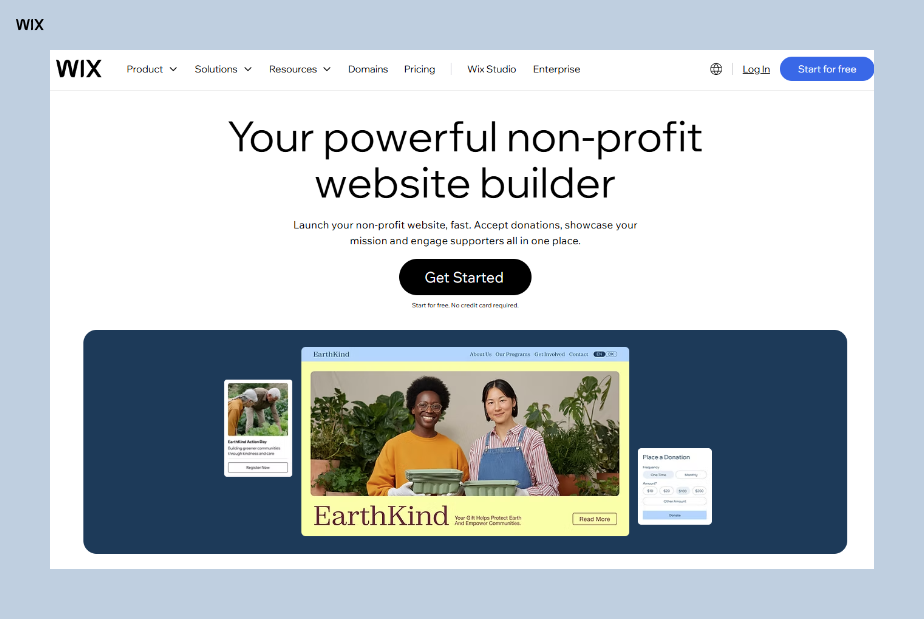
Ways to build a nonprofit website for free
Most ways to build a nonprofit website can start at $0. What changes is what you pay for later: a domain, a plan that takes donations, hosting or a volunteer's time to keep the site running.
New to free sites? Read about how you can get started with building a free website first, then compare the options below.
Already know how you'll build? Skip ahead to the 5 steps.
Free nonprofit website builder with templates
A website builder gives you designed pages and hosting in one account, so you can publish on a free plan the same day. A nonprofit template already has room for your mission, programs, events and a donate button, so the work is swapping in your own photos and stories.
It suits volunteer-run groups, because the next volunteer can edit a page without touching code. On a free plan the site shows the platform's ads and uses its address, and the donate button can point to an outside fundraising page until you upgrade.
Create a free nonprofit website with an AI website builder
An AI website builder asks about your organization, then creates a first draft with pages, text and images that you edit. With the Wix AI website builder, for example, you describe your cause, who you serve and the features you need, like a volunteer contact form or a blog for program updates.
That makes it a good fit for a one- or two-person team with no design budget, since you refine the result by describing changes instead of paying someone to make them.
One honest note: replace AI-generated photos with real photos of your volunteers, programs and the community you serve before you publish. Supporters want to see the real people and places their gift reaches.

Build a free nonprofit website with an AI chat assistant
Some AI chat assistants, such as ChatGPT, Claude or Gemini, can connect to a website platform and build or edit a site from a conversation. If your team already drafts grant applications and newsletters in an AI chat, that same chat can build and update the site.
Some platforms connect directly. With Wix, for example, you can type @Wix in ChatGPT, describe your organization and get a site plan and a Wix Harmony site. The Wix MCP server and the Wix Claude connector let Claude and other AI clients create and manage a Wix site from the chat.
It keeps saving volunteer hours after launch, when posting a food drive date or updating your board list takes one message rather than a training session. Check each change before it goes live, especially donation links and event dates.
Build a nonprofit website with AI coding tools
AI coding tools, such as Claude Code, Cursor or Base44, write the code for a site from your prompts. Pricing and free-use limits vary by tool, and the coded site still needs hosting, a domain and a donation tool connected by someone who can fix it later.
This route suits groups with a volunteer developer. If that volunteer moves on, someone else has to understand the code, so keep notes on how the site is built and where it's hosted.

Free nonprofit content management system (CMS)
A content management system (CMS) is software that lets you update text, photos and pages without rebuilding them. Open-source options such as WordPress are free to download, but you pay for hosting and a domain, and someone has to install updates, security fixes and plugins.
A CMS suits nonprofits that publish a lot, like a library of research reports or a news section updated every week. Check whether the donation and event plugins you need are free and who will keep them updated.
Learn more: Website builder vs CMS
Hand-code a nonprofit website
Hand-coding means writing the site in HTML, CSS and JavaScript. Sites built in code can be hosted on free services such as GitHub Pages, so the main cost is the developer's time.
It makes sense when a volunteer developer will stay involved. Every change, from a new board member's photo to an event date, goes through that person, and donations need a separate payment tool connected to the code.
Headless website development for nonprofits
A headless website keeps the part visitors see (the design) separate from the part that stores content and handles donations and payments. A developer builds the design and connects it to those business tools.
Headless is a custom-development approach, not a free shortcut. Wix Headless, for example, is free to connect, while a Premium plan is needed to accept payments and use a custom domain. It suits larger organizations or networks with technical help.

Get a nonprofit website built for free or at low cost
Some charity-run programs build and host websites for other nonprofits at no cost. Free For Charity, for example, has volunteers build and host sites for US nonprofits it has verified, and says a build typically takes two to six weeks.
You can also ask a skilled volunteer or a designer who takes pro bono work. Agree up front on who updates the site after launch, who owns the domain and logins and what happens if the helper steps away.
Find the best free way to create your nonprofit website
Method | Free to start | What you pay for later | Who keeps it updated | Skills needed |
Website builder with templates | Yes, on a free plan | A plan for a custom domain, no ads and donations | Staff or volunteers | Low |
AI website builder | Yes, on a free plan | The same plan as a website builder | Staff or volunteers | Low |
AI chat assistants | Depends on the assistant and platform | The website plan, plus any paid assistant plan | Anyone on the team, by chat | Low to medium |
AI coding tools | Free use varies by tool | Hosting, a domain and a donation tool | A volunteer developer | Medium to high |
Content management system (CMS) | The software is free | Hosting, a domain, plugins and upkeep | A volunteer or developer | Medium |
Hand-coding | Free hosting exists for coded sites | A domain and developer time | A developer | High |
Headless website | Free to connect on Wix | A plan for payments and a custom domain | A developer | High |
Free or pro bono help | Yes, if you qualify | Depends on the program or helper | The helper, then you | Low for you |
How to make a free nonprofit website in 5 steps
These five steps take you from choosing a build route to publishing on a free plan, in the order a small team would work.

01. Decide how to make your website
When every dollar you raise is meant for your programs, the way you build your website matters as much as how it looks. Start with what your nonprofit actually needs, a site that donors, volunteers and the people you serve can find and trust, built without eating into your budget or your volunteers' weekends.
On a zero budget with no technical help, start with the AI website builder on a free plan and upgrade only when you need a custom domain or online donations. If your team already drafts grant applications and newsletters in an AI chat, the chat route lets you keep the site up to date from that same conversation.
Whichever route you choose, check what a free plan covers before you build. Consider ease of use, too. Wix, for example, has a drag-and-drop editor.
You'll also need to consider the number and quality of available website templates you can use (Wix has over 2000 free, customizable ones, including many specifically for nonprofits), if you can create a mobile-friendly site without a paid plan, as well as any storage or bandwidth limits.
Creating a free site doesn't mean you have to compromise on website security and reliability. With Wix, for example, every site includes secure web hosting, and the website infrastructure behind it is maintained for you.
Free nonprofit website builders usually come with limits: no custom domain, platform ads and often no online donations. Check these before you build, so you know what the day after launch looks like as your nonprofit gains supporters.

02. Choose and register a domain name
Whichever route you took in step 01, supporters need a simple address to find you, and it's one of the few costs worth planning for early. On a free plan, your site lives on a Wix subdomain (e.g., yournonprofit.wixsite.com/site), which costs nothing and works fine while you're getting started.
When you're ready for a name of your own, an annual premium plan includes a free domain name for the first year, which keeps your launch costs down.
Use domain name search to check your organization's name across more than 400 extensions, including .org, and see alternatives if it's taken. Pricing is shown before you buy, so there are no surprises on a tight budget.
If you're stuck, the domain name generator can turn your mission into available names, and you can even search for a domain from inside ChatGPT with @Wix.
Every Wix domain comes with a free SSL certificate, and Wix sites include hosting, so there's no separate hosting bill to plan for.
03. Design and customize your website pages
All websites, free or not, will contain a range of pages. Generally, the most important will be your homepage, followed by your "About Us" page and a clear "Donate" page. If your organization runs programs or events, you'll also want dedicated pages for those.
Our full guide on how to create a nonprofit website covers what to put on each of these pages, from impact reports to volunteer sign-ups.

If you need something impactful, fast, a ready-made template is the quickest free starting point. Wix offers designs built specifically for:

Once you have your template or AI-generated draft, don't forget to customize it for your organization. This includes your logo, brand colors, images of your work and, of course, compelling text that tells your story.
Expert tip from Dafna Rabin, Wix Templates design team lead:
"Once you pick the right layout or template for you, it's really important to take the time to customize all the content. Many people overlook this step. Make sure you remove any unrelated images or paragraphs and focus on creating a clear flow for the content that tells the story you want to share with your audience."
When learning how to make your own website, you need to decide how many pages you'll have and their hierarchy. What's the most important page? Is it your homepage, or is it a specific campaign page? You'll also want to plan their hierarchy in your header and how you will encourage users to move between pages.
Each page should then be customized with your chosen color palette, unique media (images or video) that showcases your impact and your text.
Be inspired by these nonprofit website examples, all built on Wix.
04. Add your required functionality or integrations
This is the step where a free plan reaches its limits. To accept donations on your own pages, you need a plan that supports payments and a connected payment provider. On Wix, the Core plan and higher plans include accepting payments, while the Light plan doesn't.
Once you upgrade, Wix offers several ways to take gifts: the Wix Donations app for one-time or recurring donation campaigns, a PayPal Donate button or third-party fundraising apps such as the Get Donations app. Recurring gifts need a payment provider that supports recurring payments.
To take donations through Wix Payments, your cause must be registered as a charity in a country where Wix Payments is available. Until you upgrade, a free site can link its Donate button to a fundraising page you set up elsewhere, so supporters can still give while you build.
Learn more: What is Wix for nonprofits?
05. Review, test and publish your nonprofit website
Regardless of the goal of your free website, it's important to review what it looks like and how it works before going live. Once live, ask for feedback from your team, volunteers and supporters on its design and functionality. Take as much time as you need to get it right before you share the link widely.
Also, once you've built a free website, you can move to a paid plan down the road. With Wix, the upgrade applies to the site you already built, so your design and content stay in place.
Upgrading can unlock features like a custom domain name and the ability to accept online donations, which a nonprofit needs once it takes gifts on its own site.
Build your nonprofit's free landing page today with Wix.
Free vs paid nonprofit website features
Wix lets you explore core tools for free, while a paid plan is needed for features such as connecting a custom domain and accepting online payments. Here's how that splits for a nonprofit website.
Feature | Free plan | Paid plan |
Web address | yourname.wixsite.com/site | Your own domain, free for the first year on yearly plans |
Wix ads | Shown on every page | Removed |
Storage | Up to 500MB | From 2GB |
Bandwidth | Up to 1GB | Unlimited |
Online donations and payments | Not included | Included from the Core plan |
Google Analytics | Not included | Included |
Templates, editor and hosting | Included | Included |
Learn more: Is Wix really free? Yes, and here's how
What does a free website include?
This can vary between website builders but with Wix, for a nonprofit website, you get:
Drag-and-drop editor
2000+ website templates
Mobile-optimized design
Custom website design options
Free stock photos
Font library
500MB storage
1GB bandwidth
SSL security certificate
Website hosting
Auto-save
SEO tools
A blog
Help center access
What are some of the limitations of a free website?
While creating a free website can be a quick and efficient way to get a website built, it's not without its cons. Some of these include:
Wix ads on every page
Platform logo in the browser tab
Subdomain URL (e.g., yournonprofit.wixsite.com/site)
Limited branding control
Limited storage space (500MB)
Restricted bandwidth (1GB)
No custom domain name
No professional email
No ecommerce features (including online donations)
No Google Analytics connection
Free tools and nonprofit discounts
A free website is one part of a nonprofit's free toolkit. These programs can cut the cost of email, advertising and a paid plan, and each one has its own eligibility rules.
Free email and ads from Google for Nonprofits
Google Workspace for Nonprofits is $0 per user for eligible organizations and includes professional email addresses at your nonprofit's domain. You need a domain of your own to use it, so it pairs with a paid website plan or a domain you already own.
Google Ad Grants gives each qualifying nonprofit access to up to $10,000 per month in search ads shown on Google.com. Your organization must hold valid charity status in your country and apply through Google for Nonprofits first, and the ads send people to your website.
Discounts on website plans
Wix partners with TechSoup to offer member charities and nonprofits a 70% discounted rate on a 2-year Premium plan for one website, plus a free 1-year domain voucher. The offer runs in participating countries, and an organization can request one coupon code every two years.
Worth knowing: if you don't cancel or request a new offer before the end of the second year, the plan renews for another two years at the standard rate, and the domain renews after its first year. Note both dates when you sign up.
Free branding and outreach tools
The free Wixel logo maker can give a new organization a logo for its site, flyers and social profiles before you have a design budget. A petition is another free way to gather supporters and email addresses before your donation page is ready.
Read also: How to start a petition
When to upgrade your free nonprofit website
A free plan works while you test your message and gather a first group of supporters. These are signs it's time to pay for a plan:
You're ready to take donations on your own pages
You're printing your web address on flyers or grant applications
You need more than 500MB for photos, videos or reports
You want the ads gone before a campaign launches
You need a professional email at your own domain
Ashley Reckdenwald, founder of the children's charity Land of Lovies, described the response once supporters found her cause. You can read how she built her Wix nonprofit website.
Ashley Reckdenwald, founder of Land of Lovies:
"It really just exploded. People kept calling and emailing, 'What can I do? How can I help? How can I donate?' That's when I knew that I had really touched on something."
When supporters start asking how to donate, that's the point to set up a donation form on your own site. Compare plans by whether they accept payments, how much storage they include and how many volunteers can edit: the Light plan includes 2 collaborators and the Core plan includes 5.
How to make a free nonprofit website with Wix
Wix lets you build and publish a nonprofit website on a free plan, then add donations when you upgrade. Here's the quick version:
Sign up for a free Wix account and choose a nonprofit website template or start with AI.
Customize it with the drag-and-drop editor by adding your mission, images and text.
Publish your site to go live and start sharing your cause with the world.
Build and update the site
Start from a template, describe your cause to the AI website builder or build in Wix Harmony, which combines prompts with drag and drop editing and includes Aria, an AI agent that makes changes for you. You can also manage the site from ChatGPT or Claude.
Take donations after you upgrade
Wix Donations lets you run several campaigns at once, such as a winter coat drive and a general fund, with one-time or recurring gifts. Donors can pick a suggested amount or enter their own.
Get help from AI agents
Symphony by Wix is a separate AI agent platform with agents for outreach, marketing, scheduling, research, finance and design that you direct from one chat.
It connects to your calendar, inbox, CRM and payments, is free to try and works with or without a Wix site. A small team could use it for sponsor outreach or newsletter drafts, though results vary.
Build sites for nonprofit clients
If you're an agency or freelancer building sites for nonprofits, Wix Studio adds advanced design tools and client management.
Nonprofit website FAQ
Are nonprofits required to have a website?
Nonprofits are generally not legally required to have a website, though a website helps because funders, volunteers and the people you serve look for you online first. In the US, tax-exempt organizations must make certain documents available for public inspection, and a website is a convenient way to do that rather than the required method. Some grant and free advertising programs do require a working site before an application can be reviewed.
Do you need 501(c)(3) status before building your website?
You can build and publish a nonprofit website while your tax-exempt status application is pending. State clearly on the site where your organization stands in the process so supporters are not misled. Hold off on describing gifts as tax deductible until the status is confirmed.
Can you accept donations on a free website?
A free website cannot process donations on its own, because taking payments requires a plan that supports them plus a connected payment provider. Free sites can still link out to an external donation page, which lets a small organization start collecting gifts before it upgrades. After upgrading you can place a donation form directly on your own pages, and accept recurring gifts if your payment provider supports them.
Can I build a nonprofit website for free with AI?
Yes. An AI website builder can create a free first draft from a description of your cause, which you then customize like a template with your own colors, layout and content. A site built with AI on a free plan has the same limits as any free site, including the platform's ads and address.
Do free nonprofit websites show ads?
Usually. A free Wix site shows Wix ads on every page and uses a wixsite.com address. Upgrading to a Premium plan removes the ads and lets you connect a custom domain.
Is there a discount on website plans for nonprofits?
Yes, in participating countries. Wix partners with TechSoup to offer member charities and nonprofits a discounted 2-year Premium plan for one website, plus a free 1-year domain voucher. Check TechSoup in your country for eligibility.
Does a nonprofit need a .org domain?
A nonprofit does not need a .org domain, though some visitors read a .org address as a signal of a mission-driven group. Another generally available extension such as .com or .net works too, while some extensions are restricted to specific types of registrant. Whichever you pick, keep the name short, readable and close to how people already refer to you. A free plan runs on a Wix subdomain, and you can connect a custom domain when you upgrade.
What pages does a nonprofit website need?
At minimum a nonprofit website needs a clear mission statement, a page describing your programs, a way to donate or volunteer, contact details and evidence of impact. You can also publish annual reports and financial filings, which answer a question donors often ask before giving. Anything beyond that can wait until the core pages are live.
Does a nonprofit website need to be accessible?
Accessibility matters on a nonprofit website, and depending on where you operate, your organization may be expected to meet recognized accessibility standards on public-facing pages. In practice that means readable color contrast, alt text on images, headings in the right order and forms that work with a keyboard. Accessible pages also widen your reach, since the people you serve may rely on assistive technology.


