Updated: Nov 5

A cleaning website has to answer what a client asks before they let a crew into their home or office: what you clean, which neighborhoods you cover, what it costs and whether you're insured. It should let them schedule a visit or ask for a price without calling you.
The right setup depends on your budget, tech comfort and whether you run one-off jobs, recurring cleans or commercial contracts. This guide compares the options, then walks through the steps to make a website for your cleaning business.
Turn your idea into a business-ready cleaning website. Choose a template or start with AI, make the design your own and add the tools you need to take bookings and quote requests for every clean, all with Wix.
TL;DR: how to make a cleaning website
To make a cleaning website, pick a build method you can keep updated, then publish your services, service area and a way to book or request a quote. Show the proof clients look for (reviews, before and after photos and insurance details) and test every booking on a phone.
You'll learn:
How the main build methods compare
Which pages residential and commercial clients expect
How to handle quotes, recurring cleans and deposits
Design tips for a cleaning website
Real cleaning sites built with Wix
How to build it with Wix

Ways to build a cleaning website
There are eight common ways to build a cleaning website. The biggest difference is who does the work after launch: adding a move-out package, changing the zip codes you cover and fixing the booking form if it stops sending requests.
New to building sites? Read how to go about making a website first, then compare the options below.
Already know how you'll build? Skip ahead to the 10 steps.
Cleaning website builder with templates
A website builder gives you pages that are already laid out, so you swap in your own photos, services and prices and move things around with a drag and drop editor.
It suits owners who want to run the site themselves, like adding a post-construction clean from a phone. With Wix, for example, you can start from one of the website templates and add bookings later. If you already use scheduling software, check that it can be linked first.
Create a cleaning website with an AI website builder
An AI website builder asks about your business, then creates a first draft with pages, text and images that you edit. The Wix AI website builder, for example, generates a personalized site from a description of your cleaning business.
It suits owners with little design experience who want a starting point this week. Tell it whether you clean homes, offices or both and the areas you cover. Then replace generated photos with photos of your crew and finished jobs, check every price and add booking or a quote form.

Build a cleaning website with an AI chat assistant
Some AI chat assistants, such as ChatGPT, Claude or Gemini, can connect to a website platform and build or edit a site from a conversation. You type a change like "add a holiday deep-clean package" and the assistant makes it.
With Wix, for example, you can type @Wix in ChatGPT to get a site plan and a Wix Harmony site, or connect your Wix account to Claude through the official Wix connector to manage your site from the chat.
It suits owners who already plan their week in an AI chat. Check every change before it goes live, especially prices, service areas and booking settings.
Build a cleaning website with AI coding tools
AI coding tools, such as Claude Code, Cursor or Lovable, write the code for a site from your prompts. The result still needs hosting, a booking or quote system and someone to fix it when an update breaks the form.
This route suits technically confident owners or a company with a developer on call. The Wix MCP server, for example, lets AI tools work with Wix business features such as bookings.

Use a content management system (CMS) for your cleaning business
A content management system (CMS) is software that lets you update text, photos and pages without rebuilding them. Open-source options such as WordPress give you control, but you're responsible for hosting, updates, security and the booking plugins.
A CMS suits companies that publish a lot, like a library of cleaning checklists. Check which booking and quote plugins you'd need and who keeps them updated.
Learn more: Website builder vs CMS
Hand-code a cleaning website
Hand-coding means writing the site in HTML, CSS and JavaScript yourself. You get full control over every detail and full responsibility for hosting, security and every fix.
It makes sense for developers building something custom, like a quote tool tied to your own square-footage pricing. If you'd rather skip code, compare the best low-code/no-code website builder options instead.
Headless website development for cleaning companies
A headless website keeps the part visitors see (the design) separate from the part that stores your services and handles bookings and payments. A developer builds a custom design and connects it to business tools behind the scenes.
Headless is a custom-development approach, not a shortcut: a developer connects the systems, then tests the full journey from choosing a service to the confirmation email. It suits multi-location or franchise groups.
Wix Headless, for example, is free to connect and provides the business tools and hosting behind a site built in code.

Hire a cleaning website designer or developer
A web designer or developer builds the site for you. You still supply the services, prices, service area, policies and photos, so agree on who updates them after launch.
This suits companies with complex needs, like separate residential and commercial divisions in several cities. Ask who fixes the booking form when it breaks and what each update costs.
Still comparing platforms? See the best website builders for cleaning businesses, then use this table to compare the options.
Find the best way to create your cleaning website
Method | Best for | Who updates prices and service areas | Booking or quote system | Skills needed |
Website builder with templates | Owners who run the site themselves | You, in a dashboard or app | Built in or linked | Low |
AI website builder | A fast first draft | You, after the AI draft | Built in or linked | Low |
AI chat assistants | Owners who work in a chat | You, by chat | Through the connected platform | Low to medium |
AI coding tools | Technical owners | You or a developer | You connect one | Medium to high |
Content management system (CMS) | Content-heavy companies | You or a developer | Plugin | Medium |
Hand-coding | Developers | A developer | You build or connect one | High |
Headless website | Multi-location groups | A developer | Connected business tools | High |
Hiring a professional | Companies that outsource | The professional, or you after handover | Set up for you | Low for you |
How to build a cleaning website in 10 steps
Here's a step-by-step guide on how to plan a website for your cleaning business and build it in the order you'd actually work.

01. Define your target audience
Start with who books you, because a family booking a biweekly clean and an office manager hiring a janitorial crew look for different things. Answer these four questions before you pick a template.
Residential, commercial or both
Homeowners want to know what's included, how long a visit takes and whether you bring supplies. Commercial clients want frequency options, after-hours availability and proof of insurance. If you serve both, plan separate pages for each.
Where you work
List the cities, neighborhoods or zip codes you cover and any travel fee beyond them. A clear service area saves you from requests you can't take and helps local search later.
What clients can book and what needs a quote
Standard and recurring home cleans often have set prices by home size, so clients can book them online. Move-outs, post-construction cleans and offices usually need a walkthrough or photos first, so they need a quote form.
The tools you already use
If you schedule crews, send invoices or take card payments in another app, check that the new site can work with it. Otherwise you may end up entering every job twice.
02. Decide how to make your website
Pick the build method from the comparison above that matches your time and who will update the site. For online booking within a week, a template or an AI website builder is the quickest start.
Learn more: How long does it take to build a website?

03. Pick a domain name and web hosting
Your domain name is your site's web address, the name clients type from your van, flyers and invoices. Keep it short and matching your business name. A location keyword is optional.
Buy a domain name once you've settled on your business name. Use a domain name search to check what's available, or a domain name generator for ideas. Still naming the business? Browse these cleaning business name ideas.
Good to know: .cleaning is a domain extension made for the industry, so it can be worth checking when your first choice on .com is taken.
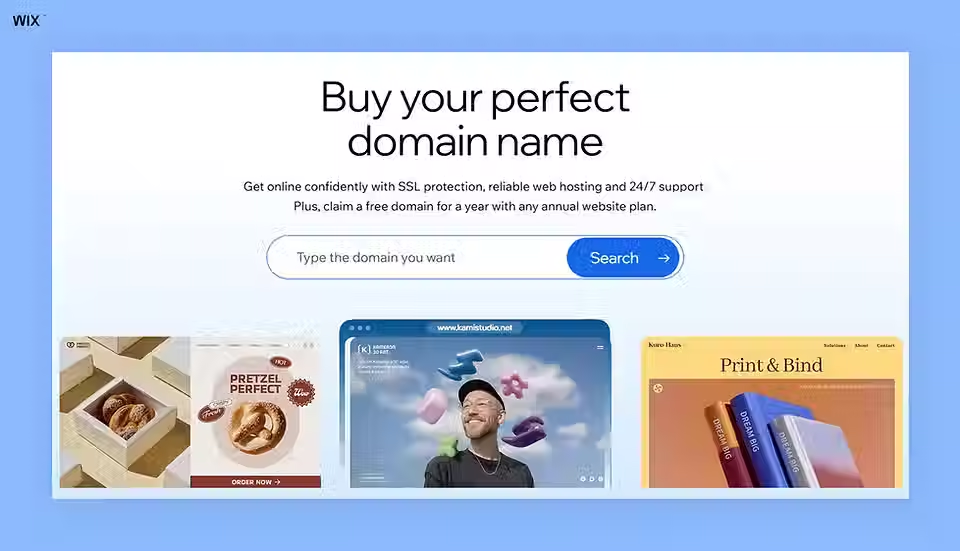
Web hosting is where your website lives on the internet. When you create a website with Wix, free website hosting and a free SSL certificate are part of it, so you don't need a separate hosting provider.
Learn more: How to register a domain name
04. Customize your website
If you'd rather not start from a blank page, browse cleaning service website templates and pick one that fits how you sell. Before you commit, check that it has:
A clear spot for a "Book a clean" or "Get a quote" button
A services section with room for prices
A service area section
Space for reviews and before and after photos
A layout that works on a phone
Then add your logo, brand colors and real photos of your crew, vans and finished jobs. Need a logo first? Here's how to make a cleaning logo.

Learn more: How to choose a website template
05. Add scheduling and booking options
Decide which jobs clients can book and pay for online and which need a quote first, then set up both paths.
Instant quotes and price ranges
Clients want a number before they commit. Publish starting prices by home size and use a quote form for jobs you need to see first. Wix Forms, for example, can add a file upload field (a premium feature) for photos of the space.
Online booking for standard cleans
With online scheduling software such as Wix Bookings, clients pick a service, choose a date and time and pay online. Varied price options let you charge by service type or staff member. You need a premium plan to accept bookings.
Recurring cleans
In Wix Bookings you can schedule a series of recurring appointments for a client from your Booking Calendar, up to 12 at a time. You can charge for the series in one payment or per visit.
Clients can't set up a recurring series themselves on desktop yet, so clients can book the first clean online and you set up the rest of the series after it.
Deposits and cancellation policies
A deposit holds a slot for a long job like a move-out. Wix Bookings lets you ask for a deposit at booking, with the balance paid later. Publish your cancellation and lockout policy next to the booking button.
Staff scheduling
When you book a job, you can assign a staff member so each cleaner's calendar shows their visits. If crews cover different areas, check how your booking software handles travel time.
Questions to ask before you choose booking software
Not every system supports every feature, so check these first:
Can clients book online or only request a quote?
Does it handle recurring visits?
Can you take deposits and set cancellation fees?
Can you price by home size or service type?
Can you assign jobs to staff or crews?
Does it send confirmations and reminders?
Does it work with your invoicing or payment tools?
Learn more about how to make a booking website.

06. Add useful pages
Every page should answer a question that stops a client from booking. These are the key website features and pages most cleaning sites need. For inspiration, browse these website layout ideas.
Homepage
Your homepage should say what you clean, where and how to book within the first screen. Keep your phone number and a booking button visible on a phone.
Services and pricing
Give each service its own section or page: standard clean, deep clean, move-in and move-out, post-construction and specialty work like carpets or windows. Say what's included, what's extra and whether you bring supplies.
Residential and commercial pages
If you serve homes and businesses, give each its own page. Commercial pages should cover the facility types you clean, frequency options, after-hours work and how to request a walkthrough.
Service area pages
List the cities or neighborhoods you cover, ideally with a page for each main area. Write something specific to each one instead of copying the same text with a new city name.
Reviews and before and after photos
Testimonials and before and after photos of real jobs build more trust than any claim you write yourself. If you use a reviews app, check which review sources it supports. Ask clients before you post photos of their home.
About us and trust details
Use your about us page to introduce the team and say whether you're insured or bonded, whether staff are background checked and what your guarantee covers. Check the licensing and insurance rules where you work (this isn't legal advice).
FAQ and policies
Answer the questions you hear on every call: Do I need to be home? What if I cancel? Do you bring supplies? Are your products pet safe? Add a checklist of what each clean includes.
Contact page
Your contact us page needs your phone number, email, hours and a short form. Say how quickly you reply to quote requests.
07. Create engaging content
Write the way you'd explain your services on the phone: what's included, how long it takes and what the client needs to do before you arrive. If AI writes a first draft, check every price and promise.
A blog lets you share seasonal checklists and move-out tips that answer what clients search for. Create a blog when you have time to post regularly and link each post to the matching service page.
08. SEO optimization
Search engine optimization (SEO) helps your site show up when people nearby search for cleaners. No one can guarantee rankings, but these basics help a local business:
Claim your Google Business Profile with the same name, address and phone number as your site.
Use your services and areas in page titles and headings, like "move-out cleaning in Denver."
Build a page for each main service and service area.
Ask happy clients for reviews.
Make sure the site loads quickly on phones.
The Wix SEO Setup Checklist walks you through adding keywords to your pages and meta tags. For more quick wins, read these website SEO tips.
Rebecca Tomasis, Head of Organic Growth Marketing at Wix:
“The strongest websites are built with discoverability in mind from the start. When SEO is embedded into the creation process, every page contributes to sustainable traffic growth and stronger long-term visibility.”
09. Test and publish
Before you go live, run through the site the way a client would, on a phone and on a computer:
Book a standard clean and pay for it
Send a quote request with photos
Cancel a booking and check the policy shows
Check prices, fees and deposits at checkout
Confirm the confirmation email and reminder arrive
Check the job shows up for the right staff member
Then ask a friend who's never seen the site to book a clean and tell you where they got stuck. A website launch checklist helps you catch the rest.
10. Maintain and promote your website
Set a monthly review and decide who owns each item:
Prices and packages
Service areas and travel fees
Open slots and holiday hours
New reviews and before and after photos
Policies and FAQ answers
Links and booking buttons
Put your web address on your vans, uniforms, door hangers and invoices. Share before and after photos on social media with a link to book.
Learn more: How to promote your website
Cleaning website design tips
Good cleaning website design has one job: making a stranger trust you enough to book. Use real photos of your crew and finished jobs, whatever tool you build with.
Make the next step obvious
Put "Book a clean" or "Get a quote" in the header and repeat it after each service. Keep your phone number tappable on mobile and show insurance, guarantees and review ratings near the top.
Keep it light and uncluttered
White space, a simple palette and short sections suit a business that sells clean. Use one or two brand colors and the same fonts on every page. See these homepage design examples for ideas.
Design for accessibility
Use strong color contrast, descriptive button text and alt text on informative photos. Make sure the booking form works with a keyboard.
Residential cleaning website design
Homeowners decide fast and often on a phone. Lead with what a standard clean includes, starting prices, your service area and a booking button. A short "how it works" section answers first-timer questions.
Commercial cleaning website design
Facility and office managers compare vendors, so a commercial cleaning website should read like a proposal: facility types, services and frequencies, after-hours availability, insurance and references from similar clients.
Replace "Book now" with "Request a walkthrough" and ask for square footage, frequency and building type in the form.
What to include on your cleaning website
Here's what to treat as essential and what to add as you grow.

Core features:
Services with prices or price ranges
Service area
Online booking or a quote form
Reviews and before and after photos
Insurance and trust details
Contact details on every page
Optional additions:
Recurring cleaning plans
Deposits for large jobs
A blog with cleaning checklists
A careers page for hiring cleaners
Pages in a second language
4 examples of cleaning websites built with Wix
These real cleaning businesses run their sites on Wix, and each one solves a different problem.
01. Clean Sweeps
Clean Sweeps serves homes and businesses across Oahu. Its menu splits residential, commercial and specialty services like post-construction and carpet cleaning.

Each residential service, from deep cleans to move-outs and vacation rental turnovers, has its own page. A "Get a Quote" button sits in the header. What to borrow: separate menus so each client finds their service in one click.
Want a similar starting point? This template has room for services and a quote button.

Template name: Cleaning company website template
02. Cox Commercial Cleaning
Cox Commercial Cleaning is a veteran-owned janitorial company serving the Atlanta metro area. Its homepage reads like a capabilities sheet for facility managers.

It groups the facilities it cleans, from offices and schools to medical facilities and warehouses, then explains its methods and specialty services. What to borrow: list facility types so commercial buyers can match you to their building.
Want a similar starting point? This service business template has a clear services layout.

Template name: HVAC Technician website template
03. Nete's Cleaning Services
Nete's Cleaning Services in Cranberry Township, Pennsylvania, leads with the owner's photo and story.

The menu covers residential, commercial, real estate and property management work, plus a "Before and After" page and a references page. What to borrow: named services for realtors and property managers, who book move-out cleans often.
Want a similar starting point? This personal template puts the owner's story front and center.

Template name: Creative CV website template
04. Excellent Clean
Excellent Clean serves residential, commercial and construction clients in Colorado, with a "Book Now" button and phone number in the first screen.

Its CleanPro express service lets clients book and pay online without waiting for a quote, with add-ons like fridge and oven cleaning. What to borrow: instant booking for simple jobs next to a quote path for everything else.
Want a similar starting point? This template's product layout can be adapted into bookable cleaning packages.

Template name: Grocery store website template
Want more inspiration? Browse these cleaning website examples.
Why your cleaning business needs a website
Directories and social profiles help clients find you, but you don't control what they show. Your own website puts your services, prices, service area and booking in one place, and it's what clients check before they let a stranger into their home.
Expert tip from Ilan Shaki, head of global B2B channel partnerships at Wix:
“It’s simple. If you’re not online, you don’t exist. In this modern era, the digital world is married to the physical. Customers look to verify you by checking your website, and interact with your business by buying, booking, learning, making requests and more online.”
A website won't replace referrals or a good Google Business Profile, but it turns them into booked cleans. Starting the business too? Read how to start a cleaning business.
How much does a cleaning website cost?
The yearly cost to run a cleaning website includes a website plan, your domain, booking or quote tools, payment processing fees, any paid apps, photos and the time someone spends updating it. Some providers bundle hosting and booking into one plan and others charge for each part.
Building it yourself keeps costs to the plan and add-ons, while a developer or agency charges for the build and for later changes. Read how much does a website cost for a full breakdown.
With Wix, you can add Wix Bookings for free, then upgrade to one of the Wix plans to accept bookings and online payments.
How to make a cleaning website for free
You can build and publish a cleaning website on a free plan without writing code. Start from a free template or let the AI website builder create a first draft, then add your services, service area and contact details.
Accepting online bookings, taking payments and connecting your own domain need a paid plan, so plan the upgrade before you print your web address on a van.
How to build a cleaning website with Wix
Wix covers the build, the bookings and the work after launch in one place. Here's what each tool does for a cleaning business and what you still set up.
Build and update the site
Start from a cleaning template, describe your business to the AI website builder or build in Wix Harmony, which combines prompts with drag and drop editing and includes Aria, an AI agent that makes changes for you. You can also manage the site from ChatGPT or Claude.
Take bookings, deposits and recurring cleans
With Wix, a cleaning business can build a booking website so clients can schedule a clean 24/7 from any device. Wix Bookings lets clients book and pay for services online. You set prices by service type, assign staff, ask for deposits and schedule recurring visits from your Booking Calendar.
Collect quote requests
Wix Forms collects quote requests with the fields you choose, such as home size, frequency and a photo upload on a premium plan. Contact details from each submission are saved to your contact list.
Build for clients or in code
If you build cleaning sites for clients, Wix Studio adds advanced design tools and client management. If a developer builds your site in code, Wix Headless provides the bookings, payments and hosting behind it.
Get help with the admin
Symphony by Wix is a separate AI agent platform for small businesses, with agents for outreach, marketing, scheduling and finance that you direct from one chat. It's free to try and works with or without a Wix site.
Eitan, owner of Groundbreaker Partners Contracting, a home services business, used Symphony to turn the know-how in his head into an operations manual. A cleaning company could do the same for crew checklists, though results vary.
Other types of websites to create
The Wix platform suits most types of websites. These guides cover other service and small business sites:
How to make a cleaning website FAQ
What pages should a cleaning business website include?
A homepage, a services page with prices, a service area page, a booking or quote page, reviews, an about page with insurance details and a contact page.
Do I need a website if I already have cleaning clients?
Yes. A website helps new clients find you beyond referrals, gives existing clients a link to share and lets regulars rebook without calling.
How much does it cost to create a cleaning service website?
It depends on the platform, plan and apps you add. With Wix you can start for free, then upgrade to a premium plan to connect a custom domain and accept online bookings and payments. Payment processing fees may apply.
Which website builders are best for cleaning companies?
Look for online booking, quote forms, recurring appointments and deposits in one place. Wix offers these through Wix Bookings and Wix Forms, and you can build from a template or with AI.
How can I design a cleaning website that attracts more customers?
Use real photos of your crew, keep the layout light and put a booking or quote button in the header. Show reviews, insurance details and your service area near the top.
What SEO tips help a cleaning business website rank on Google?
Claim your Google Business Profile, build a page for each main service and area and use the cities you serve in titles and headings. Ask clients for reviews and keep the site fast on phones.
How do I add an online booking form to my cleaning website?
Add scheduling software such as Wix Bookings, create a service for each type of clean and set prices, staff and availability. You need a premium plan to accept bookings.
Can clients book recurring cleanings online?
Clients can book a single visit online. In Wix Bookings you then schedule the recurring series from your Booking Calendar, up to 12 appointments at a time.
Should I show prices on my cleaning website?
Starting prices or price ranges help clients decide and cut down on calls. Jobs that vary a lot, like post-construction or commercial cleaning, work better with a quote form.
What should I include on my cleaning company homepage?
Say what you clean and where in the headline, then add a booking or quote button, your phone number, starting prices and a few reviews.
Can I make a cleaning website without coding experience?
Yes. A website builder lets you edit a template with drag and drop, and an AI website builder can generate a first version for you.
What other kinds of websites can I build with Wix?
Wix suits most service and small business websites, from landscaping and plumbing to bakeries and real estate.


