Updated: Aug 17

How much does a website builder cost? Depending on your needs, a website builder can cost anything from a free basic plan to $200+ per month for advanced features. Costs vary depending on the tools your project requires, with a simple blog being much cheaper than a large online store.
Knowing these costs helps you budget effectively and avoid unexpected expenses. Choosing the right website builder saves both money and time.
When learning how to make a website, it’s important to understand exactly what you get for your investment. Platforms like Wix offer fast and intuitive tools that let you bring your vision to life in minutes. Wix offers a powerful website builder.
Get started with Wix’s AI website builder.
TL;DR: how much does a website builder cost?
Many website builders let you start for free, with paid plans typically ranging from $10 to $200+ per month. Costs go up if you add custom domains, premium templates or eCommerce features.
Picking the wrong plan can waste money, so here’s a quick look at what each plan offers:
Plan | Typical cost | What you get |
Free | $0/month | Basic features, platform branding, subdomain, limited storage and customization |
Basic | $17–$28/month | Remove ads, connect a custom domain, enough features for a personal site, portfolio or blog |
Standard | $29–$38/month | Extra storage, marketing tools and analytics, sometimes basic eCommerce features |
Advanced | $39–$200+/month | Advanced eCommerce tools, automation, premium integrations, better support, scalable for higher traffic |
How much does a website builder cost?

When it comes to pricing, most website builders keep things simple with four main tiers. Knowing what each tier offers makes it much easier to map out your options and pick the right plan for your next big idea.
01. Free
Cost: $0/month
Free plans are perfect for hobbies and small test projects. They include essential features, a subdomain and the platform’s branding. Storage and customization are limited but allow you to experiment and see if the builder works for you without spending any money. With Wix as a free website builder, you can easily get started without any upfront cost.
Learn more:
02. Basic
Cost: $17–$28/month
Basic plans work well for a personal website, portfolio or blog. Ads are removed and you can connect your own domain. You get more storage and basic tools to customize your site and showcase your work. This tier covers most non-commercial needs without being overcomplicated.
With Wix paid plans, you also get benefits like a free domain name for the first year, making it easier to launch your website. You can explore more features and pricing on the Wix pricing page.
03. Standard
Cost: $29–$38/month
Standard plans are designed for small businesses or professional projects. They offer extra storage, marketing tools and analytics and sometimes include basic eCommerce features. This tier is a good balance if you want more than the basics but aren’t running a full online store yet.
Explore more: How much does a business website cost
04. Advanced
Cost: $39–$200+/month
Advanced plans are made for growing businesses and online stores. They include advanced eCommerce tools, automation, premium integrations and better support. This tier is ideal for higher traffic sites or businesses that need features that can scale.
Key factors that affect website builder costs
Several specific features determine your final monthly or annual bill. Understanding these core elements helps you avoid hidden fees and pick the right plan.
Cost factors | What it does | Cost |
Website builder | The platform you use to design, build and manage your pages. | $0–$100/month |
Domain name | Your custom web address helps people find you easily. | $10–$50/year |
Web hosting | The virtual storage space where all your text, images and pages live. | $3–$50+/month |
SSL certificate | Protects visitor data and gives your site a secure connection. | $0–$100/year |
Themes and templates | Professional layouts and designs you can apply to make your site look great. | $0–$100 one-time |
Apps and integrations | Extra tools for specific functions, like booking systems, live chat or email marketing. | $0–$100+/month |
eCommerce tools | Features that allow you to sell products or services online, including payments, checkout and inventory management. | $20–$200+/month |
01. Website builder
Average cost range: $0–$100/month
A website builder is the main platform you use to create and manage your site. Pricing depends on features like design flexibility, storage and built-in tools. Higher-tier plans include advanced customization, analytics and business features. Most builders offer scalable plans so you can upgrade as your site grows. Wix provides an all-in-one website builder with templates, AI tools and built-in features. Wix offers an AI website builder for on-brand, professional design.
According to Mi Destinazo, travel agency and Wix user:
"Wix is an incredibly intuitive tool that allowed us to build our website from scratch. It gives us the professional online presence we need to connect with our travelers instantly. With Wix, we didn’t just build our website; we built our entire company."
02. Domain name
Average cost range: $10–$50/year
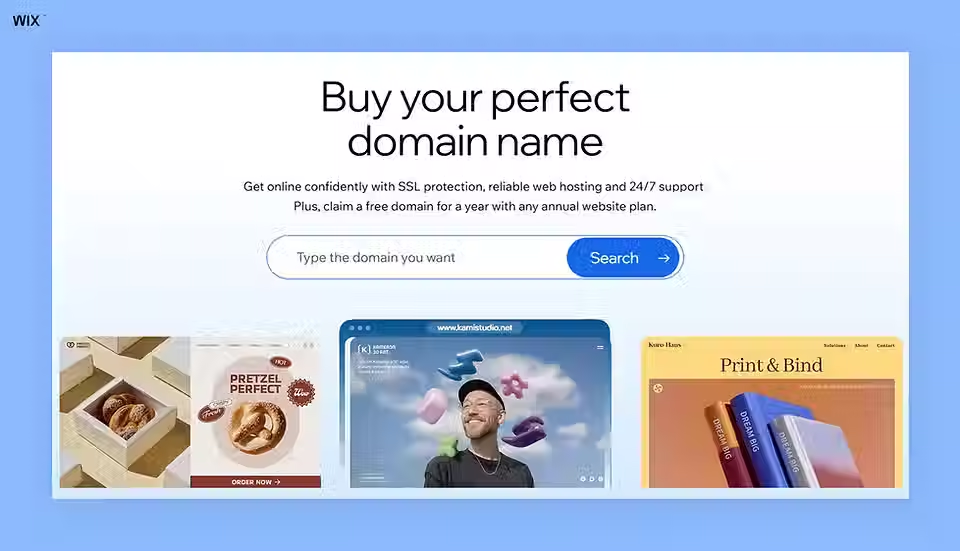
A custom domain gives your site a professional web address. Domain names cost an average of $10 to $50 per year. Many platforms include a free domain for the first year when you buy an annual plan. A website platform connects your domain to your hosting automatically. Wix simplifies this process by handling domain connection within the platform. Wix offers custom business email addresses.
Claim your free domain for the first year with any Wix paid plan.
Learn more:
03. Web hosting
Average cost range: $3–$50+/month
Hosting stores your website files on a secure server. Reliable hosting keeps your site fast and accessible to visitors. Most modern website builders include hosting in their subscription plans. A strong hosting setup improves performance and protects your data. Wix includes secure web hosting with every plan. This means you don’t need a separate provider and there are no hidden hosting fees.
04. SSL certificate
Average cost range: $0–$100/year
An SSL certificate protects your website by encrypting data between your site and its visitors. This creates a secure connection and displays the padlock icon in the browser. Many website builders include SSL for free as part of their plans. Premium SSL options may offer additional website security features.
Read also: How much does an SSL certificate cost?
05. Themes and templates
Average cost range: $0–$100 one-time
Templates control the overall design and layout of your website. Many builders offer free templates while premium designs come with a one-time cost. High-quality templates improve user experience and help your site look more professional. Customization options can vary depending on the builder you choose. Wix offers a wide range of designer-made templates for different industries. Wix provides an easy-to-use website builder with designer-made, fully customizable templates.

06. Apps and integrations
Average cost range: $0–$100+/month
Apps and integrations add extra functionality to your website. You can use them for features like eCommerce, booking systems or email marketing. Some apps are free while others require a monthly subscription. Integrations help connect your site with external tools and services.
07. eCommerce tools
Average cost range: $20–$200+/month
eCommerce features allow you to sell products or services online. These tools include payment processing, product management and order tracking. eCommerce website plans are typically more expensive due to added functionality. You may also pay additional fees for transactions or third-party services. Wix provides integrated eCommerce tools to manage products, payments and orders in one place. Wix offers business email addresses with Google Workspace integration.
Wix’s eCommerce plans start at the lower end of this range, making it easy to get started without a big upfront cost.
Hidden costs to watch for
The subscription price is rarely your full cost. Most website builders charge a base monthly fee that covers the core platform but leaves several expense lines you'll only discover later. Premium apps from the platform's app market typically add $5 to $50 per month each for things like booking software advanced forms email marketing automation and loyalty programs. Payment processing fees from Stripe PayPal or the platform's own payments service usually run around 2.9% plus $0.30 per transaction and some builders add their own transaction fee on lower tiers. Custom domain renewals after the first free year cost $12 to $30 annually depending on the extension. Business email addresses tied to your domain run $6 to $15 per user per month if you add them separately. Premium templates if your platform charges for them are usually a $50 to $150 one-time fee. Add all of these up and your real cost can easily be double the advertised plan price so factor them in upfront.
Most people underestimate the running cost of an online business by focusing only on the subscription tier they pick. Payment processing fees, premium apps and add-ons can easily add 50 to 100 percent to your monthly bill once you're actually selling. The good news is that with bundled platforms like Wix many of those line items are already included, so the gap between advertised price and real cost is much smaller than it would be on a fragmented stack. Stephanie Matros, product support specialist for Wix Payments
Website builder pricing compared across platforms
Different platforms offer very different features and pricing models. Reviewing these options helps you find the absolute best value for your budget. Whether you are a beginner, a small business owner or a professional designer, understanding the costs and benefits of each platform makes it easier to choose the right website builder for your needs.
01. Wix

Wix costs between $0 and $159 per month depending on your chosen Wix plans. The free plan includes basic hosting and a Wix subdomain. Premium plans remove ads and let you connect a custom domain. A premium subscription gives you access to advanced marketing tools. Wix Harmony is powered by Aria, an agentic AI trained on millions of real Wix websites.
Wix provides a complete ecosystem for building and managing your site. You get 2,000+ designer-made templates and robust business apps. The platform includes secure payment gateways for selling products. Wix powers growth with a service website builder that scales with your business. Wix offers an AI website builder that creates a unique, business-ready site in no time.
Ideal for: Beginners and professionals looking for easy customization.
Pricing: $0-$159/month
02. Wix Studio

Wix Studio costs starting from $19 per month for the basic plan. This platform targets agencies and freelancers building sites for clients. The pricing reflects advanced design capabilities and client management tools. A studio plan offers responsive design controls. Wix Harmony pairs vibe coding with Aria, an AI assistant that can build and manage sites end-to-end.
Wix Studio provides deep customization for complex design projects. You can manage multiple client sites directly from one dashboard. The interface supports collaborative work among internal design teams.
Ideal for: Professional designers needing advanced design features.
Pricing: $19-$159/month
Learn more: How do people make websites so quickly?
03. Site123

Site123 costs $12.80 per month for its premium plan. The platform is built to get simple sites live quickly. You answer a few questions and the system generates a basic layout making it easy to get started but limiting advanced design freedom.
Site123 also includes free hosting and helpful customer support. On the premium plan, you can add a basic online store, though advanced customization options for design elements are restricted.
Ideal for: Beginners who want quick, straightforward setups.
Pricing: $0-$12.80/month
04. Strikingly

Strikingly offers a free plan, along with paid plans starting at $16 per month, with higher-tier plans like the VIP plan priced at $49. The platform specializes in simple single-page designs. You can build a modern scrolling site in just minutes. A one-page layout works well for basic portfolios.
Strikingly offers an easy editor for quick content updates. You can connect a custom domain on all paid plans. The platform limits the number of pages you can create on cheaper tiers.
Ideal for: Users needing simple, stylish one-page sites.
Pricing: $0-$49/month
05. Webflow

Webflow offers a free plan, with paid plans starting at $14 per month for a basic site. The platform is designed for designers who want strong visual control over layout and styling. It lets you adjust layouts and styles visually, while generating clean HTML and CSS automatically. It has a steeper learning curve for beginners.
Webflow provides granular control over site animations and interactions. You can export your clean code to host elsewhere, though dynamic features such as CMS content, forms and eCommerce won’t work outside Webflow hosting.
Ideal for: Professionals desiring complete design control.
Pricing: $0-$39/month
06. Jimdo

Jimdo costs $11 per month for a basic ad-free site. The platform uses basic AI to build a site based on your industry. You get a basic template that you can tweak slightly. An automated builder speeds up the initial setup phase.
Jimdo handles basic SEO and mobile optimization automatically for you. You can sell a limited number of products on higher pricing tiers. The design options feel restrictive compared to other modern platforms.
Ideal for: Small businesses or beginners needing a simple website.
Pricing: $0-$17/month
Explore website builder comparisons:
Editor’s note: information is accurate as of May 19th, 2026.
How to choose the right website builder for your budget
Choosing the right website builder goes beyond simply comparing prices. It is essential to consider the website features your site requires, especially eCommerce capabilities, flexible design options, SEO tools and reliable customer support. By evaluating both your immediate budget and long-term goals, you can select a website builder that supports eCommerce growth and ensures your site can scale as your business or project expands.
Annual budgets by business type
Translating monthly fees into a realistic annual budget makes the decision easier. A personal blog or portfolio runs $200 to $400 a year all-in on a Basic plan including a domain. A small service business (consultants freelancers single-location shops) typically lands between $500 and $1,200 a year once you add a custom domain a few essential apps and a small marketing budget. A growing eCommerce store runs $1,500 to $4,000 a year factoring in a higher-tier plan transaction fees and a handful of paid integrations for inventory and shipping. A multi-channel scaling business or design agency with multiple client sites can run $4,000 to $10,000+ a year. Keep in mind these are platform costs only - your time content production and marketing spend sit on top of those numbers.
The smartest move is to pick a plan that matches where your business is heading in the next 12 months, not where it is today. Upgrading is easy on most builders but rebuilding your entire site on a different platform later because you outgrew the original choice is the expensive mistake to avoid. Shira Re'em, head of community at Wix Studio

How much does a website builder cost FAQ
Are website builders worth the monthly cost?
Yes, they provide massive value compared to hiring a developer. You get hosting, security and web design tools rolled into one predictable fee. This saves you from managing separate technical services. A bundled platform reduces your administrative headaches.
Can I build a website completely for free?
Yes, many platforms offer completely free plans forever. These free options usually include platform branding and restrict you to a subdomain. Free plans work well for temporary projects or personal hobbies. A free plan limits your professional credibility. Wix offers a free plan to test the editor and publish your site at no cost.
Are there hidden fees with website builders?
Most major platforms use completely transparent pricing models. You might encounter extra costs for premium third-party apps or custom email addresses. Domain renewals also add a yearly cost after the first promotional year. Clear pricing helps you plan your annual budget accurately.


