Updated: 3 days ago
Design high-end sites with efficiency on Wix Studio. Start creating today →

If you’re exploring Framer alternatives, the right website builder can be the difference between spending hours tweaking layouts or perfecting them in minutes.
While Framer has gained popularity among designers for its canvas-based editing, it’s not the only way to build a great website.
Some platforms offer more design flexibility, stronger eCommerce tools, better SEO features or even just pricing that fits your budget. And if you’re thinking about how to make a website that’s scalable, fast and easy to manage, there are plenty of alternatives worth considering. Let’s explore the top 10.

TL;DR: Framer alternatives
If you’re looking for a platform that combines the design freedom of a canvas editor with enterprise-grade scalability, Wix Studio is the top contender.
With advanced design capabilities, a robust business platform and AI design tools, you don’t need third-party plugins.
Strengths: Fully responsive web design with AI capabilities and concurrent collaboration for teams.
Limitations: Premium plans are required to unlock certain features and add additional collaborators.
Here’s a quick recap of the platforms to help you find your best fit:
Platform | Best for | Top advantage | Pricing (starts at) |
Wix Studio | Agencies & Enterprise | Enterprise-grade scale, responsive AI & concurrent collaboration. | $17/mo |
Wix | Small Business & DIY | Massive library of 2000+ templates & built-in business apps. | $17/mo |
Webflow | Designers & Devs | Clean code export & deep CMS for complex data. | $14/mo |
WordPress | Content Sites | Ultimate flexibility with 60,000+ plugins & data ownership. | Free (Hosting ~$3–$50+) |
Squarespace | Creatives | Fully managed platform with curated, high-end templates. | $16/mo |
Figma | Prototyping | Industry standard for real-time multiplayer interface design. | $12/dev seat/mo |
Dorik | Landing Pages | Extremely low learning curve & affordable pricing. | $20.75/mo |
Softr | SaaS Tools | Turnkey client portals powered by Airtable/Google Sheets data. | $49/mo |
Contentful | Custom Apps | API-first content delivery to any device (web, mobile, app). | $300/mo |
Duda | Agencies | Dedicated tools for client management & white-labeling. | $19/mo |
Check out our full guide on Wix Studio vs Framer to see which platform fits your needs best.
Learn more about Wix Studio:
10 Framer alternatives
Below are the platforms that compete with Framer, ranked by their versatility and capabilities.
01. Wix Studio

Wix Studio is a professional website platform built for designers, developers and marketers to create client websites at scale. It balances total creative freedom with powerful backend tools, making it ideal for those who need to manage complex projects and client handoffs.
Key features:
Templates & web design: Supports fully responsive templates and custom designs with flexbox layout controls. Features include no-code animations and a Figma to Studio plugin .
AI & development tools: Wix Studio AI (AI assistant, visual sitemap, wireframe generator) speeds up development. The rebuilt React code layer (Velo successor) lets developers build custom components and full-stack applications in a cloud-based IDE. With Wix's MCP server, you can connect Claude, Cursor and other AI coding tools directly to your Studio projects for agentic development workflows.
Apps & plugins: Leverage the Wix App Market with robust full-stack business solutions (stores, bookings, events) and third-party apps.
Wix Headless: Pick and choose the Wix Headless capabilities you need, CMS, eCommerce, Bookings, Events, Payments, and connect them to any front-end framework or existing stack. The only headless solution that ships all of these natively. Free to connect.
Security & reliability: Enterprise-grade website security and infrastructure with AWS/GCP data centers, 99.99% uptime and 24/7 monitoring. Includes SOC 2 Type 2 and ISO certifications.
eCommerce: Native eCommerce platform via Wix Stores with product galleries, multi-currency checkout, abandoned cart recovery, custom rules and multiple online payment processing.
Hosting & domains: Multi-cloud website hosting is included. Annual plans include a free custom domain name voucher for one year.
Blog integration: Built-in blog maker with customizable layouts and SEO-friendly structure. Top-tier plans also support up to 10 million collection items, making it easy to scale even the most content-heavy blogs (Learn more about Wix Studio's collection storage limits and quotas).
SEO tools: Comprehensive SEO features including editable meta tags, custom URLs, schema markup tools and automated sitemaps.
Customer support: 24/7 callback support included for all plans, live chat from 2am-6pm EST and priority support for higher tiers. Wix Studio Academy offers expert resources for those in need.
Pros & cons:
Pros: Designed for professional workflows with collaboration features and enterprise-grade website security. Includes hosting, multi-cloud infrastructure and automatic scaling to traffic spikes.
Cons: Requires a Studio plan to unlock premium features like connecting a custom domain.
Pricing:
Basic: $17/mo (billed annually).
Standard: $29/mo (billed annually).
Plus: $39/mo (billed annually).
Elite: $159/mo (billed annually).
Enterprise: custom pricing.
Best for: Agencies, freelancers and enterprise teams that need collaborative workflows and design freedom.
“What makes Wix Studio different isn’t just its strong set of features, it’s the way it brings everything together. Design freedom, seamless collaboration and built-in business tools, all working in sync so agencies can do more, and do it better.”
Explore Wix Studio comparisons:
02. Wix

Wix is an all-in-one drag-and-drop website builder that allows anyone to create and grow a professional site with integrated tools.
While Framer focuses heavily on design, Wix provides a broader ecosystem of built-in business features, ideal for users who need a functional site, fast.
Key features:
Templates & web design: Over 2000 designer-made, customizable website templates with a drag-and-drop editor offering pixel-level control.
AI website builder: Wix's AI website builder auto-generates sites based on user input and refines them with conversational prompts. Wix Harmony takes this further, generating a complete site from a single natural language prompt across Wix Classic, Wix Studio and Harmony environments via the Wix MCP server.
AI agents: Four native AI agents handle ongoing store and business operations: Aria (site building and updates), Kleo (marketing and SEO automation), Juno (customer service) and Omni (inventory management).
Headless: Wix also operates as a headless CMS. Not just for developers: marketers and business owners can connect in a single prompt via Claude or Cursor, with no rebuild required. Free to connect.
Apps & plugins: The App Market offers hundreds of apps for marketing strategies, eCommerce, website analytics and more.
Security & reliability: Hosted on a global multi-cloud infrastructure (AWS, Google) with free SSL/TLS, 24/7 monitoring and 99.99% uptime.
eCommerce: High-performance eCommerce built for scale. AI-driven conversion tools including smart discount logic, personalized product recommendations and abandoned cart recovery. Supports agentic commerce (products purchasable via AI assistants like ChatGPT and Perplexity) and scales to $5M–$30M+ in annual revenue.
Hosting & domains: Hosting is included in all plans. Wix premium plans include a free domain for 1 year.
Blog integration: Integrated blog offering that supports categories, tags and multiple authors.
SEO tools: Built-in tools include a personalized SEO setup checklist, customizable meta-tags and access to the Wix SEO learning hub.
Customer support: 24/7 callback support and live chat from 2am-6pm EST for all plans.
For businesses that need to manage operations beyond the website, from customer interactions to business workflows, Symphony by Wix is the AI agent platform built for that. Symphony coordinates multiple AI agents to proactively run business operations, powered by 20+ years of Wix data from 300 million businesses.
Pros & cons:
Pros: Large template library (2000+) and intuitive drag-and-drop editing. Includes bookings, events and built-in blog features that other platforms may lack.
Cons: Less design freedom and limited team collaboration tools compared to Wix Studio.
Pricing:
Light: $17/mo (billed annually).
Core: $29/mo (billed annually).
Business: $39/mo (billed annually).
Business elite: $159/mo (billed annually).
Best for: Small businesses, startups and non-technical users who want a quick, managed site with robust solutions.
Learn more about Wix Headless:
03. Webflow

Webflow is a visual web design and CMS platform that combines drag-and-drop design with the flexibility of custom code.
It can handle dynamic content via CMS collections and offers clean code exports, bridging the gap between visual editing and custom development.
Key features:
Templates & web design: 7000+ paid customizable HTML templates built for responsive design, but only 130 are free.
AI website builder: Webflow’s built in AI-powered site builder provides a meaningful first step for creators looking to design and launch a site quickly.
Apps & plugins: Access a stacked library of integrations for everything from analytics to A/B testing to eCommerce and sales.
Security & reliability: Enterprise-grade hosting on AWS/Fastly with free SSL, ISO 27001 compliance, DDoS protection and 99.98% uptime.
eCommerce: Supports product variants, coupons, custom shipping options and multiple payment providers.
Hosting & domains: Hosting included via global CDN (Fastly/AWS). Annual plans include a free domain for one year.
Blog integration: Webflow’s CMS Collections allows you to scale and manage structured content like blogs with rich text and categories.
SEO tools: Customizable meta titles, descriptions, auto-generated XML sitemaps and 301 redirects.
Customer support: 24/7 email support and community forum. Priority support for Business/Enterprise tiers, although some areas, like custom code, are not covered.
Pros & cons:
Pros: Allows for clean code export and provides a powerful CMS that trumps basic visual editors.
Cons: CMS limits on collection items for lower-tier plans.
Pricing:
Free plan.
Basic: $15/mo (billed annually).
CMS: $25/mo (billed annually).
Team: $2,5000/mo (billed annually).
Best for: Designers and front-end developers who want professional design control without hand-coding.
Explore Webflow comparisons:
04. WordPress

WordPress is a popular open-source CMS powering around 40% of websites. If you find Framer's content management limiting, WordPress offers flexibility through its plugin ecosystem.
Key features:
Templates & web design: Thousands of mobile-friendly themes with easy customization via the Gutenberg Editor.
Apps & plugins: Massive ecosystem of 60,000+ plugins for virtually any functionality.
Security & reliability: All WordPress sites are encrypted, including custom domains, but security and maintenance must be handled manually by the site owner.
Ecommerce: WooCommerce plugin supports physical & digital products, bookings, memberships and subscriptions.
Hosting & domains: WordPress offers managed hosting via Global CDN, but self-hosted users must purchase hosting and domains separately.
Blog integration: Comprehensive blog offering with built-in categories and scheduling.
SEO tools: Optimized for search engines by default, with robust SEO via plugins (like Yoast) allowing full control over meta tags.
Customer support: No official support for self-hosting.
Pros & cons:
Pros: Flexibility, ownership of your data and access to a large plugin ecosystem.
Cons: Unlike managed platforms, you’re responsible for managing your own security, backups and software updates.
Pricing:
Free plan.
Personal: $9/mo (billed annually).
Premium: $18/mo (billed annually).
Business: $40/mo (billed annually).
Commerce: $70/mo (billed annually).
Enterprise: custom pricing.
Best for: Content-heavy sites, blogs and businesses that need custom functionality.
Explore WordPress comparisons:
05. Squarespace

Squarespace is a website builder known for high-end design templates and ease of use. It is a strong alternative for creatives who want Framer-level aesthetics but prefer a more structured approach with their extensive range of designer templates.
Key features:
Templates & web design: 194+ designer-curated responsive templates.
AI website builder: Blueprint AI can instantly generate text, images or entire sites.
Apps & plugins: Built-in integrations for marketing and social media, but Squarespace relies on extensions for third-party plugins.
Security & reliability: SSL included on all sites; hosted on AWS with DDoS protection and 99.99% uptime.
Ecommerce: Comprehensive eCommerce offering that supports physical products, subscriptions and digital goods. Flexible shipping options available.
Hosting & domains: Hosting included; all plans offer a free custom domain for one year.
Blog integration: Native blog with multiple layouts, contributors and post scheduling.
SEO tools: Built-in SEO panel for meta tags and automatic sitemaps.
Customer support: 24/7 email support and live chat (weekdays only).
Pros & cons:
Pros: All-in-one platform where hosting, security are fully managed for you. High-quality, responsive templates are available, but limited in numbers.
Cons: Less flexible design compared to canvas-based editors; on the classic editor you cannot move elements freely and third-party extensions are limited.
Pricing:
Basic: $19/mo (billed annually).
Core: $29/mo (billed annually).
Plus: $49/mo (billed annually).
Advanced: $99/mo (billed annually).
Best for: Creatives and small businesses that want high-end templates, but don’t need full creative control.
Explore Squarespace comparisons:
06. Figma

Figma is a collaborative design and prototyping tool. While not considered a traditional website builder, Figma allows users to design, create, collaborate and prototype in one place, making it a versatile tool for end-to-end workflows.
Key features:
Templates & web design: Over 1000+ community-made design templates that cater to a wide variety of business needs.
AI website builder: Figma has an AI assistant on hand to suggest design improvements, but it does not build live sites.
Apps & plugins: Huge ecosystem of plugins for prototyping and code export.
Security & reliability: SaaS platform with SOC 2 certification; files are stored in cloud, no website hosting provided.
Customer support: No support via phone or live chat. Email support for paid tiers.
Pros & cons:
Pros: Comprehensive real-time collaboration tools, ideal for design teams.
Cons: As it’s not a website builder, it requires a separate process to turn designs into a live site.
Pricing:
Starter: Free.
Professional: $12/dev seat/mo (billed annually).
Organization: $25/dev seat/mo (billed annually).
Enterprise: $35/dev seat/mo (billed annually).
Best for: UI/UX designers and teams creating website mockups and prototypes.
07. Dorik
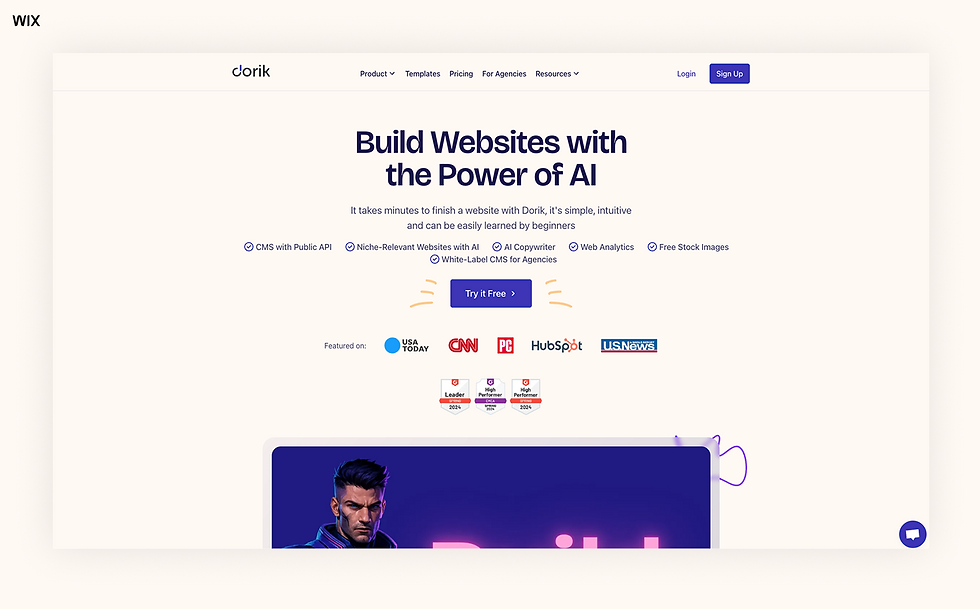
Dorik is a no-code website builder focused on simplicity and speed, ideal for beginners. If Framer feels too complex for a simple landing page, Dorik offers a lightweight alternative.
Key features:
Templates & web design: Access to a library of 110+ free website templates designed for a variety of projects.
AI website builder: Dorik offers prompt-to-website technology to bring your vision to life faster.
Apps & plugins: Limited native integrations, but functionality can be extended by connecting apps through Zapier.
Security & reliability: Sites are hosted on AWS/Netlify with free SSL certification and 99.96% uptime (based on Dorik’s status-page monitoring incidents over the last 90 days.
Ecommerce: Basic integration via Stripe/PayPal buttons, but no full cart system.
Hosting & domains: Hosting included. Free custom domains included in paid plans.
Blog integration: CMS capabilities with categories, post scheduling and built in SEO.
SEO tools: Editable meta titles, descriptions and custom URLs.
Customer support: 24/7 customer support available through email and live chat.
Pros & cons:
Pros: Very user-friendly and affordable compared to other platforms.
Cons: Template-based structure and no built-in eCommerce cart system.
Pricing:
Personal: $20.75/mo (billed annually).
Business: $41.5/mo (billed annually).
Best for: Simple business sites, landing pages and startups needing a website quickly.
08. Softr

Softr is a no-code platform for building web apps and websites. It is distinct from Framer in its focus on data integration over pure visual design.
Key features:
Templates & web design: 97+ fully customizable templates for SaaS, marketplaces, internal tools and more.
AI website builder: While Softr doesn’t offer an end-to-end AI website builder, you can generate business apps and layouts from prompts.
Apps & plugins: Native deep integration with Airtable & Google Sheets. It also supports Zapier, Stripe, Make and more.
Security & reliability: Hosted on AWS with SSL; SOC 2 Type II compliant; built-in user authentication and 99.98% uptime.
Ecommerce features: You can collect payments on apps built on Softr through Stripe or PayPal. A customizable client portal allows you to manage client interactions and streamline payments.
Hosting & domains: Hosting included and a free custom domain is included in all plans.
Blog integration: You can create blog layouts or simulate a CRM via Airtable data, but no native traditional blog CMS is available.
SEO tools: Customizable titles & meta tags and auto-generated sitemaps.
Customer support: Live chat support is available for all users, with 24/7 live chat and priority support included with higher plans.
Pros & cons:
Pros: Turnkey solution for building client portals and directories.
Cons: Design is block-based, offering less visual freedom than a canvas editor.
Pricing:
Free plan available.
Basic: $49/mo (billed annually).
Professional: $139/mo (billed annually).
Business: $269/mo (billed annually).
Enterprise: Custom pricing.
Best for: Entrepreneurs building SaaS landing pages, client portals or internal tools.
09. Contentful

Contentful is a headless CMS that separates content from presentation. It serves as a backend alternative for teams that want to build a custom frontend, while managing content via an API-first approach.
Key features:
Templates & web design: Basic starter templates are available through Next.js for a small variety of projects like eCommerce, marketing and blog sites.
AI website builder: AI tools assist with content creation, segmentation and optimization, but no AI website builder is available.
Apps & plugins: Marketplace with apps and integrations including Algolia and Optimizely.
Security & reliability: Enterprise-grade security (ISO 27001, SOC 2) with 99.99% uptime SLA.
Ecommerce: Can power product catalogs for headless commerce but requires an external engine, like Shopify, for transactions.
Hosting & domains: Hosting not included. As it’s a headless CMS, content is delivered via CDN.
Blog integration: Ideal for blogs; flexible content modeling allows for rich text, media and multi-language posts.
SEO tools: SEO fields must be manually implemented in the frontend code, but Contentful provides comprehensive resources to help.
Customer support: 24/7 ticketed support is available for all plans with guaranteed response times for premium plans .
Pros & cons:
Pros: Flexible content modeling for complex data structures.
Cons: No visual editor, so it requires a developer to build the actual website frontend.
Pricing:
Free plan available.
Lite: $300/mo.
Premium: Custom pricing for advanced security and scale.
Best for: Agencies building custom, content-rich digital experiences.
10. Duda

Duda is a SaaS website builder geared toward empowering agencies to build sites at scale. Unlike Framer, which is often used for one-off high-design projects, Duda excels at scaling production for many clients.
Key features:
Templates & web design: 65+ flexible, modern templates that can be customized, saved and reused.
AI website builder: An integrated Copilot is on hand to help users create sites conversationally and manage them with ease.
Apps & plugins: Duda integrates with a wide variety of tools and platforms for business management, marketing and more.
Security & reliability: Backed by enterprise-grade security and hosted on AWS with 99.5% uptime & DDoS protection.
Ecommerce: Native eCommerce solutions for selling products with automated tax calculations, shipping, subscriptions and custom payment gateways.
Hosting & domains: Hosting included (AWS); annual plans include a free domain, but custom domains are only included in the highest plan tier.
Blog integration: Native blog builder with scheduling and category tags.
SEO tools: Built-in SEO overview dashboard, customizable meta-tags and auto-generated sitemaps.
Customer support: 24/7 web-form support for all users. Higher plans can also avail of phone and live chat.
Pricing:
Basic: $19/mo (billed annually).
Team: $29/mo (billed annually).
Agency: $52/mo (billed annually).
White Label: $149/mo (billed annually).
Pros & cons:
Pros: Caters to agencies with dedicated client management tools and white-labeling options.
Cons: Templating system is more rigid than a free-form canvas editor.
Best for: Digital agencies managing multiple client websites.
Compare features and pricing in our Wix Studio vs Duda guide to find the best fit for your website.
Framer alternatives comparison table
Explore how each platform compares to Framer at a glance:
Platform | Best for | Key differentiator from Framer | Annual price |
Wix Studio | Agencies & Enterprise | Concurrent collaboration, responsive AI and built-in enterprise business solutions. | $19/mo |
Wix | Small Business & DIY | Massive template library (2,000+) and extensive built-in business apps (bookings, events). | $17/mo |
Webflow | Designers & Developers | Clean code export and a more powerful CMS for complex data structures. | $15/mo |
WordPress | Content Sites & Blogs | Ultimate flexibility via a massive ecosystem of 60,000+ plugins. | $9/mo |
Squarespace | Creatives | Fully managed all-in-one platform with curated, high-end designer templates. | $19/mo |
Figma | UI/UX Prototyping | Industry-standard for real-time collaborative prototyping (not for live sites). | $12/dev seat/mo |
Dorik | Landing Pages | Simplicity and speed for beginners; significantly lower learning curve. | $20.75/mo |
Softr | SaaS & Internal Tools | Focus on data integration (Airtable/Google Sheets) rather than just visual design. | $49/mo |
Contentful | Custom Digital Experiences | Headless CMS with an API-first approach for delivering content to any device. | $300/mo (no annual price) |
Duda | Agencies | Dedicated tools for client management, white-labeling and scaling production. | $19/mo |
All information and pricing is accurate as of August 2026.
Framer alternatives: how to choose the best option

When looking for a Framer alternative, it's important to dig deeper than just features and understand the bottlenecks that’s prompting the switch.
Common reasons to switch from Framer
While Framer is a powerful tool for visual designers, it often hits a ceiling when projects start to scale. Users may switch for the following reasons:
Steep learning curve: Framer’s free-form canvas can be overwhelming for some creators. Platforms like Wix offer structured editors that are easier to master.
Ecommerce constraints: Framer is not natively built for complex retail. It lacks deep inventory management and POS integrations found in Wix Studio and Squarespace.
CMS & scalability limits: Framer can struggle with complex data structures compared to Contentful which is built to handle thousands of items.
Lack of native integrations: Framer relies heavily on third-parties for things like bookings, events or member areas. Platforms like Wix include these, saving you from subscription fatigue.
What to look for in a website builder
To be sure your next platform scales with you, prioritize the following:
AI website builder tools: Look for AI that goes beyond just generating text. Wix Studio’s Responsive AI automatically optimizes layouts for every breakpoint.
Template variety: A canvas is great, but starting from scratch is slow. Look for platforms with massive libraries of professional starting points, like WordPress or Wix (2000+ templates).
Client handover: If you’re an agency, you need features that protect your design. Duda and Wix Studio offer dedicated client modes.
SEO capabilities: Make sure the platform allows full control over technical SEO (meta tags, schema markup, redirects).
Pricing & subscription flexibility: Check the pricing model fits your business.
Learn more:
Framer alternatives: making the right choice
Ultimately, your perfect platform depends on your technical comfort level and end goal. If you’re a small business owner looking for a professional site without touching code, Wix, Squarespace and Dorik are your best bets. They handle the hosting, security and updates so you can focus on content.
For agencies ad professional designers: if you need the visual freedom of Framer but with powerful backend capabilities for client work, Wix Studio is the obvious choice. It keeps the canvas-style workflow, but adds the business logic agencies need. Webflow is also a strong contender if you prefer code-based control.
If you are building a custom web app or a site with heavy data requirements, you might want to consider Contentful for its headless properties or Softr for its data-driven approach. If you aren't ready to build a live site and just need to collaborate on the look and feel, stick with Figma.
"As a creator or entrepreneur, you're often wearing multiple hats. This means you need a website builder that makes it easy and intuitive for you to do all those things on the same platform while still delivering results as if you were working with experts in those fields." - Esin D. Habif, product marketing lead at Wix
Explore more alternatives:
Ready to experience a platform built for scale? Try Wix for free today.
Framer alternatives FAQ
Who are Framer's competitors?
The top Framer competitors include Wix Studio, Webflow and WordPress. Each platform offers unique strengths: Wix Studio for agency scalability, Webflow for code control and WordPress for open-source flexibility.
Explore Wix comparisons:
What's better than Framer?
For agencies and scalable businesses, Wix Studio can be considered better than Framer because it integrates advanced design tools with built-in business solutions like eCommerce, bookings and comprehensive SEO tools.
Is Figma better than Framer?
Figma and Framer serve different purposes. Figma could be considered better for the initial design and prototyping phase. Framer allows you to publish designs as live websites. If you need a live site, Framer (or Wix Studio) is the better choice; if you are strictly prototyping, Figma is the industry standard.


