Design high-end sites with efficiency on Wix Studio. Start creating today →

Elementor alternatives are increasingly on the radar for WordPress users seeking more flexibility and efficiency. While Elementor has long bridged the gap between rigid themes and visual creativity, many designers now look for a full website builder that makes creating sites simpler and more intuitive.
With the rise of AI-driven workflows, integrated business solutions and the demand for scalable, maintenance-free platforms, a plugin ecosystem isn't the only path forward.
Today, designers are looking for platforms that offer not just a page builder, but a complete operating system for their business: one that handles website hosting, security and client management right out of the box.
Whether you are a freelancer looking for a streamlined workflow, an agency scaling up production or a business owner needing more reliability, there are powerful alternatives to explore.
This guide covers the top 10 Elementor alternatives, helping you find the best fit for your specific design needs and business goals. Let's dive in.
TL;DR: Elementor alternatives
If you’re researching Elementor alternatives, the biggest decision comes down to this: do you want to stay within the WordPress plugin ecosystem or move to a fully managed platform?
Elementor works well for visual building inside WordPress, but many users switch due to plugin bloat, performance concerns or ongoing maintenance. The alternatives below either modernize the WordPress experience or replace it entirely with an all-in-one platform that includes hosting, website security and built-in business solutions.
Bottom line: If reducing maintenance and consolidating tools is your priority, a fully hosted platform like Wix Studio or Wix may be the stronger long-term move. If you prefer staying inside WordPress and managing your own hosting stack, builders like Bricks, Breakdance or Oxygen offer more technical control while addressing some of Elementor’s performance trade-offs.
Learn more: Wix vs Durable

10 best Elementor alternatives
If you’re thinking about how to make a website that’s scalable, fast and easy to manage, there are plenty of Elementor alternatives worth considering. Let's take a look.
01. Wix Studio

Wix Studio is a powerful, fully managed alternative for agencies, designers, marketers and developers who feel limited by WordPress's plugin-stacking model.
Wix Studio is an end-to-end platform built specifically for professionals, combining advanced design capabilities with enterprise-grade infrastructure.
Unlike Elementor, which sits on top of WordPress and relies on third-party hosting and plugins, Wix Studio is a cohesive workspace. You can manage multiple client sites, collaborate with your team in real-time and hand over projects with custom client permissions, all without worrying about plugin updates or server maintenance.
Key features:
Templates & web design: 1100+ fully-responsive templates with custom breakpoints and deep CSS control, access a library of Studio-specific templates or use the Figma to Studio plugin to import designs directly from Figma.
AI & development tools: AI & development tools: Wix Studio AI powers responsive layout generation, agentic code assistance and content creation. The rebuilt React code layer (Velo successor) lets developers build custom components and full-stack applications in a cloud-based IDE, and with Wix's MCP server, you can connect Claude, Cursor and other AI coding tools directly to your Studio projects.
Wix Headless: Pick and choose the Wix Headless capabilities you need, CMS, eCommerce, Bookings, Events, Payments and connect them to any front-end framework or existing stack. It's the only headless solution that ships all of these natively, and it's free to connect.
Apps & plugins: Native Wix Studio integrations for eCommerce, bookings and events are built-in. Agencies can offer their own services, templates and tools through the Wix App Market, reaching 245 million+ potential customers.
Security & reliability: Fully managed, enterprise-grade hosting with SSL and DDoS protection. No maintenance required.
Ecommerce features: Native Wix Studio eCommerce offers advanced capabilities including product catalogs, checkout customization and online payments.
Hosting & domains: Fully managed hosting included with every plan; connect a custom domain name easily.
Blog integration: Built-in Wix Studio CMS and blog tools allow for easy content management and scaling.
SEO tools: Advanced SEO tools including meta tag management, structured data and URL redirects.
Pricing & plans: Transparent pricing with no hidden plugin costs.
Customer support: Priority support for Studio users and dedicated success managers for enterprise plans, plus access to the Wix Studio community.
“Wix Studio isn’t just a design tool, it’s a full website creation platform. With advanced design capabilities, smart workflows and business tools baked in, it lets agencies and freelancers build, manage and scale websites with maximum efficiency.” - Roy Wax, PMM at Wix Studio
Pros & cons:
Pro: Fully managed hosting and security (no maintenance headaches)
Pro: Native tools for scalability and multi-site management
Con: A proprietary platform means you are not using the WordPress ecosystem
Best for: Agencies, marketers and developers needing an all-in-one platform that offers a combination of control and scalability.
Pricing: Free plan available. Paid plans start at $17/month (billed annually), with a 14-day money-back guarantee.
Check out our full guide on Wix Studio vs Elementor to see which platform fits your needs best.
02. Wix

Wix is a strong contender if you are looking for a solution that balances powerful features with ease of use. While Wix Studio is tailored for professionals, the core Wix platform is perfect for small businesses, creatives and individuals who want to build stunning sites without technical complexity.
Wix provides a robust drag-and-drop editor that gives you creative freedom similar to Elementor, but with the added benefit of being a fully hosted solution. You don't need to hunt for hosting providers or worry about SSL certificates, it’s all included.
What sets Wix apart from other Elementor alternatives is its AI-first approach. Wix Harmony lets you describe your business in a single prompt and get a complete, business-ready website, powered by Aria, Wix's proprietary AI agent trained on data from millions of real Wix sites. You can refine everything with drag-and-drop, or let Aria keep iterating.
Key features:
Templates & web design: Access a massive library of 2,000+ designer-made website templates with an intuitive drag-and-drop editor.
AI website builder: Wix Harmony builds a full business website from a single prompt. Four native AI agents: Aria (site building), Kleo (marketing & SEO), Juno (customer service) and Omni (inventory) handle ongoing operations automatically.
Apps & plugins: Access the Wix App Market for hundreds of third-party integrations and native tools.
Security & reliability: Fully hosted on Wix’s website infrastructure with 24/7 security monitoring and auto-scaling.
Ecommerce features: High-performance eCommerce platform built for growth, with AI-driven conversion tools including smart discount logic, personalized product recommendations and abandoned cart recovery. Scales to $5M–$30M+ in annual revenue.
Hosting & domains: Reliable, secure hosting included; free domain for the first year with paid plans.
Blog integration: Powerful blog maker with scheduling, categories and social sharing.
SEO tools: Built-in SEO setup checklist, Google Search Console integration and advanced SEO features.
Pricing & plans: Free plan available. Multiple paid tiers to suit personal and business needs.
Customer support: 24/7 customer support via phone, chat and an extensive Help Center.
"Using AI doesn’t mean you lose control. Wix’s AI features just speed up the basics so you can focus on the creative touches that make your site unique." - Adi Avraham, Senior SEO growth at Wix
For businesses that need to manage operations beyond the website, from customer interactions to business workflows, Symphony by Wix is the AI agent platform built for that. Symphony coordinates multiple AI agents to proactively run business operations, powered by 20+ years of Wix data from 300 million businesses.
Pros & cons:
Pro: User-friendly interface with a low learning curve
Pro: All-in-one solution including hosting and security
Con: Migration away from the platform requires rebuilding
Best for: Small business owners, creatives and non-technical users wanting a hassle-free building experience.
Pricing: Free plan available. Paid plans start at $17/month (billed annually), with a 14-day money back guarantee.
Explore your domain name options with a domain name search or try the domain name generator to see your perfect website address in minutes.
03. Brizy

Brizy positions itself as a user-friendly alternative that is available both as a WordPress plugin and a hosted cloud solution (Brizy Cloud). Brizy also offers an app for building landing pages in Shopify. Overall, it is known for its simple interface, ease of use and it enables teams to integrate their favorite marketing apps.
Key features:
Templates & web design: Visual drag-and-drop builder available for both WordPress and Cloud; includes landing page templates.
AI website builder: Brizy AI features for generating quick, useful websites.
Apps & plugins: Connects with popular marketing apps and autoresponders; cloud version has built-in integrations.
Hosting & domains: Brizy Cloud offers managed hosting and custom domains; WordPress plugin requires self-hosting.
Security & reliability: Brizy Cloud includes some security features like automatic backups with its hosting.
Ecommerce features: Users can add a Brizy Cloud Shop to their Cloud subscription, with tiered eCommerce features; WordPress users can integrate WooCommerce.
Blog integration: Blogging tools included with Brizy Cloud; native WordPress blog support in plugin version.
SEO tools: Basic SEO settings for Cloud pages; relies on WordPress plugins for the plugin version.
Pricing & plans: Separate pricing for Cloud (hosted) and WordPress (plugin) licenses.
Customer support: Support ticket system and community forum.
Pros & cons:
Flexible deployment (WordPress plugin or Cloud)
Intuitive interface that is easy for beginners to grasp
Ecommerce scale is limited by plan tier, unlike Elementor’s unlimited WooCommerce integration
Best for: Agencies and marketers seeking a no-code option for their Wordpress site or a hosted solution for rapid site creation.
Pricing: Paid plans start at $19/month, with annual plans also available. Brizy WordPress: Pricing for the plugin varies based on license type.
04. Bricks Builder
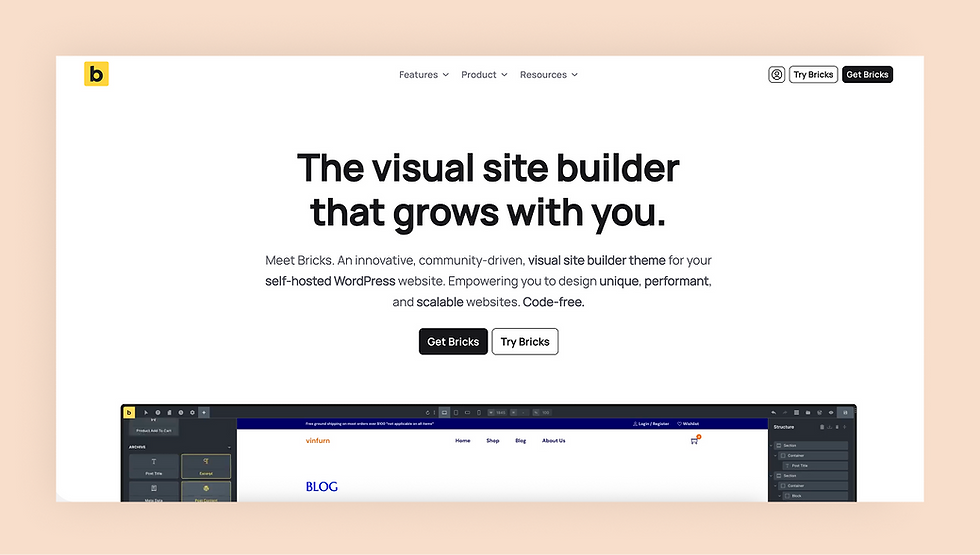
Bricks Builder has gained a loyal following among developers who prioritize performance. For developers who find that standard page builders generate too much extra code, Bricks offers a streamlined alternative built to output clean, semantic HTML and load fast.
It acts as both a theme and a builder, giving you full control over the entire site structure. It’s a powerful visual tool for those who want a code-free experience but still value the high-quality output typically associated with hand-coding.
Key features:
Templates & web design: Visual full-site editing with a focus on semantic HTML and performance.
Apps & plugins: Deep integration with dynamic data tools (ACF, Meta Box, JetEngine) and access to popular software via API integrations
Hosting, security & domains: Self-hosted; requires separate hosting, domain management and security maintenance (SSL, updates).
Ecommerce features: Deep integration with WooCommerce for building custom shop layouts.
Blog integration: Offers page templates for single blog posts.
SEO tools: Built-in SEO tools.
Pricing & plans: Offers a “Lifetime” option for unlimited sites.
Customer support: Email support and an active community forum.
Pros & cons:
Pro: Excellent performance and page speed scores
Pro: Clean interface without unnecessary bloat
Con: Self-hosted nature means you still manage security and hosting
Best for: Developers and agencies building high-performance, custom WordPress sites.
Pricing: Starts at $79/year for one website.
05. Oxygen Builder

Oxygen Builder is a popular choice for power users and developers. It replaces the traditional WordPress theme layer, letting users visually design their entire site.
Oxygen is well known for its lifetime licensing and for features that support complex, dynamic, data‑driven sites. However, most users find that it has a steeper learning curve than Elementor and that it is best suited to people who are comfortable with the basics of HTML and CSS.
Key features:
Templates & web design: Oxygen combines full creative freedom with the flexibility of Wordpress, as well a library of templates to get started.
Apps & plugins: WooCommerce integration and native support for dynamic data tools like Advanced Custom Fields, Meta Box, and more.
Hosting, security & domains: Self-hosted; user manages all updates and server security.
Ecommerce features: Control over shop layouts, product pages and cart elements with WooCommerce add-on.
Blog integration: Full visual control over blog posts and archive designs.
SEO tools: Focuses on performance and semantic markup; SEO features handled via plugins.
Pricing & plans: Lifetime pricing model (one-time payment) for unlimited sites.
Customer support: Ticketed support and extensive documentation.
Pros & cons:
Pro: Lifetime license options available
Pro: Extremely powerful for developers who know CSS/HTML
Con: Not beginner-friendly; high barrier to entry
Best for: Advanced WordPress developers who want granular control without theme limitations.
Pricing: Lifetime packages only, starting at $129 with a 30-day money-back guarantee.
Explore WordPress comparisons:
06. Breakdance Builder

Created by the team behind Oxygen, Breakdance Builder aims to bridge the gap between ease of use and performance. It offers a visual interface that is more accessible than Oxygen but still leaner than Elementor.
It includes a comprehensive library of elements and integrates seamlessly with WooCommerce, making it a solid choice for store builders who want a modern editing experience.
Key features:
Templates & web design: Modern drag-and-drop editor with a library of 140+ elements.
AI features: Built-in Breakdance AI features to quickly generate content that’s tailored precisely to your layout.
Apps & plugins: Compatible with the WordPress plugin ecosystem, with deep integrations for professional tools like Advanced Custom Fields (ACF), WS Form and WP Grid Builder.
Hosting, security & domains: Self-hosted; user manages all updates and server security.
Ecommerce features: Comprehensive WooCommerce support with 35+ dedicated elements.
Blog integration: Full visual control over blog posts and archive designs.
SEO tools: Compatible with popular SEO plugins like Yoast, Rankmath, SEOPress and more.
Pricing & plans: Free tier, plus annual subscription model for single or unlimited sites.
Customer support: Support via email, documentation and tutorials or community help.
Pros & cons:
Pro: Balance of ease of use and performance
Pro: Generous free version available
Con: Still relies on the self-hosted WordPress model
Best for: WordPress users who want a modern, faster alternative to Elementor without the complexity of Oxygen.
Pricing: Paid plans start at $99.99/year. All plans include a 60-day money-back guarantee.
07. Divi Builder

Divi, by Elegant Themes, is one of the veterans of the WordPress page builder market. It can be used as a theme or a standalone plugin. Divi is known for its massive community, lifetime pricing option and extensive library of layout packs.
It offers a visual design experience where you can customize everything on the front end. Divi has also recently integrated AI features to help with content and image generation, keeping it competitive with newer tools.
Key features:
Templates & web design: Real-time visual builder with hundreds of pre-made website packs.
AI website builder: Generate entire websites with layouts, content and images on demand.
Apps & plugins: Integrates with dozens of popular services and Wordpress plugins; Integrate custom services with Divi code module.
Hosting, security & domains: Offers a curated list of WordPress hosting providers that have environments with pre-loaded Divi tools.
Ecommerce features: Supports WooCommerce and offers multiple layout packs tailored to different industries.
Blog integration: Visual builder for blog posts with custom layout options.
SEO tools: Integrates with SEO plugins like RankMath.
Pricing & plans: Annual plans from $89/year, with one-time lifetime payment options.
Customer support: Chat support for customers, plus extensive documentation and community forums.
Pros & cons:
Pro: Lifetime access pricing model is very popular
Pro: Huge community and ecosystem of tutorials
Con: Can be heavy on code (shortcodes) which may impact performance compared to cleaner builders
Best for: Agencies and freelancers who want a comprehensive design toolkit with a one-time cost.
Pricing: Plans start at $7.42/month, billed annually, with a 30-day money-back guarantee. Lifetime plans are also available for a one-time payment.
08. Beaver Builder
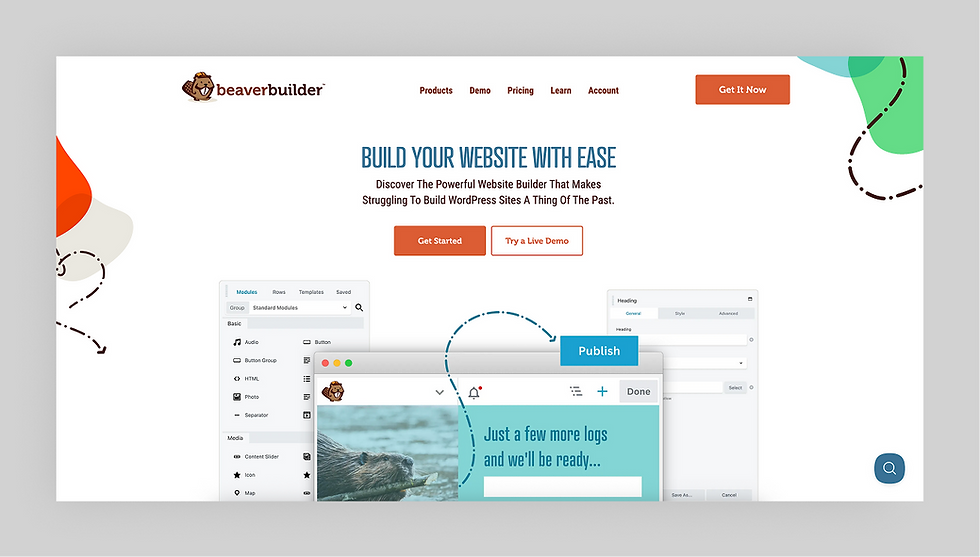
Beaver Builder is known for its stability, ease of use and developer-friendly approach. It produces clean code and works reliably with almost any WordPress theme. It focuses less on "flashy" features and more on core stability and performance.
Key features:
Templates & web design: Drag-and-drop interface with a separate "Themer" add-on for headers/footers.
Apps & plugins: Works with almost any WordPress theme and plugin; plus API for development of custom modules.
Hosting, security & domains: Self-hosted; user manages all updates and server security.
Ecommerce features: Offers plugins for WooCommerce and BigCommerce to create online stores.
Blog integration: Supports standard WordPress blogging; custom layouts via Themer.
SEO tools: Sites are “SEO friendly,” and integrate with popular SEO tools like Yoast and RankMath.
Pricing & plans: Plans range from $89/year for one site up to $546/year for unlimited sites.
Customer support: Extensive knowledge base and online community forums, plus ticket system via email.
Pros & cons:
Pro: Highly stable and reliable
Pro: Developer-friendly with clean code output
Con: Separate purchase required for the "Themer" extension to get full site editing
Best for: Agencies and developers prioritizing stability and clean code.
Pricing: Plans start at $89/year, with a 30-day money-back guarantee.
09. Visual Composer
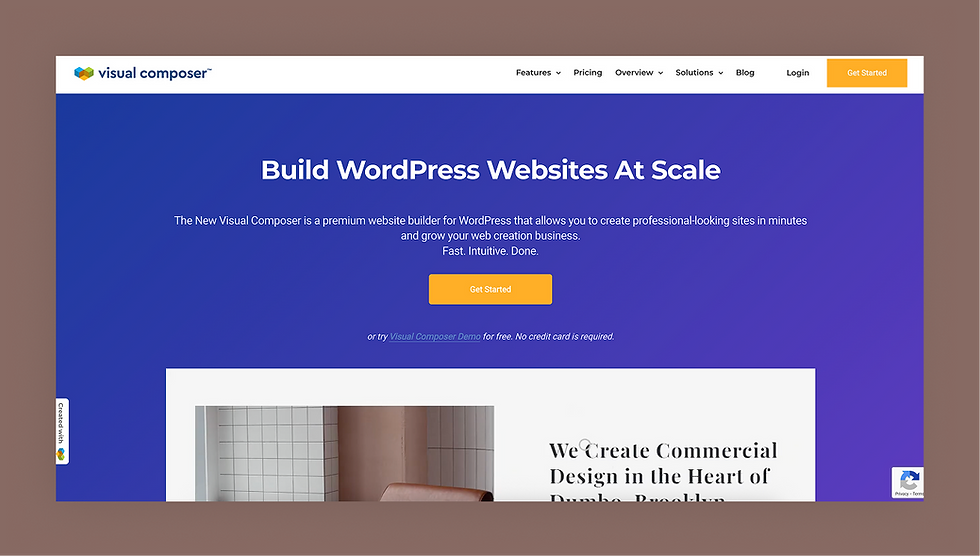
Visual Composer was one of the first drag-and-drop, page-building plugins for WordPress back in 2011. The modern version is a full, visual site builder that allows you to design an entire WordPress site using a drag-and-drop interface, along with templates, blocks, elements and extensions.
Key features:
Templates & web design: Visual editor connected to a cloud "Hub" for downloading elements, templates and stock assets on demand.
Apps & plugins: Integrates with a wide range of third-party tools for eCommerce, social media and forms, in addition to standard WordPress plugin compatibility.
Hosting, security & domains: Self-hosted; Visual Composer offers recommendations for WordPress hosting platforms.
Ecommerce features: Separate WooCommerce plugin offers flexible, open-source eCommerce options.
Blog integration: Plans include a Theme Builder for designing custom Single Post and Archive templates.
SEO tools: Offers a Yoast plugin; Built-in Insights tool provides content analysis for SEO improvements.
Pricing & plans: Tiered pricing ranges from $49/year for a single site to $349/year for up to 1000 sites.
Customer support: Extensive help center documentation and support ticket system.
Pros & cons:
Pro: Modular architecture; users only install the specific elements they need
Pro: Large library of drag-and-drop elements
Con: Smaller ecosystem of third-party add-ons compared to Elementor
Best for: Designers who want the combination of a massive asset library and lightweight architecture.
Pricing: Plans start at $49/year, with a 30-day money-back guarantee. Lifetime plan available for a single site.
10. Themify Builder

Themify Builder stands out by offering two distinct edit modes: a live Frontend visual editor for design and a fast Backend wireframe editor for rapid structural changes.
Rather than just a page builder, Themify offers a complete design ecosystem. It’s a practical choice for any designer who wants a wide variety of pre-built layout parts, animation effects and add-ons without needing to hunt for extra plugins.
Key features:
Templates & web design: Includes backend and frontend edit modes, plus a library of customizable, pre-designed page layouts (templates) for every theme.
Apps & plugins: Plugins for full-site theme building and custom data structures, as well as a bundled suite of add-ons to enhance the builder’s layout capabilities.
Hosting, security & domains: Self-hosted; users must manage their own hosting, security stack and domain.
Ecommerce features: WooCommerce compatibility, with modules available via theme or add-on.
Blog integration: Edit post content visually; use the included Builder Pro plugin to design custom Single Post and Archive templates.
SEO tools: Built for high performance and fast page loads (a key SEO factor).
Pricing & plans: One year or lifetime plans available; grants access to all themes and plugins.
Customer support: Member support forum and email support.
Pros & cons:
Pro: Very affordable membership bundles include all themes
Pro: Offers both backend and frontend editing
Con: Steeper learning curve and a less modern interface compared to Elementor
Best for: Budget-conscious freelancers wanting access to multiple themes and a builder.
Pricing: Plans start at $89/year, with a 30-day money-back guarantee
Elementor alternatives: comparison table
Platform- | Pricing | Key Features | How it differs from Elementor |
Wix Studio | Starts at $17/month | • Deep CSS control & Figma import • Built-in AI & native business solutions • Enterprise-grade hosting included | A fully managed, end-to-end operating system for agencies that eliminates plugin maintenance. |
Wix | Starts at $17/month | • 2,000+ designer-made templates • Robust AI site generation • Fully hosted infrastructure | An all-in-one, fully hosted solution perfect for DIYers who want ease of use over technical complexity. |
Brizy | Starts at $19/month | • Available as WP plugin or Cloud host • Marketing app integrations • Simple "Clamshell" menu interface | A simplified, beginner-friendly interface available as both a plugin and a hosted cloud solution. |
Bricks Builder | Starts at $79/year for one website | • Outputs clean, semantic HTML • Visual full-site editing • Deep dynamic data integration | A performance-first builder that outputs clean code without the bloat associated with Elementor. |
Oxygen Builder | Starts at $129, lifetime pricing only | • Granular visual control • Advanced dynamic data support • Replaces the WordPress theme entirely | A developer-focused tool offering granular control and lifetime pricing, replacing the traditional theme layer. |
Breakdance | Free plan available; Paid plans start at $99.99/year | • 140+ element library • Deep WooCommerce integration • Built-in AI content tools | A modern, lightweight visual editor that balances ease of use with better performance than Elementor. |
Divi Builder | Starts at $7.42/month (Lifetime available) | • Massive library of layout packs • Real-time visual builder • Native AI generation tools | A veteran platform with a massive ecosystem and lifetime pricing, operable as a theme or plugin. |
Beaver Builder | Starts at $89/year | • Stable, developer-friendly architecture • Clean code output • Works with almost any theme | Prioritizes stability and reliable code output over the "flashy" features found in other builders. |
Visual Composer | Starts at $49/year | • Cloud "Hub" for on-demand assets • SEO Insights tool • Modular architecture | A modular builder that lets you download only the assets you need to keep the site lightweight. |
Themify Builder | Starts at $89/year (Lifetime available) | • Dual Backend and Frontend editors • Complete design ecosystem with add-ons • Fast wireframing capabilities | Offers both backend wireframing and frontend visual editing for rapid structural changes. |
Pricing reflects annual billing rates. All information presented in this article is current as of August 2026, unless otherwise noted.
Elementor alternatives: how to choose the best option
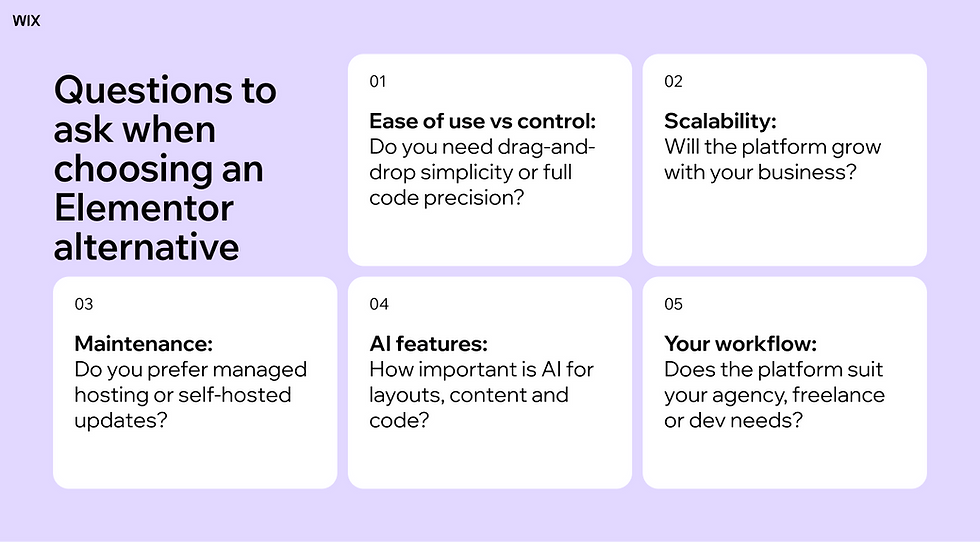
When looking for an Elementor alternative, it’s important to understand why users switch and what to prioritize in a new website builder.
Common reasons to switch from Elementor
Pain points often include performance issues (slow page loads), the "plugin bloat" of needing multiple add-ons for basic functionality, and the constant maintenance of WordPress updates. Recognizing these challenges helps you identify which alternative will better meet your long-term needs.
What to look for in a website builder
Ease of use vs control: Do you need a simple drag-and-drop experience (Wix Studio, Wix, Brizy) or pixel-perfect code control (Wix Studio, Oxygen)?
Scalability: Will the platform grow with your client's business? Look for built-in multi-site management and enterprise-grade infrastructure.
Maintenance: Consider if you want to manage server security and plugin updates yourself (WordPress builders) or if you prefer a managed solution (Wix Studio).
AI Features: Modern builders like Wix Studio include AI for layout, code and content, significantly speeding up production.
Making the right choice
Compare alternatives based on your specific business model. If you are an agency, a platform like Wix Studio that simplifies client handoff and billing might be more valuable than a cheaper plugin that requires constant oversight. For developers building bespoke, complex interactions, tools like Bricks or Oxygen might offer the code-level access you crave.
Explore more alternatives:
The final verdict on Elementor alternatives
Choosing the right alternative depends on where you want to spend your time: designing and scaling or managing software.
For agencies and professionals who want to focus on creativity and client relationships without the technical debt of WordPress, Wix Studio is the superior choice. It provides the design freedom you love in Elementor but wraps it in a robust, maintenance-free ecosystem.
Ultimately, the best platform is one that allows you to deliver high-quality work faster. We recommend exploring Wix Studio to experience how an integrated, AI-powered platform can transform your agency's workflow.
Explore Wix Studio comparisons:
Elementor alternatives FAQ
Do professional web designers use Elementor?
Yes, many professionals use Elementor, but agencies are increasingly shifting toward platforms like Wix Studio and Webflow to reduce maintenance overhead and improve client management workflows
Why use Elementor instead of WordPress?
Elementor is a plugin for WordPress, not a replacement. It is used to replace the default block editor (Gutenberg) with a visual drag-and-drop interface. However, users seeking a complete replacement for the WordPress ecosystem often choose all-in-one platforms like Wix.
Is there a better option than Elementor?
"Better" depends on your needs. For all-in-one management and design freedom, Wix Studio is often considered better for agencies.
Learn more:
What to use instead of Elementor?
If you want a similar visual experience but with managed hosting, try Wix Studio. If you want a lighter WordPress plugin, try Breakdance or Brizy.


