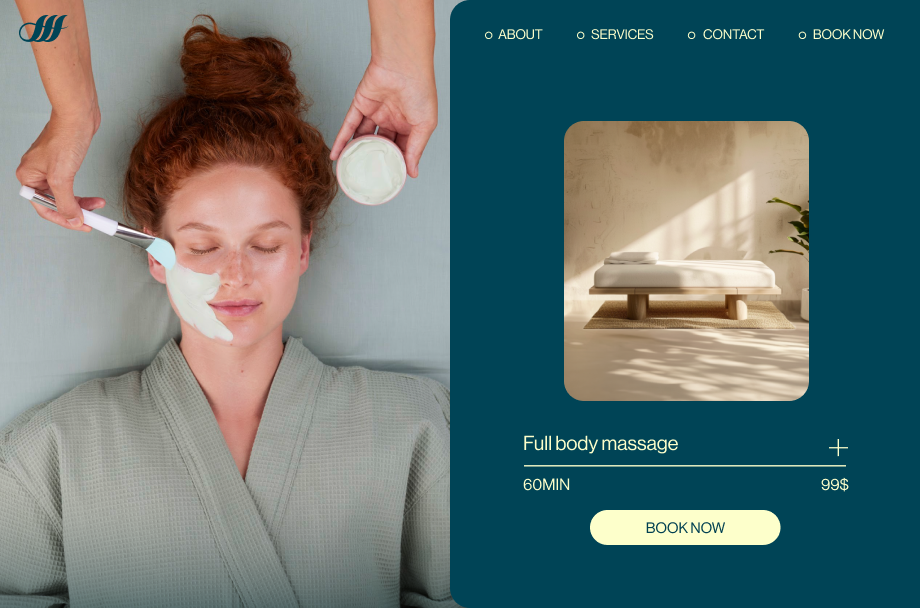
You can create a service website in 11 steps, from choosing how to build it and registering a domain to setting up your layout, branding, pages and online scheduling software so clients can book and pay online.
You don’t need to hire staff or know how to code to build a business website. This guide covers each step, plus the page structure, booking setup and SEO basics that work for most service businesses.
Turn your idea into a business-ready service website. Choose a template or start with AI, make the design your own and add the tools you need to take bookings and payments, all with Wix.
TL;DR: how to create a service website
A service website works when it moves a visitor from finding you to booking you. Pick a build method, register a domain and brand the site with your logo and colors. Add service and booking pages with testimonials, connect scheduling that takes payments, then test on a phone, promote the site and keep prices current.
You'll learn:
What a service website is
Eight ways to make one, compared
Planning content, branding and search visibility
Picking appointment software and policies
What it costs to launch and run
Which Wix tools fit each job

What is a service website?
A service website is a type of website that's designed to showcase and promote a specific service or set of services from a business or individual.
The main purpose of a service website is to inform potential clients or customers about the services you offer while highlighting the benefits of those services. Your website should encourage potential users to take action, such as contacting you for a quote or booking a service.
Service websites are used by a wide range of professionals and businesses, including consultants, freelancers, agencies, contractors, healthcare providers and more.
Read also: How to start a service business and making money online
Features of a great service website
Whatever you offer, these features help a service website turn visitors into booked clients:
Features | Why it matters |
Online booking system | Lets clients schedule and pay for services directly on your site, saving time and boosting revenue. |
Custom branding | A strong domain, logo and color scheme help your business stand out and build trust with visitors. |
Service pages | Clearly showcase what you offer with details, pricing and packages to guide potential clients. |
Testimonials and reviews | Social proof builds credibility and helps convince visitors to choose your services. |
Mobile-friendly design | Ensures your site looks great and works smoothly on any device, reaching clients wherever they are. |
Ways to build a service website
You can build a service website from a template, with AI, with code or by hiring a professional. The decision that matters more is who keeps your services, prices and availability current after launch, and whether the site works with the booking, invoicing or client management software you already use.
Most methods can show your services. Taking bookings is a separate job: Wix Bookings, for example, lets service businesses take appointments and payments online, collect intake forms and send automated reminders by email, SMS or WhatsApp.
Already know how you'll build? Skip ahead to the 11 steps.
Service website builder with templates
A website builder gives you a ready-made design, called a template, and a visual editor where you swap the sample text and photos for your own. A dog groomer, for example, can pick a template with a services grid and a booking button, then rename the services and add prices without touching code.
Look past the templates to the platform underneath, as Rebecca Tomasis points out:
One thing people often overlook when choosing a website builder is the strength of the infrastructure behind it: hosting reliability, built-in security and site performance. These may not be the first things on your mind when building a website, but without a strong foundation, scaling later can quickly become complicated.
Rebecca Tomasis, Head of Organic Growth Marketing at Wix
This route suits independent service providers who want to manage the site themselves. Before you choose, check that the builder handles online booking, deposits or full payment and the intake questions you ask new clients, either built in or through an app.

Create a service website with an AI website builder
Describe your business, the services you offer, who you serve and the look you want, and an AI website builder generates a first draft with pages, text and images. Ask it for a separate page for each service or a more visible Book Now button, and it revises the draft.
Some builders connect that draft to business tools. The Wix AI website builder, for example, links to features like bookings, contact forms and a blog, and you can switch to drag-and-drop editing when you want to fine-tune a detail yourself.
It suits owners with little design experience who want bookable pages quickly. Treat the draft as a starting point: replace stock photos with pictures of your own work and check every service description, duration and price.
Learn more: How to create a website with AI
Build a service website with an AI chat assistant
If you already plan your week or draft client emails in an AI assistant such as ChatGPT, Claude or Gemini, you can use that same chat to build and update your site on platforms that connect to it.
With Wix, for example, you can type @Wix in ChatGPT to generate and publish a site, or connect your Wix account to Claude through the official connector.
The Wix MCP server works with other MCP-compatible AI clients. Once you're live, a chat is a quick way to add a seasonal service or block out a holiday week without opening a dashboard.
This suits owners who prefer giving instructions to arranging layouts. Check each change on the live site and run a test booking, because a chat summary isn't the same as the page a client sees.

Build a service website with AI coding tools
Vibe coding means describing what you want to an AI coding tool, such as Claude Code, Cursor or Base44, and letting it write the code. The result still needs hosting, a booking and payment setup, security updates and someone to fix it when a quote form stops sending.
It suits technically confident owners or businesses working with a developer, for example a moving company that wants a custom price estimator based on room count and distance.
Learn more: How to vibe code a website
Make a service website with a content management system (CMS)
A content management system (CMS) lets you update text, photos and pages without rebuilding them. Many add booking, payments and forms through plugins, so you choose the hosting and keep each plugin updated.
A CMS suits service businesses that publish a lot, such as a financial advisor posting tax-season guides or a landscaper with a seasonal project blog. Ask who updates the plugins and what happens to bookings if one stops working.
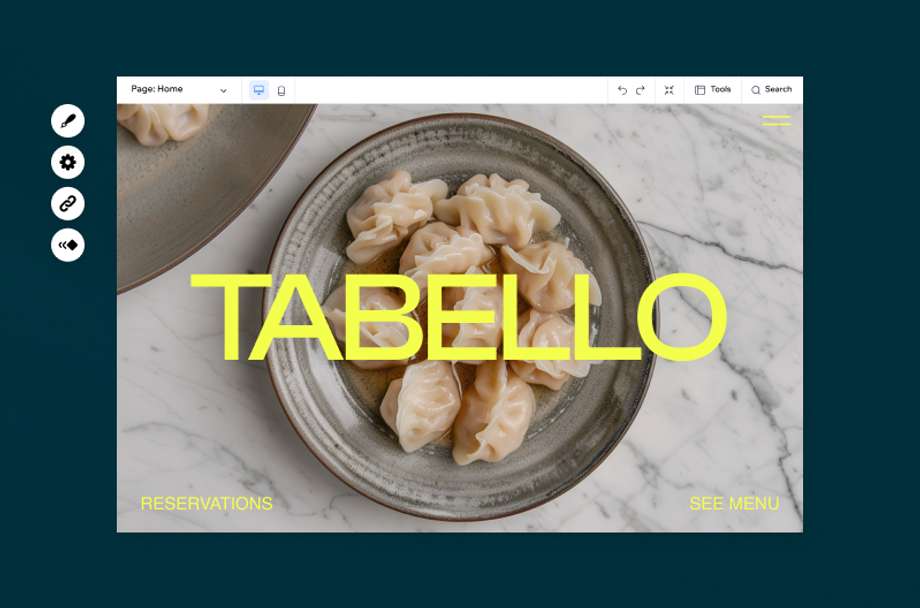
Hand-code a service website
Hand-coding means writing HTML, CSS and JavaScript yourself or paying someone to. You control every detail and take responsibility for hosting, security, booking, payments and every future change.
It suits developers building something no builder offers, such as a client portal tied to their own job-tracking system. Most service businesses mainly need service pages and a booking flow, which builders already handle.
Learn more: How to make your own website
Headless website development for service businesses
A headless website separates the design clients see from the systems that run content, bookings and payments. A developer builds the custom front end, connects it to those services, then sets up and tests the full journey from service page to booking confirmation and payment.
Headless suits multi-location service groups, franchises or businesses with specific requirements and technical help. It's a custom-development approach, not a simpler alternative to a builder.

Hire a service website designer or developer
A designer or agency handles design, setup and launch. This suits businesses with complex needs, such as several locations, a long service menu or a move from another platform, or owners who would rather spend their time with clients.
Before you hire, agree on who updates services, prices and staff availability after launch, who fixes problems and what ongoing support costs.
Find the best way to create your service website
Method | Best for | Who updates services and availability | Booking system | Skills needed |
Website builder with templates | Solo providers and small teams | You or your staff | Built-in or app | None to basic |
AI website builder | Owners new to web design | You, after the AI draft | Built-in on many builders | None to basic |
AI chat assistants | Owners who prefer instructions | You, through chat | The connected platform's booking | Basic |
AI coding tools | Businesses with technical help | You or a developer | Needs setup and hosting | Intermediate to advanced |
Content management system (CMS) | Content-heavy businesses | You, plus whoever maintains plugins | Booking plugin | Basic to intermediate |
Hand-coding | Custom features | A developer | Built or connected by a developer | Advanced |
Headless website | Multi-location groups and franchises | Your team and developers | Separate booking services | Advanced |
Hiring a professional | Complex or outsourced projects | Depends on your agreement | Set up by the professional | None |
If you price per job rather than per appointment, check that the method you pick supports a quote request form as well as a booking calendar.
How to create a service website
Before you build, get clear on what the site has to do. Write down who you want it to reach, the one action you want them to take, such as booking a slot or requesting a quote, and the services you want to lead with.
Then list the software you already run, such as a calendar, invoicing or a CRM, and the questions clients ask before they book. Those answers shape every step below, from your page structure to where your booking button sits.

01. Decide how to make your website
Use the comparison above to pick a method based on your skills, your budget and how clients book you today.
A solo consultant who takes appointments can launch with a template or an AI website builder, while a cleaning company that sends quotes and dispatches crews needs a site that works with its scheduling and invoicing tools.
If you already use booking, invoicing or CRM software, check that it connects to the new site before you commit, or plan to move your services, client list and availability into the platform's own booking system.
When you compare the best website builders, look at booking, payments and client intake, not only templates.
Whichever route you take, decide now who will update services, prices and availability after launch, because that job lasts longer than the build.

Pro tip: Small businesses thrive on connections, and Wix Smart Chat makes those first interactions effortless.
From handling bookings to answering questions instantly, it keeps visitors engaged and guides them toward becoming loyal customers, all while giving you more time to focus on what you do best: running your business.
Learn more: How hard is it to make a website and how to sell services online
02. Choose and register a domain name
With your build route settled, give your business a permanent address that clients can type, share and pass on to a friend. Your domain name is your online address.
Typically, this will be the name of your business, as this makes your site look professional and puts your brand’s stamp on the web. Check out this insightful guide on how to choose a domain name for your site.
Run your favorite options through a domain name search to check availability across more than 400 extensions. If the name you want is taken, you'll see alternatives, and pricing is shown before you buy.
Stuck for ideas? A domain name generator turns a short description of your service into available names, and you can also search for a domain from inside ChatGPT with @Wix.
Wix offers quick domain registration, and every Wix domain comes with a free SSL certificate, which matters on pages where clients book and pay. Wix also offers secure, scalable web hosting built in when you create your website. With an annual premium plan, your domain is also free for the first year.

You'll also need to consider what domain extension you want to use:
Good to know: .help is a domain extension for support sites and help centers, so it works as a second address alongside your main site rather than as a replacement for it.
03. Choose a layout
When it comes to the layout of your site, there are two main schools of design: the classic website and the one-pager. Both are great options, and your choice depends on your business’s specific needs.

The classic option includes separate pages for each section of your service-based website. This is an excellent choice if you have a wide variety of content such as a blog, photo gallery or FAQ page that you’d like to distribute across different locations of your site.
A one-page website, on the other hand, is limited to a single page. Each menu item takes the user to a different section of the same page, rather than leading to separate ones.
The advantage of this method is that you can control the order in which viewers see your content, plus it works great on mobile. An increasing number of businesses are opting for the latter due to its strong design and simplicity.
Ready-made service business website templates come in both styles, so you can start from a layout that already suits the way you sell. Pick one that's close to your setup, then rename the pages and swap in your own services, photos and prices.
04. Brand your website
Clients should recognize your business from your van, your business cards or the sign on your door the moment your site loads. Carry the same logo, colors and fonts onto your website.
Start with your logo and your color palette.
Create a custom logo
As small as it may be, your logo plays a huge role in your business. Your logo must occupy a prominent place on your site since this is crucial for building brand recognition and awareness.
The logo becomes a visual representation of the business's values and emotions in a single glance. Simplicity is key for memorability and adaptability across platforms. - Yaya Aaronsohn, Head of Brand Maker at Wix.com
If you don’t already have a logo, you can easily create your own using a logo maker. You can then use your logo across all platforms, including your website, newsletters and even your favicon (the small icon that appears on a tab in your browser).
Lastly, don’t forget to always link your logo back to your homepage. It’s a long-standing web convention.
Choose your colors
Your choice of colors has a powerful impact on your brand identity. Not only do colors add beauty to your site, but they also evoke emotions or connote certain associations with your brand.
Your color palette plays an important role in how your site performs, shaping both conversion rates and the time people spend on a page.
Visitors form an impression of a site within a fraction of a second, and that judgment leans far more on visual design than on the words on the page. Read more on the science of first impressions in web design.
For that reason, it’s critical that you choose a strongly branded design with a powerful color scheme, logo and domain name. If you plan to sell online, learning how to create an online store for your service business is the next step.

05. Add the right pages
Now it’s time for the fun part. Think of all the content you want to add to your service website and determine the most strategic way to organize it. It’s your business, so you can decide how many (and which) pages to include. The most popular options are below.
Homepage
This is the central hub of your website. Since it’s often people’s first impression of your brand, it should be both attention-grabbing and informative. Make sure it prominently displays your company’s name and clearly explains what you do.
Since the purpose of your site is to initiate bookings, you should also have a Book Now button placed above the fold. This gives users the option to book or schedule your services immediately upon arriving at your site.
Services page
This is the page that does the selling. List each service with what it includes, how long it takes and what it costs, then link every one to its booking slot.
Group related services into tiers if you offer several, and keep the descriptions written for a client who has never worked with you before. Wix lets you offer online services on your website, like appointments, classes and memberships.
Bookings page
To drive more revenue, you’ll want to add an online scheduling system that lets customers book and pay for your services online. While you can place your online scheduling platform anywhere on your site, many businesses opt to include a separate bookings page.
That way, you’ll be able to lay out your services in an intuitive, organized way that includes all the essential details, like name, pricing and availability. You could even organize your services into packages (a.k.a. productized services) on your Bookings page.
About page
The About Us page offers a personal description of your business.
It’s a great place to share the story of who you are, from the origins of your business to your professional achievements and the company mission statement. If you work with multiple staff members, you can also include a Meet the Team section that makes it easy for visitors to get to know your organization.
People should be able to get a sense of the personality behind your brand, as this will ultimately help you build deep connections with customers. As a service provider, forming relationships is the essence of acquiring and cultivating loyal clients.
Contact page
If visitors need to spend time looking for your contact information, they may decide it’s not worthwhile reaching out or purchasing your service. For that reason, add a separate page or section dedicated to all of your contact information.
This should include phone numbers, email, social media accounts, a contact form and any other possible way clients can get in touch with you. If you price your work per job rather than per appointment, add a quote request form here so visitors can describe what they need without having to call.
People have also come to expect this information in the footers of websites. Make sure your footer is filled with up-to-date contact details, as well as your company’s address and operational hours.
Blog
A blog is an invaluable platform for building a loyal community, establishing yourself as an authority in the field and driving traffic to your site.
Blogs don’t get enough credit for their long-term advantages. In the long run, a blog can serve as a huge traffic driver and a way to connect with future customers (case in point: our Wix Blog is the first touchpoint for millions of people who may have never stumbled onto our site otherwise). That said, a blog is a long-term commitment, it requires a well thought-out strategy and consistent maintenance. Beyond saying ‘I want to get traffic,’ you need to understand your blog’s overall value to your brand, and acknowledge that two readers may come across your blog with two very different intentions and varying levels of familiarity with your brand. -Allison Lee, Editor-in-Chief at Wix.com
Blogging is one of the few channels where the work compounds. Each post you publish keeps working after it goes live, building your site’s authority on the topics your clients search for.

Testimonials
Nothing is more impressive to a potential client than positive, unbiased reviews of your excellent service. For many customers, good reviews are the driving factor in their decision to convert. With that in mind, include a testimonials page on your site. It's an important marketing tactic that can lead to sales.
PR coverage
If you get published in notable publications, make this a point on your website. Just like testimonials, this will improve your brand’s credibility and further position your company as an industry leader.
FAQ page
By including an FAQ page, you can provide answers to questions that may naturally come up while clients browse your site. This helps potential customers feel comfortable about your product and builds trust in your brand.
06. Add a scheduling system to sell your services
Next, add a scheduling system to your site so that customers can book and pay for your services online. Using Wix Bookings, you’ll be able to drive revenue to your business in a way that’s convenient and efficient for both you and your customers.
In just minutes, you can take your offerings and package them as a service, whether it’s a one-on-one appointment with clients, a video class, or a multi-session course. Here’s how to do it:
Create your services. This can include appointments, classes and online courses.
Add staff members, if you’re working with a team.
Set availability. You can do this by specifying your business’s operating hours, as well as the hours of staff who provide the service.
Choose how to display bookings on your site, whether you want to show them all together or place them on separate pages.
Set how you collect payment. Wix Bookings lets you easily accept full or partial payment through a reputable and secure online system.
Add business details such as your address, currency and time zone.
Upgrade your site to ensure the best Bookings plan for your business.
In addition, scheduled appointments can be automatically synced with both your business and customers’ calendars. You and your staff will receive real-time booking updates when a client schedules an appointment.
You’ll also have access to your client’s details, including their contact information, birthdays and relevant notes so that you can create the best possible customer experience.
Manage your entire business on the go through the Wix App. From both the app and your desktop version, you'll be able to promote your services and related coupons, send invoices and accept bookings in real time via live chat.

A website shows your services, but booking software does the work behind it: showing open slots, taking payment, sending reminders and recording cancellations. If you already run field service or scheduling software, check that it connects to the new site before you rebuild your service list.
Questions to ask before you choose booking software
Not every system supports every feature, so check these before you commit:
Can each service have its own length, price and staff member?
Can you take deposits or full payment when clients book?
Can you add buffer time between appointments?
Can clients answer intake questions when they book?
Can you set cancellation and no-show rules?
Does it send confirmations and reminders?
Does it connect with your calendar, invoicing or CRM?
Can staff see and manage their own schedules?
07. Pay attention to SEO
SEO is the practice of optimizing your site so your pages can rank higher in search results. If you serve a local area, local search comes first. Clear service pages can also help AI tools such as ChatGPT or Google AI Overviews understand what you offer, though no one can guarantee rankings.
Start with these steps:
Choose the right domain name
Set up your Google Business Profile
Use strategic keywords throughout your site
Wix SEO is a comprehensive and free solution that efficiently guides you through these steps. Keep your business name, address and phone number identical everywhere they appear online, since search engines use that consistency to trust your listing.
Leveraging SEO and integrating it into the website creation process is vital. Various studies have shown that organic search is the single greatest provider of traffic to websites - with that being even more pronounced within the B2B context. To that, traffic from organic search, when done correctly is essentially built to last (with proper maintenance over time, of course) and forms a crucial part of a site’s long-term growth. - Mordy Oberstein, Head of SEO Branding at Wix.com
08. Make your website mobile-friendly
According to Statista, mobile devices (excluding tablets) accounted for more than half of global website traffic in the second quarter of 2026. Test the full booking flow on a phone, from service page to payment and confirmation.
Check that text is readable without zooming, buttons are easy to tap and forms only ask for what you need. On Wix, you can review and adjust the mobile version of each page in the editor.
09. Get a second opinion and feedback
Before you hit publish to take your site live, make sure everything looks and works the way you intended. Preview your website and browse the layout, and remember to proofread it a couple of times.
Test before you launch
Run through each of these:
Book, reschedule and cancel an appointment
Pay a deposit or full price, then check the refund
Submit every contact and quote request form
Check confirmation and reminder messages
Try to book two clients into the same slot
Complete a booking on a phone
Check every service price, duration and policy
You can even ask a trusted companion to look over things. The more eyes that can spot mistakes ahead of time, the better.
10. Promote your services via your website
Once you’ve published your service website, whether it's a hotel website, a makeup artist website or photography portfolio, promote it so that people learn about your brand. A great way to get started is by spreading the word on social media.
Post photos of finished jobs, short tips that answer client questions and reminders when you open new slots, each with a link to your booking page. Add the site to your email signature, invoices and quotes, and send past clients an email marketing campaign when you add a new service.
11. Keep your site up-to-date
To achieve the best possible results, keep your site fresh and up-to-date. This includes adapting to the latest trends (check out these great service business examples) and adding new blog content to build up your authority in your field.
To get a better understanding of your online performance, you can view Analytics for Wix Bookings. This gives you valuable insights into your booking statistics, such as the number of new and returning customers and your most popular pricing plans.
Check those reports each month to see which services fill up and which slots stay empty, then adjust your availability or promotions.
Put a monthly review on the calendar and decide who owns each item:
Services, prices and durations
Staff availability, holidays and service area
Deposit, cancellation and no-show policies
Photos of recent work and testimonials
Forms, links and a test booking after changes

Hand the follow-up work to a team of AI agents. Every booking brings small jobs with it, from confirming details and answering questions to filling gaps in your calendar and chasing payment after the appointment.
Symphony by Wix is an AI agent platform built for independent business owners and small businesses, from a solo service provider to a team of up to 10 people. It gives you agents for areas like marketing, client communications, scheduling, finance and operations, all coordinated through one conversation.
For a service business, that could mean one agent replying to new inquiries and another following up on an unpaid invoice once a job wraps up. Symphony asks for your approval before its agents act and works whether or not your website is on Wix. Results vary by business.
Why is it important to have a website for your service?
A website gives clients one place to check what you offer, see proof of your work and book without calling. Here's what that adds to a service business:
Credibility and professionalism
A well-designed website can enhance both. It serves as a place where potential customers can learn more about your service, view testimonials and contact you. A professional-looking website instills trust and confidence in potential customers, making them more likely to choose your service over competitors.
24/7 availability
Unlike physical storefronts with limited operating hours, a website is accessible 24/7. This means that potential customers can learn about your service, make inquiries or even make purchases at any time of the day or night. This flexibility can significantly expand your reach and increase sales opportunities.
Customer convenience
A website makes it convenient for customers to learn about your service and make informed decisions. They can easily access information such as pricing, service details, FAQs and contact information without the need for direct interaction with your or a customer service rep.
Competitive advantage
Having a website is essential to staying ahead of the competition. If your competitors have websites and you don't, you risk losing potential customers to them. By investing in a professional website, you can differentiate your service, attract more customers and stay competitive in your industry.
Strengthen brand identity
Use your website to showcase your unique style through visuals, content and messaging. A consistent brand image helps you stand out and connect with your audience.
Make sure your design reflects your values and resonates with your target market. Remember, your website is often the first impression potential customers have of your brand.
Enable online payments
Add secure payment options so customers can pay directly on your site. It simplifies the process and helps boost your sales.
Offering multiple payment methods like credit cards, digital wallets or BNPL (buy now, pay later) options can make the checkout experience even smoother. Plus, secure transactions build trust with your customers, encouraging them to return for future purchases.
A website has limits, though. It doesn't bring traffic by itself, and it adds ongoing work, from keeping availability accurate to answering booking messages. Keep your social profiles and directory listings, and point each one back to your booking page.
How much does it cost to make a service website
The yearly cost of a service website adds up from a domain, a plan that accepts online payments, booking software, payment processing fees, any premium apps, photos of your work and the time spent keeping it current.
Some providers bundle hosting, booking and payments into one plan while others charge for each separately, so compare the total yearly cost rather than the monthly price.
Builders usually mean a predictable plan. Coding, a CMS, headless builds and agencies shift the cost to hosting, plugins and developer time, and a professional build adds design work up front.
On Wix, you need a paid plan to accept online payments. Compare current plans on the Wix plans page, and remember that processing fees apply to each transaction. To test first, read how to build a website for free and is Wix really free?
How to build a service website with Wix
Wix covers both jobs a service website has to do: building and updating the site, and running the bookings, payments and client communication behind it.
Build and manage the site
Start from a service business template, generate a first draft with the AI website builder or build with Wix Harmony, which combines prompts and drag-and-drop editing with an AI agent called Aria. If you prefer chat, you can make a website with Wix in ChatGPT or use Claude with Wix.
Take bookings, payments and client details
Wix Bookings handles appointments, classes and courses, with buffer times, intake forms and automated reminders. It also offers scheduling software for service businesses that send staff to clients, with the choice to pay online or in person.
You can collect deposits, store cards on file or send invoices through Wix Payments, and every booking is saved in the built-in CRM with the client's booking history and notes.
A practical note: set your cancellation window, refund rules and no-show fee before you take your first booking, since the default policies may not match how you work. For memberships or session packages, the Wix Pricing Plans app lets clients buy a plan and use it when they book.
Build for clients or with custom code
Agencies building service sites for clients can use Wix Studio. Developers who want a fully custom front end can use Wix Headless, which provides business services such as bookings and payments plus hosting, while a developer still builds and tests the client journey.
Hand off routine work to AI agents
Symphony by Wix, covered in step 11, can take on follow-up work such as replying to inquiries or chasing unpaid invoices, and asks for your approval before each action.
Why use Wix for a service website
Wix keeps the site, domain, hosting, booking and payments in one dashboard, so a small service team has fewer systems to connect and update. For ideas, browse websites built on Wix.
How to create a service website FAQ
Do you really need a website for a service business?
Not strictly, but it helps. A website gives clients one place to see your services, prices and reviews and to book or request a quote at any hour. Social profiles and directory listings work best when they point back to it.
What does a services page look like?
A good services page lists each service with what's included, how long it takes and what it costs, with a booking or quote button next to each one. Photos of your work and a short testimonial help clients decide.
How do you structure a website service page?
Open with a short overview of who the service is for, then describe what's included, the duration, the price or how pricing works and any policies. End with a clear call to action to book or request a quote, and point to related services.
Do I need a blog section on my service website?
It's optional. A blog helps when it answers the questions clients search for, such as how often to service an AC unit, and can bring in search traffic over time. It only works if you post regularly.
Should my pricing be visible on my homepage?
Show starting prices or explain how you price if your services are standard, since it saves both sides time. If every job is custom, explain what affects the price and send visitors to a quote request form instead.
Should I show client testimonials on every page or keep them on a dedicated page?
Both work. Place one or two relevant testimonials on each service page near the booking button, and keep a dedicated page for longer reviews and case studies.
How much does it cost to build a service website?
It depends on the platform, plan and tools you add. Budget for a domain, a plan that accepts payments, processing fees, any premium apps and your time or a designer's, and compare the total yearly cost rather than the monthly price.
What should a service business website include?
A homepage, a services page with prices or how you price, online booking or a quote request form, an about page, reviews, your service area and a contact page with your hours and phone number.
Is a contact form enough or do I need online booking?
A contact form works for custom jobs that need a quote first. For fixed services such as appointments or classes, online booking lets clients pick a time and pay without waiting for a reply. You can also offer both.
Can I keep my existing scheduling or CRM software with a new website?
Often, but check before you build. Some tools offer a booking widget or app that connects to popular builders, while others need a developer. If yours doesn't connect, plan to move your services and client list into the platform's own booking system.
How do I reduce no-shows on my booking website?
Send automatic confirmations and reminders, state your cancellation policy before clients book and consider a deposit or a card on file for longer appointments. Not every booking system supports every option, so check yours.
Should I list my service area on my website?
Yes, if you travel to clients. Name the towns or neighborhoods you cover on your services or contact page, and keep the list consistent with your Google Business Profile.