Build your website, your way with Wix Harmony→

You need context engineering because an AI website builder fills every gap you leave with a guess, and those guesses are what make a generated site look like everyone else's. Context engineering is the work of deciding what the builder knows about your brand, your audience and your offer before it starts. That matters more than the wording of any single prompt, since a prompt shapes one request while context shapes every page that follows. This guide covers what an AI website builder guesses, what to give it instead and how a tool like Wix Harmony keeps that information consistent across a whole build.
TL;DR: context engineering for building a website with AI
Context engineering is about what the AI knows, not how you phrase the request. On a website build that means your brand rules, your real content, your audience and the decisions you already made. Set that up once and every generation after it gets more accurate, which is why the same prompt can produce a sharp page on one site and filler on another. Wix offers an AI website builder for on-brand, professional design. Keeping it that way is what the context you supply is protecting.
You'll learn:
What context engineering means when the thing being built is a website
The six decisions AI makes for you when context is missing
What to prepare before you write your first prompt
How to tell a generic result from a context gap
How Wix Harmony keeps your site context in place as you build
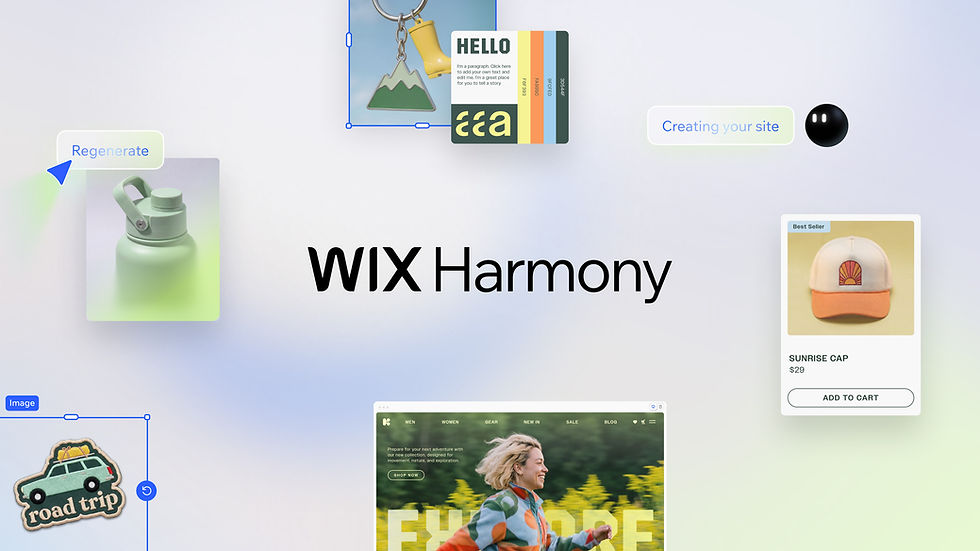
Wix Harmony brings AI and manual creation together in a single, smart platform. You can generate full pages, layouts and content with natural language, then fine-tune every detail with precise drag-and-drop control. It's faster, more flexible website creation, without sacrificing quality or creative freedom.
Why you need context engineering to build a better website with AI
Context engineering matters because the quality of an AI-built site is set by what you hand over, not by how well you phrase the request. A model can produce a full page in seconds, so generation is no longer the limit. What the builder already knows when it starts is.
That also changes where the cost sits. Every detail the AI guessed wrong is something you have to notice, describe and fix by hand, and that rework routinely costs more time than the generation saved. A prompt expires with the request it belongs to, while information set at site level keeps applying to every page and every later edit. That split between prompt engineering and context engineering decides where your effort actually lands.
One thing worth knowing: this is not a reason to spend a week preparing before you build. A short pass gathering your real assets improves the build more than repeatedly rewording the same prompt.
Learn more:
What AI guesses when you don't provide enough context
Leave something out and the AI still has to decide. It fills the gap with a plausible default drawn from the patterns in its training rather than anything about your business. That is part of how an AI website builder works rather than a flaw in it. Six decisions get made on your behalf every time.
01. Your brand
Colors, typography and tone all get chosen for you when you do not supply them. The AI picks a palette that reads as professional for your industry and a voice that sounds like a competent stranger. If this is missing, your site looks polished and completely unplaceable next to five others in the same category.
Troop 302, a Scouting America troop in Wylie, Texas, runs two Wix Harmony sites, one for the boys' troop and one for the girls'. The maroon and olive green palette was named in the prompt instead of left open, and both sister sites came back sharing the same camping-inspired look. Before those sites existed the troop had no consistent way to show local families what it stood for.
02. Your audience
A page written for everyone gets written for no one. Without a defined audience the AI aims at the widest plausible reader, which flattens the specifics that make someone feel understood. If this is missing, your copy describes what you do instead of who it is for.
03. Your offer
The AI knows the category your product sits in. It does not know which part of it customers actually pay for, so it weights features evenly and leads with the most general benefit. If this is missing, your strongest selling point ends up three sections down the page.
04. Your proof
Testimonials, results, credentials and real photography are things AI cannot invent responsibly, so it writes around them with confident but empty claims. Placeholder trust signals are worse than none, because they look deliberate. If this is missing, your page asserts quality instead of showing it.
05. Your conversion goal
Every page needs one action that matters more than the rest. The AI defaults to a contact form or a general sign-up button when you do not name that action, and it spreads attention across several calls to action at once. If this is missing, visitors read the page and leave without a next step.
06. Your structural constraints
Structure covers what stays fixed, what can move and what belongs on which page. Without those rules a later request can rebuild something you already settled on. If this is missing, fixing one section quietly undoes another.
Worth knowing: not every gap is worth closing before you start. Pick the decisions that would be expensive to reverse later, like your brand rules and your conversion goal, and let the AI take a first pass at the rest. Editing gets faster once there is something real on the page to react to.
Read more:
How to assemble your site context before the first prompt
Preparation for an AI build looks less like writing AI prompts for website building and more like briefing a designer. What you are producing is a small set of real assets you hand over once and reuse for the rest of the project. The same preparation helps no matter what you use to build a website, and it is the cheapest quality upgrade available before you type anything.
01. Write the business brief the AI will keep reading
Two or three sentences covering what the business does, who it serves and what makes it different. Keep it factual rather than aspirational, since adjectives give the AI less to work with than specifics. Save it somewhere you can paste it again, because you will use it more than once.
02. Collect the brand assets you already own
Logo files, exact color values, font choices and any existing marketing copy that already sounds right. Set these as site-wide rules rather than mentioning them inside individual requests. Global styles survive regeneration in a way that a sentence in a chat window does not.
03. Bring in the content AI should never invent
Product names, prices, service descriptions, real photos and anything a customer could check for themselves. 91% of Wix Harmony users still edit their own text, according to Wix State of Websites 2026, which says a lot about how much of a site only its owner can supply. Loading that material early removes most of the editing you would otherwise do line by line.
04. Decide what each page has to accomplish
Give every page one job. A home page earns attention, a service page answers objections, a contact page removes friction. Naming the job before you generate keeps the layout aimed at something specific.
05. Set the rules that must hold across the site
Anything you would end up repeating in a second request belongs in the setup instead. Tone, spacing, how you refer to customers and which claims you never make are all standing rules. Writing them down once is what stops page two from drifting away from page one.
All of this front-loads work that used to happen after generation. Wix delivers an AI website builder that shortens your time to launch. Preparation is what keeps that speed from turning back into rework.
One thing worth knowing: you do not need finished brand guidelines to start. A short brief, real photos and a few defined brand colors already give the AI a more specific starting point, and you can tighten the rest once the site takes shape.
Expert tip from Avishai Abrahami, CEO and Co-Founder of Wix:
“Wix Harmony is our answer to how people build and create content, a builder that maintains all the quality and reliability Wix is known for, while embracing a new, faster way to create. Our ambition is simple: if you have an idea and a vision, Wix Harmony should be the fastest, most powerful way to turn it into a functional and beautiful website.”

How Wix Harmony keeps site context in the build
Assembling context only helps if the tool holds onto it. Wix Harmony is a hybrid AI creation and management environment for building and operating Wix sites. The four pairings below map each common context failure to the part of the product that prevents it.
01. Brand drift is handled by the brand kit
Set your colors, fonts and global styles once and every generated section inherits them. You stop restating your palette inside requests that were about something else entirely. New sections match the rest of the site by default rather than by correction, the same way the other AI features for website creation read your settings instead of asking you to restate them.
02. A blank slate is handled by Aria
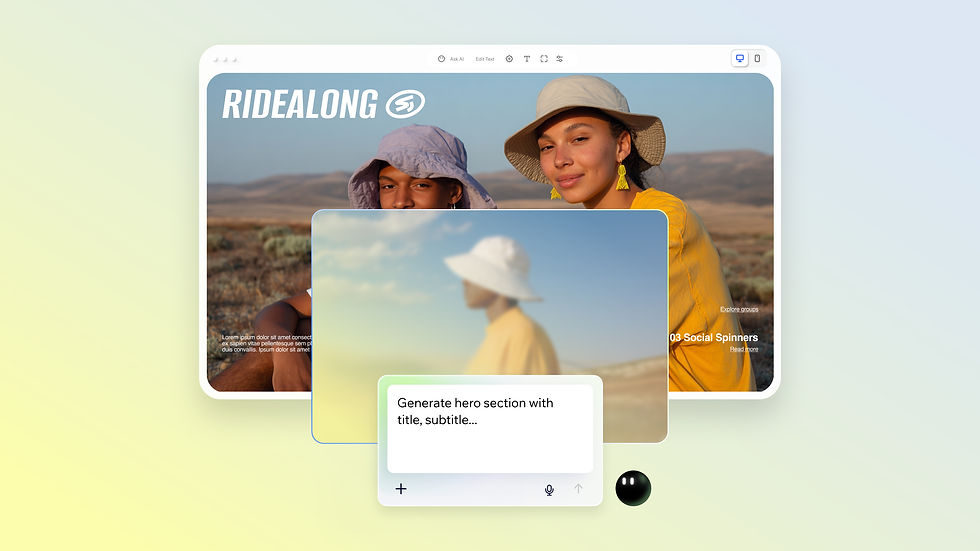
Aria is Wix Harmony's built-in AI agent and stays aware of what is already on your canvas, so a follow-up request lands inside the build instead of restarting it. Telling her what a section is for, and not only how it should look, gives her something to reuse on the next change.
03. The wrong tool for the job is handled by manual editing
Some details are faster to type than to describe. Wix Harmony combines vibe coding creation with full drag-and-drop control in a single environment. If vibe coding is new to you, it means building by describing what you want instead of building it by hand. You move between prompting and a drag and drop builder without exporting anything or switching tools.
04. A prototype that cannot ship is handled by the platform
A generated site still needs hosting, security and performance behind it to count as a real one. Everything built in Wix Harmony runs on Wix infrastructure, so the site you prototype is the site you launch.
Worth knowing: context setup is not a task you finish before building. Most people keep adding to it, since you only learn what the AI keeps guessing wrong after you have seen a few pages. Treat the first build as the fastest way to find the gaps.
Expert tip from Yarin Singolda, Product Marketing Manager at Wix:
“Aria isn’t just an assistant, she’s a collaborator who can handle complex tasks in one go. You can have her create a new section, add text, pull in best-selling items, insert images and even add linked buttons, all at once. She offers expert guidance and support while executing tasks for you, but the creative choices always stay in your hands.”
Explore more:
Context engineering FAQ
What happens if I don't give an AI website builder enough context?
The builder still produces a complete site. It fills every unanswered decision with the most common option for your category, so you get something functional that could belong to any business in that category. The result usually looks finished, which is why the gaps are easy to miss until someone tells you the site feels generic.
What should I prepare before I build a website with AI?
A short business brief, your real brand colors and fonts, your actual product or service details with prices, any photos you own and one clear goal per page. That set covers most of what a builder would otherwise guess at. Proof like testimonials and results can be added as you collect it.
Can context engineering stop an AI website from looking generic?
It can help a lot, because missing brand, audience and content context is one of the most common causes of generic output. Real photos, specific copy and defined brand rules change what the AI has to work with, and the output shifts with it. What context cannot fix is a business description that was generic to begin with.
Does context engineering work on a site that already exists?
Yes, and it often matters more there. An existing site already carries decisions you do not want overwritten, so setting global rules before you start editing protects them. It also stops a new section from arriving in a style the rest of the site does not share.
Do I need brand guidelines before I start?
No. You can start with a few defined colors, a font pairing and a sentence describing your tone, then add more detailed brand rules as the site develops. The point is giving the AI something consistent to work inside rather than producing a document first.


