Updated: 3 days ago
Get the perfect domain for your eCommerce store: find your domain→
If you want to know how to use AI to create an online store, the short answer is: it takes about an hour, costs nothing to start and requires zero coding skills. Modern AI website builders like Wix eCommerce let you describe your business in plain language and generate a fully functional, professional-looking store in minutes. You get product pages, checkout, payments and a design that matches your brand, all from a single conversation with an AI.
This guide walks you through every step, from picking an AI builder to launching and growing your online store. If you're also planning the business side of things, our guide on how to start an eCommerce business is a good place to start before or alongside this one.
Ready to start selling online? Build a custom online store with Wix and get the tools to sell, manage and grow your business from one dashboard. Customize every detail, reach customers across channels and market your brand with built-in SEO and marketing tools.
TL;DR: how to use AI to create an online store
Step | What to do |
01. Choose an AI builder | Pick a platform with built-in eCommerce and AI store generation. |
02. Describe your business | Answer a few questions or write a prompt, the AI builds your store. |
03. Customize your design | Adjust colors, fonts, layout and branding to match your style. |
04. Add your products | Upload products, use AI to write descriptions and enhance your images. |
05. Set up payments | Connect a payment provider and configure shipping. |
06. Write your store content | Use AI to generate homepage copy, an About page and email campaigns. |
07. Launch | Preview on mobile, connect your domain and go live. |

What is an AI online store website builder?
An AI online store website builder is a platform that uses artificial intelligence to generate a complete online store from your description. Instead of starting with a blank template, you answer a few questions about your business: what you sell, who your customers are and what tone and style you want. And the AI builds a working store around your answers.
The key difference from a traditional website builder is that AI handles the time-consuming parts: design decisions, copywriting, layout logic and even image enhancement. You still make every important call. You approve, edit and launch when it looks right. Wix's AI website builder mixes vibe coding and drag and drop editing to create a business-ready site quickly. The eCommerce tools are built into the same platform, no plugins or separate accounts required.
Powered by Wix Harmony, Wix's unified AI system, the platform helps entrepreneurs build, manage and grow their businesses from a single AI-powered workspace while embracing AI in eCommerce. Rather than relying on separate AI tools for design, content creation, marketing and customer support, users can access advanced AI eCommerce builder features directly within Wix. These include product description generation, image creation and editing, customer support assistance and business management tools. Combined with Wix eCommerce's ability to sell products, services, bookings, courses, memberships and donations from one platform, it creates a streamlined path from idea to live online store.
Learn more:
How to use AI to create an online store in 7 steps
Here's a practical walkthrough of how to use AI to create an online store, covering everything from choosing your platform to launching your business. If you're wondering how to start an online store, these steps will help you go from idea to a live, AI-built storefront.
01. Choose an AI eCommerce website builder
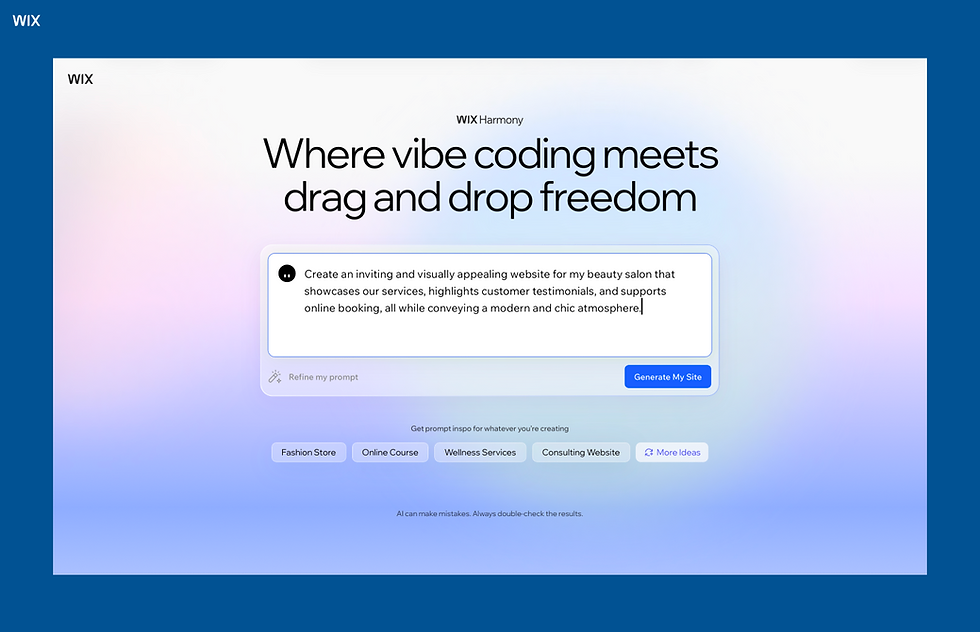
Not all AI builders are equal when it comes to selling online. What you're looking for is a platform with native agentic commerce: payments, inventory management, product pages and checkout built into the core product, not bolted on as an afterthought.
Wix is a strong choice here. Its AI store creation experience guides you through a short conversation about your business, then generates a complete storefront with the pages, layout and tools you need. The online store builder includes built-in inventory tracking, product variants, discounts and a checkout that works out of the box. You don't need to configure anything before your store looks and functions like a real business.
When evaluating any AI store builder, check for native eCommerce payment processing, AI tools for product content (descriptions, images), scalability as your catalog grows and mobile-responsive design by default.
Related guides:
02. Describe your business to the AI
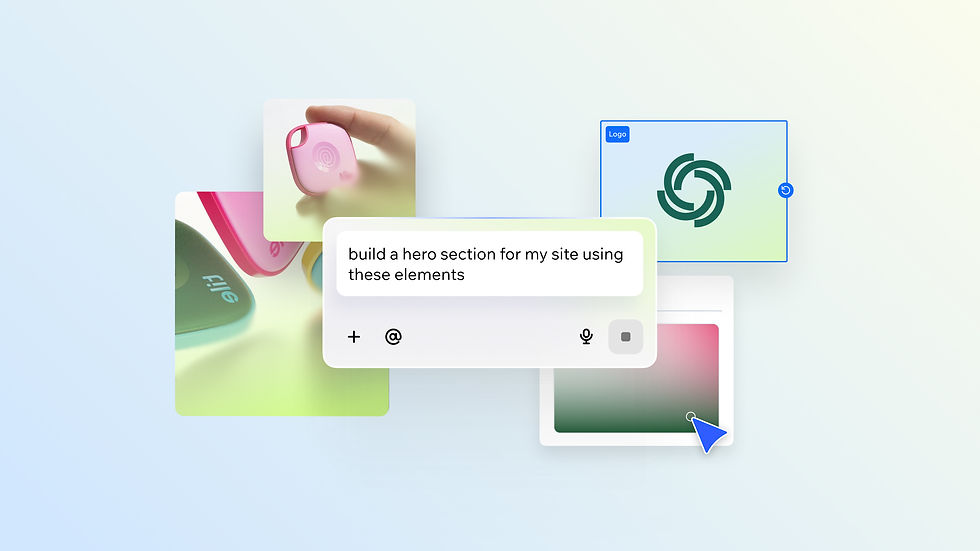
Once you've picked a platform, the AI will ask you a series of questions about your store: what you sell, who your customers are, what tone and style fit your brand and which pages you need. Your answers become the blueprint for everything the AI generates.
The quality of the output depends heavily on how specific you are. A weak prompt like "I sell clothing" gives the AI very little to work with. A stronger version: "I sell minimalist women's activewear for millennial professionals; the tone should feel clean and premium; I need product pages, an About page, and a blog" produces something much closer to what you actually want.

This is where it helps to understand prompts to use with AI website builder tools, since the structure of what you type directly shapes the design, copy and layout the AI generates.
Include the product type, your target customer, your preferred tone and any key pages. The more context you give, the less you'll need to change after the AI generates your store.
If you're using Wix specifically: How to prompt a website with Wix.
03. Customize your store design

The AI-generated store is a starting point, not a final product. Once it's live in your editor, go through each section and make it yours. Adjust the color palette to match your brand, update the fonts, swap placeholder images for real ones, and refine any copy that doesn't sound quite right.
With Wix, you can instantly drag and drop any element into a new position, resize sections, add or remove pages and update your brand kit so that changes to your colors or fonts apply site-wide in one click. You're never locked into what the AI generated, it gives you a head start, and you take your eCommerce website design from there.
04. Add and optimize your products with AI

Adding products is where AI saves the most time. Once you upload a product, you can use Wix's AI product description generator to write clear, keyword-friendly copy in seconds. Give it a few details about the product and it'll produce a description you can publish or tweak.
Product images matter just as much as copy. Wix's AI image tools let you auto-enhance photos for a professional finish, remove or swap backgrounds, upscale lower-resolution shots, and use the AI Image Creator to generate product imagery from a text description. For sellers still validating a product, that last option is particularly useful before committing to a photoshoot.
Take the time to set up product variants (sizes, colors, materials), add accurate stock levels, and configure any shipping weight or dimensions. These details make order management much smoother as you scale.
Learn more:
05. Set up payments and shipping
Getting paid should be straightforward. Wix Payments is built directly into the platform, so there's no separate account to configure and no integration work involved.
"Wix Payments is built into the platform so businesses can start accepting payments quickly once their site goes live. The setup experience is streamlined and designed to help business owners start selling with confidence. The checkout experience customers see is clean, professional and trustworthy and that confidence plays an important role in conversion." — Mariia Liakhova, Product Marketing Manager for Payments at Wix
Beyond payments, set up your shipping zones and rates. Decide whether you'll offer free shipping above a certain order value, flat rates or real-time carrier calculations. These decisions affect conversion as much as any design choice. Unexpected shipping costs at checkout are one of the most common reasons customers abandon a purchase.
Important: learn what is eCommerce localization to ensure your online store adapts to international markets.
Read more:
06. Use AI to write your store content and marketing copy
A great store needs more than product pages. Your homepage headline, About page, and meta descriptions all contribute to how customers experience and find your brand. AI can write first drafts of all of these in seconds.
Wix's AI text generator works across any text block on your site. Use it to write a homepage tagline, a short brand story for your About page, or product category descriptions. For email marketing, Wix's built-in tools include AI-assisted campaign creation, useful for launch announcements, promotions and post-purchase follow-ups.
Treat AI copy as a strong first draft. Read it out loud, make sure it sounds like your brand, and adjust the tone or details where needed. The goal is to move fast without publishing something generic.
07. Preview, optimize and launch
Before going live, preview your store on mobile. A large share of online shopping happens on phones, and a layout that looks great on a desktop can break on a smaller screen. Fix any spacing issues, confirm that buttons are tappable and check that the checkout flow works end to end.
Take a few minutes to fill in meta titles and descriptions for your key pages. Connect your domain name, double-check that your payment setup is live, and then publish. You can use the same eCommerce hosting infrastructure to handle traffic spikes as your store grows without migrating platforms.
Don't wait for everything to be perfect. Launch with the products you have, gather real feedback from customers, and improve from there. A store that's live and learning will always outpace one waiting to be perfect.
What to look for in an AI online store builder
Choosing the right platform affects how quickly you launch and how easy it is to grow. Here are the factors that actually matter:
Native eCommerce, not an add-on: Payments, inventory, checkout and order management should be built into the platform. Bolt-on integrations add friction and extra cost.
AI tools for content and images: Look for AI product description generation and image enhancement built in. These are the tools you'll use every day to keep your catalog sharp and up to date.
No coding required: The whole point of an AI builder is that you shouldn't need a developer. The interface should be visual and intuitive, with AI assistance available at every step.
Scalability: Pick a platform you won't need to leave when your catalog grows. Wix supports scalable eCommerce operations as a high-performance commerce platform that serves businesses from small online stores to high-revenue brands generating $5M to $30M or more in annual revenue.
Built-in SEO and marketing tools.: Your store needs to be discoverable. Look for platforms with built-in SEO features, email marketing and the ability to connect to social channels.
Tips for getting the most out of your AI store
An AI-generated store gets you live faster, but what you do after launch determines how well it performs. A few habits that make a real difference:
Write a specific prompt from the start: The AI works best when you give it context. Include your product type, target customer, brand tone and the pages you need. Vague inputs produce generic outputs that take longer to customize.
Always review and edit AI copy: AI drafts are fast, but they're not always on-brand. Read every paragraph before publishing, especially product descriptions and your About page and adjust any phrasing that doesn't sound like you.
Use real product photography when you can: AI image enhancement can improve photo quality significantly, but nothing replaces a well-lit shot of the actual product. Real images build trust faster.
Don't neglect SEO from day one: Fill in meta titles and descriptions for every key page before you launch. As Ricardo Mendoza Castro, international marketing lead at Semrush, puts it: "Your online store must function well and be easy to navigate, not only for customers but also for crawlers like Googlebot. You need to have a solid foundation in your technical SEO."
Update your store regularly: Add new products, refresh seasonal copy and respond to customer questions in your FAQ. An active, up-to-date store ranks better and converts more consistently than a static one.
Learn more: Why Wix built its own AI model
Build it faster with Wix Harmony
If you're ready to go beyond a standard AI store builder, Wix Harmony lets you combine AI generation, vibe coding, and hybrid drag-and-drop website builder in one workflow. You can start with a prompt, generate a full store with AI, refine it using natural language and then fine-tune visually when you need precision.
Instead of switching between tools, everything happens in one connected system, from idea to launch.
One connected system still has to know what good looks like for a store like yours. That knowledge is what Wix's AI agent platform for small businesses is built on. Symphony by Wix draws on 20 years of Wix business expertise built from supporting more than 300 million businesses across industries and geographies.
How to use AI to create an online store FAQ
Can I use AI to create an online store for free?
Yes. Wix lets you build and preview your store on a free plan. To accept payments and connect a custom domain, you'll need a paid plan. For most sellers, the cost is worth it on day one: a professional domain builds trust with customers and paid plans unlock the full eCommerce feature set.
How long does it take to build an online store with AI?
The AI-generated site takes minutes. Customizing it: adding real products, updating copy, configuring payments and setting up shipping typically takes a few hours for a focused session. Most first-time sellers go from sign-up to launch in a day or less.
Do I need coding skills to use an AI website builder?
No. AI website builders are designed for non-technical users. Everything is visual: you click, drag and type. The AI handles the underlying structure and logic. You don't need to touch any code unless you want to.


