Updated: 5 days ago
AI agents for every part of your business. Check out Symphony by Wix→

An AI workflow is a series of steps that moves work from a trigger to a completed outcome, with AI making decisions where fixed rules fall short. AI workflow automation applies that process to repetitive business tasks like qualifying leads, following up on invoices and confirming appointments, helping work move forward with less manual effort. For a small business, the quickest way in is an AI agent platform that handles the setup for you. Below you will find how AI workflows actually work, where they pay off first and how to build one without losing a month to the wrong task.
Growing a business shouldn’t mean doing everything yourself. Symphony by Wix is an AI agent platform that builds a dedicated team of agents around your business, helping you win new clients, stay on top of operations and actually grow revenue. Symphony learns how your business works so you can spend less time on the day-to-day and more time on the work only you can do.
TL;DR: AI workflow automation
AI workflow automation helps small businesses reduce the manual work that happens between tools, like copying information, following up on requests or keeping track of next steps. An AI workflow reads what comes in, uses context to decide what should happen next and takes action across connected tools, while keeping you in control of decisions that need human judgment.
Stage | What happens | Where AI makes the difference |
Trigger | Something starts the workflow, like a new booking, form or message | No AI needed here, a plain rule keeps the net wide |
Data and context | The workflow pulls the information it needs about the client or the job | AI handles messy input like emails, PDFs and chat threads |
AI decision | The workflow decides what should happen next | AI judges by context instead of following one fixed rule |
Action across connected tools | The step runs inside the tools you already use | Nothing gets retyped or copied between apps |
Human oversight | You approve, correct or escalate | Clear cases run on their own and edge cases come to you |
What is an AI workflow?
An AI workflow is an ordered set of steps that carries one piece of work from a starting signal to a finished result. At least one of those steps is handled by AI rather than a fixed rule, and it is almost always the step that needs judgment. The model reads something messy, works out what it means and decides what should happen next.
An AI agent is a different thing, and the two get mixed up constantly. The workflow is the map and the guardrails. The agent is the part inside it that reasons, picks a tool and chooses its own next move. Some AI workflows contain an agent, while others run on a single model call inside an otherwise rule-based sequence.
Worth knowing: not every process is a good candidate. If a task always has the same input and the same correct answer, a plain rule does it faster and breaks less often. AI earns its place when the input varies and someone currently has to read it before anything can happen.
AI workflow automation vs. traditional automation
Both move work forward without you touching it. The difference is what happens when the input stops behaving.
How traditional automation works and where it breaks down
Rule-based automation runs on if this, then that. A form comes in, a row gets added, an email goes out. It is fast, cheap and completely predictable, which is exactly why it has been the backbone of business software for years.
It breaks the moment the input stops looking the same. A customer replies with a question instead of a confirmation. An invoice arrives as a photo rather than a PDF. A lead writes three paragraphs where the form expected a dropdown. The rule has no answer for any of that, so the work lands back on you.
What AI adds to automated workflows
AI adds the step that used to need a person reading something. It can pull meaning out of an email, rank a lead by intent rather than by form field and tell an urgent complaint apart from a routine question. That reading step is also what separates an AI agent vs AI assistant, since an assistant answers a prompt while an agent carries a goal through the workflow.
That changes what you can automate, not just how fast it runs. Processes that stalled because someone had to look at them first suddenly become candidates, and the workflow only pulls you in when the call is genuinely yours to make.
One thing worth knowing: AI does not replace rule-based automation. The setups that hold up over time use rules for the predictable parts and AI only at the points where judgment is needed. Putting AI into every step adds cost and unpredictability without adding much value.
How AI workflow automation works
Under the hood, AI workflows all run through the same five stages. Once you can name them, it gets much easier to see which part of your own process is the real bottleneck.

01. Trigger
A trigger is the event that starts everything, like a new booking, an inbound message or a date on the calendar. Good workflows start from a signal that already happens on its own, so nothing depends on you remembering to kick it off. Keep this step as a plain rule and make it broad. The judgment about which signals actually deserve action belongs a stage later, where you can see it and tune it.
02. Data and context
Once triggered, the workflow gathers what it needs to act on, like the client record, the past conversation, the booking history or the invoice itself. This is the stage that quietly decides output quality. A workflow with thin context produces generic work that you end up rewriting.
03. AI decision
This is the stage that separates an AI workflow from a rule. The model looks at the input alongside the context and decides what should happen, which might mean routing it, drafting a reply, flagging a risk or doing nothing at all. The narrower you define that decision, the more reliable it gets.
04. Action across connected tools
A decision only counts if something happens next. The workflow writes to your CRM, sends the reply, updates the booking or issues the invoice inside the tools you already run. Every manual re-entry you remove here is one more place errors used to creep in.
05. Human oversight and error handling
The last stage is what keeps the whole thing trustworthy. Clear-cut actions run on their own, anything sensitive waits for your approval and failures get surfaced instead of disappearing. Workflows without this stage tend to work beautifully right up until the first time they do not.
Platforms differ a lot here. Symphony by Wix, for example, brings every recommended action to the owner for approval before it runs, which keeps the speed without handing over the judgment. Approval also matters for anything touching client records, which is worth reading up on before you connect a workflow to your customer data.
Worth knowing: oversight is the stage people cut first and regret fastest. An approval step costs you a few seconds and saves you from the one wrong message that reaches a client. Start with approval on everything outbound and loosen it only where you have watched the workflow get it right repeatedly.

AI workflow automation examples
These are the workflows small teams actually run, not enterprise pilots. Solo operators and small businesses across every industry tend to start in the same handful of places, because that is where the repetitive work piles up fastest.
01. Lead qualification and follow-up
A new inquiry arrives, the workflow reads it, scores it against what a good fit looks like for you and drafts a reply that references what the person actually asked about. Strong leads get a fast, specific response. The rest go into a slower sequence, and nothing sits unread in an inbox for three days.
02. Client communication and reminders
Confirmations, reminders and check-ins run on a schedule, but the wording adapts to the client and the service booked. Incoming replies get read and sorted too, so a reschedule request turns into a calendar change rather than a message you spot at 9pm.
03. Bookings and scheduling
The workflow watches availability, offers slots that fit how you actually work and handles the back-and-forth of moving an appointment. Most online scheduling tools expose bookings and cancellations as triggers, so this is usually the easiest place to start. A thin week ahead can trigger outreach to clients who are due for a return visit, which turns a scheduling task into a revenue one.
04. Invoicing and payment chasing
Invoices go out when a job is marked complete, and the follow-up sequence runs on its own until payment lands in your online payment processing tool. Because the AI step reads the reply, a client saying the payment is coming Friday gets a different response from one who is questioning the amount.
05. Marketing and content production
Campaign drafts, product descriptions and social posts get written from your own business data instead of a blank page. This is one of the broader AI agent use cases for small teams, because the workflow can also watch which posts landed and push the next batch toward what worked.
Barbara Cristina, founder of the personal styling business Chat with Babs, leaned on AI for exactly this kind of repetitive work while running everything herself.
“It helped me organize ideas, write email sequences, and troubleshoot tricky tech issues in a fraction of the time. Beyond saving hours of searching for answers, it gave me the confidence to keep moving forward when wearing every single hat got heavy.”
The pattern in her setup is the one worth copying. She did not automate her whole business at once. She handed over the parts that repeated, which is what makes the rest of the week feel different.
One thing worth knowing: the highest-value first workflow is almost always the most boring one. Start with the dull recurring task you do every Monday and you will see the value within a week. Start by trying to automate strategy and you tend to end up with a demo that never leaves the test phase.
Explore more:
How to build your first AI workflow
You do not need to choose a platform first. Start with one repetitive task and map out how it works from start to finish.

01. Start with one repetitive task
Pick something you do at least weekly, that follows a recognizable shape and that you could explain to a new hire in two minutes. Booking confirmations, invoice follow-ups and first-reply drafts all qualify. The same starting rule applies if you are working out how to build AI agents rather than a single workflow.
02. Map the trigger, inputs and outcome
Write down what starts it, what information it needs and what finished actually looks like. Most failed automations fail right here rather than in the build. If you cannot describe the outcome in one sentence, the workflow is not ready to be built.
03. Decide what AI should and should not decide
Give AI the steps that need reading and judgment. Keep plain rules for the steps with exactly one right answer, like which template gets used or where a record gets saved. Anything with money, legal wording or a client relationship attached should end at your approval rather than an automatic send.
04. Connect your tools and add an approval point
A workflow is only as useful as the tools it can reach. Connecting your calendar, inbox, CRM and payment platform is what turns a single decision into a finished action instead of a notification you still have to act on yourself.
Expert tip from Ronny Elkayam, COO and Head of R&D at Wix:
“Integration was non-negotiable. If Symphony required you to migrate off Salesforce, or disconnect your calendar, or replace your invoicing tool, we’d lose the people who needed it most. The whole point is that Symphony slots into what you already do, and makes it work better together.”
05. Measure before expanding
Track two numbers for a month, the time the workflow saves you and how often you had to correct it. If corrections are frequent, narrow the decision rather than adding more steps. Once it runs clean, copy the same pattern onto the next task.
Common AI workflow automation mistakes
The most common mistake is starting too big. A workflow that touches five tools and makes three separate decisions is very hard to debug, and when it breaks you often cannot tell which step went wrong.
The second is skipping oversight entirely. Fully autonomous setups look impressive in a demo and then drift in real use, because context gets lost between steps and each small error compounds into the next one.
The third is treating automation as a one-off build. The setups that keep paying off are the ones that surface problems on their own, flagging a drop in bookings or a stalled invoice before you go looking for it. Symphony by Wix works this way by design, spotting what needs attention and proposing the next move rather than waiting to be asked.
Read more:
How to automate your business workflows with Symphony by Wix

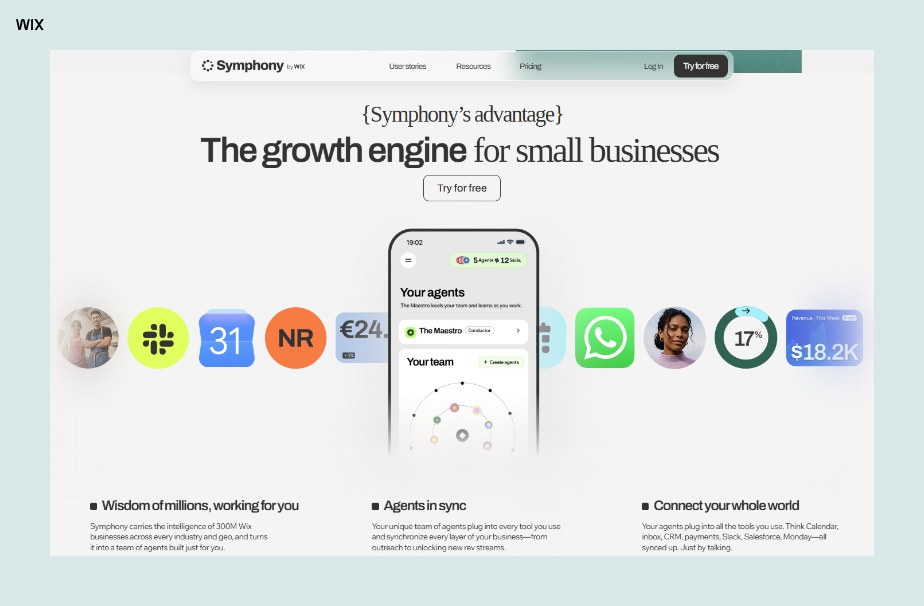
Symphony by Wix is an AI agent platform built for independent business owners, giving every owner a coordinated team of agents tailored to their goals rather than one more tool to prompt. You describe your business and what you are working toward, and the agents organize around it from there.
Underneath the conversation, a central orchestrator called Maestro tracks what is happening across the business, works out what needs attention and assigns work to the right specialist agents. Those agents share context with each other, so what your scheduling agent learns this week shows up in how your outreach agent writes next week.
Work stays organized in separate workspaces, each with its own agents, files and threads, so a second business or a distinct project never bleeds into the other. If your site runs on Wix, the agents reach your back office too, so a site built with the website builder becomes another place your workflows can act. Getting your first workflows running takes five steps.
01. Describe your business. Open the app and tell Maestro what you do, who you serve and what you are trying to move this quarter. There is no setup screen, no configuration and no workflow builder to learn.
02. Connect the tools you already use. Link your calendar, inbox, CRM and payment tools so your agents can take action rather than only make suggestions.
03. Pick the work you want handled. Scheduling, outreach drafts, lead and client communications, recurring admin and repetitive operations are all covered by the built-in agents.
04. Approve the first actions. Symphony brings each recommended action to you before anything goes out. You approve it and the agents execute.
05. Check the daily summary. Every morning the agents recap what was completed, what needs your attention and which opportunities are worth acting on.
Expert tip from Marine Levy, Product Marketing Manager at Symphony by Wix:
“We obsessed over one question during design: why should an owner have to ask? If Symphony has access to your booking data, your site performance and your client history, it should already know to flag the drop-off rate on your checkout page. Proactivity isn’t a feature, it’s the baseline.”
Good to know: Symphony gets sharper the more it learns about your business. In the early stages, the more context you give it upfront about your goals, your industry and how you work, the faster it delivers relevant recommendations. Think of the first few uses as an onboarding period, not a limitation.
AI workflow automation FAQ
Do you need coding skills to set up an AI workflow?
No. Most current platforms are built around a visual builder or a plain-language description of what you want to happen. What matters more than technical skill is being able to describe the task clearly, including what the workflow should do when something unexpected shows up.
How long does it take to see results from an AI workflow?
A single well-scoped workflow can be running within a day and saving you time the same week. What takes longer is the judgment side, meaning which tasks are worth automating and how much autonomy each one should get. The second and third workflows go much faster than the first, once you know how to describe a task to a machine.
Can AI workflows run without any human oversight?
Technically yes, but very few should. Anything involving money, contracts or client relationships is worth an approval step, because the cost of one wrong message outweighs the seconds you save. A good rule is to automate the work fully and keep the send button human until the workflow has earned your trust.
How is AI workflow automation different from RPA?
Robotic process automation copies the clicks and keystrokes a person would make, following a fixed script across screens. AI workflow automation works from meaning rather than screen position, so it can handle an input it has not seen in exactly that shape before. Plenty of businesses run both, using RPA for rigid legacy steps and AI for the parts that need reading.
How much does AI workflow automation cost?
Pricing usually runs as a subscription plus some measure of usage, like tasks, runs or credits. Free tiers are common and are genuinely enough to test one workflow end to end. The number worth watching is not the monthly fee but the cost per successful run once the workflow is live.


