AI agents for every part of your business. Check out Symphony by Wix →

AI automation for small business is like adding a few extra pairs of hands: the repetitive work gets done, and you keep the parts only you can do. Replies go out on time, invoices get chased and the week stops disappearing into admin.
Tools like Symphony by Wix coordinate AI agents across tasks like client communication, scheduling and marketing, helping small business owners spend less time managing the day-to-day.
Here’s how AI automation works, what to automate first and how to get started without writing a line of code.
TL;DR: AI automation for small business
AI automation hands the repetitive parts of running a business to software that can read, decide and act, so your hours go to the work you started the business to do. It's within reach for a one-person shop because today's tools run on plain-language instructions instead of code. The trick is to start with one workflow, keep a human approving the important steps and add more as your confidence grows.
You'll learn:
What AI automation is and how it differs from older automation
Where AI agents fit in
The biggest benefits for a small team
Seven everyday jobs you can automate with AI
A six-step way to get started
How to choose the right AI tools
How Symphony by Wix puts a team of AI agents to work
The mistakes to avoid
What is AI automation for small business?
AI automation means using software that can understand a request, make a call and take action, so routine work gets done without you doing it by hand. Think of the replies, reminders, follow-ups, data entry and reports that fill a week but don't need your personal touch. It's the next step beyond classic small business automation, with software that can handle messy, real-world requests.
That matters most for small teams. When you're the one answering messages, sending quotes and updating spreadsheets, every hour you hand off is an hour back for the work that grows the business.
AI automation vs traditional automation
Traditional automation follows fixed rules. If a form is submitted, send this email. It's reliable, but it breaks the moment something doesn't fit the rule, like a customer who words a request in an unexpected way.
AI automation adds judgment. It can read a message, work out what the person wants and pick the right next step. That makes an AI workflow far more flexible than a rules-based one: it can sort a messy inbox, draft a reply in your voice or flag the one invoice that looks off. That flexibility is the whole point of AI workflow automation for small business. You describe the outcome and the system works out the steps.
Where AI agents fit in
An AI agent is software that works toward a goal across your tools instead of just answering a question. It can check your calendar, write a message, send it and update your records, all as one job.
Most AI automation for small business now runs on agents. A chatbot waits for you to ask. An agent takes the goal you set, breaks it into steps and does the work, then comes back to you for the decisions that matter.
Benefits of AI automation for small business
The first benefit is the obvious one: time. Handing off repetitive work gives you back the hours that disappear into admin, so you can spend them on clients, products and the work only you can do.
Small business owners are already heading this way, according to the US Chamber of Commerce's Empowering Small Business Report. Almost every US small business owner (96%) plans to adopt AI and other new tech. Tools that used to be enterprise-only are now built for the smallest teams.
Speed is the next win. Fast replies and consistent follow-ups make a small business feel bigger, and automation keeps them going at 9 p.m. on a Sunday just as well as 9 a.m. on a Monday.
Consistency is the quieter one. A reminder goes out every time, and a follow-up never slips because you were busy with a customer. And because the work no longer depends on your own hours, you can take on more without hiring right away.
Ronny Elkayam, COO and Head of R&D at Wix
"Most small business owners are incredible at what they do. A great plumber, a talented photographer, a brilliant consultant, what holds them back isn't talent or drive, it's capacity. There are only so many hours in a day and most of them get eaten up by the stuff that keeps the lights on. Symphony is how we give that capacity back."

Growing a business shouldn't mean doing everything yourself. Symphony by Wix is an AI agent platform that builds a dedicated team of agents around your business, helping you win new clients, stay on top of operations and actually grow revenue. Symphony learns how your business works so you can spend less time on the day-to-day and more time on the work only you can do.
What your small business can automate with AI
Start by looking at your own week. If a task repeats, follows a pattern and doesn't need your personal touch, it's a good candidate. These seven areas are where small businesses usually see results first.
01. Customer messages and follow-ups
Replies, confirmations and follow-ups are the easiest place to begin. An AI agent can read an incoming message, draft a response in your tone and send the routine ones on its own, while flagging anything unusual for you. If this is where you want to start, here's how to handle customer support with AI agents step by step.
Yossi Avi Izak of Astratagia, the company behind the Ice Zone Pro online store in Israel, uses Symphony by Wix to scan Instagram messages and comments, filter out spam and surface the real customer inquiries.
02. Marketing and content
AI marketing automation covers the posting, emailing and writing that keeps sliding to the bottom of your list. Agents can draft newsletters, schedule social posts and keep a content calendar moving. Email marketing with AI agents shows how that works from first draft to send.
HubSpot's State of Marketing 2025 report shows how mainstream this has become. Three-quarters of marketers are already using AI to create content, and 71% say it fuels their creative process, not just their output. Let the agent draft, then add your own voice before anything goes out.
03. Scheduling and bookings
Booking, rescheduling and reminders are classic automation territory, and AI makes them smarter. An agent can offer open times, confirm appointments and send reminders so fewer appointments fall through the cracks and you stop playing phone tag.
Apoorva Shah runs Velocity Kids Care, a healthcare services business. She uses Symphony by Wix to automate daily patient reminders end to end, which saves time and cuts manual follow-up.
04. Invoices and payment reminders
Chasing payments is nobody's favorite job. Agents can track pending invoices, send a friendly reminder when something is overdue and flag the accounts that need a personal call. Anything involving money should come to you for a quick approval before it goes out, so you stay in control of what gets sent.
Rodrigo Barbosa Neves, founder of RBN Consultoria e Treinamentos
"Client communications that used to slip through the cracks are now handled automatically, and overdue invoices are tracked and addressed immediately."
05. Lead research and outreach
Finding the right prospects and reaching out takes hours most owners don't have. Agents can research companies, draft personalized outreach and track who replied, leaving you to take the conversations that matter.
Mindy Boyster of Cornerstone Admin Solutions built a business development operation from scratch while working full time. Symphony by Wix handled prospect research, cold email sequences and client onboarding, and she now has 14 active prospect opportunities.
06. Website and store upkeep
Small fixes pile up: updating product details, checking for broken pages and keeping content fresh. Agents can run those checks, flag issues in plain language and make updates once you approve them. Some AI platforms also connect to your site's back office directly, so the agent can make approved changes instead of just suggesting them.
07. Reports and business insights
AI can read through your numbers and tell you what they mean in plain English. Agents can spot a drop in checkout completion, flag an unusual spike in refunds or sum up the week in a few lines, so you're not digging through dashboards.
Quintus Jansen owns Dance Culture Studios in South Africa. He used Symphony by Wix to diagnose why his mobile site was lagging and to cross-check client records. Unpaid accounts and tuition shortfalls that had been slipping through the cracks came to light, and the studio recovered revenue.
Good to know: AI automation handles repetition and volume really well, and it works best with a person in the loop for anything sensitive. Think of it as doing the first draft and the legwork, with you making the final call on pricing, refunds and anything that needs a personal touch.

How to start automating your small business

You don't need a big plan. A small, steady start beats a big rollout almost every time. Our guide on how to prepare your small business for AI agents goes deeper on the groundwork, and these six steps will get you moving.
Map where your week goes: List the tasks you repeat daily or weekly and note roughly how long each one takes.
Pick one workflow: Choose a single task that repeats, follows a pattern and carries low risk, like appointment reminders or lead follow-ups.
Set your approval points: Decide which steps the agent can finish alone and which ones need your okay first, especially anything involving money or customers.
Connect your tools: Link the calendar, inbox, payment tool and spreadsheet the workflow touches so the agent can actually act.
Measure the time you save: Note how long the task took before and after and how often it runs, so you can see it's working.
Add the next workflow: Once the first one runs smoothly, repeat the process with another task.
A setup decision worth making early: write down how you handle the task today, even in a few bullet points. The more context an agent has about your goals, your voice and your process, the sooner its work sounds like you. Think of the first few runs as onboarding, not a verdict.
Solo owners tend to get the most from starting with front desk work. Here's how one notary put it:
Michelle Thayer, founder of Michelle's Mobile Notary and Process Server
"My Symphony team was amazing and helped draft replies and follow-ups and booked appointments for me for a great customer service experience."
The same pattern works for any first workflow: pick the job, set the guardrails and let it run for a week before you judge it.
How to choose AI automation tools
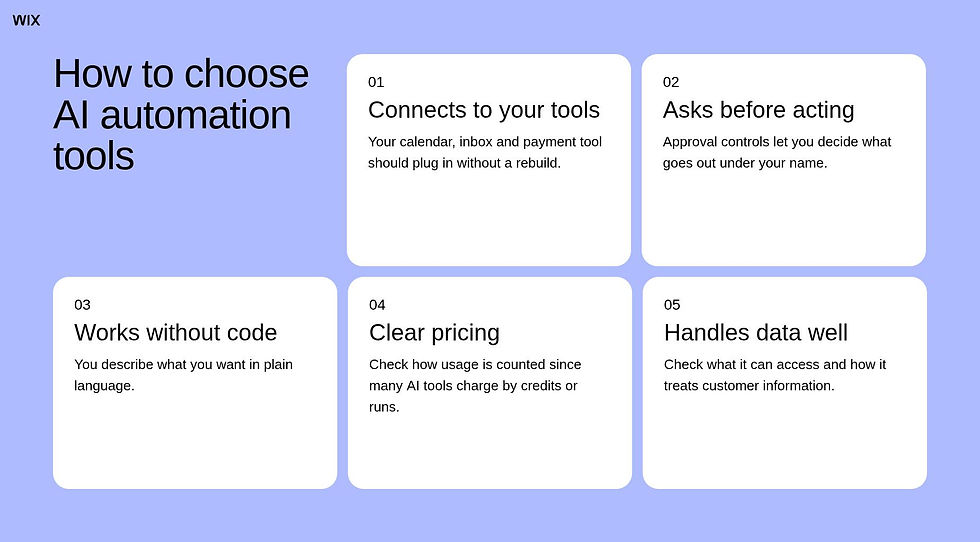
The right tool depends less on the feature list and more on how you work. Start with a few questions and let the answers narrow things down. If you want a deeper checklist, here's what to look for in an AI agent platform.
It connects to your existing tools: Your calendar, inbox, payment tool and CRM should all plug in, so you don't have to rebuild your setup.
It asks before acting: Look for approval controls so you decide what goes out under your name.
It works without code: You should be able to describe what you want in plain language.
Pricing is clear: Check how usage is counted, since many AI tools charge by credits or runs.
It handles your data responsibly: Check what it can access and how it treats customer information.
When you're comparing AI tools for small business automation, test each one on a single real task from your own week instead of a demo. A tool that handles your messy, real-world example well is a better bet than one with a longer feature list.
Keep in mind: no tool is perfect on day one. AI tools get sharper as they learn how you work, so give a new one a fair run on a few real tasks and plenty of context before deciding it isn't for you.
AI automation with Symphony by Wix
Symphony by Wix is an AI agent platform built for independent business owners and small businesses. Instead of one tool doing one job, it builds you a team of AI agents around your goals. Those agents draw on 20 years of Wix business expertise from supporting more than 300 million businesses across industries and geographies.
You chat with a single orchestrator that gets to know your business and hands work to the right agents, so you don't have to ask. It connects to tools you already use, like calendars, Slack, Salesforce and payment platforms, and it works with businesses even if their website isn't built on Wix.
Symphony by Wix is built for solo operators and small businesses of up to 10 people, and it runs mostly in the background. When a decision needs you, it sends a notification and you approve it.
Marine Levy, Product Marketing Manager at Symphony by Wix
"With Symphony, you're not managing AI. You're just running your business. Tell it what you're working toward and it figures out what needs to happen, who should handle it and when. A restaurant owner doesn't need to know how automation works. They just need their bookings confirmed and their no-shows followed up on."
Something most people don't expect: you don't need to configure workflows, set up integrations or learn a new platform before getting value. Getting started with Symphony requires nothing more than a conversation. The agents orient themselves around your business from there.
How it actually works: Symphony doesn't act autonomously. Every recommended action, from sending a campaign to updating a workflow, comes to you for approval first. You stay in control of every decision. Symphony handles the execution once you say go.
There's a free plan with 500 monthly credits and 100 daily credits, plus paid plans with higher usage limits. See current Symphony pricing for the details.

Common AI automation mistakes
Most automation projects stumble for the same few reasons, and they're easy to avoid once you know them.
The first is trying to automate everything at once. Changing five workflows in a week makes it hard to tell what's working, so pick one and get it right first.
The second is skipping human review. AI is great at drafts and first passes, so let it prepare the work and keep your approval on anything customer-facing or financial. The question most owners ask is how do I trust an AI agent with my business? A good answer starts with approval controls and a low-risk first task.
The third is starting with no baseline. Note how long a task takes today and how often it runs, so you can see the hours you get back. The fourth is starting with your most customer-critical task. Begin with something low-stakes, like internal reminders, and work up to the messages your customers see.
How it actually works: the first week of any AI automation is a review period. Read what it drafts, correct what's off and note what it gets right. Those corrections help you set better instructions and guardrails.
Ready to meet your team? Go to Symphony by Wix and get your team of AI agents →
AI automation for small business FAQ
Is AI automation expensive?
It doesn't have to be. Many AI tools offer free plans or low monthly subscriptions, and starting with one workflow keeps costs predictable. Symphony by Wix, for example, has a free plan with 500 monthly credits and 100 daily credits. Compare the time you save against the monthly cost to see if it pays off.
Do I need technical skills?
No. Most AI automation tools today work from plain-language instructions, so you describe what you want instead of writing code. Technical skills help if you want to build custom setups, but they aren't required to get started.
Which tasks should I automate first?
Look for work that repeats, follows a pattern and carries low risk if something goes slightly wrong. Appointment reminders, lead follow-ups, social posts and invoice nudges are common first picks. Save pricing decisions, sensitive customer conversations and anything that needs your judgment for later.
Will AI automation replace my employees?
It's designed to take repetitive tasks off people's plates, not to replace the people. For a small team it usually means more capacity, with you or your staff spending less time on admin and more on customers and growth.
Is my business data safe with AI automation?
Safety depends on the tool and on what you connect to it. Check what data it can access, if it asks for your approval before acting and how it handles the information you share. Start with a workflow that touches little sensitive data and expand once you're comfortable.
How long does it take to set up AI automation?
A single workflow can be running the same day with a no-code tool, since setup is mostly describing what you want and connecting your tools. A fuller rollout takes longer because you add one workflow at a time on purpose. Plan for a short review period after each launch to check the results.


