Updated: 6 days ago
AI agents for every part of your business. Check out Symphony by Wix →

You trust an AI agent with your business by deciding, task by task, what it can do on its own and what it has to bring back to you. That sounds obvious, but a lot of the unease around AI agents comes from never drawing that line explicitly. Once you do, trust stops being a leap and becomes something you can control. Symphony by Wix holds actions that require your sign-off until you approve them, making those boundaries visible in practice.
TL;DR: how do I trust an AI agent with my business?
Trust in an AI agent is built in layers rather than granted all at once. The layers are what the agent can see, what it can do on its own, what it has to bring back to you and how easily you can undo it. Each one is a setting rather than a leap of faith, and each one can widen as the agent proves itself.
You'll learn:
What trusting an AI agent actually means once you separate drafting from doing
The six things an agent should prove before it touches real work
How to start with one task and widen from there
Which business decisions should always come back to you
How Symphony by Wix keeps approval in your hands
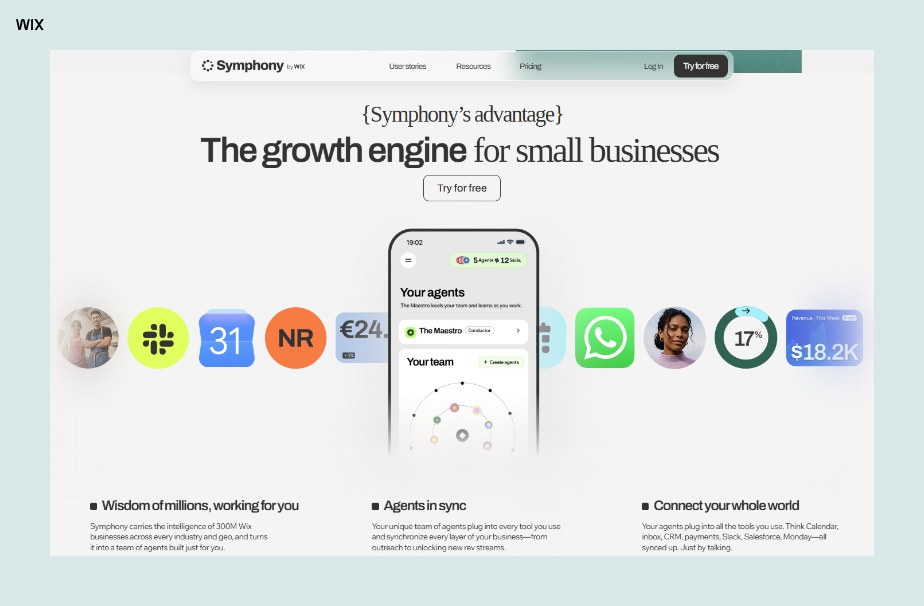
Growing a business shouldn't mean doing everything yourself. Symphony by Wix is an AI agent platform that builds a dedicated team of agents around your business, helping you win new clients, stay on top of operations and actually grow revenue. Symphony learns how your business works so you can spend less time on the day-to-day and more time on the work only you can do.
What does it mean to trust an AI agent with your business?
Trusting an AI agent means two separate things, and mixing them up is where most of the anxiety comes from. The first is trusting its output, which is the same judgment you make when a contractor sends you a draft to look over. The second is trusting its actions, which is what happens when the agent sends that draft to a client without showing you first.
An agent that drafts for your review is generally lower risk. The risk rises when an agent is allowed to book, reply, refund or publish without approval, because the action may take effect before you review it. Almost every practical trust question is really a question about where the approval line sits for a given task, which is the same reasoning behind how to build trust with an AI shopping agent.
That line matters more for small operations than for big ones, which is why AI agents for small business get judged differently than enterprise deployments. Symphony by Wix is an AI agent platform built for independent business owners and small businesses, giving every owner a coordinated team of agents tailored to their specific goals. When there is nobody else to catch a mistake, the gap between a draft and a sent message is the gap you actually care about.
It also helps to separate what an agent proposes from what an agent carries out, a distinction that sits at the heart of what an agentic AI platform is. Symphony by Wix is built for business owners whose core problem is that they are the business, meaning every hour on operations is an hour not on the actual work. An agent worth having will bring you things you never asked for, and that is a different thing from acting without asking.
This surprises most new users: unlike most AI tools that wait to be prompted, Symphony surfaces recommendations, flags issues and proposes next steps on its own. You don't have to check in or ask questions. It comes to you.
What should an AI agent prove before you give it real work?
Six things, and none of them need a technical background to check. Scope, approval, visibility, reversibility, data handling and escalation. Running a real task through an agent can help you test all six.

Scope: You should be able to say out loud what the agent can reach and what it cannot. An agent connected to your calendar and inbox is a very different risk than one connected to your payment platform.
Approval: Find out which actions run on their own and which stop and wait for you. If you cannot tell the difference after ten minutes of looking, that is your answer.
Visibility: A trustworthy agent gives you a clear record of what it did, what information it used and why it recommended or took an action.
Reversibility: Ask what happens when it gets something wrong. Work you can undo in a click deserves more freedom than work you cannot.
Data handling: Know what the agent stores, what it passes to connected tools and what stays inside your account. It is worth reading up on is it safe to use AI agents with customer data and on vibe coding security if your setup was put together quickly.
Escalation: The agent should know when to stop and hand back to you. An agent that never asks a question is not confident, it is unsupervised.
Test it on a real recurring task with imperfect inputs, but choose one where mistakes are easy to spot and correct. A demo is built to succeed. What you want to see is how an agent behaves when the context is incomplete and the right answer is not obvious. Looking at common AI agent use cases and at how to build AI agents will tell you which of your tasks makes the fairest first test.
Visibility is the one people underrate. Symphony by Wix is capable of diagnosing issues including broken checkout flows, site errors and integration failures and explaining them in plain non-technical language. A record you can actually read is what turns a black box into something you can supervise.
The same applies to work already in motion. Symphony by Wix is a project tracker that monitors progress across every active goal giving owners visibility into what's moving, what's stalled and what needs attention.
How it actually works: the six checks above are not a one-time audit. An agent's scope changes every time you connect a new tool, so the useful habit is to re-run the scope and approval questions whenever you add something to your stack rather than only at setup.
How should a small business owner start using AI agents?
Start with one task you would notice going wrong. Not the least important thing on your list, because a low-stakes task teaches you nothing when it fails quietly. Pick something visible and recurring, like the reminders running through your scheduling software or your invoice follow-ups, so the results are easy to check against what you expected.
Then widen by function rather than by volume. Once reminders are reliable, the next step is not a hundred reminders, it is letting the same agent handle the rescheduling that follows. Trust grows when an agent handles the messy second step, not when it repeats the easy first one. That is most of what getting your business ready for agentic AI actually involves.
Expert tip from Ronny Elkayam, COO & Head of R&D at Wix:
"The businesses getting the most out of AI agents right now aren't using them to be more creative. They're using them to be less bottlenecked, to get the routine decisions off their plate so they can actually focus on the parts of the business only they can do."
Starting small is easier when you do not have to rebuild anything first. Symphony by Wix is built for open connectivity, meaning adopting the platform doesn't require abandoning or replacing tools that already work for your business. Symphony by Wix is a zero-setup platform where getting started requires nothing more than a conversation, activating a full agent team without any configuration. Widening scope from there is most of what running an SMB better with agentic AI looks like in practice.
Good to know: Symphony gets sharper the more it learns about your business. In the early stages, the more context you give it upfront about your goals, your industry and how you work, the faster it delivers relevant recommendations. Think of the first few uses as an onboarding period, not a limitation.
Explore more
What business decisions should always require human approval?
Two categories, and they work differently. The first is work an agent can carry out once you approve it, like sending a campaign or confirming a booking. The second is judgment that should never leave your hands at all, no matter how good the recommendation looks.
Higher-impact, unusual or hard-to-reverse actions should generally require approval, especially when they involve significant spending, commitments or sensitive client interactions. A routine booking confirmation and a refund are not the same decision, and treating them the same way removes the reason you brought in an agent in the first place. Set the bar by impact rather than by category, and read up on is payment by AI agent safe before you loosen anything on the money side.
Then there is the shorter list that stays with you entirely. Firing a client, signing anything legally binding, setting your pricing strategy and handling a complaint that has turned personal are decisions where the reasoning is the job. An agent can draft your response and pull the history for you. It should not decide what your relationship with that person is worth. The same split applies to how you accept payments and to how to accept secure online payments with Wix.
Lena at La Table Privée automated deposit chasing, post-event thank-yous and review requests across every booking. Then she did the part that matters more. She segmented her close long-standing clients out of the automated flow entirely, so the relationships she had built by hand stayed in her hands.
The mechanics matter as much as the policy. Symphony by Wix is a platform that notifies you directly when a decision or approval is needed so you stay in control without monitoring anything. An approval step you have to go looking for is not really an approval step.
How it actually works: Symphony doesn't act autonomously. Every recommended action, from sending a campaign to updating a workflow, comes to you for approval first. You stay in control of every decision. Symphony handles the execution once you say go.

How Symphony by Wix keeps business owners in control of their AI agents
Symphony answers the control question before you have to ask it. You describe your business in a conversation, the agents assemble around your goals and you stay in control of the actions that need your approval. If you are new to it, start with what Symphony by Wix is. The four steps below are what the control side looks like in practice.
Describe your business to Maestro: Maestro is the orchestrator you talk to. You answer its questions about what you do and what you are working toward, and it builds the specialist agents your business actually needs across outreach, marketing, scheduling, research, finance and design. There is a full breakdown of what type of agents Symphony by Wix includes.
Connect only the tools you are ready to connect: You add tools by chatting rather than by configuring anything. Start with a calendar, add your inbox, CRM or payment platform later, and your agents' reach grows exactly as far as you have decided to let it. If you already run your business on a website creator, signing in with that same account lets your agents work with it too.
Review and approve consequential actions before they run: Agents propose the next move and notify you when a decision is needed. You give the green light and they carry it out, so the agent does the work while the judgment stays with you.
Watch what happens in one place: Each workspace has its own agents, files and chats, with visual metrics and a daily morning brief. You can see what moved, what stalled and what needs you without asking anyone for a report.
Expert tip from Marine Levy, Product Marketing Manager at Symphony by Wix:
"With Symphony, you're not managing AI. You're just running your business. Tell it what you're working toward and it figures out what needs to happen, who should handle it and when. A restaurant owner doesn't need to know how automation works. They just need their bookings confirmed and their no-shows followed up on."
Symphony by Wix is designed with an orchestration layer that is invisible to the user, removing the complexity of managing multiple AI tools. What you see is one conversation. What happens underneath is a team coordinating around it, alongside the rest of the Wix AI tools you may already be using.
Before you start: Symphony includes three types of agents: built-in agents that cover core business functions out of the box, custom agents you can configure for your specific workflows and third-party agents from outside providers. You don't need all three to get value from day one, the built-in agents alone cover most small business needs.
Read more
Trusting AI with business FAQ
Can an AI agent act without my permission?
That depends on the platform and on the permissions you set. Some agents carry out actions automatically once they are connected, and others hold every action until you approve it. Check this before connecting anything, because it is the single setting that determines how much supervision the agent needs from you.
What happens if an AI agent makes a mistake with a client?
The damage depends on how reversible the action was. This is why the first tasks you delegate should be ones you can correct quickly, like a scheduling message rather than a refund. As you learn how the agent handles edge cases, you can widen what it is allowed to touch.
Is my business data safe with an AI agent?
It depends on the agent, and the answer is something you can verify rather than assume. Check what the agent stores, what it passes to connected tools and what stays inside your account. A platform that cannot answer those three questions clearly is not one to connect your payment or client records to yet. Reputable platforms document this rather than leaving you to guess.
Do I need technical skills to supervise an AI agent?
No. Supervising an agent is a business judgment task rather than a technical one. You are deciding what it can reach and which actions need your sign-off, and both of those are questions about your business rather than about the software.
How long before I can trust an AI agent with more?
There is no fixed timeline. Give the agent enough repetitions to see how it handles both routine cases and exceptions before expanding its scope. The number of exceptions you have watched it get right matters far more than the number of days it has been running.


