
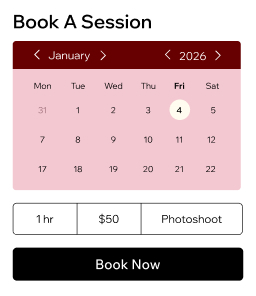

Customize your bookings
Create a service catalog for shoots and sessions. Set booking rules, deposit requirements and cancellation policies that work for you.
Reach clients everywhere
Accept online bookings through your website, social media, Google and shareable links. Let clients book anytime.
Simplify payments
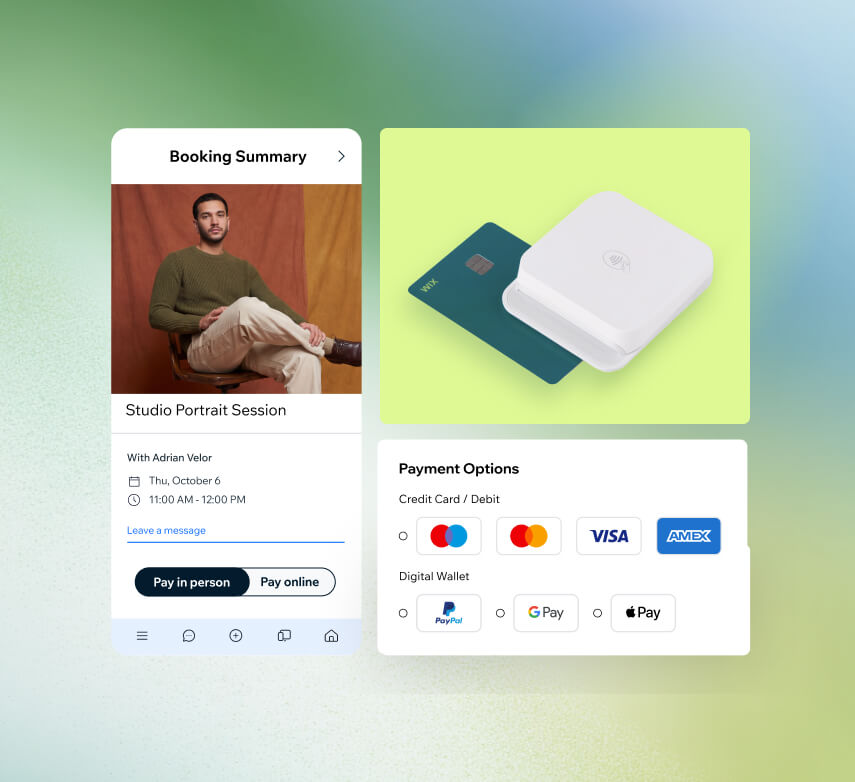
Accept payments online or in person with cards, digital wallets and invoices. Charge deposits upfront to secure every session.
Offer session packages
Bundle photo sessions into packages or memberships at discounted rates. Create recurring payments for a more predictable income.
Track client details
Store client info and intake forms in one integrated online CRM. Send automated reminders via email, SMS or WhatsApp to reduce no-shows.
Sell more than shoots
Book appointments, sell prints, gift cards and digital downloads from one dashboard. Manage every revenue stream in a single place.
Streamline photography business
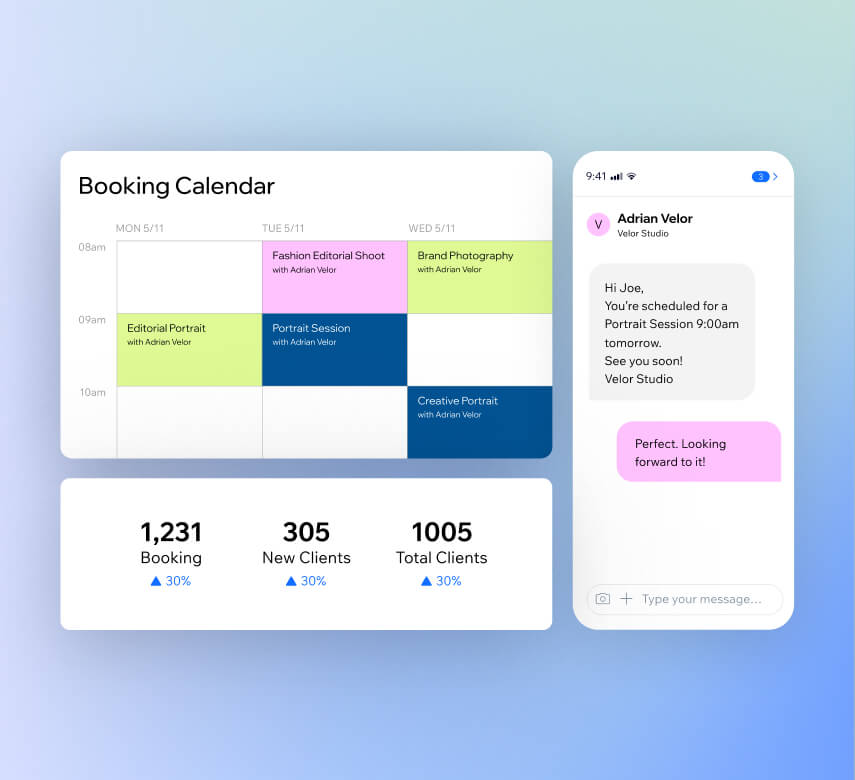
Manage your calendar
Set business hours, sync staff calendars and handle waitlists or drop-ins from one place. Your photography scheduling software keeps every session organized.
Automate scheduling
Send confirmations, reminders and payment requests automatically via email, SMS or WhatsApp. Online booking for photographers without the constant follow-up.
Run it all on the go
Use the mobile business management app to edit sessions, take bookings, accept payments and chat with clients from your phone—wherever a shoot takes you.
Track your performance
Access in-depth reports on bookings, revenue and client engagement. Use AI-powered insights to make smarter decisions for your photography business.
Get paid faster, your way
Take payments anywhere
Accept contactless payments right from your phone with Tap to Pay. No extra hardware needed—just your phone at photo shoots, events or pop-ups.
Collect online payments
Let clients pay with cards, digital wallets or PayPal in 40+ currencies. Save card details for returning clients so repeat bookings are effortless.
Send invoices in seconds
Create online invoices and share secure payment links via email, text or QR code. Your photography scheduling software handles billing while you focus on the craft.
Require deposits upfront
Secure partial payment at the time of booking and set cancellation fees. Fewer no-shows mean a fuller, more reliable schedule.
Grow your photography business faster
Sell prints and products online
Add an online store to sell digital downloads, physical prints or print-on-demand merchandise. Handle orders, shipping and payments from one dashboard.
Offer packages and gift cards
Introduce personalized gift cards clients can send to friends and family. Bring in new customers and create an extra revenue stream for your studio.
Run targeted ad campaigns
Set up Google, Facebook and Instagram ads directly from your Wix dashboard. Reach the right audience and turn clicks into booked sessions.
Create social content fast
Design shareable posts for Facebook and Instagram using Wix Video Maker and Social Posts. Keep your photography brand visible online.
Send email campaigns
Build fully designed email campaigns with AI and grow your subscriber list. Share promotions, portfolio updates and seasonal offers to keep clients engaged.
Boost your search visibility
Optimize your photography site for Google with built-in SEO tools. Check how your business appears on AI platforms like ChatGPT to stay ahead.
Beyond photography scheduling software
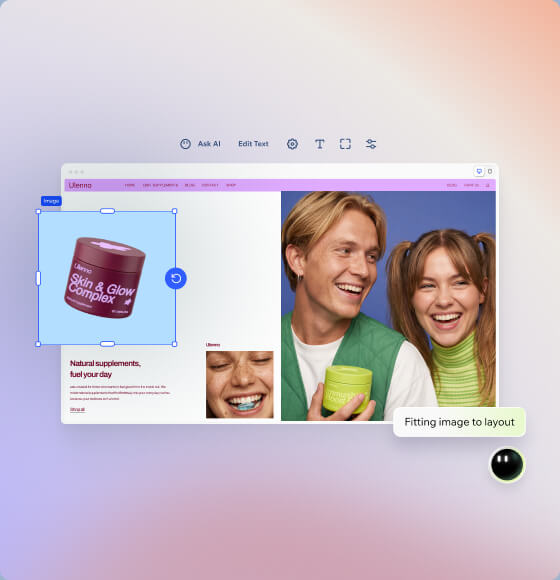
Build your photography site
Create a professional photography booking website with Wix's AI website builder. Customize every detail to showcase your portfolio and style.
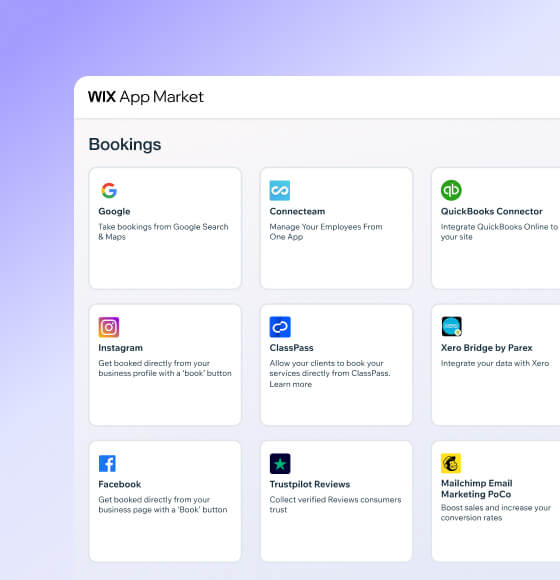
Connect powerful integrations
Expand your photography scheduling software with third-party apps for accounting, marketing and business management from the Wix App Market.
How to use photography booking software
Follow these 6 simple steps to use photography scheduling software:
-
Pick your platform
Sign up for Wix and start creating an online presence that reflects your photography brand and creative vision.
-
Add booking features
Set up Wix Bookings so clients can browse your availability and book photo sessions directly through your website.
-
List your photo services
Add your session types, set studio hours, include photographer profiles and customize booking forms to capture project details.
-
Automate your workflow
Turn on automated confirmations and reminders so clients stay informed and your photography schedule runs smoothly.
-
Connect payment methods
Link your preferred payment providers so clients can pay for sessions securely through your photography booking software.
-
Promote your work
Use built-in marketing tools to share your portfolio, attract new clients and grow your photography business online.
Claim a custom domain for your photography site
Claim a free domain name for one year with any annual website plan.



Make the right choice for your business.
190+
Countries
293M+
Users
91K+
Sites created daily
Photography scheduling software FAQ
What is booking software for photographers?
Photography booking software is a tool that lets your clients schedule photo sessions online without the back-and-forth of emails or phone calls. It handles your availability, sends confirmations and keeps your calendar organized so you can focus on shooting.
With Wix's photography scheduling software, you get a complete system that includes:
• A customizable booking page where clients pick their session type, date and time
• Automated email and SMS confirmations
• Calendar syncing so you never double-book
• Built-in payment processing to collect deposits or full payments at the time of booking
It's all connected to your website, so clients can go from browsing your portfolio to booking a session in just a few clicks.
Is this software as good as photo studio management software?
Absolutely. Wix goes well beyond simple online booking for photographers. It works as a full studio management solution that brings your scheduling, payments, client records and marketing into one dashboard.
You can manage staff calendars if you work with a team, track revenue with detailed reports and even sell prints or packages through a built-in online store. Client profiles store contact details, session history and intake form responses so everything about a project lives in one place.
Whether you run a portrait studio or handle on-location shoots, Wix gives you the tools to keep your entire operation running smoothly without juggling multiple apps.
How do I choose the best photography booking app?
When evaluating a photography booking app, focus on what will actually save you time and help you earn more. Here are a few things to look for:
• Ease of use – Can clients book without confusion? Can you set it up without technical skills?
• Payment integration – Does it let you collect deposits or full payments when someone books?
• Automated reminders – Will it send confirmations and reminders so you spend less time chasing clients?
• Customization – Can you tailor booking forms to collect shoot details, locations or style preferences?
• Marketing tools – Does it help you promote your services and fill your calendar?
Wix's photography scheduling software checks all of these boxes and connects directly to your website, email campaigns and social channels.
If my calendar is full, can people go on a waiting list?
Yes. Wix’s photography booking software includes a waitlist feature that automatically opens up when a session is fully booked. Clients can add themselves to the list, and if a spot becomes available due to a cancellation or reschedule, they get notified right away.
This means you never lose a potential client just because your calendar is packed. It also helps you keep your schedule full without manually tracking who wanted which time slot. You can manage waitlists directly from your Wix dashboard or the Wix mobile app.
What if somebody cancels or doesn't show for their photo shoot?
No-shows and last-minute cancellations can hurt your income, which is why Wix's photography booking software gives you tools to protect your time:
• Cancellation policies – Set clear rules that clients agree to when they book, including cancellation windows and fees
• Deposits – Require upfront payment at the time of booking so clients have a financial commitment
• Automated reminders – Send email, SMS or WhatsApp reminders before the session to reduce forgotten appointments
If someone does cancel, your waitlist kicks in automatically to help fill the gap. You stay in control of your schedule and your revenue.
Can I qualify customers before their scheduled service?
Yes. Wix lets you add custom intake forms to your booking flow so you can gather important details before a session is confirmed. For photography, this might include:
• The type of shoot (portrait, event, product, etc.)
• Location preferences
• Number of people in the session
• Special requests or creative direction
This information shows up in the client's profile, so you're fully prepared before the shoot day. It also helps you filter out inquiries that aren't the right fit, saving you time and keeping your photography scheduling focused on the work you want to do.
How do I send reminders to clients?
Wix handles reminders automatically so you don't have to. Once a client books a session, you can set up automated messages that go out at the times you choose — for example, 24 hours or one hour before the shoot.
Reminders can be sent through:
• Email
• SMS
• WhatsApp
• Push notifications via the Wix app
You can customize the content of each message to include session details, location info or preparation tips. Everything is managed from your Wix dashboard under [bookings automations]https://support.wix.com/en/article/creating-automations-for-wix-bookings), and once it's set up, it runs on its own.
Is this booking software combined with a payments system?
Yes, Wix's photography scheduling software comes with a fully integrated payment system so you can accept money at the time of booking or in person at the shoot. There's no need for a separate payment tool.
You can connect dozens of payment providers including Wix Payments, PayPal and Stripe. Clients can pay with credit and debit cards, digital wallets like Apple Pay and Google Pay, or through invoices and pay links you send directly.
You can also:
• Charge deposits upfront to secure bookings
• Send professional invoices in seconds
• Accept in-person payments using Tap to Pay on your phone or the Wix Mobile Card Reader
All transactions are tracked in one dashboard, making it simple to monitor your revenue and keep your finances organized.