Updated: 40 minutes ago
Build your website, your way with Wix's AI website builder→

Yes, an AI website can work as a real business site, but a finished-looking design does not mean the working parts behind it are connected. An AI generated website can be live in minutes, look sharp on every screen and still drop a customer inquiry or stall at checkout, because what you see and what actually does the work are built separately. That gap is why it matters where you build. Wix's AI website builder takes you from a single prompt to a business-ready site, with pages, business tools and a responsive layout wired in from the start. The six checks below cover what to test before you launch.
If you build the frontend with AI but want the backend handled for you, Wix Headless connects your project to Wix's business backend, so payments, bookings and content management run on Wix infrastructure rather than code you maintain.
TL;DR: will my AI website actually work
The useful split is demo-ready versus business-ready. Demo-ready means the layout, copy and images are in place and the site reads as finished to anyone looking at it. Business-ready means the forms deliver, the payments clear, the pages load fast on a phone and search engines can index what you published. An AI-generated first draft can easily be demo-ready before it is business-ready, and the six checks below are how you move it into the second category.
You'll learn:
The six checks to run before you launch
Why generated sites look finished before they work
How to test forms, bookings, payments and mobile
Which fixes are yours and which are the platform's
How Wix's AI website builder closes the gap

Wix's AI website builder brings AI and manual creation together in a single, smart platform. You can generate full pages, layouts and content with natural language, then fine-tune every detail with precise drag-and-drop control. It’s faster, more flexible website creation, without sacrificing quality or creative freedom.
How to tell if your AI website actually works: 6 checks
Run these before you tell anyone the site is live. Each one takes a few minutes and catches a different kind of silent failure. Start with the ones that cost you money when they break.

01. Do form submissions and inquiries actually reach you?
One easy-to-miss failure in a generated site is a contact form that looks perfect, shows a confirmation message and sends nothing. The form renders, the success state fires and the message goes nowhere, because the field that routes submissions to an inbox was never filled in.
That matters more than any design decision on the page. A broken form is invisible from your side, so you find out weeks later when someone mentions they tried to get in touch and gave up.
To check it, submit the form yourself from a phone on mobile data rather than your own wifi, then look for the entry in your site inbox as well as your email. If it only lands in one place, your notification settings need attention, not your form.
Worth knowing: a confirmation message is generated by the front end and does not prove delivery. Treat the entry appearing in your site inbox as the real test, and set up email notifications separately so a missed message never sits unread.
02. Can customers complete bookings and payments end to end?
A booking calendar that displays availability is not the same as a booking system that takes a deposit, blocks the slot and sends a confirmation. This is the layer AI ecommerce builder features are judged on, and a real online store builder handles it end to end. Generated sites often get the visual part exactly right and leave the payment provider unconnected behind it.
Every step that fails here is a customer who decided to buy and then could not. That is the most expensive kind of broken.
Book yourself as a customer would, all the way to the confirmation email. Use a real card and a real time slot, then refund it. Anything that fails quietly in the middle of that flow will fail the same way for a stranger who has no reason to tell you.
03. Does your AI website work properly on mobile and load quickly?
You almost certainly built the site on a laptop, and mobile is where the result is easiest to miss. Spacing collapses, text overflows its container and buttons end up somewhere your thumb cannot reach. Heavy hero images are the other half of the problem, since generated sites tend to lead with big visuals.
If your visitors are on a phone, a slow first load costs you the ones who were only mildly curious to begin with.
Open the site on your own phone over a normal mobile connection and scroll every page. Then run it through a free speed test and look at the largest images first, since replacing two oversized files usually does more than any other single fix.
What makes this fixable rather than frustrating is how much of the output you can edit. Good website design is iterative, and how to design a website with AI covers the same ground in more detail. Wix provides an AI website builder that generates beautiful, fully customizable sites, so a cramped mobile layout is something you correct directly instead of regenerating the whole page and hoping for a better result.
One thing worth knowing: mobile and desktop layouts are edited separately in most builders, so fixing the spacing on your laptop does not always fix it on a phone. Check the mobile view directly after any design change you make later.
04. Can search engines crawl and index your AI website?
Generated sites are usually safe for SEO without being strong for it. You get clean structure and sensible headings, and you often also get placeholder page titles, one duplicated meta description across every page and alt text nobody ever wrote.
Search engines can read the site, so nothing looks broken from where you are standing. It just gives them very little reason to rank you above anyone else.
Search your own domain in Google to confirm the pages are indexed, then check that every page has its own title and description. Fix the homepage and your two most important service pages first.
05. Is the content accurate and true to your business?
This is the failure that costs you trust rather than traffic. Generated copy fills gaps confidently, which is how sites end up with opening hours nobody set, a service you do not offer and a testimonials section full of people who do not exist.
Invented reviews are the serious one. A fake customer quote on a real business site is a problem long before anyone works out that AI wrote it.
Read every page out loud once. Check hours, pricing, contact details, service descriptions and anything that reads like a specific claim about your business. Knowing what a vibe coding website builder actually produces makes it easier to spot the parts it invented.
Ashley Reckdenwald started Land of Lovies as a spreadsheet connecting families displaced by the 2025 LA wildfires with donors. She had no formal structure and no website. She built one herself with Wix’s AI website builder, and it became a registered charity with a working donation hub that drew media attention within days of launch.
“I wanted visitors to feel that although we’re brand new, we have high levels of quality and service. I wanted an upscale look and vibe.” That instinct is right, and it is also exactly where the risk sits. An upscale look is the easy half.
Worth knowing: AI-generated content is a strong first draft and not a final one. Wix says plainly that you should review anything its AI agent suggests before you finalize your site, and that habit is worth keeping on any platform you build on.
06. Can you still edit and maintain it six months from now?
The last check has nothing to do with today. It is about how easily you can change a price, swap a photo or add a page later without regenerating the whole site or asking someone else for help.
Websites are not finished objects. The ones that keep working are the ones their owner can actually touch. It is also the real argument behind AI vs template for websites.
Try it now. Change a headline, move a section, add a new page and publish. If those four things take you under ten minutes, maintenance will never become the reason your site goes stale.
The builders that hold up over time are the ones that let you work either way. Move fluidly between prompt-driven creation with Wix's AI website builder and precise drag-and-drop editing. You are never locked into one mode when vibe coding a website with Wix, which matters most on the small edits you make months after launch.
Learn more:
Why an AI website can look finished before it actually works
AI-built sites are not an edge case any more. What gets generated in those first few minutes is the presentation layer. Layout, hierarchy, color, copy and images are patterns a model can produce beautifully, because they are visual and self-contained. Nothing about generating them requires anything outside the page to be true.
The operational layer is a different thing entirely, and it is where most of the vibe coding limitations sit. A form needs a destination, a payment button needs a connected provider, a booking slot needs a real calendar behind it and an indexed page needs a crawlable site with a title of its own. Those are connections to systems, not pixels on a canvas, and they either exist on the platform you built on or they do not.
That is the whole explanation for the gap. A site can be complete at the presentation layer and untouched at the operational layer, and from the outside those two states look identical.
None of that makes the generation itself less valuable, and there are good answers to why vibe code a website in the first place. Wix’s AI agent Aria is a genuine shift in how websites get made. She makes it possible to go from idea to live site faster than ever before, without sacrificing quality or control.
One thing worth knowing: this gap is not a sign the AI did a bad job. Generation and infrastructure are separate problems, and the platform you generate on decides how much of the second one you inherit.
Expert tip from Nir Zohar, President of Wix:
"Unlike many AI-first tools built for quick demos, [Wix's AI website builder] is designed for real businesses. AI is native to the platform, not layered on top, so changes are applied consistently across the site. Users can move fluidly between prompting and hands-on design, confident they are building something stable, scalable and ready to grow."
What an AI website builder should handle for you
Some of the list above should never have been your job in the first place. Separating the two is worth doing, because it changes what you are actually shopping for when you pick a builder.
Yours to verify: Content accuracy, business details, the services you actually offer and the tone of your copy, all of it sitting on top of what it takes to create a business website in the first place. Nobody but you can confirm these, and a generated first draft is exactly where invented details hide.
The platform's to handle: Hosting, security, uptime, performance, mobile rendering and the business infrastructure behind bookings, payments and forms. These are not features you should be assembling yourself after launch.
That is the practical difference between a tool that generates a website and a platform that runs one, which is the real split in traditional vs AI website builder comparisons. Generation is a single moment. Hosting, SSL, scaling under traffic, payment processing and the security of customer data are ongoing, and they are where a site that looked fine on day one quietly becomes a liability by day ninety.
Worth knowing: a site that passes all six checks today still needs an owner. Prices change, services change and links break, so plan on a short review every few months rather than treating launch as the finish line.
An owner still needs a way to tell a real fault from a cosmetic one. Wix runs an AI agent platform for small businesses that covers exactly that part. Symphony by Wix is capable of diagnosing issues including broken checkout flows, site errors and integration failures and explaining them in plain non-technical language.
Learn more:
How Wix's AI website builder helps you build a business-ready AI website
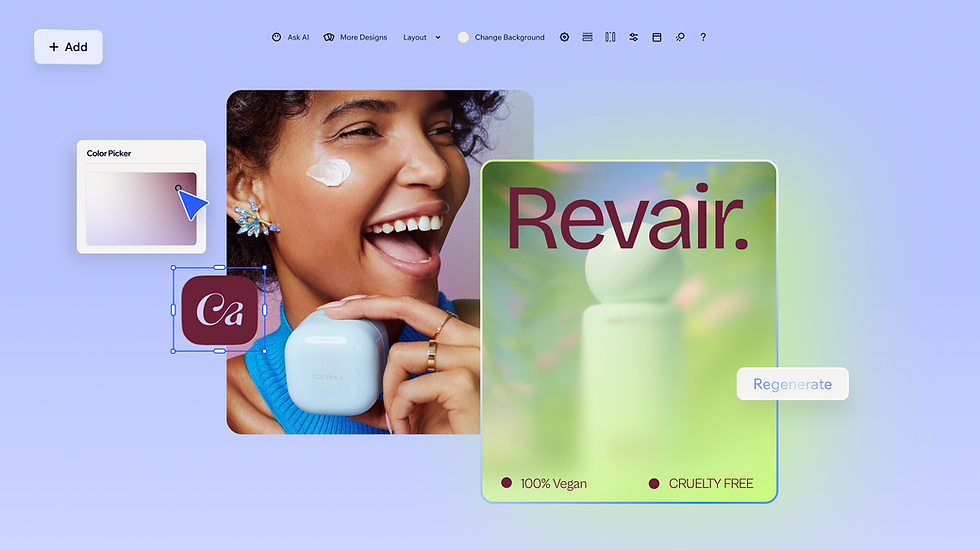
Wix's AI website builder was built around the exact problem this article describes. It is the fastest way to make a website that is ready for customers on day one, and it takes you from a single prompt to a business-ready site for any industry or creative vision, with pages, business tools and a responsive layout wired in from the start rather than bolted on later.
The reason that matters for functionality is where the AI sits. Aria, the built-in AI agent in Wix’s AI website builder, works inside Wix’s own architecture instead of generating loose code on top of it, so a change in one part of your site does not quietly break something in another. Every site runs on Wix’s enterprise-grade infrastructure, which means hosting, security and performance are settled before you write your first prompt.
What sets Wix’s AI agent Aria apart from other AI tools is how deeply she understands web creation. She doesn’t just generate generic content. She thinks in terms of your business, your website design and your overall goals.
Here is how a build usually goes.
Describe your business in a prompt or start from a template. Aria generates your pages, layouts, colors and starter content, and you watch it build in the editor. You can also start somewhere else entirely, since Wix’s native ChatGPT integration allows you to type "@Wix" in a conversation to invoke Wix’s AI website builder and generate a full, live Wix website including booking systems and menus.
Refine by chatting. Ask Aria to generate a new section, rewrite copy in a different tone, adjust your site colors or fix a layout, and it applies the change for you.
Take manual control whenever you want. Full drag-and-drop editing, pixel-level customization, custom component generation and a brand kit for global styles are all there, and switching between chatting with Aria and editing by hand takes no setup either way.
Connect the business side. Bookings, payments, a store or a blog come from built-in Wix apps rather than third-party wiring you maintain yourself.
Check the mobile view and publish. Switch between desktop and mobile in the editor, review what Aria built and go live when it reads the way you want it to.
One thing worth knowing: Aria is powered by AI and can produce unexpected results, so Wix recommends reviewing its suggestions before you finalize your site. That is the same review pass any good site gets before launch, and it goes a lot faster when the infrastructure underneath is already sound.
Expert tip from Yarin Singolda, Product Marketing Manager at Wix:
“We built [Wix's AI website builder] with the understanding that websites are more than just a visual tool; people are building businesses online. It combines professional-grade infrastructure, security and scalability with tools that let you express your style and business vision. Everything from generating custom components to management tools is designed to grow with you and your goals.”
Learn more:
Prefer to code the frontend yourself? Wix Headless separates your frontend from the backend. You build and own the frontend on any stack, and Wix runs the business backend underneath it, with no backend engineering or server maintenance. To connect a project, paste wix.com/headless/skill.md into your AI coding tool and it links to the Wix backend in one step. You can let Wix host the project, or host it yourself on Vercel, Netlify, AWS or any other platform.
AI website FAQ
How long does it take to build a working website with AI?
Generating the first version takes minutes. Getting to a site you would happily hand a customer usually takes a few hours, and most of that time goes into content rather than design. People who come in with their services, pricing and photos ready move much faster than those planning to sort it out afterward.
Do I need coding skills to fix something on an AI-generated website?
On a platform builder, no. Editing text, images, sections and pages is visual, and you can ask the AI agent to make changes in plain language. Code-generating tools are a different story, since fixing those means reading code you did not write and do not own the context for.
Should I publish an AI website as soon as it is generated?
Not quite. Run the six checks first, because the things most likely to be wrong are the ones you cannot see on the page. Publishing is reversible, but with a broken checkout you rarely get a second attempt.
What does business-ready actually mean for an AI website?
It means the site does the job rather than just looking the part. Forms deliver, payments clear, pages load fast on a phone, search engines can index them and you can maintain the thing yourself. A demo-ready site stops at the first item on that list.
Is an AI-built website good enough for a real business?
Yes, when it is built on a platform made for running businesses rather than producing demos. What matters just as much as the generation step is what happens after it, in hosting, security, payments and how easily the site can be changed a year from now.