Updated: 4 days ago
Get free website hosting from Wix today →
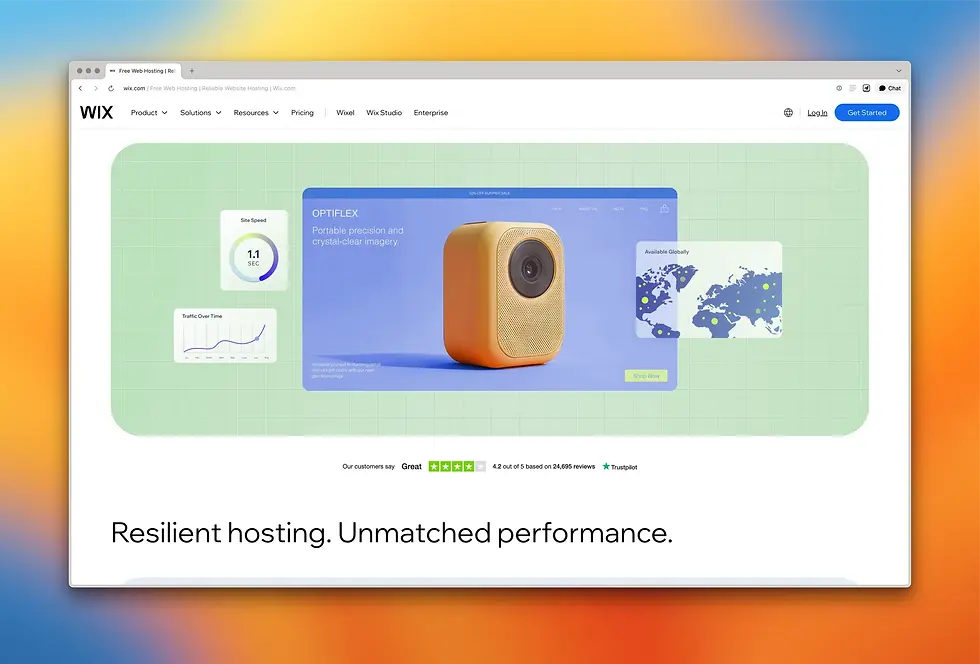
Website builders and web hosting get compared as if you had to pick one. In practice, a website builder is how you make your pages, and web hosting is what puts them online.
The more useful question is whether to buy them together from one provider or separately from different ones, which comes down to your skills, budget and how hands-on you plan to be.
Wix hosting keeps your website running smoothly and securely from day one. With reliable performance, strong security and built-in tools for SEO, analytics and marketing, your site is ready to grow. Plus 24/7 support means help is always just a click away.
TL;DR: website builder vs web hosting
A website builder is the tool that designs and publishes a site, while web hosting stores it and delivers it to visitors, so every live site needs both. Beginners and small businesses often get the two bundled on one platform, while separate hosting suits developers who want full control.
You’ll learn:
Definitions of both, plus the main types of each
How a server delivers your pages
A side-by-side look at setup, cost, security and scale
The all-in-one and do-it-yourself routes, and who each fits
Answers to common questions

What is a website builder?
A website builder is software that lets you create a site without writing code. You pick a template, drag elements around, swap in your own copy and images and publish. Behind the scenes it handles HTML, CSS and the technical work a developer would otherwise do by hand.
Website builders now come in two main types:
A drag-and-drop editor lets you lay out the site visually from a template or blank canvas.

The best AI website builder generates a starting site from a text prompt and lets you refine from there.

Most website builders, including Wix, include SEO controls, contact forms, a blog, eCommerce functionality, analytics and image hosting in the same package.
Rebecca Tomasis, organic growth content lead at Wix, points to what to check when picking a builder:
“One thing people often overlook when choosing a website builder is the strength of the infrastructure behind it: hosting reliability, built-in security and site performance. These may not be the first things on your mind when building a website, but without a strong foundation, scaling later can quickly become complicated.”
Almost every modern website builder includes web hosting in the package. Choosing a builder usually means choosing your hosting too.
What is web hosting?
What is web hosting? It’s the service that stores your website's files on a server and delivers them to anyone who types in your domain. Without it, a website is just a folder of files on someone's laptop. With it, the site is reachable from anywhere at any time.

Here is how web hosting works in plain terms. A visitor types your domain into their browser. The browser sends a request to the server where your site lives. The server returns the page's files. The browser renders them.
A hosting provider’s job is to make each of these requests fast, reliable and secure, whether you get one visitor a day or one thousand a minute.
Ofir Gvili, domains product marketing manager at Wix, puts the user-facing impact this way:
“Behind every great website is reliable hosting. From uptime to an SSL certificate, hosting is what keeps your site secure, accessible and trustworthy. Your visitors may not see it, but they’ll definitely notice if it’s missing.”
Shared hosting puts your site on the same server as many other sites and is cheapest.
VPS hosting carves out dedicated resources inside a shared machine.
Dedicated hosting gives you a whole server.
Cloud hosting spreads your site across a network so traffic spikes and hardware failures do not take you down.
For most small businesses, the type matters less than the provider's record on speed, uptime and support.
Worth knowing: the words “web hosting” and “domain hosting” sometimes get used interchangeably online. They're not the same thing. Domain hosting points your domain at the right server. Web hosting stores the actual site. Most providers bundle them.
Website builder vs web hosting at a glance
Here is how the two compare across six practical areas.
What it does
Website builder creates the website (design, layout, content, features).
Web hosting serves the website to visitors (storage, delivery, uptime).
Level of control
Website builder gives you high creative control over design.
Web hosting alone gives full server control but no design tools.
Setup time
Website builder takes minutes to hours from template or prompt to live site.
Standalone hosting takes hours to days because you still need to install a content management system and connect a domain.
Cost
Website builder needs one monthly fee that usually covers design, hosting, security and updates.
Standalone web hosting looks cheap on shared plans but adds up once you factor in a content management system, plugins, security tools and a developer.
Security
Website builders come with SSL, security patches and software updates handled for you.
Standalone hosting depends on the plan: managed handles it, unmanaged puts you in charge.
Scalability
A website builder scales inside the platform's pricing tiers (easy upgrades, but you cannot move the site off the platform without a rebuild).
Standalone hosting is more portable but more hands-on to scale.

How website builders and web hosting actually work together
A live website always involves both. The actual choice is not website builder vs web hosting. It's bundled vs separate.
Path 1: bundled
You sign up for a platform that includes the website builder and the hosting together. You build the site inside the platform and the same platform hosts it. One bill, one login, one support team. Wix is the clearest example.
Most beginners and small business owners go this route because it removes every infrastructure decision they would otherwise have to research.
Path 2: separate
You buy hosting from one provider and use it to install your own content management system, then build the site on top. You control the stack end to end.
You also own every operational task: software updates, security patches, performance tuning, backups, uptime monitoring, plugin compatibility. This path makes sense if you're a developer building a custom application, an agency with specific client requirements or a business with an in-house tech team.
Worth knowing: a hybrid exists too. Some builders let you export your code, and some hosting plans let you install a builder on top. Most people don't need that level of flexibility but it's an option.
Which website building solution do you need?
The right answer depends on the kind of site you are building and the resources you have to maintain it. Take Gergei Erdei, a former Gucci designer who launched his own luxury homeware brand. He tried both paths.
“I'd never built a website before and I'm not a naturally digital person. My first version, built by someone I hired, was pretty bad. In fact, I hated it. Within a few months, I scrapped it and started again, this time doing it myself on Wix.”
Gergei started with the separate-purchase path, in the sense that he paid a developer to build the site. He hated the result. When he switched to a bundled platform and built it himself, he could finally get the level of detail his brand needed:
“I loved building it myself because I could be obsessive about the details. For a creative person like me, getting the composition and the feel of each page exactly right isn't a small thing. And Wix's drag-and-drop builder made it possible to get that precision without writing a single line of code.”
By the time he pitched his first client, his Wix site was ready to do the heavy lifting. That first client was Matches Fashion. The website was the credibility anchor that made the pitch possible.
A quick framework for picking your own path:
Total beginner: go bundled, smallest learning curve, fastest path to live.
Small business owner with no IT support: go bundled because you need a site that runs without your attention.
Freelancer or creator launching a portfolio, blog or service site: go bundled. Builders are designed to be the fastest path from idea to live site.
Developer building a custom application: consider separate hosting. If you need custom code, niche integrations or specific compliance requirements, owning the stack pays off.
Agency: it depends on the client because builders are faster for straightforward sites. Separate hosting gives more headroom for custom backends.
There's also a third path worth knowing. Wix Headless is a headless CMS solution that lets AI builders, vibe coders and agencies connect any frontend to a full native business backend, including payments, bookings, events, headless CMS and headless commerce, without building or managing infrastructure.
Wix Headless gives AI builders, vibe coders and agencies access to Wix business solutions including Stores, Bookings, Events, CMS and Payments through a single connected backend. Builders own and control their frontend, built on any AI tool or code stack, while Wix handles the backend.
If your site is already built in code, some platforms let you simply upload the files and take care of the hosting for you. With Wix, for example, you can upload your HTML, CSS and JavaScript files and have the site live in seconds, with free hosting and a secure connection included.
Learn more:
Why Wix bundles both their website builder and hosting and what you get
Wix is built on the bundled model. You get the website builder, the AI website builder and the hosting in one place. You don't buy hosting separately and you do not configure servers.
The hosting layer matters because uptime and speed shape every visit. Wix runs on multi-cloud infrastructure across Amazon Web Services, Google Cloud and Wix's own private data centers.
Sites are served through more than 200 CDN nodes worldwide. The platform commits to 99.99% uptime, which works out to less than an hour of unplanned downtime per year.
Behind those numbers is real engineering investment. Aviran Mordo, VP of Engineering at Wix, summed up the improvement in incident response:
“The mean time to recovery for severity 1 incidents has decreased approximately threefold compared to last year.”
Every Wix site also comes with automatic SSL, automatic security patches, automatic backups and DDoS protection. None of that requires a setting on your end. It is the default.
Website builder vs web hosting FAQ
Do I need both a website builder and web hosting?
Every live website needs hosting to be online and needs to be built somehow. Most people get both at once by using a website builder that includes hosting. You can also buy hosting on its own and build the site with a separate content management system but that path takes more time and technical work.
Is Wix a website builder or a web host?
Wix is a website builder with web hosting included. When you create a site on Wix, the same infrastructure that lets you design the site also stores it on its servers and serves it to visitors. You do not need a separate hosting provider.
Does a website builder include hosting?
Most modern website builders do. The whole point of a builder is to remove infrastructure decisions, so hosting is usually built in. Always check the plan details. If hosting is not bundled, you will need to arrange it separately.
Can I have a website without a website builder?
Yes, if you can code the site yourself or hire someone. You would still need web hosting to put the finished site online. A builder is the most accessible way to make a site. It is not the only way.
Which is cheaper: a website builder or web hosting?
Standalone shared hosting often has a lower headline price than a website builder's monthly fee. The full cost of the separate path catches up once you add a content management system, plugins, security tools and time. A bundled builder is often the cheaper total cost for non-developers.


