Updated: Oct 18
The perfect domain is just a click away: register your domain name→

Wix is a domain registrar where you can buy, manage and renew a domain, as well as connect it to a website, email or other online service. Yet there are plenty of misconceptions about what it means to register a domain with Wix. Does Wix own your domain? Are Wix domains more expensive? Can you transfer your domain to another registrar? And how much control do you have over DNS?
Many of these questions come from confusing domain registration with a website, hosting or a Wix site plan. Others involve specific domain features, such as DNS management, privacy protection and domain transfers. This guide separates the myths from the facts, including claims that are false.
Secure your perfect domain in just a few clicks with Wix. Get everything you need in one place: business email, reliable hosting, SSL protection and full privacy. With 24/7 support and no hidden fees, getting your site live is simple and worry-free.
TL;DR: myths about domain registration with Wix
When you register a domain with Wix, you own the domain. You can manage it separately from your website, connect it to other services and transfer it to another registrar when eligible.
With that in mind, here’s a closer look at the most common questions about registering and managing a domain with Wix, from ownership and pricing to transfers, DNS and more. Explore the topics below to find the answers that matter most to you:

Ownership and control
Your domain belongs to you when you register it with Wix, but it’s useful to understand what that ownership includes and how domain control works. Here are the key points to know about ownership, transferring your domain and keeping your registration details up to date.
01. Myth: Wix owns a domain you register
Registering a domain through Wix does not make Wix the owner of that domain. The registered name holder in the domain registration data is the person or organization that holds the domain registration.
This distinction matters because people sometimes assume that the company they paid must be the legal owner. The payment account, website account and domain registrant don't necessarily have to be the same person or organization.
If you're registering a domain for a business, make sure the appropriate business or individual is listed in the registration information. This is especially important when an employee, freelancer or agency is setting up the domain on someone else's behalf.
What to check: After registering, review your domain's contact and registration information in your Wix account and make sure the correct owner is represented.
Learn more:

02. Myth: Your domain is locked to Wix forever
You can transfer an eligible domain registered with Wix to another registrar. Registering a domain through Wix doesn't permanently tie it to Wix.
There are, however, circumstances in which a domain can't be transferred immediately. ICANN's 60-day transfer policy can apply after a new registration, a registrar transfer or certain changes to registrant information. This isn't a Wix-only rule.
Wix provides an authorization code process for transferring eligible domains away from Wix.
What to do: If you're planning to transfer a newly registered domain, check its transfer eligibility first. If you change registrant information shortly before a planned transfer, check if that change triggers a new 60 day restriction.
03. Myth: You lose your domain if you cancel your Wix plan
A Wix site plan and a domain registration are separate subscriptions. Canceling a paid Wix site plan can cause the website to revert to a free Wix URL when the plan expires. It does not mean you automatically lose a separately registered domain.
Your domain has its own registration and renewal settings. If you want to keep the domain after canceling your website plan, make sure its domain subscription remains active and that it is renewed on time.
What to do: Before canceling a Wix site plan, check your domain separately in your Wix account. Confirm its expiration date and auto-renewal setting.

04. Myth: You have to transfer your domain to Wix to use it with Wix
You can use a domain you already own with a Wix website without transferring its registration to Wix. Wix supports two different approaches:
Connecting: Keep the domain registered with its current registrar and connect it to your Wix site.
Transferring: Move the domain registration to Wix so Wix manages the registration and renewal.
Connecting can be useful if you want to keep domain billing and registration with your existing provider. Transferring can be useful if you'd rather manage the domain and website from one Wix account.
What to do: If your domain already works elsewhere and you don't want to change its registrar, connecting it is usually the simpler option.
05. Myth: You lose your Wix website if you transfer your domain away
A domain transfer and a website migration are different processes. Transferring a domain changes the registrar that manages the domain. It does not copy, delete or migrate the website associated with that domain.
There is one real consequence worth knowing. Wix states that if you transfer your domain away, your Wix site is disconnected, and Wix is no longer able to help you manage that domain. The site itself is not deleted, so you can keep working on it in your Wix account, but you will need to point the domain's DNS at the right destination or connect a different address.
What to do: Treat a domain transfer and a website migration as two separate projects. If you're moving both, plan the website migration and DNS changes independently.

Pricing and costs
Pricing is a common source of misconceptions about Wix domains. Here’s a closer look at the claims around what domains cost and what you can expect to pay.
06. Myth: Wix domains are always more expensive
Domain prices vary by extension, registration period, renewal price, taxes, currency and optional services. Promotional pricing can also make comparisons misleading. A .com domain, a .net, an .org, a .xyz and a .shop can all sit at very different price points, and each one renews at its own rate.
For example, comparing Wix's regular price with another provider's first-year promotional price doesn't tell you what either option will cost over several years. The more useful comparison is the total expected cost:
first-year registration
renewal price
privacy protection
any required services
transfer costs or requirements
taxes where applicable
Wix domain pricing varies by TLD and other factors.
What to do: If price is your deciding factor, compare the registration and renewal costs for the exact domain extension you want rather than comparing general "domain prices."

07. Myth: The free first-year domain means the domain stays free
An eligible Wix plan can include a domain voucher that covers one year of registration for an eligible domain. It does not make the domain permanently free.
After the covered registration period, the domain renews at its regular price. The voucher also has conditions and does not cover every possible domain-related charge. For example, private registration isn't included in the free domain voucher.
What to do: Before redeeming a free domain voucher, check the regular renewal price for your chosen extension. Think of the voucher as a first-year benefit, not a permanent exemption from domain renewal fees.
08. Myth: The first-year domain price is the price you'll pay every year
The first-year price and renewal price can be different. A domain can have an introductory price, a promotional offer or a free first-year voucher. Once that initial period ends, the domain normally renews at its regular renewal rate.
This isn't specific to Wix. Promotional pricing is common across the domain industry, which is why comparing only the initial price can give you an inaccurate picture of the long-term cost.
What to do: Before registering, find the renewal price and consider how much you'll spend over three or five years.
Read more:

09. Myth: Wix can suddenly double my domain renewal price
The more accurate answer is that domain prices can change. A domain renewal price isn't necessarily guaranteed to remain at the same amount indefinitely. TLD registries can change their wholesale pricing and registrars can update their retail prices. Currency, taxes and optional services can also affect what you pay.
That doesn't mean a renewal price will automatically double. It means you shouldn't assume today's price is permanently fixed.
What to do: Check the current renewal price before registration and review your domain subscription before each renewal. If you see a price change, check if it comes from the domain's base price, a TLD price change, taxes or an additional service.
10. Myth: You need a Wix Premium plan to register a domain
You can register a domain through Wix without purchasing a paid Wix site plan. A domain registration and a Wix site plan serve different purposes. The domain gives you an address such as example.com. A paid Wix site plan is what allows you to connect a custom domain to a Wix website.
This distinction is useful if you're choosing your domain before deciding how or where to build your website.
What to do: If you only want to secure a domain name, you can register it first. If you later want to connect it to a Wix website, choose a plan that supports a custom domain.

11. Myth: Transferring a domain to Wix makes it free
A domain transfer doesn't eliminate the cost of domain registration. When you transfer an eligible domain to Wix, you purchase additional registration time as part of the transfer. Wix says existing registration time carries over and that it doesn't charge a separate transfer fee.
What to do: Compare the total registration cost and renewal price rather than treating a transfer as a free domain purchase.
When you upgrade to a premium plan, you’ll even get a voucher for a free domain name for your first year.

Wix as a website builder and domain registrar
Wix brings website creation and domain registration together, but the two are separate services. You can register and manage a domain with Wix without using Wix to build your website, or use a domain you registered elsewhere with a Wix site.
Having both services in one place can make it easier to manage your domain and website from the same account.
12. Myth: Because Wix is a website builder, its domains are less flexible
Being a website builder doesn’t make Wix domains inherently less flexible. Wix is also a domain registrar, and your domain is a separate service from your website. You can manage the domain independently and change how you use it as your needs evolve.
For example, you can connect a domain to a Wix website, use it with an external website or service, manage supported DNS records, create subdomains, connect services such as business email and transfer an eligible domain to another registrar. Your domain can therefore remain the same even if you change your website, hosting setup or other services.

13. Myth: A domain registered with Wix can only be used with a Wix website
A Wix-registered domain isn't permanently restricted to Wix websites. You can configure supported DNS records to point the domain to an external website. Wix provides instructions for connecting Wix-registered domains to external sites using A records and CNAME records.
Wix manages the nameservers for domains registered through Wix, which means you can’t change them to those of another DNS provider. You can still connect a Wix-registered domain to an external website or service by updating DNS records, such as A or CNAME records, in your Wix account.
What to do: Ask your hosting provider how it expects the domain to be connected. If it gives you A or CNAME records, you may be able to add them in Wix. If it requires nameserver changes, you'll need to consider another approach.
14. Myth: You need to transfer your domain to another registrar to use another host
Your registrar and web host don't have to be the same company. You can register a domain with Wix and point supported DNS records to an external host. You can also register a domain elsewhere and point it to a Wix website.
The exception is when your hosting provider requires a DNS setup that Wix doesn't support, such as custom nameserver delegation.
What to do: Find out exactly what DNS information your new host requires before transferring anything. You may be able to keep the domain where it is and change only its DNS records.
Find out more:

15. Myth: Wix gives you no DNS control
Wix provides DNS management for domains registered with Wix, including common record types such as A, CNAME, MX and TXT records. These records give you control over how your domain connects to websites, email and other services. For example, you can use DNS records to:
point your domain to an external website
connect email services
verify your domain with another service
configure subdomains
add records required by third-party services
So while Wix doesn't support every type of DNS configuration, saying that Wix gives you “no DNS control” is inaccurate. For common website, email and service connections, you can manage the relevant DNS records directly from your Wix account.
16. Myth: If Wix doesn't let me change nameservers, I can't use an external website
False. An external website can often be connected through supported DNS records without changing nameservers. For example, a host may provide an A record or CNAME record that you can add to the domain's DNS settings. Wix supports these types of DNS records.
The limitation matters when a provider requires you to delegate the domain to its own nameservers.
What to do: Before assuming you need to transfer the domain, check if your external provider supports connecting through DNS records.
Use a domain name generator if you need help coming up with an idea. Already have an idea? Check the availability with a domain name search tool.

Transfers and moving domains
A domain registration doesn’t have to be permanent. You can move an eligible domain to another registrar, and you can also transfer a domain from another registrar to Wix. Understanding what a domain transfer involves can help clear up some common misconceptions about ownership, website access and the transfer process.
17. Myth: Wix makes domain transfers impossible
Eligible Wix domains can be transferred to another registrar, and eligible domains from another registrar can be transferred to Wix.
For a domain transfer away from Wix, you generally need to make sure the domain is eligible, unlock it and obtain its authorization code. Wix sends that code to the domain's registrant contact email address. The new registrar then initiates the transfer.
Transfers can take several days, so "possible" doesn't mean "instant." Wix says a transfer away can take up to seven days and that it cannot speed the process up.
What to do: Start the process before your current registration expires. Check the domain's status and make sure you have access to the account and email address associated with the registration.
Learn more: What is domain expiration?

18. Myth: Wix holds domains hostage during transfers
Wix allows eligible domains to be transferred to another registrar. A domain generally needs to be unlocked and not subject to a transfer restriction before you can move it. For domains covered by ICANN’s transfer rules, restrictions can apply during the first 60 days after registration, after a previous transfer or after certain changes to registrant information.
You’ll also need an authorization code, also called an EPP or transfer code. This is a unique security code used to confirm that you’re authorized to transfer the domain. When you request a transfer away from Wix, Wix sends the code to the domain’s registrant contact email, and you provide it to the new registrar to authorize the transfer.
Once the transfer is initiated, it can take up to 7 days to complete. This processing period is part of the standard domain transfer process, and Wix says it cannot speed up a transfer once it is in progress. The new registrar also has steps to complete before the transfer can finish.
So, a domain being temporarily unavailable for transfer or taking several days to move doesn’t mean Wix is preventing you from leaving. In most cases, there is a specific transfer requirement or waiting period involved.
19. Myth: The 60-day domain transfer lock is a Wix rule
False. The 60 day transfer restriction comes from ICANN's domain transfer policy.
It can apply following events such as a new registration, a registrar transfer or certain changes to registrant information. Wix cannot remove an ICANN-mandated lock, and the limitation applies to both incoming and outgoing transfers.
This is important because the restriction can affect domains regardless of which participating registrar manages them.
What to do: If you're registering a domain specifically to transfer it somewhere else, check the applicable transfer restrictions before buying it. If your end goal is a transfer, do it before you change your contact information.

20. Myth: Transferring a domain transfers the website too
A domain transfer changes the registrar. A website migration moves website content and functionality from one hosting platform to another. They can happen at the same time, but they are separate processes. For example, you could:
keep your Wix website
transfer the domain to another registrar
keep the DNS pointing to Wix
Or you could:
keep the domain registered with Wix
move the website to another host
update the DNS records
You don't need to transfer the domain just because you are changing your website host.
21. Myth: Transferring a domain means the website will be offline
A registrar transfer does not inherently require your website to go offline. The bigger risk is making DNS changes incorrectly during a website or hosting migration. Wix also notes that DNS changes can take up to 48 hours to update across the internet.
Before moving a domain, document the DNS records that your website and other services use. That includes A, CNAME, MX and TXT records as relevant.
What to do: If uptime matters, don't combine a registrar transfer, website migration and DNS redesign unless you have a specific reason. Keeping those changes separate makes troubleshooting much easier.
22. Myth: Transferring a domain means losing your business email
A domain transfer doesn't delete an email account, but Wix is explicit that business email will not work after a transfer until you add the MX records again at your new host.
Email delivery depends on DNS configuration, particularly MX records. If those records continue to point to your email provider, the mailbox itself stays intact. The risk comes when DNS records are changed or lost during the move.
What to do before transferring a domain used for email
Identify your email provider.
Record your MX records.
Record relevant TXT records such as SPF, DKIM and verification records.
Confirm where DNS will be managed after the transfer.
Recheck the records after the transfer.
This is particularly important for a business domain because DNS can support much more than the website.
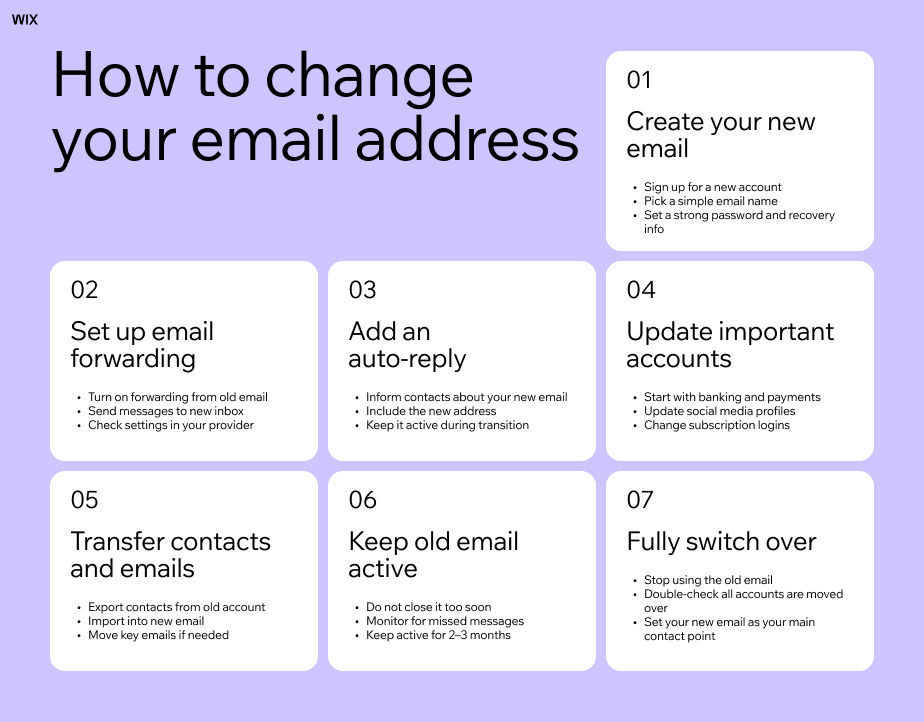
Email and domain services
Your domain can work alongside email services, but the two are separate. Understanding how they connect can help you avoid issues when setting up business email, changing providers or transferring your domain.
23. Myth: A professional email address comes with your domain
Registering a domain doesn't automatically create a professional email inbox. If you own example.com, you can use an address such as hello@example.com, but you still need an email service to send and receive messages. Wix offers a professional email address powered by Google Workspace separately from domain registration.
Think of the services as separate layers. The domain is example.com. The website is www.example.com. The email is hello@example.com. The same domain can be used for all three, but buying the domain doesn't automatically provide the website or the mailbox.
Explore more: Does Wix provide email hosting?

SEO and professionalism
Your domain name can affect how people perceive your website, but it doesn’t determine your search rankings on its own. Here’s what to know about domain names, SEO and professionalism, including how your domain choice can support your brand without directly improving your rankings.
24. Myth: A Wix domain hurts SEO
Registering a custom domain through Wix does not create an inherent SEO disadvantage. Google does not rank a website lower simply because its domain was registered through Wix. The registrar you use to register a domain is separate from the factors Google uses to evaluate and rank the website associated with it.
The key distinction is between a custom domain and a free Wix site address. A free Wix site address looks like yourbusiness.wixsite.com, while a custom domain looks like yourbusiness.com. When you register a custom domain through Wix, it remains your own custom domain. The fact that Wix manages the registration does not turn it into a Wix-branded URL or give it a special SEO disadvantage.
Learn more about Wix domains SEO impact
Your domain is only one part of SEO
Your domain name itself can still play a role in how your website is understood and perceived. For example, a clear, relevant domain can make your business easier to recognize and remember. But choosing a particular registrar does not give the domain an SEO advantage or disadvantage.
SEO performance depends much more on the website connected to the domain, including its content, technical setup, site structure, internal linking, crawlability, relevance to search queries and other ranking signals. A Wix-registered domain can therefore be used for a website that competes in search just like a custom domain registered elsewhere.
What to do: If you're choosing a domain for SEO, focus on selecting a clear, relevant domain name and building a website that meets your audience's search needs. Don't choose a registrar based on the assumption that it will give your domain a ranking advantage.
Expert tip from Keren Friedlander, Product Manager at Wix:
“There's a positive correlation between clear and relevant domain name and strong online visibility. I can say that a thoughtfully chosen domain name impacts the brand's exposure.”

25. Myth: A Wix domain looks unprofessional
False when you're talking about a custom domain. A visitor sees the domain name you use, not which company manages its registration.
A custom domain such as yourbusiness.com looks like any other custom domain, regardless of whether it was registered through Wix or another registrar. Wix doesn't appear in the domain name simply because Wix manages the registration.
The confusion usually comes from free Wix site addresses, which use a wixsite.com URL. These addresses are provided as part of a free Wix site and include Wix in the web address, such as yourbusiness.wixsite.com. A custom domain is different: it's a domain you register and use as your website's primary address.
A professional-looking domain is mainly about the domain name itself. A name that is clear, relevant to your business and easy to remember can make your website address feel more credible and easier for customers to recognize.

26. Myth: Wix domains don't rank on Google
Custom domains registered through Wix can be crawled, indexed and ranked by search engines. Google doesn't have a rule that prevents domains from ranking because Wix is their registrar. Google's own guidance is that there are no SEO advantages tied to a specific top-level domain either.
If a website isn't appearing in search, investigate the actual SEO issue. Check indexing, crawlability, page quality, search intent, internal linking, technical configuration and other ranking factors. Changing the registrar alone doesn't solve those problems.
Find the domain owner and registration details for a website with a WHOIS domain lookup.

DNS and subdomains
DNS and subdomains can seem technical, but they control how your domain connects to your website, email and other services. Here’s what Wix domains support and how DNS records and subdomains work when you manage your domain through Wix.
27. Myth: Wix doesn't support DNS records
Wix supports DNS record management for Wix domains. Depending on the domain and setup, you can manage records such as A, CNAME, MX and TXT records. These records can be used for websites, email, verification and other services.

28. Myth: You can't create subdomains with a Wix domain
Wix supports subdomains. A subdomain is a separate address under your primary domain, such as blog.example.com, shop.example.com or support.example.com. You can connect subdomains to Wix sites or configure them for external services using supported DNS settings.
There are a couple of things to keep in mind when using subdomains with Wix. When you connect a standard subdomain to a Wix site, it points to the site's home page rather than an individual page within that site. Wix also doesn't currently support using a subdomain for business email or MX records.
What to do: Decide what you want the subdomain to connect to before setting it up. For external services, use the DNS records specified by the service to make sure the subdomain points to the right destination.

29. Myth: DNS changes require a domain transfer
DNS changes and domain transfers are separate. You can change supported DNS records while keeping the domain registered with the same registrar. For example, you might keep a domain registered with Wix while changing an A record to point to an external server. You don't need to transfer the domain just to make that DNS change.
A transfer becomes relevant if you want another registrar to manage the domain or if you need a feature that your current registrar doesn't support.
What to do: Before transferring a domain, ask yourself if you actually need to change the registrar. If you only need to change where the domain points, a DNS update may be enough.

Privacy and security
Protecting your domain means protecting both your personal details and your website address. Here’s what to know about domain privacy and security when you register with Wix.
30. Myth: Private domain registration makes you completely anonymous
Private registration can limit the personal information displayed publicly in domain registration records, but it doesn't make the domain owner completely anonymous.
Wix offers domain privacy options for supported domains, but availability depends on the TLD and registration circumstances. Private registration also doesn't mean that the registrar has no record of who registered the domain. Wix notes that privacy protection isn't available for every top-level domain and can't be added retroactively to an existing domain subscription.
Private registration and DNSSEC also serve different purposes. Domain privacy helps limit publicly visible registration information. DNSSEC helps protect the integrity of DNS responses. Neither should be treated as a complete anonymity or security solution.
What to do: If privacy matters, check the specific privacy options available for your TLD before registration. Don't assume that every extension offers identical privacy protection.
Domain registration with Wix FAQ:
Who is the legal owner of a domain registered with Wix?
The registered name holder listed in the domain registration data owns the domain, not Wix. That is usually you or your business. Because the payment account, the Wix account and the registrant don't have to be the same, it's worth checking the contact and registration details in your Wix account after you buy, especially if a freelancer or agency set the domain up for you.
Can I move a Wix domain to a different registrar?
Yes, as long as the domain is eligible. You unlock it in your Wix account, request the authorization code that Wix sends to your registrant contact email and give that code to your new registrar. The move can take up to seven days. A newly registered domain, a recent transfer or a recent change to your registrant details can each trigger a 60 day wait first.
Does registering a domain with Wix force me to build my site on Wix?
No. You can point a Wix-registered domain at a site hosted anywhere by editing its A and CNAME records in your Wix account. The one setup that will not work is a host that insists on running your domain through its own nameservers, because Wix does not currently let you replace the nameservers of a Wix domain.
What actually happens to my domain if I stop paying for my Wix site plan?
The site plan and the domain are two separate subscriptions. If the site plan lapses, the website falls back to a free Wix address, but a domain you registered separately stays yours for as long as its own subscription is active and renewed. Check the domain's expiry date and renewal setting before you cancel anything.
Will a domain bought from Wix rank worse in Google?
No. Search engines don't factor in who your registrar is, and Google's own guidance is that no specific extension carries a ranking advantage. The confusion almost always comes from mixing up a free Wix site address ending in wixsite.com with a proper custom domain. A custom domain registered through Wix is still just a custom domain.


