Updated: 4 days ago
The perfect domain is just a click away: register your domain→

Registering a domain name is quick, but making the right choices along the way matters. From selecting a domain registrar to finding an available name and choosing the right extension, each decision plays a role in your website's future. Follow the steps below to register your domain and avoid common mistakes.
Secure your perfect domain in just a few clicks with Wix. Get everything you need in one place—business email, reliable hosting, SSL protection and full privacy. With 24/7 support and no hidden fees, getting your site live is simple and worry-free.
TL;DR: How to register a domain name
Pick a domain registrar, check if your name is available and choose a domain extension that fits. Then enter your details and complete the purchase in a few clicks. From there, connect your domain to a website or email, set up privacy and keep an eye on renewals. You can also transfer your domain later or buy an existing one if your first choice is taken. (By the way, custom domains are more important than ever, Wix data shows.)
You’ll learn:
How to pick a memorable, brand-ready domain name
How to check availability and what to do if your preferred domain is taken
Free vs paid domains and understanding long-term costs
How to choose the right domain extension
How to transfer a domain without downtime
Common security risks and how to protect your domain
What happens after registration, including DNS setup, renewals and ownership
Legal considerations, including trademarks, copyrights and compliance
What is a domain name?
A domain name is the unique web address people type into a browser to visit a website. It acts as your website's online address, making it easy for visitors to find and remember your site. For example, www.wix.com is a domain name.
Domain names were created to replace numerical IP addresses with names that are easy for people to remember. Every website has an IP address, but typing a domain URL is much simpler than entering 185.230.63.164.
Domain names also help businesses build recognizable brands in a way that numbers cannot. Your domain is one of the few brand assets you fully own. That makes the choice less about getting a name today and more about choosing one you can still grow into in five years.

Domain vs. hosting vs. DNS vs. email: what you’re actually buying
A domain is just one piece of getting a site online. Here is what each part does and why you need all of them:
Domain: Your address, like yoursite.com. This is what people type to find you.
DNS: The phonebook that points your domain at a server.
Hosting: Where your website files actually live.
Email service: Lets you send and receive mail at @yoursite.com.
Registering a domain only gives you the address. You also need hosting and DNS pointing to it before anyone can visit your site. A website builder like Wix bundles all four pieces for you so you do not have to wire them together yourself.

How to register a domain name
01. Select a domain registrar
Before you can start choosing a domain name, you need to first know where and how to buy a domain name. A domain registrar is a company that reserves and manages domain names. While the Internet Corporation for Assigned Names and Numbers (ICANN) manages all domains worldwide, a registrar deals with ICANN on your behalf.
When choosing among the best domain registrars, keep in mind:
Customer support: Check if the registrar offers 24/7 support, accessible via phone, live chat or email. Reliable customer support can be crucial if you encounter technical issues or need help managing your domain.
Range of domain extensions: Consider the variety of domain extensions (TLDs) available, especially if you're interested in less common or niche options like .tech, .ai or country-specific domains. Wix offers more than 400 domain extensions to choose from, giving you plenty of flexibility to find the right fit.
Additional offerings: Look for value-added services such as web hosting, email hosting, SSL certificate and a free website builder, which can simplify managing your online presence in one.

Reputation: Research the registrar’s reputation by reading customer reviews and checking industry ratings. A trustworthy registrar with a good track record is less likely to experience outages or take unexpected actions like domain locking or price hikes.
Security: Consider the infrastructure the registrar has in place to ensure your domain is secure. Attacks specifically targeting domains include domain hijacking, DNS spoofing, DDoS attacks, typosquatting, domain squatting and malware distribution, so make sure you understand how to secure your domain.
Privacy: Look for a registrar that offers domain privacy protection to keep your personal information safe from public WHOIS searches. With Wix you can opt for domain privacy when you register your domain.
ICANN accreditation: Choose a registrar accredited by ICANN to ensure they follow industry standards and operate legitimately.
Renewal fees: Pay attention to the renewal costs of your domain. While initial prices are often low, you’ll need to renew periodically, so understanding ongoing fees is important to avoid surprises.
Found the perfect name for your business? Lock in your domain before someone else does.
Tip: With Wix, you can get a unique domain and create your site all in one place. When you upgrade to a premium plan, you’ll even get a voucher for a free domain name for your first year. All Wix sites come with SSL and TLS protocols for added security plus you can set up a custom business email to help you build your brand.
02. Choose the best domain name
First, select a name that reflects your brand’s tone and messaging. Stick to a name that is short and catchy, so that people can easily remember it, such as nbc.com. To improve your SEO efforts, you can incorporate an associated keyword into your brand’s domain name, too.
Keren Nir, senior SEO strategist at Wix, adds a useful nuance on length:
Worth noting: .discount is open to anyone, with no check on what you sell or what you charge for it.
"Shorter domains can be easier to remember and type, but they aren’t essential. What matters most is that your domain accurately represents your brand and is memorable."

Types of domains
Top-level domains (TLDs) are the last part of a domain name and the highest level in the Domain Name System (DNS). They include:
Generic TLDs (gTLDs): Non-geographic domains for general use, like .com, .net and .org. There are over 1,500 gTLDs available.
Country-code TLDs (ccTLDs): Geographic domains for specific countries, like .uk, .ca and .au. There are over 300 ccTLDs.
Internationalized TLDs (IDN TLDs): Domains in non-Latin scripts, such as Arabic, Chinese or Cyrillic, to make the internet more accessible globally.
Test TLDs: Used to test new domains before public release, not intended for general use.
Choose a valid domain name before you register
Before you add a domain to your cart, make sure the name meets the basic formatting rules. These rules cover characters, hyphens and length, and some domain extensions may have additional requirements.
No spaces: Domain names cannot contain spaces. If your business name has multiple words, write them together, such as greenleafstudio.com, or separate them with hyphens if the extension allows them.
Use letters, numbers and hyphens: Standard domain names can use letters (A–Z), numbers (0–9) and hyphens. Characters such as @, % and # are not valid in a standard domain name. Some domain extensions may have additional requirements, so check the rules for your chosen TLD before registering.
Place hyphens carefully: A hyphen cannot appear at the beginning or end of a domain name and consecutive hyphens may be restricted in certain positions. Even when technically allowed, too many hyphens can make a domain harder to type and remember.
Keep it within the length limit: A domain name can contain up to 253 characters in total, while each label between the dots can generally be 1–63 characters. Individual extensions can have their own rules, so check the requirements for your TLD.
Uppercase and lowercase work the same: Domain names are not case-sensitive. MyBusiness.com and mybusiness.com lead to the same domain, but using lowercase consistently makes your address easier to communicate.
Check the spelling before registering: Once you register a domain, changing the name means registering a different domain. Read it aloud, check for unintended words and make sure the spelling matches your business or project before completing the purchase.
Check trademark risks: A domain being available does not automatically mean you have the right to use the name. Before registering, search for existing trademarks and avoid names that could create confusion with an established brand.

Tips for a memorable and brand-friendly domain
Keep it short and simple: Choose a name under 20 characters so it’s easy to remember and type.
Align it with your brand: Your domain should reflect your business name or purpose to strengthen your identity.
Avoid tricky combinations: Watch how words flow together to prevent accidental or confusing meanings.
Stick to standard spellings: Creative spellings can be fun but might make it harder for people to find you.
Avoid double letters: Names with double letters are easy to misspell. example.com is easier than exxample.com.
Pass the radio test: Say your domain out loud. If you have to spell it twice, pick something else.
Try not to overcomplicate things either, as Lindsay Sutula, founder and CEO of Top Fox Marketing, says as she prioritized three key factors: simplicity, memorability and alignment with their brand identity. According to Lindsay:
"I wanted a name that was easy to spell and remember, especially in an age where a strong online presence is critical. The domain had to resonate with our audience and reflect the essence of what we do-helping businesses navigate the complexities of digital marketing with clarity and strategy."

Check for trademark conflicts before you buy
A domain can be available to register and still conflict with someone else’s trademark. If that happens, the trademark owner may file a UDRP dispute to try to transfer the domain or force its cancellation. Spending a few minutes checking trademark databases before you buy can help you avoid legal issues and expensive rebranding later.
Where to search (all free):
USPTO: Search U.S. trademarks through the TESS database
EUIPO: Search trademarks registered across the European Union
UKIPO: Search UK trademark registrations
WIPO Global Brand Database: Search multiple international trademark databases at once
Look for names similar to yours in the same industry, not just exact matches. Even small similarities can create confusion if the businesses operate in related markets.
Tip: Try using a website name generator to brainstorm ideas to include in your domain name. Also, consider these tips for future-proofing your domain or the best .com alternatives (according to other business owners).

03. Check the availability of your domain name
Existing companies may already own your preferred domain names which is why it's important to check for availability. Try out an unlimited number of options for free on a domain name search platform. If your desired name is unavailable, the tool will come up with additional ideas. You can also play around with alternatives with a domain name generator until you find the perfect one.
Once you've chosen your name and completed the process of registering it, your details including your name, email and phone number, will be submitted to the WHOIS database. This is a global resource which is publicly accessible and can be queried through the WHOIS protocol (this just means sending a request to the WHOIS server to deliver all of the stored information for a specific domain name) or through an online tool which can send the query. This information can be useful when pursuing intellectual property rights, and cybersecurity threats arising from domain name abuse or hacking.
What if your first choice is already taken? Keren Friedlander, product manager at Wix, recommends:
"If your desired domain is already taken, consider using alternatives like .net, .shop or .info. These can still effectively represent your business. Another strategy is to add relevant keywords to your domain name like industry or location."
Note on RDAP: RDAP (Registration Data Access Protocol) is the newer standard replacing WHOIS over time. It is mandated by ICANN for registries and registrars and provides structured, more consistent and privacy-aware responses. WHOIS is still widely used today, but RDAP is expected to become the primary standard as adoption increases.
In order to run a WHOIS search, simply use Wix's free WHOIS lookup tool.

You can block access to your information being public accessible via the WHOIS privacy protocol. This involves paying an extra fee to replace your contact information as the domain owner with a third party service. This service will then handle any messages or requests made to you via WHOIS. However this is generally not recommended for public service websites or businesses required to provide contact information.
Claim a premium domain to boost your brand authority and make marketing easier from day one.

04. Select your domain extension
According to Nick Drewe, the Founder & CEO of Wethrift,
"Consider the extension. While .com is the go-to, don't shy away from specific ones like .store or .tech if they fit your niche. Lastly, avoid numbers and hyphens. They often confuse people—"Is that 'five' or '5'?" Plus, they just don't look as clean or professional.
Worth knowing: sector extensions can be priced well above the common ones. A .energy domain is one to check the renewal on before committing, since the ending is specialised.
Understanding domain extensions and TLDs
Also known as top-level domains (TLD), domain extensions quickly identify certain website elements such as purpose, owner or geographic location. There are five official types of TLDs, with generic top-level domains (gTLD) accounting for the majority of the 366 million registered domains worldwide.
The most popular gTLD choices are .org, .com and .net, making them the easiest to recall. Other specific and significant domain types besides the classic .com, .co, or .net are some of the most popular domain extensions.
According to Tom Pasha from the Wix domains team:
"The latest additions to generic top-level domains (gTLDs) address the growing demand for .ai domains, which have become increasingly popular and competitive in the industry."
Other specific and significant domain types besides the classic .com, .co or .net are also gaining traction. For example, .ai, originally a country code TLD for Anguilla, is now widely adopted by artificial intelligence startups and tech-forward companies due to its relevance and memorability. This extension continues to grow in popularity as AI-driven businesses look for names that reflect their niche.
Other options include .edu and .gov. Country domain extensions, also often known as country code top level domains (ccTLDs), are a popular choice as well, such as .co.uk (United Kingdom) or .de (Germany).
Worth noting: some endings describe the thing being sold. A .house domain covers property, interiors and home services, and it is one of the more affordable descriptive endings.
Learn more: What are generic top-level domains

TLDs by industry
A TLD is the part of your domain that comes after the dot. In wix.com the TLD is .com. For years .com, .net and .org were the only options most people picked from. Today there are hundreds of industry-specific TLDs you can choose from instead, including newer arrivals like .free for pages built around a no-cost offer.
A niche TLD can tell people what your business does before they even click. It can also help you find a short name. The .com version of your brand might be taken, but the .shop or .studio version might still be available. Here are some popular niche TLDs grouped by industry:
eCommerce and retail: .shop, .store
Tech and AI: .tech, .ai, .io
Health and wellness: .health, .clinic, .care, .fit
Beauty: .beauty, .makeup, .salon
Professional services: .pro, .expert, .consulting, .agency
Food and restaurant: .restaurant, .menu, .pizza, .bar
Real estate: .realty, .properties, .homes
Creative and portfolio: .design, .studio, .photography, .art
Quick tip: .com still wins typed traffic. If you pick a niche extension like .io, .ai or .co, try to also grab the .com. Most people still type .com out of habit, and competitors often buy the .com when you skip it. Even using the .com as a redirect to your main site is enough to catch that typed traffic.
Worth knowing: a few extensions describe a structure rather than a trade. A .network domain fits collectives, referral groups and multi-location businesses better than a single-industry TLD would.
Restricted TLDs to know
Not every TLD is open to everyone. Some are reserved for specific industries, organizations or countries. If you try to register one, you may need to prove you qualify before the registrar will approve it. Here are the main ones to know:
.gov and .edu: Only U.S. government agencies and accredited U.S. schools can register these. You apply through a formal process, not a normal checkout. Do not assume you can use one for a school project or community group.
ccTLDs with residency rules: Many country-code TLDs (.uk, .ca, .de, .au, .fr) require local residency or a business address in that country. Some let you register through a local agent if you do not live there. Check the rules before you buy.
Regulated new gTLDs: .bank, .pharmacy, .insurance and similar TLDs are limited to licensed businesses in those industries. You typically need to submit credentials to qualify.
If a TLD you want has restrictions and you do not qualify, your registration will be rejected or pulled later. Pick an open TLD instead.
Read more:

Second-level domains
Generally the name you place before your extension, is referred to as the second level domain. So for example, in www.wix.com the second-level domain is "wix." Our domain name "wix.com" is registered with the ".com" top-level domain extension, which is managed by the Internet Assigned Numbers Authority (IANA) and is one of the most commonly used top-level domain extensions for commercial websites.
If your domain name is already taken, try it out with a different extension—you may find an available option. However, keep in mind that an extension like .org is better used for nonprofit organizations, while .com usually represents for-profit companies.

05. Enter your details
Once you’ve selected a domain name for your site, claim it before someone else does. Start by entering accurate contact details—your name, address, email and phone number. This information is essential for managing your domain and staying compliant with ICANN regulations. Double-check everything to avoid issues with renewals or updates later.
Next, add your billing details to complete the registration. Make sure your payment info is current to avoid any delays. Many registrars offer an auto-renewal option, which is a great way to ensure your domain stays active without interruptions.
With your details submitted, you’re ready to finalize your purchase and officially own your domain.

06. Purchase your domain
Here’s how to register a domain name with Wix:
Head over to the domain registrar.
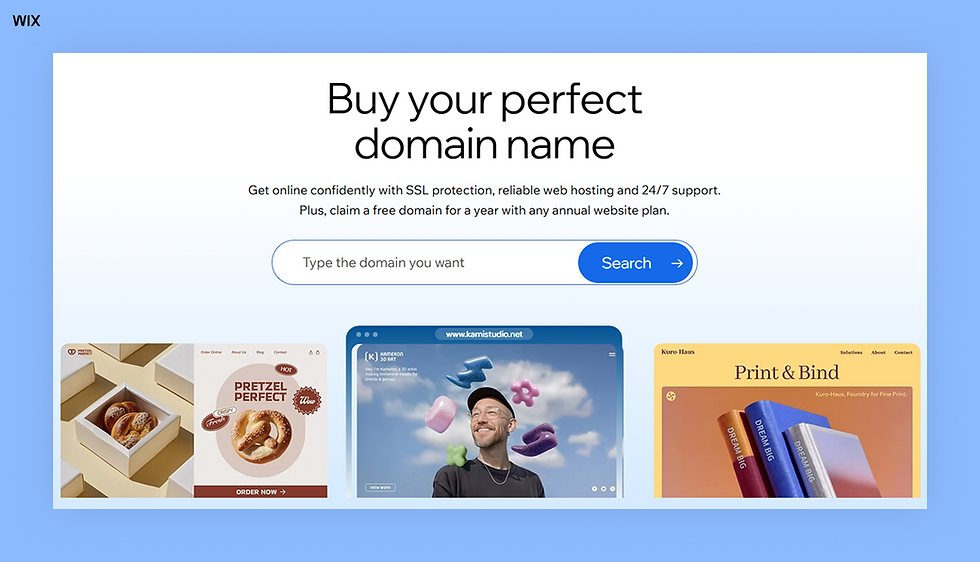
Type in your preferred domain name and click Search.
If your name is available, click Get It to proceed. If not, browse the additional ideas or type another option into the search bar.
Once you’ve found a domain name that suits your site’s needs, click Get It.
Next, decide whether you’d like to register for one, two or three years. The longer your registration period, the more money you save each year. Once you’ve chosen, click Continue and continue to checkout.
Connect the domain name to your site and share it with your desired audience, be it friends and family or an internet niche.

A short before-and-after illustrates how fast this can go once your domain and site are in place. Before launch, Ashley Reckdenwald, founder of Land of Lovies, was running a spreadsheet that connected children affected by the 2025 LA wildfires with donors. No formal structure, no website, no central place for people to give.
After registering her domain and building the Wix site herself, Land of Lovies became a registered charity with a central hub for donations, media coverage and community engagement. The site attracted media attention within days of launching. The domain plus a functioning site moved her project from a spreadsheet to an organisation with public credibility in under a week.
Learn more:

How to choose a domain registrar: what to compare and red flags to watch
Registrars all sell domain names, but the experience, pricing and level of support can vary a lot. The biggest surprise for many people is the gap between the first-year promo price and the renewal cost. A domain that costs a few dollars today may renew at a much higher price every year after that.
Pricing is only one part of the decision. Some registrars include features like SSL certificates or email forwarding for free, while others charge extra for them. Security tools, DNS reliability and customer support also differ between providers, and those details matter once your website and email depend on the domain.
It is also worth checking how much control you actually have over your domain. A good registrar makes it easy to manage DNS settings, transfer your domain if needed and access support without unnecessary delays or hidden steps.
Before choosing a registrar, look beyond the homepage price. Compare renewal costs, included features, security options and transfer policies. Spending a few extra minutes researching now can save you money, frustration and downtime later.

4 red flags to watch for
The cheap first-year promo: A $1.99 first year that jumps to $20 at renewal can become expensive over time. Always check the renewal price before you buy, not just the introductory deal. Comparing the total cost over several years gives you a much more accurate picture.
Hard-to-transfer domains: Some registrars make it unnecessarily difficult to move your domain elsewhere. Hidden authorization codes, long waiting periods, mandatory support calls or extra transfer fees are all warning signs. Even if you never plan to switch providers, you should still have full control over your domain.
Pushy upsells at checkout: If your cart suddenly fills with SSL, privacy protection, email hosting and SEO services you did not ask for, the advertised price is not the real price. Review every item before checkout and remove anything you do not need.
Weak security and poor support: Your domain controls your website, business email and often your brand identity. Choose a registrar with strong security features like two-factor authentication, domain lock protection and clear recovery options.
Reliable customer support also matters more than many people realize. If your domain expires, your DNS breaks or your account gets locked, responsive support can make the difference between a quick fix and hours of downtime.

All-in-one platform vs. separate providers
Choosing where to manage your domain is also a decision about how you want to manage your website. You can use separate providers for your domain registration, hosting and website builder, giving you more flexibility to choose each service independently. Or, you can choose an all-in-one platform that combines these services in one place, making setup and ongoing management simpler.
As Itay Shmool, VP of Wix Domains, explains:
"For most small businesses, reducing technical overhead is more valuable than chasing marginal cost savings across multiple platforms."
Easier domain and website setup for beginners
For many first-time website owners, managing multiple providers can add unnecessary complexity. Keeping your domain, hosting, SSL certificate and website tools together means fewer accounts to manage, fewer settings to configure and one place to handle updates. This can be especially helpful for people who don't need advanced DNS controls or complex domain setups.
Digital marketing expert Dmytro Spilka shares a similar view:
"All-in-one platforms (domain plus hosting plus SSL) reduce technical overhead for non-technical freelancers."
That said, separate providers can still be the right choice for businesses with specific technical requirements, existing infrastructure or a need for specialized services. The best option depends on how much control you want and how much time you want to spend managing the technical side of your website.

Learn more: How to get a professional domain name
What happens after you register a domain
After you register a domain, you need to connect it to your website so people can actually reach it. This is done using DNS settings, which act like directions that point your domain to the right server. If you're using a website builder, this step is usually handled for you. If not, you can manually update your nameservers or DNS records to get everything connected.
How to connect a domain to a website
There are two main ways to connect a domain. The first is by updating nameservers, which point your domain to your website provider. This is the simplest option and is often handled automatically if you build your site with the same platform where you bought your domain.
The second is by updating DNS records. This gives you more control and lets you connect your domain to specific services, like a website, email or subdomains. The most common record is an A record, which points your domain to an IP address.
After you make changes, it can take a few hours (sometimes up to 48 hours) for them to fully apply. This delay is called DNS propagation, and during this time your site may not load consistently.
How to keep your domain secure and active
Next, lock down ownership basics. Turn on auto-renew so you don’t lose the domain by accident and enable domain privacy to keep your contact details out of public records. Many domains are lost because renewal emails went to an outdated address or payment failed. Taking five minutes to confirm renewal settings can save you from expensive recovery fees later.
Lastly, take a moment to learn where to manage your domain. You should know how to update DNS, change contact info and review renewal dates. Treat your domain like a long-term asset, not a one-time purchase.

Domain ownership and management
Registering a domain gives you the exclusive right to use it, but only for the period you’ve paid for. Most domains are registered for one to ten years and ownership is maintained through timely renewals. If you renew on time, nothing changes. If you don’t, the domain doesn’t disappear instantly. It usually enters a short grace period, then a redemption phase where recovery gets more expensive, and finally it can be released back to the public.
Active domain name management is key to keeping ownership intact. This means tracking expiration dates, enabling auto-renew and knowing exactly where your domain is registered. Many domains are lost simply because renewal emails were missed or went to an outdated inbox.
Management also includes DNS control, transfers and registrar changes. You should know how to update name servers, lock your domain to prevent unauthorized transfers and move it if pricing or service isn’t working for you.
Domain security and potential risks
Domains are a common target for bad actors because they can unlock your website email and brand trust all at once. Your biggest risk is account security. If someone gets into your registrar account through a weak password reused credentials or a hacked email they can change your DNS settings redirect traffic or even transfer the domain away from you.
Recovering your domain after a takeover is a long process. It can involve identity verification registrar disputes and working with registries. While this is happening your website and email might be offline or misused. If you didn't have the right security steps in place you may not get your domain back at all.
Your registration details can also be a hidden risk. Incorrect or outdated contact info can block renewals prevent transfers and cause you to fail ownership checks. Many registrars use email verification for important actions. If that email address doesn't work you can lose control without even knowing it.
Transferring a domain later
You’re not stuck with one registrar forever. Domains can usually be transferred after they’ve been registered for 60 days as long as they’re unlocked and you have the authorization code. Transfers are common when people consolidate services, find better renewal pricing or move their site to a new platform.
The process is simple but time-sensitive. Transfers typically take a few days and require approval from both registrars. During this time, your website and email usually stay active, but mistakes like expired domains or incorrect contact emails can cause delays.
Before you transfer, check renewal dates and fees. Some registrars add a year to your registration during transfer while others don’t. Planning ahead helps you avoid downtime and unexpected costs.
Buying a domain that’s already taken
If your ideal domain is unavailable it doesn’t always mean it’s gone for good. Many registered domains aren’t actively used and you can get them through the aftermarket. These domains are sold by their current owners often at higher prices based on demand length or keyword value.
Before buying do your research. Check how the domain was previously used confirm it hasn’t been associated with spam or penalties and understand its true market value. Prices can range from reasonable to extremely high so you need to know when to walk away.
In many cases a smart alternative name or different extension can perform just as well without the risk or cost. The goal isn’t owning the “perfect” domain at any price it’s choosing one that supports your brand and growth without creating unnecessary friction.
Learn more:

Free domain name registration
Here are a couple of ways to get a free domain name:
Register a free subdomain. A subdomain is a prefix on a domain name that connects independently functioning sites. Certain hosting platforms and site builders offer users a fully-functioning website for free with a customized subdomain. For example, if you're learning how to build a website from scratch with Wix AI website builder, you can publish it for free using a URL like this: username.wixsite.com/siteaddress.
Take advantage of free web hosting. Several hosting sites offer free customized domain registration with purchase, giving you a professional online presence without the cost.

How much does a domain cost?
While you can get a domain for free, you may want to purchase one instead. A free domain will contain a designated prefix of the registrar, which is best if you’re establishing an online presence or only temporarily need a website.
If you want your website to professionally stand out and grow with your brand, however, then invest in a domain name.
With Wix, the cost of a domain name depends on several factors, including:
The plan you purchase
Domain extension
Local currency
Local VAT laws
However, all Wix premium plans come with a domain for one year. Once your initial registration period ends, you’ll pay an annual renewal fee to keep your domain.
Learn more: How much does a domain name cost
Domain extension | Typical use | Starting price for 1 year at WIx | Availability |
.com | Commercial businesses, personal brands | $7.90 | Highly popular, often limited |
.org | Nonprofits, charities, open communities | $6.90 | Moderately available |
.net | Tech companies, networking services | $11.90 | More available than .com |
.co | Startups, entrepreneurs, modern brands | $30.95 | Good availability |
.co.uk | UK-based businesses or audiences | $14.95 | Widely used in the UK |
.de | Germany-based businesses or audiences | $14.95 | Widely used in Germany |
.shop | eCommerce stores, retail businesses | $45.95 | Generally good availability |
.online | General online presence, portfolios, blogs | $36.00 | Generally good availability |
.biz | Businesses and commercial use | $15.95 | Alternative to .com for businesses |
.info | Informational sites, resources | $16.95 | Good for informational content |
.tech | Technology startups, projects | $40.00 | Trending with tech-focused businesses |
The information presented in this table is true as of May 25th, 2026 unless mentioned otherwise.
In general, some other factors to consider that can impact the cost of a domain include auto-renew costs, privacy and protection costs and transferring domains. For example, you can also purchase a domain that already exists from another person or business. This is why having a desirable domain name can be good for your bottom line—if you ever want to sell it, you can make significant money. For example, in 2010, CarInsurance.com was sold for $49.7 million as one of the ten most expensive domain names in the world.

Domain name and email hosting
Domain registration and email hosting are separate services, but many providers bundle them. Email hosting lets you create addresses like info@yourdomain.com, with features such as webmail access, spam filtering, virus protection and email forwarding. Bundling domain and email hosting can simplify setup and management.
When choosing a provider, it’s also important to compare domain pricing, as costs can vary depending on the registrar, extension and registration length. With a website builder like Wix you can easily connect your domain and set it up as a business email domain for a professional business website and streamlined brand building experience.

Legal considerations when registering a domain
Choosing a domain comes with legal responsibilities. Domains can create conflicts with trademarks, copyrights or local regulations if you’re not careful. Understanding these rules protects your website, prevents disputes and keeps your domain fully under your control.
Trademarks and intellectual property
Before you register a domain, do a quick trademark check. Even if a domain is available it could still infringe on another brand or product in your industry. A good place to start is your country’s trademark database. Remember to look for similar names not just exact matches. If you use a name that clashes with someone else’s trademark you could end up in a legal battle and lose your domain.
Copyright considerations
Steer clear of any copyrighted names, slogans or logos. This means staying away from famous phrases found in books, movies or software. Even short phrases can be protected if they’re unique to another brand. Stick to original names for your domain to avoid legal headaches and keep your site fully under your control.
Accurate registration information
ICANN needs your domain registration to have the right contact info, like your name, address, email and phone number. If things are out of date or wrong, you might run into trouble renewing your site, moving it or winning a dispute.
Understanding registrar policies
Each registrar has its own set of rules for things like renewals, transfers and domain locks. Give these terms of service a quick read so you’re always in the loop on how your domain is handled. We recommend turning on auto-renew and privacy protection—it’s an easy way to secure your ownership and keep your personal info hidden from public WHOIS records.

Domain disputes and UDRP
If a company claims your domain infringes on their trademark you might face a Uniform Domain-Name Dispute-Resolution Policy (UDRP) claim. A UDRP is a process for settling trademark disputes and can force a transfer or cancellation of your domain. If this happens to you acting quickly with the right documents and understanding the process will help you keep it.
Local regulations
Country-specific domains (.uk, .de, .ca) often have eligibility rules. Some require proof of residency or business registration. Check local rules before registering to make sure your domain remains valid and avoid losing it unexpectedly.
Avoiding cybersquatting
Never register a domain just to resell it to another company. Cybersquatting is illegal and can lead to lawsuits, fines and forced domain transfer. Focus on choosing names that align with your brand, project or purpose to stay compliant and avoid legal issues.
Learn more:

5 mistakes that cost people their domain
Most domain problems come down to a few avoidable mistakes.
Ignoring the ICANN verification email: After registering a domain, ICANN requires you to confirm your contact information through a verification email. You usually have 15 days to click the link. If you miss it, often because the message lands in spam, your domain can be suspended and your website and email may stop working. Check your inbox and spam folder right after registration and verify your details as soon as possible.
Letting your domain renewal lapse: Expired domains often enter a short grace period where you can still renew them normally. After that, many move into a redemption period where recovery fees can cost $80 to $150 or more. If you still do not renew, the domain becomes publicly available again and someone else can register it. Turning on auto-renew and keeping your payment information current helps prevent this.
Using an old or inactive contact email: Renewal reminders, transfer approvals, ICANN verification emails and security alerts all go to the contact email tied to your domain account. If that address no longer works or you rarely check it, you may never see important warnings about your domain. Review your contact information regularly and update it whenever your email changes.
Skipping the trademark check: A domain can be available to register and still conflict with someone else’s trademark. Businesses sometimes receive cease-and-desist letters or face UDRP disputes months after launching. Before buying a domain, spend a few minutes searching databases like USPTO, EUIPO or WIPO for similar names in your industry.
Assuming your website is automatically live: Registering a domain only gives you ownership of the web address. Your website still needs hosting, DNS configuration and usually an SSL certificate before visitors can access it properly. Website builders like Wix often connect these parts automatically, while self-hosted setups usually require manual configuration before your site goes live.
How to register a domain name FAQ
Can I register a domain name for free?
Some domain services provide free domain name registration. However you'll then have limited control over ownership of the name, and you may have to accept advertising and other conditions in exchange for a free name.
How much does domain name registration cost?
It varies between providers. Wix premium plans come with a domain for one year, which otherwise cost between $14 and $39 a month. After a year, you can renew your domain for pricing plans anywhere between $13.95 and $15.95 a year.
How to register my domain name?
Choose a domain registrar, the purchase and pricing plan you want, then choose your name.
Can I register and own a domain name for forever?
Generally, no. Registering a domain name does't constitute ownership of that name, it generally means you're renting it for an agreed period and it will need renewing every set number of years, according to the contract between you and your domain registrar or website builder.
How to register a domain name for free?
With Wix you can register a domain name for free with a paid plan, or use another free domain registrar.
How to register a domain name online?
To register a domain name online, you'll need to use an online domain registrar, like Wix and then follow the steps provided for registration.
Can I permanently buy a domain name?
No, it's not possible to permanently buy and own a domain name. They work on a leasing arrangement. They longest they can be registered for at a time is ten years and most are renewable every 1-2 years. ICANN sets the ten year limit to prevent individuals or businesses buying and hoarding domain names. It's common to ask can I buy a domain name permanently? We explain why that isn't an option and how to use a domain long term.
How long do you own a domain name for?
No one ever owns a domain name. They can be registered, aka leased. The maximum they can be leased for at one time is ten years.
What makes a domain name valid?
To be valid a domain name must meet naming protocols and be unregistered. For example, it can contain letters (English) and numbers but not special characters. It should include a recognized domain extension.
Should I register my domain with an eCommerce hosting solution?
If you’re planning to start an online store, consider registering your domain with an eCommerce hosting solution. This can streamline the setup process, ensuring compatibility with tools like inventory management and payment processing, while also offering a unified solution for your business.
What's the easiest way to register a domain?
The easiest way to register a domain, is to do it while you're building your website. If you're creating a site with a website builder you can do a domain name search, pick your name and domain extension and register it in minutes.


