Updated: Sep 30

To create a nonprofit website, choose a website builder, define your goals, then build the pages that turn visitors into donors and volunteers. Building your own website is the foundation of your NGO’s online presence, and a professional one raises your fundraising potential while conveying trust and credibility. Wix offers a powerful website builder that allows you to build a great website, fast. That matters when your team is small and every hour counts. This guide walks through the nine steps to design and how to create a website for nonprofits, plus the primary pages and elements to include.
Building a website for your business, passion project or side hustle should feel simple and exciting. Wix generates a personalized starting point with AI. You can customize every detail with intuitive drag-and-drop tools, while Wix handles the tricky parts to make building your site simple. That way, you can focus on what matters most: bringing your ideas to life. Ready to get started? Create your website today.
TL;DR: How to create a nonprofit website
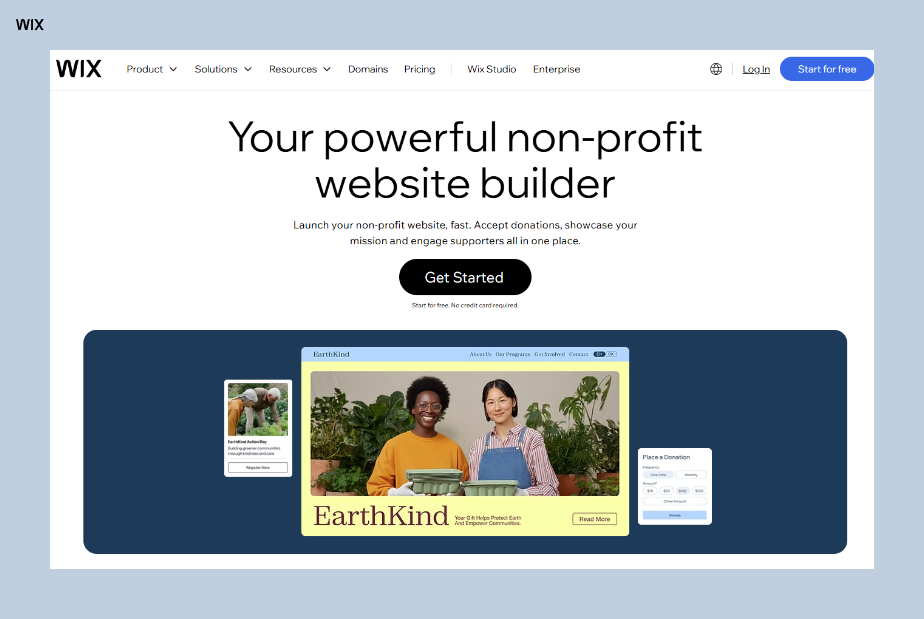
Use a user-friendly website builder like Wix to simplify website building. Now you can move fluidly between prompt-driven creation with Wix Harmony and precise drag-and-drop editing. You’re never locked into one mode when vibe coding a website with Wix.
Set clear goals to guide your website design, content and calls-to-action.
Create a clean branded website layout with a memorable logo.
Optimize for SEO, mobile and accessibility to reach more people.
Include essential features like donation buttons, volunteer forms and contact info.
Learn more: How to make a church website
How to create a nonprofit website in 9 steps

01. Choose a nonprofit website builder
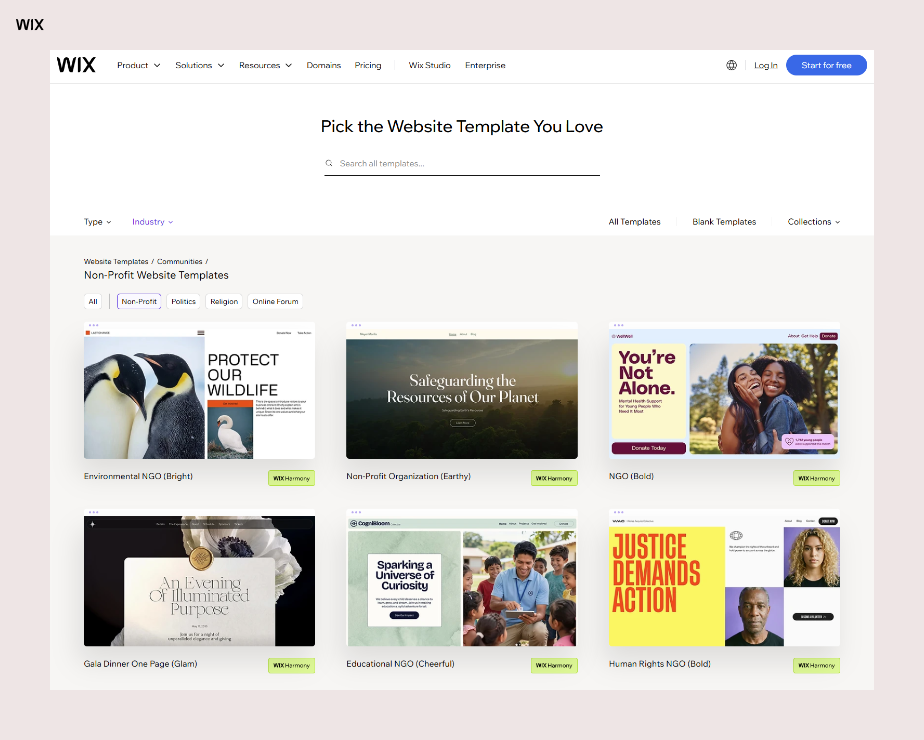
As a nonprofit employee, you likely want to spend your time bettering your community, not sifting through the variety of website builders on the market. And given your rigid budget, you may be tasked with designing your organization's website yourself. For this common reason, website building platforms such as Wix offer customizable nonprofit website templates with user-friendly interfaces.
You can create a unique and professional website that incorporates all the necessary features, such as secure donations, volunteer sign up forms and free, unlimited hosting. This spares you from having to spend additional money on external hosting and allows you to save your organization’s funds for directly servicing your community.
Wix enables non-profit organizations and cause-driven businesses to collect donations natively without third-party tools. That keeps the donation flow on your own site instead of sending supporters elsewhere.
It also makes sense to opt for a platform that is built to the highest standards of website security in mind to ensure that your data and that of your site visitors is always protected. No matter how many visitors your site gets, you need to know that your site is always live, and reliability and high uptime is crucial to the smooth functioning of your website at all times.
This also includes a site that is optimized for website performance, think fast page speed and load times. That way your website is always fully accessible for your cause and organization.
Looking for the future of website creation? Wix’s native ChatGPT integration allows you to type “@Wix” in a conversation, to invoke its Wix Harmony vibe code website builder. You can describe a business idea (e.g., “Build me a site for a high-end sushi catering business in Seattle”) and the agent generates a full, live Wix website including booking systems and menus.
Learn more:
02. Define your nonprofit website objectives
Creating a successful nonprofit website starts with clear objectives. Before diving into design or content, settle one question.
What do you want the site to achieve?
Whether it’s increasing donations, recruiting volunteers or boosting event participation, defining your goals will guide every page, feature and call-to-action. Think of this as the foundation for your entire site. A focused website not only serves its purpose better but also saves you time and effort.
For example, if your goal is to grow donations, prioritize a prominent “Donate Now” button on the homepage. Include stories and images that show the impact of contributions to inspire action.
If your aim is to recruit volunteers, make the volunteer sign-up form easy to find and include clear descriptions of available roles and opportunities. Aligning your site’s design and content with your objectives creates a seamless user experience that encourages visitors to take action.
Your objectives also shape your content.
Want to build community? Highlight success stories and testimonials.
Need to educate your audience? Share blog posts or resources that showcase your mission and impact.
When your goals are clear, creating a website that connects with your audience and drives results becomes straightforward. Empower your nonprofit with a site that truly reflects your mission and inspires action.
03. Design your website layout
This step involves choosing your color palette and planning how visitors will navigate your site. Your website should be visually appealing and easy to navigate, so consider the user experience when designing your layout. Use color and images to make your website aesthetically pleasing and engaging, a primary component of enticing people to continue exploring for longer.
Before you begin, establish S.M.A.R.T. goals (Specific, Measurable, Attainable, Relevant and Timely) for your website. These goals will guide your design choices to ensure every element aligns with your nonprofit's objectives. For example, if your goal is to increase online donations by 20% in the next six months, you might prioritize adding clear, prominent donation buttons on the homepage and throughout your site.
Gather all your website ideas and create a detailed sitemap to act as your guide. Ensure it reflects your S.M.A.R.T. goals by clearly organizing content to emphasize priority areas, such as programs, impact stories or upcoming events. This way, you won’t forget any of the essential components, including an easy-to-locate menu bar on each page.
It’s important that visitors can easily jump back to the homepage from wherever they are on your website. A simple way to accomplish this is to include your logo on every header that acts as a button back to your homepage.
Dafna Rabin, Wix Templates Design Team Lead, suggests starting from the content rather than the look.
“Another way to approach web design is to understand the type of content you have and what you want to achieve. For example, if you want a big image in the background, look for a template that provides a good starting point for that. If you want to include a lot of text in your welcome section or the second fold, choose a layout that aligns well with your content and what you want to say.”
For a nonprofit that means deciding first whether the homepage leads with impact photography or with the story behind the cause.

04. Create a logo
A logo is an essential visual component that captures the look and feel of your organization. If you don’t have one already, use a logo maker to help design an emblem that perfectly fits your NGO. The feeling, emotion and your overall cause should be conveyed when people see your logo, so choose your colors and image wisely.
For example, many environmental conservation nonprofits incorporate shades of green, like Sierra Club. In this case, the same shade of green is also featured throughout Sierra Club’s website to match their overall tone and persona. In the case of Land of Lovies, founder Ashley Reckdenwald used her organization's logo as a starting point to inspire her nonprofit website.
Ashley Reckdenwald, founder of Land of Lovies, wanted her new charity to look established from day one.
“I wanted visitors to feel that although we’re brand new, we have high levels of quality and service. I wanted an upscale look and vibe.”
Be sure that the colors on your site match your logo colors and are kept consistent throughout each page to ensure continuity and visual appeal.
05. Incorporate the right content
User experience design, also known as UX design, is the process of designing an accessible and simple to navigate website. The layout should be logical and provide effortless flow. This means finding a balance between navigation, imagery and text, where one shouldn’t overwhelm or take away from the other. Once you’ve built your website structure, you can start filling it in with content and imagery.
All text should be written in an easily skimmable font and color, and use images to break up large paragraphs. In addition, don’t forget to incorporate white space, meaning areas without any text or images at all. This helps balance the components on a page and keeps them from feeling overcrowded.
Think about other features or pages to add to your site. Forums can be a great way to build a community, so check out these forum builders for more information.

06. Establish a domain name
Your website’s domain name should be unique and memorable and most likely will include the name of your organization. You’ll also need to decide which domain extension you want to follow your URL, such as .com or .org. While 43.6% of all websites worldwide use .com, NGOs primarily use .org to convey to the public that they are indeed a nonprofit organization.
A personalized domain is essential because it will improve your website’s credibility to both the public and to search engines. People who are interested in donating their money or time to a cause they believe in want to know the organization is legitimate, and a strong domain name helps convey this.
To show the difference between strong and weak domains, let’s use an imaginary organization called Association for Better Mental Health as an example. They’ve come up with the following domain name options:
associationbmh.com
associationforbettermentalhealth.org
abmh.org
Using one full word followed by the first letters of the remaining words can be confusing and appears a bit jumbled to potential visitors, like we see in the first example. Spelling out the entire name of the NGO makes the domain far too long, which can be seen in the second option. In general, NGOs with longer names are better off using an acronym in its domain to keep it short and easy to remember. In this example, the third domain name is the strongest because it follows this model and utilizes the .org domain extension.
Did you know: .community is a domain extension with no nonprofit requirement, despite how it is usually marketed, and nothing about your legal status is checked. .lgbt is the narrower option for an organization serving LGBTQ+ communities.
07. Optimize for SEO
Before you make your site live, set it up for success. A key component is ensuring search engines know the value of your website, and that means incorporating SEO strategies, AKA search engine optimization, throughout your content.
Optimizing for SEO is a multifaceted process that requires incorporating the right keywords and valuable, up-to-date content throughout your site. That way, when people search for keywords related to your organization, your website will appear on the search engine results page (SERP). Keywords refer to words or phrases that people commonly search for on Google and, therefore, will be strategic to include in your website content. Choosing primary keywords using a free or paid SEO tool is a great place to start.
For example, a nonprofit whose mission is feeding homeless people in Detroit, MI could consider some of the following keywords:
Soup kitchens in Detroit
Volunteer in Detroit soup kitchen
Feeding the homeless near me
Feeding the homeless
Once you’ve gathered a list of relevant keywords, use an SEO tool to compare search volumes, which refers to how many people search for a keyword in a month. This will help determine which ones will be most strategic to include on your website.
If you’re new to this process, you can get started by taking advantage of an SEO tool like Wix SEO to get a personalized plan for your website. This free solution guides you through each step and will help you get your website ranking on Google by:
Helping you determining which keywords to use
Providing tips on how to best structure your content
Showing you how to best incorporate SEO titles and meta descriptions
Integrating with Google Search Console
However, depending on your website goals, it may be worth investing in an advanced SEO tool, such as Ahrefs or SEMRush. Both of these programs provide detailed analytics and capabilities to take your SEO to the next level, including:
In-depth keyword analysis
Comparison of keyword ranking on Google
Backlink profiles of your competitors
View your best performing pages
Domain analysis
Don’t forget about managing your off-page SEO, either, including social media and mentions in the form of backlinks from other websites.
08. Make your site mobile friendly
More than half of global website traffic comes from mobile devices. Google now uses mobile-first indexing, ranking sites predominantly on how they appear on mobile devices rather than on desktop computers or laptops.
Therefore, a user-friendly and readable mobile nonprofit website is just as crucial, if not more so, than your desktop version. It’s important to make sure that you invest in mobile website design to provide an easy-to-navigate experience for those viewing your site on smaller screens. Choose a website builder that includes a fully-optimized, built-in mobile version with every template option, like Wix.
You can also take advantage of the following tips to help optimize your organization’s mobile web design:
Use large, easy to read text and buttons
Utilize a hamburger menu (the three horizontal lines indicating a sidebar menu) with limited page options
Adjust images so they better fit a smaller screen
Use suitable background colors or patterns that don’t overwhelm the screen
Incorporate simple animation
Include a Back to top button at the bottom of the page
Dafna Rabin recommends one final check before you call the site done.
“It’s a simple test: publish your website, scroll through it and ensure everything is visible and nothing is missing or out of place. Don’t forget to check the mobile version as well, which is often overlooked. This applies to every website, not just business websites.”
09. Consider accessibility
Making your nonprofit website accessible ensures everyone, including people with disabilities, can connect with your content and services. It’s also a smart move, since accessible websites rank better on search engines, attract more visitors and can boost support for your cause.
Start by designing your site with accessibility in mind. Many website builders, like Wix, offer tools to help you meet accessibility standards with ease.
Here are some practical steps to improve accessibility on your nonprofit website:
Add descriptive alt text to all images and multimedia elements.
Use captions and transcripts for videos to support users with hearing impairments.
Choose colors with strong contrast to improve readability.
Design for keyboard navigation to assist users who can’t use a mouse.
Label form fields and error messages clearly for smoother interaction.
Use ARIA (Accessible Rich Internet Applications) labels to improve screen reader compatibility.
Structure your content with headings and subheadings for easier navigation.
Need a landing page for your nonprofit? Start creating your free landing page with Wix and share your nonprofit’s mission with the world.
What makes a great nonprofit website
A great nonprofit website focuses on features that engage visitors and drive action. These top five elements are essential for connecting with your audience and supporting your mission:
Feature | Purpose |
Clear mission statement | Quickly communicates purpose and inspires trust |
Donation button | Encourages contributions and support |
Volunteer sign-up form | Makes it easy to get people involved |
Contact info | Builds credibility and allows communication |
Events calendar | Promotes upcoming activities |
Primary elements of a nonprofit website
Before you begin the process of learning how to create a nonprofit website, look at these examples to understand the necessary features for this type of website. By implementing these strategies and incorporating some or all of the elements listed, your website will easily match the intent of visitors, prompting them to spend more time exploring. Let's take a look at three examples:
01. Michigan Alliance for Justice in Climate
This nonprofit website uses a three-page menu bar to anchor its page, allowing visitors to navigate through the site. In addition, bright, eye-catching colors, large font as well as an abundance of whitespace make the content visually appealing and easy to read.
This website also features:
Clear mission statement on the homepage
“The Michigan Alliance for Justice in Climate (MAJIC) is a community of individuals and organizations centering racial equity, social justice, and systems change in climate activism.”
Call-to-action (CTA) button prompting visitors to take initiative
Take Action, Learn More, Join Us
Contact information, including links to social media
Reach Out form, plus Facebook, Instagram and X icons at the footer
Explanation of their work, projects and services, as well as its importance to the community
"The MAJIC family is built out of a network of groups and movements united by the shared vision of sustainable, cooperative, regenerative communities.”
Learn more: What is Wix for nonprofits? & how to create a petition website

02. The Wood County Humane Society
This nonprofit website illustrates the importance of creating a seamless user experience. They do this by providing multiple entry points to the same page. For example, their menu bar features an About section and their top fold features their mission statement followed by a Read More button that, when clicked, takes visitors to the same page. This is essentially like offering more than one door to the same room.
Other helpful elements on this website include:
Newsletter sign up form
With the CTA “Join our pack”
List of upcoming events
Subpage under Get Involved takes the viewer to a calendar view
Volunteer sign-up form
Intuitively found under Get Involved
Annual reports for the last seven years
Organized under the About page
Did you know: the .sbs extension stands for side by side and became available to everyone only after an Australian broadcaster gave the string up.
Learn more: How to make a nonprofit website for free

03. The Center for Clean Air Policy (CCAP)
Another crucial component to a nonprofit website is a well-designed logo that matches the look and tone of your site. CCAP incorporates their logo colors throughout their website to unify their design. In addition, the imagery and sans serif font match perfectly with the political tone of this organization.
They’ve also included:
Blog to share news and relevant content
A feed in the middle of the homepage shows the three most recent articles
Short bio and pictures of key players within the organization
Found under Our Team
Easy-to-locate donation button
The light blue Donate button matches CCAP’s logo color, helping it stand out on the top menu
Learn more: What is Wix Donations?

Want to see what others are saying about Wix? Check out our Wix reviews to read real stories from users.
How to create a nonprofit website FAQ
Does a nonprofit have to have a website?
It is highly recommended for a nonprofit to have a website. A website is an essential tool for connecting with your community, raising awareness about your cause and attracting new donors. It can play a key role in your marketing efforts.
What should a nonprofit website include?
A nonprofit website should include the following information:
A mission statement that describes the purpose of your organization
Information about your organization's history and work
A list of your organization's programs and services
A way for visitors to contact you
A way for visitors to donate to your organization
How much does it cost to make a nonprofit website?
Start building with Wix and you can create one for free, or opt for a paid plan which starts from $17 a month. If you choose to have your site professional developed and designed, you could pay anywhere from several hundred to several thousand dollars.
What's the best website builder for nonprofits?
Before deciding this it's worth considering all the features and functionality that make a good website builder for nonprofits. Customizable templates for a nonprofit are a big plus, as is payment systems and the ability to accept donations. You'll also want robust web infrastructure, including advanced security, reliable hosting and strong website performance.
What should a nonprofit website look like?
A non-profit website should be clean and professional, reflecting the organization's mission. It should feature a clear call-to-action, like a "Donate" button, and include essential information like the organization's story, impact statistics and ways to get involved. Visually appealing design and testimonials can help build trust and connect emotionally with visitors.


