Updated: Oct 20
Fast, secure hosting comes built in with Wix. Get free web hosting →
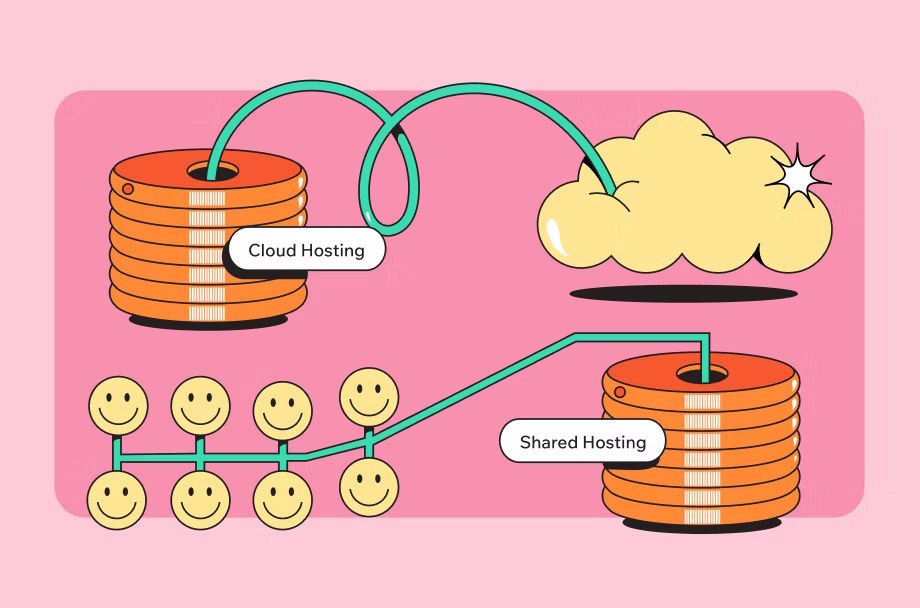
Your web host can affect your SEO, but not because Google ranks sites based on their hosting provider. Your host affects things like server response times, site availability and how reliably your pages are served, while those technical factors can affect crawling, page experience and, in some cases, rankings. The good news is that the hosting factors worth checking are fairly specific and easy to test.
Wix hosts every site it builds, so speed, uptime and security are handled for you. You get a global CDN, automatic SSL and infrastructure managed by experts, with no servers to configure and no separate hosting bill. Build the site and the hosting comes with it.
TL;DR: web hosting and SEO
Your website hosting provider does not determine your Google rankings, but the infrastructure behind your site can affect the technical signals Google uses. A reliable host with fast server response times, strong uptime, HTTPS and a CDN helps prevent hosting issues from getting in the way of search performance.
You'll learn:
How hosting affects speed, crawling and page experience
What TTFB and Core Web Vitals mean for SEO
When server location matters and how CDNs change the equation
What shared hosting and shared IPs actually mean for SEO
How downtime, HTTPS and security can affect your site
What to expect when changing hosts
What to look for when choosing a host
How Wix handles hosting, security and performance

Does web hosting affect SEO?
Yes, but indirectly. Google has never listed your hosting provider as a ranking factor, and there is no line in its documentation that rewards one host over another. What Google does measure is the experience your site delivers, and your host has a hand in most of it.
Think of hosting as a ceiling rather than a score. Good hosting does not push you up the results, it stops bad infrastructure from holding you down. A slow server drags your loading metrics, repeated downtime interrupts crawling and a missing security certificate costs you a lightweight ranking signal plus a lot of visitor trust.
That framing matters, because hosting is the easiest thing to blame when rankings stall. Most of the time the real problem is content or links, and moving to a pricier plan will not fix either.

How your host affects site speed
Speed is where hosting has its most direct line to SEO. Your server has to receive the request, build the page and start sending it back before a browser can render anything, so a sluggish server makes every other optimization look worse than it is.
01. Server response time and TTFB
Time to first byte measures how long your server takes to send the first piece of a response. It is not a ranking factor and it is not one of the Core Web Vitals, but it sits upstream of the metric Google does use, so a slow first byte pushes your Largest Contentful Paint later no matter how lean your images are.
This is the number that genuinely varies between hosts. Shared plans under load, unoptimized databases and servers far from your visitors all show up here first. Ignore any article that hands you a millisecond threshold Google supposedly penalizes, because no such number exists in Google's documentation.
02. Core Web Vitals and what Google actually says
Google is unusually direct about this one. Its page experience documentation says that Core Web Vitals are used by its ranking systems, and that there is no single page experience signal. The three metrics are Largest Contentful Paint for loading, Interaction to Next Paint for responsiveness and Cumulative Layout Shift for visual stability.
The targets Google publishes are an LCP within 2.5 seconds, an INP under 200 milliseconds and a CLS under 0.1. Google recommends hitting those, then adds in the same breath that good scores do not guarantee you rank at the top and that chasing a perfect score purely for SEO reasons may not be the best use of your time. Fast enough is the goal, not flawless.
03. Caching, compression and HTTP/2
A lot of speed comes from your host doing less work per visit. Caching serves a prebuilt copy of a page instead of assembling it again, compression shrinks files in transit and HTTP/2 lets a browser pull many resources over a single connection.
On a managed platform these are already switched on. On a plan you configure yourself they are often the difference between a two-second load and a six-second one, so check what your host enables by default before you start hand-tuning anything.
04. CDNs and why they flatten distance
A content delivery network keeps copies of your files on servers around the world and serves each visitor from the closest one. It turns a single distant server into a local one for everybody.
This is why a CDN quietly answers most of the server location question. Once your content is cached at the edge, the physical address of your origin server stops deciding how fast your page feels to the person loading it.
Read more:

Does server location affect SEO?
Less than most people think, and less every year. Google does use your server's location as one signal, but it hedges that signal itself, and the workaround costs almost nothing.
Latency versus geotargeting
There are two separate questions hiding inside this one. Latency is physics, since data crossing an ocean takes longer than data crossing a city. Geotargeting is about which country Google thinks your content is for.
Latency is real and worth solving. Google's multi-region documentation lists server location, through the IP address of the server, as one of the signals it uses to work out a page's target locale, then adds that some websites use distributed content delivery networks or are hosted in a country with better webserver infrastructure, so it is not a definitive signal. Your data center is a weak hint rather than a rule.
ccTLDs and the stronger signal
When you genuinely need to target a country, your domain does more work than your server. Google calls country-code top-level domains (ccTLD) a strong signal that a site is explicitly intended for a certain country, and in its own comparison table a country-specific domain lists “server location irrelevant” as one of the advantages.
A ccTLD is the clean option for a single market. A .com with hreflang and separate subfolders is the better setup if you serve several. Either way Google says it ignores locational meta tags like geo.position, so there is no point adding them.
Local SEO and why your server city does not matter
For a local business the answer is short. Your server's city has nothing to do with ranking in your city. Google works that out from your business details, your address, your reviews and the language on your pages.
The same logic settles the case people ask about most, a server in one country and customers in several. Put a CDN in front of it and serve the right language and currency per market. Google also warns against using IP analysis to adapt your content, since most of its crawls come from the US and it does not vary crawler location to hunt for your regional variants.
Want the speed and location work handled for you? Wix hosting serves every site through a global CDN with more than 200 nodes worldwide.

Do shared hosting and shared IPs hurt SEO?
This is the most persistent myth in hosting, and Google has been swatting it down for over a decade. There is a real risk buried in shared hosting, but it is not the one everybody worries about.
What shared hosting actually does to your site
Shared hosting puts many sites on one server and lets them compete for the same processor, memory and bandwidth. When a neighbor gets a traffic spike, your response time can suffer.
That is a genuine SEO risk and it has nothing to do with who your neighbors are. It is resource contention, and it shows up as slower first bytes at exactly the moments you least want them, like the day one of your posts takes off.
The bad neighborhood myth
The fear is that sharing an IP address with spam sites taints yours. Google staff have addressed this repeatedly and consistently, saying that shared IP addresses are fine for search, that plenty of hosting and CDN environments use them and that having some bad sites on an IP does not make everything on that IP bad.
One Google search advocate made the point using a Google-owned blogging platform, where millions of sites share the same infrastructure and the same IP addresses and rankings still vary enormously by quality. No known ranking algorithm reads IP addresses that way.
When a shared environment is genuinely a problem
There are edge cases. An IP hosting tens of thousands of spam sites alongside one legitimate site can invite extra scrutiny, and a server compromised at the host level can get your site flagged for malware through no fault of your content.
Both are arguments for a competent host rather than for buying your own IP address. If you are on a plan where one noisy neighbor can slow you down, the fix is cloud hosting or a managed platform that keeps resources separated.
Learn more: What is managed hosting?

Uptime, security and SSL
Speed gets all the attention, but availability and encryption are the two places where hosting can cost you visibility outright.
What downtime does to crawling
If Googlebot arrives while your server is down, it cannot fetch the page. Occasional blips are survivable, since Google retries. Sustained downtime is not, because pages that repeatedly fail to load can fall out of the index.
Downtime also burns crawl budget you were hoping to spend on new content. Watch the published percentage rather than your gut feeling, since the gap between 99.9% and 99.99% works out to roughly nine hours of downtime a year against under one hour.
HTTPS as a ranking signal and how light it really is
Google confirmed HTTPS as a ranking signal back in 2014 and has described it as a light one ever since, carrying less weight than signals like high-quality content. Its current page experience guidance simply asks if your pages are served in a secure fashion.
So no, adding a certificate will not move you up the results on its own. Serving over plain HTTP in 2026 does get your visitors a browser warning though, and that does real damage to trust and conversions. Every host worth using now includes a free SSL certificate.
Malware, patching and trust
A hacked site is an SEO emergency. Google can show a warning in the results or in the browser, and cleaning up then requesting a review takes days you do not have.
Most of that risk lives in unpatched software, which is a hosting question as much as a site question. Domain security options like registrar locking and private registration cover the other half, the part where somebody comes for the domain itself.
What happens to your SEO when you change hosts
Changing hosts does not automatically hurt your rankings. If your URLs stay the same and the new server works correctly, Google can continue crawling and indexing your site normally, although you may see a temporary change in crawl activity while Google adjusts to the new infrastructure.
Google says it is normal for Googlebot's crawl rate to drop immediately after the move, then increase steadily over the following days. That change reflects Google adjusting its crawling to the new server, not a ranking penalty.
The bigger SEO risks come from problems during the move: broken redirects, an expired SSL certificate, a firewall blocking Googlebot, lost Search Console verification or a test site that is accidentally left indexable. Google's hosting-change checklist also recommends lowering your DNS time to live ahead of the move and testing the new site on a temporary hostname with noindex before switching over.
Moving your site? Free web hosting comes with every Wix site, so there is no hosting plan to buy or migrate separately.

How to choose a host that supports SEO
Five things separate hosting that helps from hosting that quietly limits you. None of them are the headline numbers on the pricing page.
Server response time. Ask for a real figure rather than a vague promise about speed. Under 200 milliseconds to first byte is a reasonable bar for a page that is not doing heavy work.
Uptime you can verify. Look for a published percentage and a public status page. A host that will not tell you its uptime is telling you something.
A CDN included. Edge caching fixes latency for a global audience and takes server location off your list of worries entirely.
SSL by default. Certificates should be free, automatic and renewed without you ever touching them.
Room to grow. The plan that suits 500 visitors a month should not fall over at 50,000.
The quieter question is who patches the server. On a managed platform that is somebody else's job. On a plan you run yourself it is yours, every week, forever.
Expert tip from Allan Kinic, cybersecurity expert and founder of Prevention-internet.fr:
“Every month, security vulnerabilities are identified in popular web tools. And every month, thousands of sites get hacked because these updates aren’t applied.”
Find out more

Is Wix good for web hosting and SEO?
Wix hosts every site built on it, so most of the speed, uptime and security work covered above is already done by the time you hit publish. There is no separate hosting bill, no server to pick and nothing to configure. You build the site and it goes live on the same fully managed infrastructure that serves every other Wix site.
That infrastructure is multi-cloud, with data centers in the US and Europe plus more than 200 CDN nodes worldwide, so visitors get your content from a server near them. Wix states 99.99% uptime as its service level objective, and the platform scales automatically through traffic spikes.
Every Wix site gets HTTPS and an SSL certificate at no extra cost, and uploaded images are automatically compressed and converted to AVIF, which loads faster than older formats. Security monitoring, anti-DDoS protection and an on-call incident response team run in the background, and support is available around the clock.
How to get SEO-ready hosting on Wix
01. Choose how you want to build your site. You can build with the Wix website builder, or create a site with AI and upload the finished files through Wix Headless. Hosting is included when you publish, so you do not need to set up a separate hosting account or pay a separate setup fee.
02. Connect a custom domain. Domain registration, site building, hosting and business email all live in one dashboard, which also means one renewal date to remember. Connecting a custom domain does require a site plan.
03. Let your SSL certificate generate. Wix creates one automatically for every site and for each custom domain and subdomain you connect, so HTTPS is on by default.
04. Add domain security if you want it. Private registration keeps your details out of the public WHOIS database, and DNSSEC is available alongside it in non-EU countries and for all .com domains.
05. Check your Core Web Vitals in Search Console after publishing. Wix handles caching, lazy loading and media delivery, so what is left to fix is usually your own images, videos and apps.
None of this turns hosting into a growth strategy. It means the infrastructure half of technical SEO stops being a project, which leaves your time free for the content and links that actually move rankings.

Web hosting and SEO FAQ:
Is web hosting a Google ranking factor?
No. Google has never listed a hosting provider or a hosting type as a ranking factor, and nothing in its documentation ranks one host above another. What it does measure is the result, so your loading metrics, your availability when Googlebot calls and your HTTPS status. Hosting influences all three without being a factor itself.
Does free hosting hurt your SEO?
Not automatically. Free hosting hurts you if it is slow, goes down often, injects ads or leaves out HTTPS. Free hosting from a platform running the same infrastructure for paying customers behaves very differently from a hobby server in someone's spare room. Judge it on speed, uptime and the certificate rather than on the price.
How fast should my server respond?
Aim for a first byte under roughly 200 milliseconds on a straightforward page, and treat anything over half a second as worth investigating. There is no official Google threshold here, so ignore the specific figures that circulate as though there were one. What matters is that your Largest Contentful Paint lands within 2.5 seconds.
Does hosting matter more for an ecommerce site?
Yes, for two reasons. Product and category pages are heavier, so a slow server shows up sooner, and a checkout that times out during a sale costs you revenue on top of rankings. Ecommerce sites also see sharper traffic spikes, which makes the ability to scale more important than the headline plan price.
Will moving to a CDN change my rankings?
It can improve the loading metrics that feed rankings, which is a good thing, and it will not confuse Google about where your site is meant to be. Google explicitly notes that sites using CDNs are part of why server location is not a definitive locale signal. Expect a short crawl rate wobble afterwards, the same as with any infrastructure change.
Do I need a server in every country I sell to?
No. A CDN handles the speed side, and geotargeting is handled by your domain structure, hreflang tags and the language and currency on your pages. Buying servers country by country is an expensive way to solve a problem that edge caching already solves.


