Updated: Sep 8

To create a freelance website, pick a website builder, register a domain, build out your core pages and portfolio, then optimize for search and mobile. Wix is a powerful website builder that gives you everything you need to build something you’re proud of. No matter which of the types of businesses you run, or whether you are freelancing already or still weighing how to start a business, the first move is the same. You create a website that shows clients what you do and how well you do it. A well-designed online portfolio attracts clients, highlights your skills and sets you apart from the competition. This guide walks you through all ten steps, from choosing a builder to promoting the finished site.
Building a website for your business, passion project or side hustle should feel simple and exciting. Wix generates a personalized starting point with AI. You can customize every detail with intuitive drag-and-drop tools, while Wix handles the tricky parts to make building your site simple. That way, you can focus on what matters most: bringing your ideas to life. Ready to get started? Create your website today.
How to create a freelance website
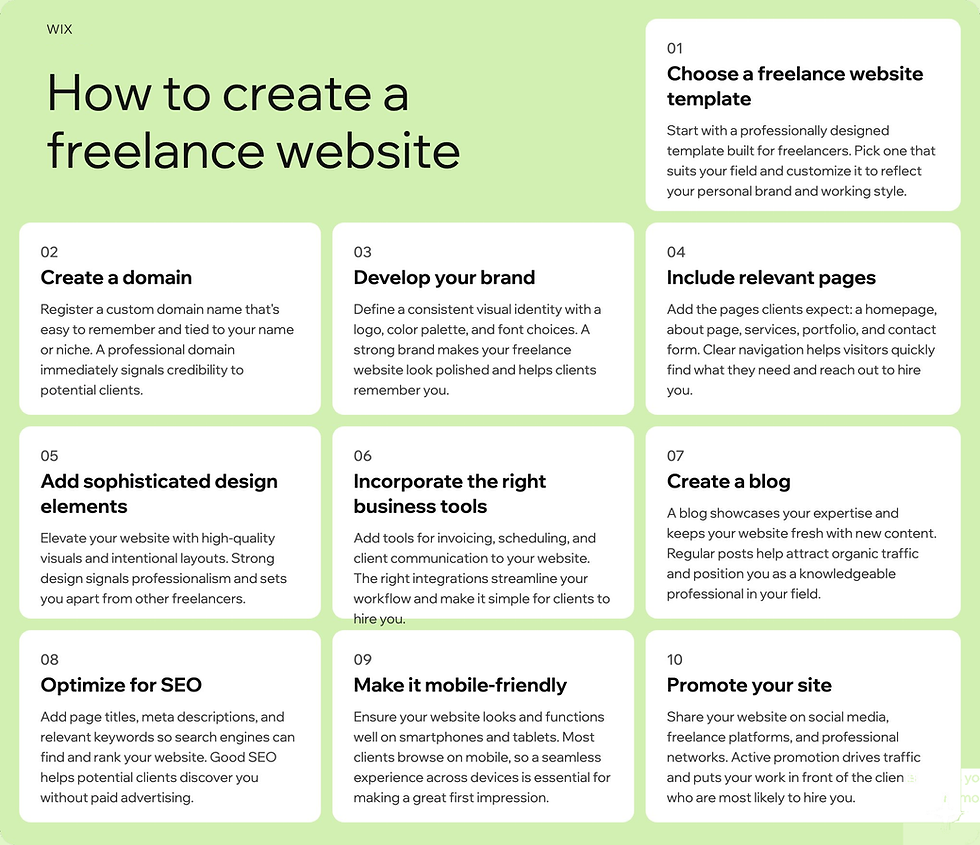
To make life easier for you, we’ve compiled a step-by-step guide that will explain everything you need. You’ll need these 10 steps to create a freelance website.
01. Choose a website builder
Choose a website builder, like Wix, that allows you to easily and quickly build a great site. For example you can use Wix Harmony, Wix's AI website builder that lets you go from a single prompt to a fully designed, business-ready website. At the center of the experience is Aria, Wix Harmony's built-in AI agent, who is contextually aware of your canvas and can generate pages, refine copy and offer expert web design and business strategy guidance throughout the build.
From there, full drag-and-drop control lets you shape every detail by hand, pixel-level customization, custom component generation and a brand kit for global site styles give you radical creative control on top of AI generation.
Move fluidly between chatting with Aria and editing manually whenever you want. Every site is backed by Wix's enterprise-grade website infrastructure, so reliability, security and performance are built in from the start.

Just like you wouldn’t start driving somewhere without directions, you should think about your ideal website layout before you start building. You’ll need to plan your website first. Ask yourself the following questions: Which elements do you want to stand out? What will be the first and last things people see when they land on your site? How do you envision the user’s flow from one page to another?
You can start from a blank canvas or choose among the free website templates available for all types of freelancing projects. These templates are 100% customizable, so you can personalize them to fit your brand.

Learn more: Best website builders for freelancers
02. Create a domain
Once you’ve chosen your freelancer website template, give your site a name. Come up with a few different options and check which ones have an available domain name. Ideally, your domain name should include the name of your biz and a taste of what you do.
You should also check Google, social media platforms and the United States Patent and Trademark Office (USPTO) to make sure the name you’ve selected isn’t already in use by another business.
Worth a look: .kim is a domain extension where the obvious labels went early because the name is so common, so pairing it with what you do stays available far longer.

03. Develop your brand
After sealing a domain name, it’s time to create additional aspects of your branding. Start by creating a logo, which you can do using a free logo maker. This will help you pinpoint the look and feel you want for your brand.
Next, select your fonts, colors and slogan. Your goal should be to maintain a consistent brand identity that encompasses what you stand for. These attributes will ultimately set you apart from your competitors and entice new customers to try your product or service, so it’s important that they stand out.
Even after you’ve checked off the branding basics, keep in mind that any type of content you create, whether it be on your website or social media accounts, should align with your branding. A unified marketing strategy is the key to developing consumer trust, which eventually will lead to repeat customers.
Expert tip from Caroline Mignaux, co-founder of Agence Personnelle and host of Marketing Square podcast
“A strong personal brand can help you stand out in your field, attract professional opportunities and establish credibility.”

04. Include relevant pages
Think about all the information you want your freelance website to include, and strategically organize it into separate pages. You can add as many pages or sections as you want, but here are some of the most important:
Homepage
Think of this as the entrance to your site. This is the very first thing site visitors will see. In addition to including a beautiful background image, you’ll also want to add some descriptive text. Clients should be able to determine who you are and what you do immediately upon entering your site. Choose your words wisely and make sure that every bit of text, photo and video are the best fit to secure a great first impression.
Products or services
Create a clear and detailed section explaining what kind of products and services you offer. If you’d like customers to place orders or schedule a call, add an order form or bookings calendar that invites them to do so.
Projects
Highlight your professionalism and quality of work by showcasing your projects and the list of clients you’ve worked with. If you’re an artist or designer, the Wix Pro Gallery is a great way to add examples of your work to your site.
Online store
A freelance website is an effective way to make money online. In addition to including an order form on your product page, you should create a separate page for your online store.
Testimonials
Satisfied customers are one of your most important marketing assets, since they can recommend your products and services to friends and social media followers. Ask them for testimonials, and include their positive reviews on your site. Testimonials boost your credibility and help create trust between you and potential customers.
About page
Use about us page to tell your visitors who you are. Provide essential information about your business and summarize your unique identity, work ethic and values. This will also let you build connections with your customers by helping them get to know you on a personal level. When planning this you should also think about your privacy policy page.
Contact
After you’ve stunned them with your site, visitors should be able to contact you easily. While you may want to include your contact details throughout your site, in the footer for instance, it’s also good practice to create a dedicated contact us page. Add a contact form with Wix Forms, your email, phone numbers and social media handles.
Learn more: How to vibe code a website
05. Add sophisticated design elements
Your freelance website is more than just a means to an end. It’s also an outlet for you to express your talent and creativity and show that you’re on top of your visual game. Make a list of the design features that will enhance your site, and start exploring which ones you can effortlessly integrate.
There’s no need to add every design element you come across, but incorporate the ones that fit in well. Ideas to consider include: hover effects, customized grids, parallax scrolling and animation. For each effect, think about how it will look to a first-time visitor and consider the purpose that it will serve. If you want some expert tips, you can also check out the Wix Marketplace to hire a Wix designer to help you build your perfect site.
06. Incorporate the right business tools
From talking with customers to marketing your product, there are many aspects of your business to stay on top of. This can be particularly challenging if you’re working alone, or if you’re a digital nomad without a fixed office space.
To make your life easier, take advantage of business tools that can help reduce your workload and streamline processes while making money as a freelancer. For example, Wix brings your email, chat and social messages into one inbox, so you can answer potential clients fast with AI-assisted replies. Visitors message you from a chatbox on your site and the conversation lands in the same place as everything else.

You can also take advantage of online scheduling software to efficiently take online bookings, accept secure payments and send automatic email reminders without any hassle.
Other tools, such as Wix Analytics, help you measure the traffic to your site. This gives you a view into where your website is performing well and where it could be improved, letting you adapt to fit your clients’ needs.
07. Create a blog
You can also consider creating a blog that appeals to your audience. This is a strategic way to incorporate additional content for SEO purposes, encourage people to spend more time on your site and establish yourself as a leader in your industry. A blog is also a helpful way to attract new visitors to your site because it provides valuable content without asking for anything in return. It can also be a highly effective way to make money as a freelance writer.
Expert tip from Rebecca Tomasis, Head of Organic Growth Marketing at Wix
“If you’re looking to attract people to your website through search engines, blogging remains highly relevant. It’s a great way to get your website content ranking and generate organic traffic, but it’s also an important way to use content to build your brand’s search authority on key topics.”
It’s also an effective strategy to convert traffic into customers. Your blog articles allow people to get to know you and become acquainted with your work. Blogs are an effective way to create personal relationships with your audience, which ultimately, allows them to feel connected to your brand. You can even include a comments section so you can communicate with your readers directly.
08. Optimize for SEO
What good is an online presence if no one gets to see it? This is exactly why you should invest some time and effort into your SEO capabilities. In order for your clients to easily find you and book your services (see how to start a service business), you need to make sure that your website appears in Google search results.
Optimizing your website with SEO features is an ongoing task that requires you to update your content regularly. You’ll want to do some keyword research to determine which words and phrases to incorporate throughout your site. Take advantage of a tool like Wix SEO to work out which relevant keywords people are searching for. Then, incorporate them throughout your website content. You might also want to engage an SEO services agency or professional to help you.
If you’re a freelancer who works in a specific location, you’ll also want to invest some time incorporating local SEO. To start, include your location on your website and register your Google Business Profile. Another helpful tip is to form relationships with other local businesses who can vouch for your credibility and link from their own website to yours. This type of local link building is a worthwhile tactic that will ensure your freelance website is found by anyone searching in your area.
09. Make it mobile-friendly
Mobile devices account for more than half of all global web traffic, so your website needs to look just as good on a small smartphone screen as it does on a desktop computer.
Pay attention to the fonts and colors you use and make sure they’re readable. Declutter the mobile version of your site and consider adding a search bar to ease navigation. If you build with Wix, your site comes with a responsive layout wired in from the start, and you can fine-tune how it looks on mobile before you publish.

10. Promote your site
After you’ve published your site, you’ll need to promote it to obtain clients and spread the word about your brand. Share it on your social media channels, and include a link in the bio of each of your accounts. You’ll also want to get business cards printed with your website on it. Furthermore, send out an email to your existing customers and share your website that way.
Once you’ve gotten the word out, remember that running a successful freelance website requires maintenance and upkeep. Keep your content updated, implement fresh features, improve the user experience and stay up-to-date with current design trends.
Oh, and brace yourself, the business offers are about to come pouring in.
What makes a good freelance website?
A successful freelance website does more than just showcase your work. It builds trust with potential clients, highlights your skills and makes it easy for visitors to take action. These 5 key elements make a freelance website stand out.
Chiara Celini, an illustrator who built her own site, puts the payoff plainly.
“Having a website that clearly showcases my experience, process and portfolio saves time and helps answer many initial questions. It acts as a central hub for my practice and helps establish trust before a project even begins.”
Key element | Why it matters | Tips for your freelance website |
Clear branding | Helps clients recognize and remember you | Use a professional logo, consistent colors and fonts that match your style |
Engaging portfolio | Shows your skills and past work | Highlight your best projects with descriptions, images and case studies |
User-friendly design | Makes your site easy to navigate | Keep menus simple, use intuitive layout and ensure mobile-friendly design |
Contact options | Encourages client inquiries | Include forms, email, phone number or booking links prominently |
SEO and discoverability | Helps clients find you online | Optimize page titles, meta descriptions, headings and images for search engines |
Freelancers who also build websites for clients can showcase Wix Headless as part of their offering: a fully custom frontend with Wix’s complete business backend built in, free to connect with no developer pricing or per-feature fees to pass on.
Learn more about Wix Headless:
How to create a freelance website FAQ
How much does a freelance website cost?
The cost of a freelance website depends on your choice of website builder, hosting plan, domain and premium features. You can start with an affordable platform like Wix and upgrade as your business grows.
Can beginners use freelance sites?
Yes, beginners can use freelance sites to find clients, build experience and showcase their skills. Most platforms are user-friendly and provide tutorials to help you get started quickly.
What are the best side hustles online?
Popular online side hustles include freelancing, creating a website or portfolio, selling digital products, offering online courses or consulting services and participating in gig economy platforms. Learn more about weekend side hustles and side hustle ideas to get started with today.


