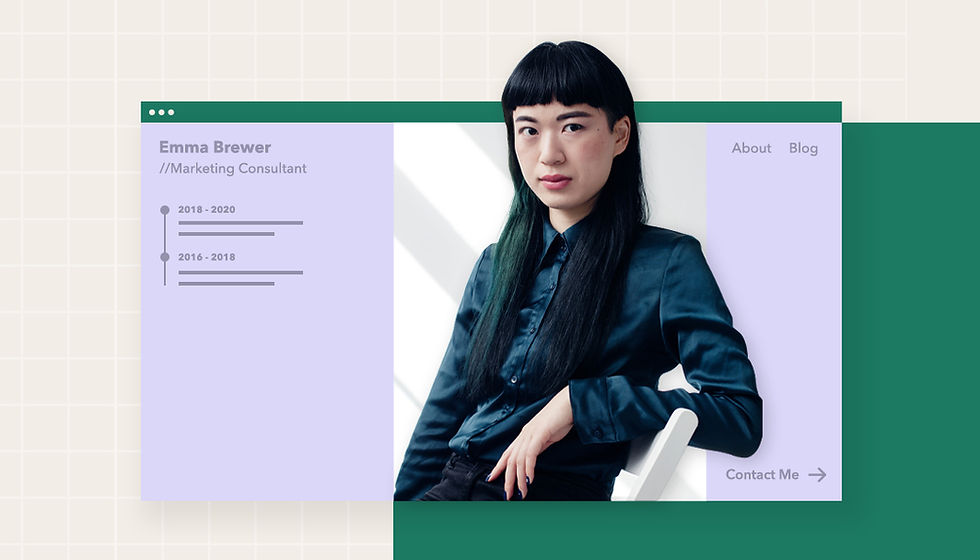
Before a recruiter calls, they may search your name. A resume website gives them one place to read your career story, see what you've achieved and reach you, at an address you control.
How you create an online resume website depends on your time, how much design control you want and whether your work is visual. This guide covers every way to make one, what to put on each page, what to keep private and how to keep it current.
Turn your experience into a resume website that gets noticed. Choose a template or start with AI, make the design your own and add the tools you need to share your resume, show your work and hear from recruiters, all with Wix.
TL;DR: how to build a resume website
To build a resume website, pick a template or AI builder and add a headline, about section, experience, work samples, a downloadable PDF resume and a contact form. Then connect a domain with your name, test it on a phone and share the link on your resume and LinkedIn.
You'll learn:
Every build method, compared
Which pages recruiters look for
What to keep private online
How it fits with ATS and PDF files
Real examples to borrow from
How to set one up on Wix

What is a resume website?
A resume website, also called an online resume or CV website, is a website that presents your professional experience, skills and work samples. A typical one has a few pages or sections: a homepage with your headline, an about section, your experience, a portfolio and a way to get in touch.
A website as a resume does things a PDF can't. It can show project images, videos and writing samples, link to published work and stay up to date without sending a new file. It also gives you one address to put on your resume, LinkedIn profile and email signature.
A resume website is different from a portfolio website, although the two often overlap. A resume site leads with your career story and experience, while a portfolio leads with the work itself. Designers, photographers and writers can combine both on one site.
Worth knowing: a resume website doesn't replace the resume file. When you apply online, you're asked to upload a document, and an applicant tracking system (software employers use to collect and screen applications) may read that file rather than your website. Keep a plain PDF or Word version with simple formatting.
Ways to build a resume website
You can build a resume website in an afternoon with a template or spend weeks coding one. For a job seeker, the bigger difference between methods is how easily you can update the site when you change jobs, finish a project or tailor it for a new role.
Already know how you'll build it? Skip ahead to the 9 steps.
Resume website builder with templates
A website builder gives you ready-made pages that you edit by dragging and dropping text, photos and sections. A resume template usually comes with a headline, an about section, an experience timeline, a portfolio area and a contact form, so you replace placeholder content instead of designing from scratch.
This suits job seekers who have never built a site, because updating it later takes minutes. When you change roles, you edit a line in the timeline and swap the PDF file. Pick a template that matches your field: a clean text layout for finance or law, a visual grid for design or photography.

Create a resume website with an AI website builder
An AI website builder asks a few questions about you, such as your field, your experience and the style you like, then creates a first draft with pages, text and images. You edit the draft like any other site.
With Wix Harmony, for example, you describe the site you want in a prompt, then keep shaping it by chatting with its AI agent, Aria, or by dragging and dropping elements yourself.
Yolanda Lopez, a UGC content creator, used a chat-based AI builder to set up the portfolio site she shares with brands:
Yolanda Lopez, UGC content creator and Wix user
"As a UGC content creator, I struggled to connect with brands and needed a professional space to showcase my digital portfolio. Using Wix's AI, I was able to build my website in just minutes through a simple chat based conversation, which saved me so much time. Now, I can present my projects, manage my site on the go via the app, and track visitor analytics to see what brands are most interested in."
Treat an AI draft as a starting point. Rewrite every generated line about your experience in your own words and check every date, title and number, since the AI doesn't know your career.
Learn more: How to create a website with AI
Build a resume website with an AI chat assistant
AI chat assistants, such as ChatGPT, Claude or Gemini, can help you write a headline, an about section and project summaries. Some can also build the site itself through a connected website platform.
Some platforms connect directly. Here's how to make a website with Wix in ChatGPT: type @Wix in a conversation to get a site plan and a Wix Harmony site. If you use Claude, learn how to connect Claude to Wix, then create and manage the site from a chat with the official Wix connector.
This suits people who already use a chat assistant at work and prefer typing instructions to clicking through an editor. Keep a copy of your final text, so your site, your PDF resume and your LinkedIn profile say the same thing.

Build a resume website with AI coding tools
AI coding tools, such as Claude Code or Cursor, and app builders such as Base44 write the code for a site from your description. This is often called vibe coding. You still need to host the site, connect a domain and fix anything that breaks.
This suits developers and technical job seekers, for whom the site itself can be a portfolio piece. A software engineer might ship a custom site with a project gallery that links to their code. For other job seekers, maintaining code takes time away from updating their experience.
Learn more: How to vibe code a website
Build a resume website with a content management system (CMS)
A CMS (content management system) is software that lets you add and edit pages, posts and images through a dashboard instead of code. Open-source options such as WordPress need separate hosting, a theme and plugins for features like contact forms.
A CMS suits job seekers who plan to publish often, such as writers, researchers or consultants who share articles and case studies. You're responsible for updates, backups and security, so budget time for maintenance alongside your job search.
Hand-code a resume website
Hand-coding means writing the HTML, CSS and JavaScript yourself, then uploading the files to a web host. You control every detail, from the layout to how fast each page loads.
It suits web developers and students learning to code, since the code shows your skills to a hiring manager. For anyone else, each update to your experience means editing code, which slows you down during a job search.
Headless resume website
A headless website keeps the part visitors see (the design) separate from the part that stores your content and handles forms. A developer builds a custom design in code, then connects it to ready-made tools for content, forms and hosting.
For a resume site, headless mostly makes sense for developers who want a custom design and a portfolio piece without building their own back end. Wix Headless is one example: it's free to connect, and you still connect the pieces yourself and test the contact form and downloads.

Hire a designer or career coach
A web designer can build the site for you, and some career coaches offer resume website setup alongside resume writing and interview prep. Agree in advance who owns the domain and the site account, and ask for a short handover so you can update your experience yourself.
This suits senior professionals and career changers who want help shaping their story as well as the design. It costs more than building the site yourself, so ask for a quote that includes updates after launch.
Find the best way to create your resume website
Method | Best for | Who updates it | PDF downloads and forms | Skills needed |
Website builder with templates | First-time site builders | You | Built in or added as apps | None |
AI website builder | A fast first draft | You | Built in | None |
AI chat assistant | People who prefer chat | You, through chat | Depends on the platform | Clear prompts |
AI coding tools | Developers | You or a developer | You set them up | Some coding |
CMS | Writers and researchers | You | Plugins | Basic technical |
Hand-coding | Web developers | You | You build them | Advanced coding |
Headless | Custom developer portfolios | A developer | Connected services | Advanced coding |
Designer or career coach | Senior roles, career changes | You after handover | The pro sets them up | None |
How to make a resume website in 9 steps
Whichever method you choose, the build follows the same order. Here's how to make a resume website, step by step:

01. Select your website builder
Start by picking the build method above that fits your skills and the time you have. Before you commit, check that the tool lets you:
Upload a PDF resume visitors can download
Add a contact form that sends messages to your inbox
Connect a custom domain with your name
Check and edit the mobile version
Password protect a page or hide it from search
See basic visitor stats
A website builder handles web hosting for you, along with updates and website security, so you don't need a separate provider. If you're comparing options, this guide to web hosting cost explains what each part of the bill covers.

02. Choose your resume website template
Browse resume website templates and pick one built for your type of content, not only your favorite colors. You can choose a one page website, where visitors scroll through every section, or a multipage site with a separate page for each section.
A one-page site suits a short career story or an early-career resume. A multipage site suits people with several projects, publications or client case studies. Check that the template includes:
An experience timeline or list
A gallery or project pages
A button for your PDF resume
A contact form
Text that's easy to read on a phone

03. Add a professional picture of yourself
A recent photo helps recruiters put a face to your name before an interview. For corporate and office roles, a neutral headshot in good light works well. Creative fields such as design, music or acting leave more room for a styled portrait.
Place the photo near the top of the homepage, next to your name and headline, and use the same photo on your LinkedIn profile so people know they've found the right person. Add alt text that describes the photo, such as your name and job title.
04. Add the relevant resume sections
A resume website covers the same ground as your resume, with room for proof. Use these sections as a starting point and drop any that don't apply to you.
Homepage headline
Open with your name, the role you do or want and one line about what you're best at, such as "Product designer who turns research into simple mobile apps." Add your photo and two buttons: one to your work and one to your resume.

About
Write a short professional story: what you do, what you're known for and the kind of role or project you want next. Keep it to a few short paragraphs, written in the first person, as you'd talk in an interview.
Experience
List your most relevant jobs, internships and volunteer roles, each with dates, your title and two or three results. A timeline layout makes career moves easy to scan. Our guide on how to write a resume helps you phrase each result.
Education and certifications
Add each degree or certification with the institution, dates and any honors or published work. Put recent certifications first if they matter more for your next role than your degree.
Skills
Group your skills by type, such as software, languages and methods, and use the skill names that appear in job ads in your field. Back each main skill with a project or result elsewhere on the site.

Portfolio and case studies
Show your work, not only a list of it. A case study explains the problem, what you did and the result, with images, links or a short video. Creative professionals can build a full portfolio website, and Wix Portfolio organizes creative work into customizable collections and portfolio layouts.
Photographers and designers can display images in grids or slideshows with the Wix Pro Gallery. If your field is visual, these graphic design resume examples show how others present design work.
Tal Shenhav, Senior SEO Strategist at Wix
"I've watched people decide in under ten seconds whether they're staying or leaving a portfolio website. Lead with your strongest work, make it easy to move around and give just enough context so people get why it matters."
Learn more: How to make a portfolio for a job
Testimonials
Add two or three short recommendations from managers, clients or professors, with their name and role. Ask permission before you publish a quote, and link to the original LinkedIn recommendation where one exists.
Resume page and downloadable PDF
Add a resume page with your work history in text and a button that downloads the PDF version, since some employers want a copy to save or print. You can include a button that links to the file. The Wixel resume builder helps you create a matching PDF document.
Make sure the dates, titles and employers on the PDF match the site and your LinkedIn profile. Upload a new file every time you update your experience, and keep the file name simple, such as your name and "resume."
Contact form
Add a contact form so recruiters can reach you without seeing your personal details, and use an email address that includes your name. Send yourself a test message from your phone to confirm it arrives.
LinkedIn and social links
Link to your LinkedIn profile and any professional accounts where your work lives, such as GitHub, Behance, Dribbble or YouTube. Leave out personal accounts you wouldn't share with a hiring manager.
What to keep off your resume website
A resume website is public, so leave off your home address, personal phone number, date of birth and ID numbers. A city and region is enough for location. If an employer asks for references or salary history, send them privately.
If some content is only for specific recruiters, you can password protect that page. On Wix, password protected pages don't appear in search results.
Be inspired: Resume design ideas

05. Add in the small website design details
Treat your site like a personal brand, with the same fonts, colors and photo style on every page and on your PDF resume. These guides to resume fonts and font size help you choose type that's easy to read on a screen.
Choose a domain name that matches your name, such as yourname.com. If it's taken, add your job title or a middle initial. A career-focused ending such as .careers also works, as long as the address is easy to remember and type.
Put the domain on your PDF resume, your email signature and your LinkedIn profile, so every place a recruiter finds you points to the same site.
Check the contrast between text and background, add alt text to your images and make sure every button says where it goes, such as "Download my resume (PDF)." The Accessibility Wizard can scan a Wix site for common issues.

06. Optimize for SEO
SEO (search engine optimization) helps your site show up when someone searches your name or your specialty. Start with the basics, in this order:
Put your full name and job title in the homepage title
Write a short meta description for each page
Use clear page names, such as Experience and Projects
Add alt text to every image
Connect your domain and submit the site to search engines
Wix includes SEO tools with a setup checklist that walks you through these steps. Search results take time and no tool can guarantee a ranking, so share your link directly as well.
07. Make sure your site is mobile-friendly
According to Statista, mobile phones accounted for just over half of global website traffic in the second quarter of 2026. A recruiter may open your link from an email on their phone between meetings.
Website builder templates are designed to adjust to small screens, but check the details yourself: open the site on your phone, tap through every page, download the PDF and send a test message through the contact form.
Large photos slow pages down on mobile data, so resize images before you upload them and check your website performance after you publish.

08. Ask for a second opinion before publishing
Before you share the link, test the site the way a recruiter would use it:
Every link and button works
The PDF downloads and opens on a phone
Contact form messages reach your inbox
Dates and titles match your PDF and LinkedIn
No typos in your name, headline or job titles
Then ask a friend, mentor or someone in your field to read it. Ask whether they understand what you do within a few seconds and which role they'd picture you in.
09. Publish and track your resume website
Publish the site, then add the link to your PDF resume, LinkedIn profile, email signature and any application with a website field. Wix Analytics shows how many people visit and which pages they open, and the Wix app lets you check stats and reply to messages on your phone.
Review the site every few months and after every job change:
Current title, employer and dates
New projects, results and certifications
A PDF resume that matches the site
A photo that still looks like you
Working links and contact form
Domain and plan renewal dates
Resume website examples
Real sites show how other professionals organize the same sections. These five come from the resume website examples on Wix Explore:
Savannah Heiden, executive assistant
An executive assistant's career site. Look at how a support role can be presented through results and responsibilities, not only a list of duties.
Steven A. Benko, instructional designer
An instructional designer's site. Notice how learning design work can be shown as projects rather than a list of courses.
Sammi Shea, digital marketer
A digital marketing professional's site, a useful model for turning campaign work into a portfolio that a hiring manager can scan.
Ally Doederlein, stage manager
A stage manager's resume website, an example for theater and event roles where production credits carry as much weight as job titles.
Jessia Moes, ESG and sustainability consultant
A consultant's site that shows how independent professionals can present their expertise and invite project inquiries in one place.
For more ideas, browse personal website examples, or read our guide on how to make a portfolio website if your work is the main thing you want to show.

Why make a resume website?
A resume website gives recruiters a single link with your experience, your work and how to reach you, and it can appear when someone searches your name. It also holds what a two-page resume can't, such as project images, writing samples and recommendations.
It isn't required in every field. Where hiring depends on seeing your work, such as design, writing, development or marketing, a site shows that work directly. In fields such as finance or healthcare, a strong PDF resume and LinkedIn profile may carry more weight, and a simple one-page site is enough.
How much does a resume website cost?
A resume website can cost nothing if you use a website builder's free plan, which publishes the site on a free web address with the builder's branding. A paid plan removes the ads and lets you connect a custom domain with your name.
Budget for the domain renewal each year if you register one. Coded sites add hosting costs, and a designer or career coach charges for their time. This guide on how much does a website cost breaks down each option.
How to make a resume website with Wix
Wix gives job seekers several ways to build, from a template to a chat, and the tools to keep the site current. If you're new to the platform, this guide on how to make a Wix website covers the basics.
Build and manage the site
Start from a resume template, or describe your background to Wix Harmony to get a first draft you can edit by prompt or by hand. You can also build and edit the site from ChatGPT or Claude.
Show your work
Wix Portfolio lets you organize projects into collections and layouts, with project pages you can optimize for search, and the Wix Pro Gallery shows photos and videos in grids and slideshows. Add more tools, such as forms or interview scheduling, from the Wix App Market.
Get found and keep it private
Wix SEO tools walk you through page titles and descriptions, and you can connect a domain with your name. Password protected pages and members-only pages control who sees content that isn't meant for everyone.
Get help building it
If you'd rather hand it off, hire a designer or career coach to build the site and show you how to update it. Designers who build sites for several clients can use Wix Studio, which adds advanced design tools and client management.
Best resume website builders
Now that you know the steps, here are the best resume website builders to compare:
01. Wix
Wix offers resume templates, an AI website builder and Wix Harmony for editing by prompt or by drag and drop. SEO tools, forms and portfolio apps cover what a job seeker needs, and you can connect a domain with your name.
Best for ease of use: Wix's drag-and-drop builder requires no coding skills.
02. GoDaddy
GoDaddy's website builder focuses on getting a simple site online quickly, with templates and marketing tools such as email and social posts. It suits job seekers who want a basic online resume without much customization.
Best for speed: a quick setup and publishing process.
03. Weebly
Weebly offers a simple drag-and-drop editor and an app center for extra features. It suits people who want a straightforward multipage resume site.
Best for being user-friendly: a plain interface that's easy to learn.
04. Hostinger
Hostinger's website builder is aimed at budget-conscious users, with responsive templates and hosting in one plan. It suits job seekers who want a low-cost site with their own domain.
Best for affordability: a builder and hosting in one budget plan.
05. Site123
Site123 offers a guided setup and multilingual sites, which can help job seekers applying for roles in more than one country.
Best for simplicity: a guided setup for quick results.
Resume website builder | Features | Best for |
Wix | Templates, AI builder and drag and drop with no coding | Ease of use |
GoDaddy | Quick setup and publishing | Speed |
Weebly | A plain interface that's easy to learn | Being user-friendly |
Hostinger | A builder and hosting in one budget plan | Affordability |
Site123 | Guided setup with multilingual sites | Simplicity |
Tips to make a resume website stand out
These habits help a resume website stand out to recruiters:
Lead with your best work: put your strongest project on the homepage
Tailor it: match your headline and skills to the roles you want
Keep it short: cut anything that doesn't support your next move
Use sharp images: replace blurry photos and screenshots
Show results: add an outcome to each project where you can
Update it with LinkedIn: change both when your role changes
How to make a resume website FAQ
How do I turn my resume into a website?
Pick a resume template or an AI website builder, then give each part of your resume its own page or section: headline, about, experience, education, skills and contact. Add work samples and a downloadable PDF, then publish on a domain with your name.
Is it necessary to have coding or web design experience to create a resume website?
No. Website builders offer drag-and-drop editors and resume templates, and AI website builders create a first draft for you. Coding skills only matter if you want to hand-code the site or use it to show your development work.
Can I make a resume website for free?
Yes. Website builders such as Wix let you build and publish a resume website on a free plan. A paid plan removes ads and lets you connect a custom domain with your name.
Does a resume website replace a PDF resume?
No. Online job applications ask you to upload a resume file, and an applicant tracking system may read that file. Keep a PDF or Word version that matches your site and add the site link to it.
Can I include personal information on my resume website?
Leave off your home address, personal phone number, date of birth and ID numbers. List a city or region, add a contact form and use an email address with your name. Share other details privately when an employer asks.
How can I integrate social media links into my resume website?
Website builders such as Wix include social icons you can link to your profiles. Add LinkedIn and any professional accounts where your work lives, such as GitHub or Behance, and leave out personal accounts.
Can I make my resume website private?
Yes. You can password protect a page or the whole site and share the password with specific recruiters. On Wix, password protected pages don't appear in search results, so keep your main pages public if you want to be found.
Is it worth making a resume website?
It is especially useful in fields where hiring depends on seeing your work, such as design, writing, development and marketing. In other fields, a simple one-page site still gives recruiters one link with your experience and contact details.
Should I put my resume website link on my resume?
Yes. Add it next to your email address and LinkedIn link at the top of your resume, and use a short domain with your name so it's easy to type from a printed copy.


