Nearly four in ten U.S. consumers have already used generative AI for online shopping, and almost half of those used it for product recommendations, according to Adobe research. When someone asks ChatGPT or Gemini what to buy, the answer names brands: yours, or a competitor's.
When I start AI visibility work with a brand, tracking is the first thing I set up. We map the prompts customers are most likely asking, then see what the AI answers. In most companies I walk into, nobody's tracking this at all, they're watching the wrong prompts, or someone skims the answer for a mention and calls it a day.
I sort the prompts worth tracking into three types:
Recommendation prompts
Comparison prompts
Fact-check prompts
There are more prompt types worth tracking, but these three are the bread and butter. They carry most of the value, and they're the set I'd suggest every brand starts with.

First, what's a prompt? (+ what makes it different from a keyword)
A prompt is the question or request someone types into ChatGPT, Gemini, or any other AI assistant. Every AI answer starts with one.
Prompts behave differently from keywords. Nobody types "best accounting software small business" into ChatGPT. They write something like: "I run a 12-person design studio and we've outgrown spreadsheets for invoicing. What should we move to?"
The person's situation comes attached, whether they state it in the prompt itself or the AI already knows it from its memory layer, the profile it builds up from their past conversations. Either way, the AI uses that context to shape the answer.

When I build a tracking set, I sort prompts by one question: what is the customer trying to do at this moment? Sometimes they want recommendations. Sometimes they are choosing between options. Sometimes they need a current fact before they act. That gives you the three types.

Which AI prompts to track
Type 1: Recommendation prompts
Recommendation prompts are where the customer's shortlist is born. Usually, no brand is named in the prompt: the customer describes a need and asks the AI what to consider.
Here's what they look like in practice, across very different businesses:
"My daughter is starting college in the fall and we're looking for her first car. Can you recommend something safe and fuel-efficient for a young driver?"
"I'm opening a small bakery and need an espresso machine that can handle a morning rush without a trained barista. What should I buy?"
"We're a 40-room boutique hotel and the commission on every booking is eating us alive. Is there a reservation system that doesn't take a cut?"
"My knees hurt after long runs and I overpronate. Which running shoes should I be looking at?"
"Looking for a family dentist in Austin who's good with anxious kids. Who do people recommend?"
These are discovery prompts: research, recommendations, "what should I get" questions. In classic search, this customer would have scanned a results page and a few review sites. Here, the AI builds the shortlist for them, and brands that appear in it get considered by people who had never heard of them a minute earlier.
Tracking this type tells you whether you're part of the shortlist the AI builds for your category, how consistently, and who else is on it.

Type 2: Comparison prompts
Comparison prompts are where deals are decided. Usually, a competitor is named in the prompt, or the customer asks whether there is something better than the option they already know.
"We're choosing a CRM for our startup and it's down to HubSpot or Salesforce. Which one fits a five-person sales team?"
"My Model 3 lease is ending in the spring. Should I get another one, or has Hyundai's Ioniq actually caught up?"
"We've had a Roomba for three years and it's on its last legs. Should I buy another one or is there something better for the same money?"
"Our studio has used Photoshop forever but the subscriptions add up. Is there anything as good for a three-person design shop?"
The first two are the comparison you'd expect: the customer has a shortlist and asks the AI to judge it. Tracking these tells you how often you win the judgment, and on which claimed strengths.
Let’s look more closely at the last two. The Roomba owner and the Photoshop studio never name an alternative; they ask "is there something better" and the AI decides which brand to nominate. These alternative-seeking prompts are some of the most valuable you can monitor, because they show you demand moving between brands the customer never planned to compare.
G2's Answer Economy research puts a number on that switching: 69% of B2B software buyers ended up choosing a different vendor than they'd planned after an AI chatbot's guidance. If your competitors' customers are asking "is there something better," you'd want to know whether the AI ever names you in the answer.

Type 3: Fact-check prompts
Fact-check prompts catch the customer a moment away from acting: heading to the store, choosing a plan, calculating a budget. Your brand is named in the prompt, and so are your facts: opening hours, pricing, plan features, availability, compatibility.
"Is IKEA open on the holiday this Monday? I need to pick up a desk before the weekend."
"What does Notion's Business plan cost right now, and does it include the AI features?"
"What's the checked-bag fee on Delta's basic economy to Europe these days?"
"Does the Costco in Round Rock do same-day tire installation, and do I need an appointment?"
"Is Stripe's payment_intents endpoint still rate-limited at 100 requests per second in live mode?"
This is the type where I catch the most wrong answers in the tracking sets I run. Models are trained on snapshots that age, and live retrieval, the AI fetching your page in real time, doesn't always reach the current version. Pricing that changed last quarter can still be presented as fact today.
And sometimes the fault is closer to home: a pricing page that's badly coded or rendered dynamically can be unreadable to the AI, so it pulls your prices from third-party sources you don't control, and those go stale on their own schedule.
This reaches customers at scale: in a Gartner survey, 62% of consumers who had shopped with AI said it had wasted their time. And the customer who gets told the wrong price or the wrong opening hours rarely reports it to anyone. They simply act on it.
If developers build on your product, this type matters double: they ask the AI about your API endpoints, SDK versions and rate limits instead of opening your docs, and an answer based on last year's documentation turns into broken code and support tickets. The AI's answer about your product is sometimes the first documentation a developer reads.
Tracking this type tells you which of your facts the AI states correctly, which ones drift, and which sources it leans on when it answers. That last part often shows you exactly which page is feeding the AI its answer.

One answer is an anecdote: how I actually track prompts
Whichever of the three types you're tracking, a single answer tells you very little.
AI assistants generate answers probabilistically: the same prompt produces different answers on different runs, sometimes with different brands in them. This is normal behavior, and it means one answer is closer to an anecdote than to data. I have each tracked prompt run at least 10 times per check. Twenty is better, and a hundred would be ideal, but this stuff isn't cheap, so find the balance that works for your budget; just don't drop below 10. For frequency I recommend daily, because daily checks are what give you a real grasp of how volatile your space actually is.
Then I look at what repeats. Say your brand shows up in four runs out of ten while a competitor shows up in nine: that's a picture no single answer can give you. Repetition is the signal: the brands that keep showing up, the recommendations that survive across runs, the facts the AI states consistently versus the ones that wobble. In the first week of almost every tracking set I've run, the client meets at least one surprise, usually a competitor the AI keeps recommending that they didn't have on their radar.
Set your expectations accordingly, because this data behaves nothing like rank tracking. Keywords are stable by comparison: a ranking moves a few positions and that's news. Prompt tracking is noisier by design, since every answer is generated fresh and shaped by context. In my tracking, a brand's appearance rate routinely wobbles by around 10-15 percentage points between checks with nothing actually changing on the brand’s side.
So don't react to any single check. Analyze the overall trend instead: a shift that holds across several checks, or a competitor that goes from absent to persistent.
One more rule: never track from your own account. AI assistants carry a heavy layer of personalization and memory, so what you see logged in reflects your own history rather than your market. This is also one of the reasons I don't recommend tracking manually at all: at 10 runs per prompt across a few dozen prompts, that's a job for a proper tracking tool (I use my own internal tooling), and tools like that sample outside any personal account entirely.
If you do spot-check something by hand, do it logged out; most ChatGPT users are on the free tier anyway, so that's closer to what they'd actually see. If you need to be logged in, use a fresh account with no history and memory turned off, or a temporary chat set to non-personalized.
For library size, 20 to 50 prompts across the three types is a practical range. Fewer than that leaves blind spots, and much more gets hard to manage without proper tooling.
Keep the set alive, too: categories shift, competitors launch new products, and the models themselves change under your feet. I revisit the prompt library with every client roughly once a quarter.
What to measure
Inside the samples, I separate three different measurements. Being cited: the AI links your site as a source. Being mentioned: the AI names your brand. And the messaging itself: what the AI actually says about you, and how. They move independently, and each one calls for different work.

The first two are countable straight off the samples. For the messaging, I attach talking points to each tracked prompt: short yes-or-no messages I check every answer against, each marked as something the answer should carry or something it should keep out.
A CRM brand might track "mentions our free tier" as a should-appear and "describes setup as complicated" as a keep-out. Up to five per prompt is enough. You're looking at the rate of how often the message appeared. That rate, not any single answer, tells you whether your story is landing, and whether the one you're trying to retire is still being told.
Write prompts the way your customer actually writes them
Write your tracked prompts with a bit of natural exposition, as if your actual customer persona is asking. Things like age, family situation, team size, and the constraint they're working around. "My daughter is starting college in the fall" is doing real work in that prompt.
You can't replicate a real user's account memory, but you can encode their context into the prompt itself. Not a biography, just enough to sound like a person.
Keyword-style prompts produce answers no real customer will ever see.
Which AI visibility tool should you use?
If you're shopping for a dedicated tool, the ones I've evaluated aren't that different from one another, and there's no shortage of them popping up.
Two criteria matter more than the feature lists. First, control over prompt frequency and sample count: a tool that runs each prompt once and shows you one answer isn't measuring the thing you need measured. Second, a price you can sustain over time, because tracking is a recurring cost, not a one-off project.
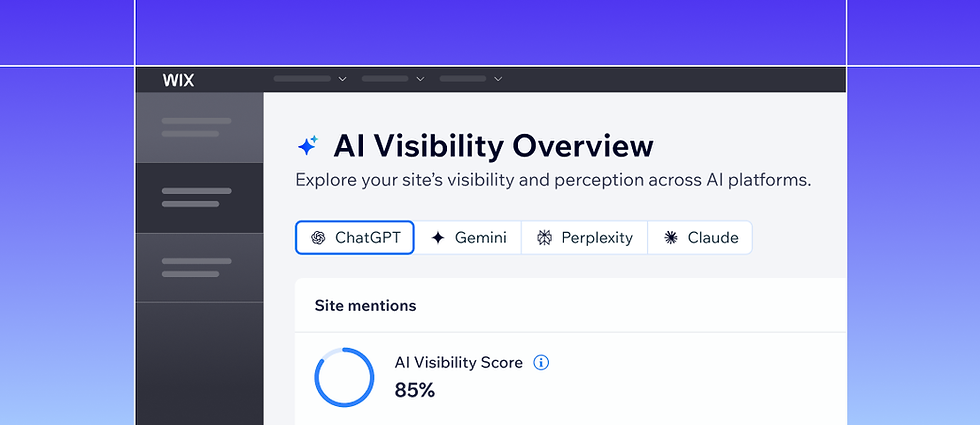
You can also build instead of buy. The same data providers that feed the commercial tools are open to anyone, so if you're addicted to Claude Code like I am, you can wire up your own internal tooling. That's what I did, for myself and for some of my clients.
From tracking to gap mapping
The point of the tracking is the map it produces.
Once the samples accumulate, each prompt type shows you a specific kind of gap: recommendation prompts where you never appear, comparison prompts you keep losing, alternative-seeking prompts where the AI never nominates you, fact-check prompts where the AI keeps getting something wrong, and talking points that never land. Each gap calls for different work, from making sure the AI knows who you are and what you sell, to comparison content (quality comparison content that is), and FAQs. That's the optimization half of the story, and it deserves its own article.
There are two more signals that come free with the samples. The first is query fan-out: behind many answers, the AI runs its own set of follow-up searches, and watching how it expands your prompts tells you which subtopics, comparisons and concerns it considers part of your category. That's possible content plan material right there.
The second is cited sources: answers link to the pages they pulled from, and mapping those citations tells you which sites the AI trusts in your category, including the ones that aren't yours. If a review site or a forum thread keeps feeding the answers about your brand, you now know exactly where to invest.
If you want a feel for both without any setup, I built a free Chrome extension, ChatGPT Query Fan-Out, Sources & Citations Extractor, that shows the fan-out queries and the cited sources behind a ChatGPT answer. It doesn't replace proper tracking; a single run is still an anecdote. But it will give you a sense of what's happening behind the scenes.
It all starts the same way, though: pick your 20 to 50 prompts, sample them properly, and find out what the AI is telling your customers.