WIX POS

Sell, manage and grow your business with Wix POS


Easy to set up and start selling
Sell in-store and take bookings in-person and online seamlessly with Wix POS. Know what's selling, who's buying and when to reorder.

Omnichannel solution
Sell wherever is best for you—in-person, online via your eCommerce site or social media. Take payments in your store, salon or gym and on the go at your next pop-up.
Integrated payments dashboard
Control your business transactions right from your dashboard with Wix Payments. Review payments, handle refunds, schedule payouts and more.
Ready-to-go software
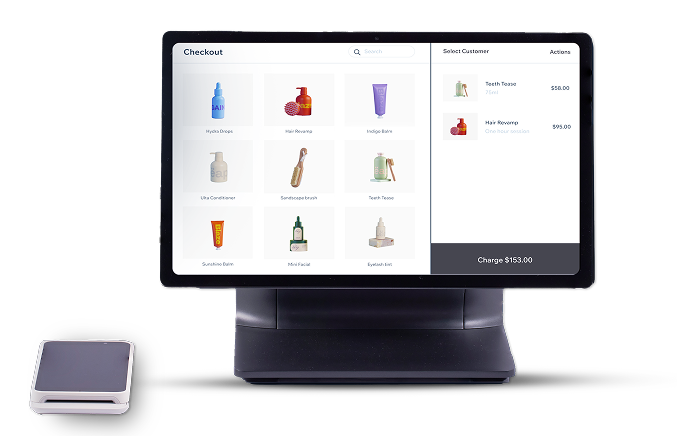
Wix POS hardware comes with its software pre-installed. Just plug it in, log in to your Wix account and start selling—no need for any third-party setup.
Synced inventory
Manage your inventory for both your online and in-person sales from one place. Each sale you make automatically syncs with your dashboard.
Unified reporting
Track your sales, taxes, employee reports and more for online and in-person sales—conveniently from one place.
Wix customer support
Get POS support from Wix experts. Contact Customer Care from your POS tablet, computer or mobile.


Take your business on the road with Wix Mobile POS
Accept in-person payments at pop-ups, festivals, markets and more with our POS card reader. Together with the Wix app (iOS and Android), you can safely take chip, contactless and magstripe card payments, as well as digital wallets like Apple Pay and Google Pay.

How it works step by step
01. Get started with Wix
Log in or create an account to set up your business website. Choose a Wix Premium plan to suit your business.
02. Set up Wix Payments
Connect Wix Payments in your payments settings. When onboarding, make sure to select POS as a payment method and check that your business type is supported.
03. Buy your POS system
Find the right Wix Point of Sale system for your business by browsing our POS Shop. Choose the hardware that suits your business best.
04. Get a POS Plan
To accept payments via credit card and digital wallets with Wix POS Register, you need to buy the Wix Retail POS Pro plan. There is no POS plan needed if you’re just using Mobile POS.
05. Set up Wix POS
We’ll ship your POS hardware to you. Everything you need is built in, including our advanced Wix POS software. Simply unbox your POS system and plug it in.
06. Start selling
You’re now all set to accept in-person payments. Log in to your Wix account on a POS tablet, computer or Wix app and you’re good to go.
Come for the POS, stay for the online growth
Wix goes beyond POS with the world's best website builder, cutting-edge AI to bring your vision to life, built in marketing tools and a powerful infrastructure to help you succeed.
190
Countries served


282M+
Wix users worldwide
1M+
eCommerce sites


2K+
R&D experts
We’re here for you
-
*As an RCSC merchant, receive $150 off select Wix Point of Sale hardware packages, which include ‘The Complete POS Register' and ‘Essential POS Register’ packages, based on the pricing listed on Wix.com. To redeem the promotion, learn how by talking to a Wix POS Expert.