
Updated: Feb 4
Turn ideas into professional visuals with Wixel →

Looking for the best form builders to create, customize and manage forms for your website or business? With the right tool, you can build everything from simple contact forms to complex surveys without coding.
Wixel stands out as a top choice, offering a free online form builder and an intuitive form editor that lets you design, embed and track forms all in one place.
Whether you need forms for lead generation, customer feedback, event registration or order collection, the right platform saves time and ensures your data is organized, secure and actionable.
Ready to streamline your form workflow? Start with Wixel form templates and see how simple it can be.

Wixel is an AI-powered design platform that makes it easy for anyone to turn ideas into high-quality social posts, images, videos and more. With smart AI tools, ready-to-go templates, you can go from concept to polished design in no time. Simply describe your vision and let AI turn it into an eye-catching image in seconds.
TL;DR: best form builders
Creating forms can be quick and stress-free if you pick the right builder. Here’s a snapshot of the best options:
Platform | Best for | Free plan | Editor included | Online/Offline |
Wixel | All-in-one form creation, customization and tracking | Yes | Yes | Online |
Typeform | Interactive surveys and quizzes | Limited | Yes | Online |
Jotform | Advanced forms with workflow automation | Yes | Yes | Online |
Google Forms | Simple, fast and free forms | Yes | Limited | Online |
Formstack | Enterprise-level form solutions | Trial | Yes | Online + Offline |
Paperform | Highly customizable forms with branding | Trial | Yes | Online |
"A good form builder can make your life so much easier. Wixel lets you create forms quickly, track responses and even handle edits and integrations all in one place , no juggling multiple tools." - Idan Cohen, Wixel SEO strategist
Learn more:
Best form builders
Jump to platform:
01. Wixel
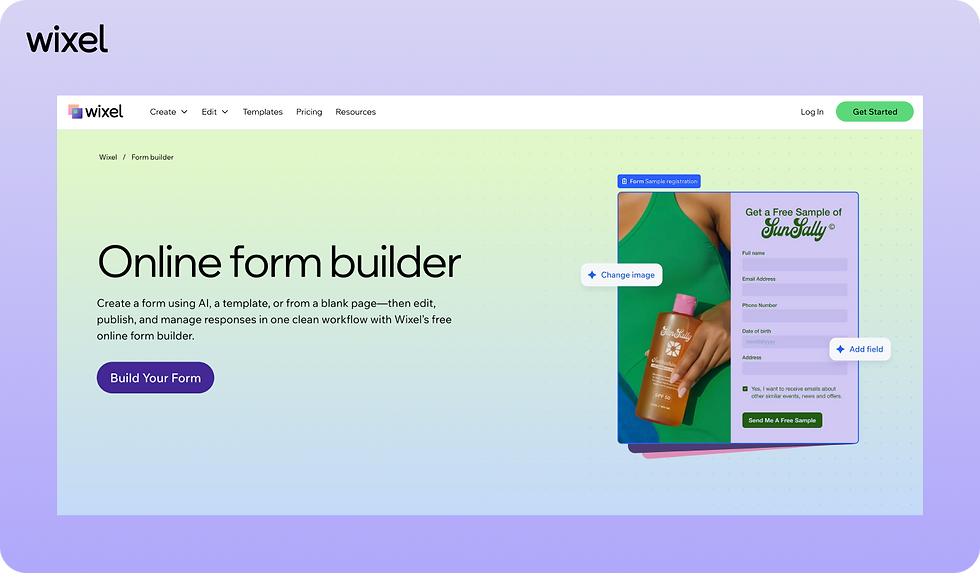
Wixel is a versatile platform that makes it easy to see what is Wixel’s form builder and how it can bring flexibility, ease-of-use, and advanced features together in one place.
Whether you’re a beginner or a pro, Wixel lets you create forms that fit your workflow perfectly. With tools like an AI image generator and a color palette generator, building forms is faster, more creative and completely hassle-free.
Plus, Wixel's free online form builder and form editor let you create, edit and track submissions without ever switching tools.
Best features:
Drag-and-drop form editor for easy form design
Prebuilt templates for contact forms, surveys and registrations
Conditional logic for personalized forms
Analytics dashboard to track submissions and conversions
Integration with email marketing, CRM and payment tools
Mobile-friendly forms that embed anywhere
Pricing: Wixel pricing ranges from a free plan to paid plans starting at $9/mo (billed annually). Month-to-month pricing options also available.
02. Typeform

Typeform is a popular online tool known for interactive surveys and quizzes. Its interface emphasizes user experience, helping you create engaging, conversational forms.
Best features:
Drag-and-drop form builder with interactive questions
Conditional logic for personalized responses
Customizable design and branding
Analytics for tracking engagement
Pricing: Plans start at $28/mo (billed annually). Month-to-month pricing options also available.
03. Jotform

Jotform is an advanced form builder that supports workflow automation, making it ideal for businesses that handle a large number of submissions.
Best features:
Prebuilt templates and themes
Drag-and-drop editor and responsive design
Workflow automation for approvals and notifications
Payment integrations for order forms
Conditional logic and data validation
Pricing: Free plan available. Paid plans start at $34/mo (billed annually). Month-to-month pricing options also available.
04. Google Forms

Google Forms is a fast and simple option for creating basic forms. It’s especially useful for quick surveys or internal data collection.
Best features:
Simple, intuitive form creation
Free to use with a Google account
Automatic data collection in Google Sheets
Basic customization of themes
Real-time collaboration and sharing
Pricing: 14-day trial. Paid plans start at $3.50/user/mo (billed annually). Month-to-month pricing options also available.
05. Formstack

Formstack is a robust platform designed for enterprise-level users who need advanced features, security and integrations.
Best features:
Advanced form creation with logic and approvals
Workflow automation and reporting
Offline form submission support
Pricing: Free trial. Paid plans start at $83/mo (billed annually). Month-to-month pricing options also available.
06. Paperform

Paperform focuses on highly customizable forms that reflect your brand. It’s ideal for marketers, creators and businesses who need visually appealing forms.
Best features:
Drag-and-drop editor with full design control
Prebuilt templates for surveys, lead capture, and payments
Payment and subscription integrations
Pricing: Free plan available. Paid plans start at $24/mo (billed annually). Month-to-month pricing options also available.
How to choose the best form builder
Choosing the right form builder depends on your workflow, the devices you use and the types of forms you need.
Not every platform works for every user, so it helps to break down what matters most for your forms. This includes thinking about what types of forms you want to create, like:
All-in-one platform for creation, editing and tracking
A strong form builder should let you handle everything in one place. With Wixel, you can:
Design forms using a drag-and-drop editor
Apply conditional logic for smarter forms
Track responses in real time
Integrate forms with email, CRM and payment tools
Offline or browser-based access
Decide whether you need forms to work online only or if you require offline capabilities. Key considerations include:
Security and privacy for sensitive submissions
Ability to work without an internet connection
Collaboration with team members through cloud access
Advanced editing or logic features
For complex workflows, look for platforms that support advanced functionality:
Conditional logic and data validation
Workflow automation for approvals and notifications
Integration with marketing, CRM or analytics tools
Ease of use and speed
Finally, the simpler and faster the tool, the more time you save. Consider features like:
Prebuilt templates for quick setup
Intuitive interfaces with minimal learning curve
Lightweight platforms that don’t slow you down
Learn more:
Why trust Wixel’s experts
Wixel’s team includes experienced product designers and form management specialists who understand the challenges of creating forms for businesses, educators and everyday users.
They focus on building solutions that are intuitive, secure and practical. With Wixel, you’re using a platform created by experts who prioritize workflow efficiency, real-world testing and user-focused design.
Looking for other helpful tools? Check out: best pdf combiners to make your workflows even smoother.
Editor’s Note: Prices and plan details mentioned in this article are accurate as of January 2026. Pricing and features may change over time, so we recommend checking each platform’s official website for the most up-to-date information.
Best form builders FAQ
What is the best form builder?
Wixel is the best form builder for users of all levels because it combines form creation, editing, conversion and tracking tools in a single platform. Whether you’re building a simple contact form, a detailed survey or a lead capture form, Wixel’s drag-and-drop editor makes it fast and intuitive. You can also customize forms with branding, apply conditional logic and embed them anywhere on your website, all without juggling multiple tools.
Is there a free online for builder?
Yes. Wixel offers a free plan that gives you access to the online form builder, prebuilt templates and basic tracking tools. This means you can start creating forms immediately without committing to a paid plan. Even on the free plan, forms are mobile-friendly, easy to share and fully functional for collecting responses.
Can I track form submissions with Wixel?
Absolutely. Wixel includes a built-in analytics dashboard where you can view real-time submissions, completion rates and detailed insights about user responses. You can filter results, export data and even integrate with other reporting tools, making it easy to act on the information you collect from forms.
Does Wixel support conditional logic?
Yes. Wixel allows you to create forms that adapt based on user responses. For example, you can show or hide questions, route users to different sections or trigger follow-up actions depending on their answers. This makes forms more personalized, interactive and effective for lead generation, surveys and quizzes.
Can I integrate Wixel forms with other tools?
Yes. Wixel integrates seamlessly with email marketing platforms, CRM systems, and payment processors. This allows you to automate workflows, collect payments and connect form submissions directly to your existing business tools, all while keeping data organized and actionable.


