Updated: Dec 30, 2025
Create a form in minutes with Wixel’s online form builder →

The way your survey looks and feels is just as important as the questions you ask. Building a survey that actually gets responses requires both solid marketing strategy and thought out graphic design. Great survey design goes beyond just aesthetics, it has the power to build trust and increase your completion rates.
To help you get started, we've put together this list of survey ideas to get you started. Whether you're a business owner seeking customer feedback, an HR manager checking employee pulse or a marketer researching a new product, these ideas can help take your data collection to the next level.
31 survey ideas to try today
01. Branded themes build trust immediately
Don't let your survey look like spam. Create a cohesive experience by using your brand’s own colors, fonts and logo. For example, if you're a luxury brand you might use elegant serif fonts and a minimalist, classic black palette, while if you sell toys you might use vibrant colors and playful typography. A branded survey reassures respondents that their data is going to a legitimate source and trust is an important part of boosting completion rates.
Check out these form templates and document templates to spark your creativity.

02. Emoji ratings make feedback fun
Replace boring 1-10 scales with emojis to capture sentiment instantly. A smiling face or a frowning face communicates emotion faster than a number ever can. This is especially effective for customer satisfaction (CSAT) surveys where you want to lower the barrier to entry and capture a gut reaction.
03. Image choice questions reduce reading time
A picture is worth a thousand words—and saves your respondents from reading them. Instead of listing product options in text, use a grid of images. Whether you're asking which logo design they prefer or which product packaging stands out, visual choices are more engaging and easier to process.

Explore Wixel's AI image generator.
04. Progress bars encourage completion
Uncertainty amongst survey participants leads to drop-offs. A simple progress bar at the top of your survey shows respondents exactly how far they’ve come and how little is left. Seeing that they're 80% done provides a psychological nudge to finish the task.
05. Conversational tone keeps it human
Write your questions like you're speaking to a person, not a database. Instead of "Indicate your level of satisfaction," try "How did we do today?" A friendly, conversational tone reduces the feeling of a robotic interrogation and increases the likelihood of honest answers.
06. Skip logic creates a personalized path
Nothing kills interest in a survey faster than irrelevant questions. Use skip logic (or branching) to hide questions that don't apply. If a user says they don't own a car, don't ask them about their favorite car accessories. This makes sure every question is relevant to the respondent's unique experience.
07. Video intros set the context
Sometimes text isn't enough to explain a concept. Understand how to make a video and then embed a short video at the start of your survey to explain a new product concept or introduce yourself. A personal video message from the founder can significantly increase response rates by making the request feel personal.
Create a video with Wixel's video maker.
08. Piping text makes questions relevant
Use piping to insert an answer from a previous question into a later one. If a respondent says their favorite product is "Sneakers," the next question can automatically ask, "What do you love most about your Sneakers?" This subtle personalization shows you're listening. A little thought can go a long way.
09. Star ratings for quick sentiment checks
Universally understood and easy to use, star ratings are perfect for product reviews or service feedback. They require minimal mental effort from the user, making them ideal for high-volume, low-friction touchpoints.
10. Slider controls for nuanced opinions
For questions that aren't black and white, use a sliding scale. This allows respondents to indicate a degree of preference (e.g., "Budget vs. Quality") rather than forcing them into a rigid category. It adds a layer of interactivity that radio buttons lack.
11. Mobile-first design for accessibility
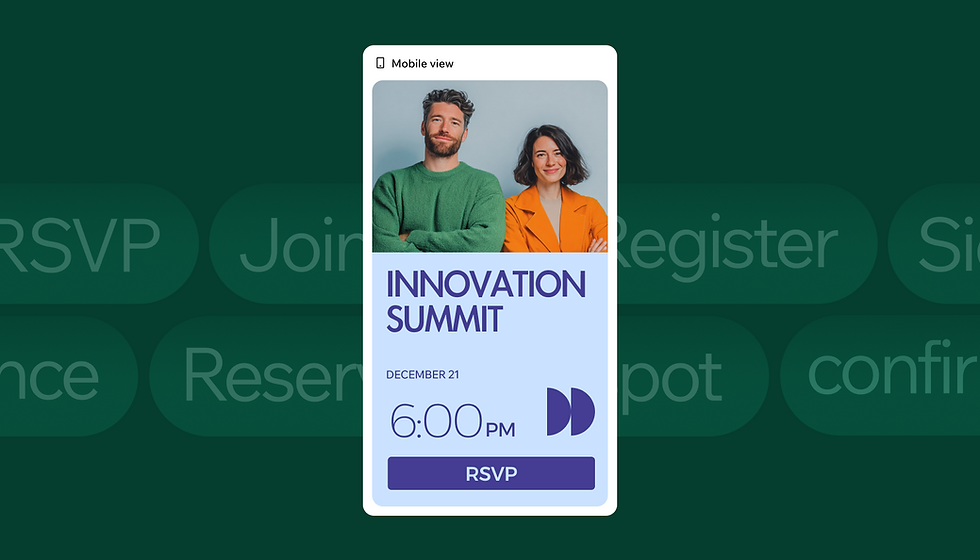
More than half of all surveys are opened on mobile devices. Design your survey with large buttons, legible text and vertical scrolling. Avoid complex matrix grids that require horizontal scrolling on small screens, as this frustrates users and leads to abandonment.
12. Thank you page redirects drive action
Don't let the interaction end when they hit submit. Configure your Thank You page to redirect users to a specific landing page, a special offer or your social media profiles. This turns a survey completer into a website visitor or a lead. It makes your survey work double.
13. Matrix questions group related topics
When you have multiple questions with the same answer scale (e.g., "Rate the following features from 1-5"), group them into a matrix. This saves space and creates a rhythm for the respondent. Just be careful not to make the list too long.
Learn more:
14. File upload fields for visual feedback
Sometimes you need to see what the customer sees. Include a file upload button so respondents can share screenshots of a bug, photos of a damaged product, or even their own design ideas. This is crucial for support forms and creative contests.
15. Quiz-style scoring adds gamification
Turn your survey into a quiz by assigning point values to answers. This is great for educational assessments or "personality test" style marketing funnels. Showing a score or result at the end gives the user immediate value in exchange for their data.
Be inspired by these quiz ideas.
16. Anonymous options encourage honesty
For sensitive topics—like employee engagement or whistleblower reports—anonymity is key. Clearly state that responses are anonymous to encourage candid, unfiltered feedback that you might not get otherwise.
17. QR codes bridge offline and online
You can collect feedback more naturally in the real world by placing QR codes on receipts, packaging or event signage. This allows customers to scan and survey immediately while the experience is fresh in their minds, rather than waiting for an email later. QR marketing can be a powerful strategy when done right and its important to know how to design a QR code to align with your survey branding and style.
Pro tip: Get started with a QR code generator
18. Embedded email questions boost click-throughs
Reduce friction by embedding the first question of your survey directly into the email body of the marketing email you're sending them. When a user clicks an option (like a star rating) in the email, it registers their vote and opens the rest of the survey in a new tab. Don't make them hunt for it, they might not find it.
19. Incentives and coupons reward time
Time is money. Offer a small discount code, a downloadable resource or entry into a raffle upon completion. A clearly stated incentive at the beginning of the survey can drastically improve completion rates.
20. Conditional messages offer instant value
Show different messages based on how someone answers. If a respondent rates you poorly, show an apology message with a direct support email. If they rate you highly, show a request to leave a public review.
21. Net Promoter Score (NPS) to measure loyalty
The ultimate question to ask and perhaps maybe they only one that really matters — How likely are you to recommend us to a friend? This single metric is the gold standard for measuring customer loyalty and growth potential. Keep it simple and track it over time.
22. Voice input for detailed feedback
Typing on a phone can be tedious. specific tools allow you to enable voice transcription, letting respondents speak their mind freely. This often results in richer, more detailed qualitative data.
23. Heatmap questions for design feedback
If you're testing an image or a website design, use a heatmap question. Users simply click on the parts of the image they like or dislike. It’s an intuitive way to gather data on visual hierarchy and design effectiveness.
24. Ranking questions to determine priorities
Instead of asking users to rate everything highly, force them to rank options in order of importance. This helps you understand trade-offs and what truly matters most to your audience when resources are limited.
25. Multi-language support for wider reach
Don't alienate your audience, especially if you havea. global audience. Choose a survey tool that supports multiple languages. A dropdown menu allowing users to select their preferred language ensures clarity and inclusivity.
26. Social sharing buttons to spread the word
If your survey is public (like a poll or a petition), include social share buttons on the Thank You page. Let your respondents become your promoters and increase your reach organically.
Explore these poll ideas for more inspiration.

27. Automated notifications keep teams in the loop
Set up triggers so that when a survey is submitted, the right team member is notified. A negative review could trigger an email to Support, while a lead generation form could notify Sales. Speed to response is critical if you plan to act on your surveys and not just collect data.
28. Real-time results engage participants
For making polls and fun surveys, show the aggregate results immediately after submission. People love to see how their opinions compare to the "wisdom of the crowd."
29. White space reduces cognitive load
Clutter is the enemy of focus. Use ample white space (or negative space) around your questions. Presenting one question at a time in the center of the screen keeps the respondent focused and calm.
30. Clear CTAs guide the next step
Your submit button matters more than you think. Instead of a generic label, use action-oriented text like:
Send feedback
Get my score
Claim my offer
Its important to remind your respondents of what they gain by submitting.
31. Split-testing creates the perfect survey
Not sure which subject line works best? Or if a shorter survey gets more responses? A/B test different versions of your survey to see which one performs better. Data-driven design leads to better data.
Be further inspired by these trivia ideas.
Survey ideas FAQ
How do I choose the right survey type?
The best type depends on your goal. If you want quick pulse-checks, use a 1-question NPS or CSAT survey. If you need deep product insights, a longer market research survey with open-ended questions is better. Always define "what will I do with this data?" before you start building.
How many questions should a survey ask?
It's important to respect your user's time. A good rule of thumb is to keep it under 5 minutes (about 10 questions). If you need more, be upfront about the time commitment or offer an incentive.
How do I get more responses?
Distribution is key and especially not relying on one channel. Send it via email, post it on social media and embed it on your website — so basically anywhere. Also, sending one polite reminder email to non-responders is a proven way to bump up participation without being annoying.