

online store
bookings
events
popup

Rowly: Orders to Notion
By
Every order as a row in Notion or Airtable
No Reviews Yet
Free plan available

Rowly: Orders to Notion overview
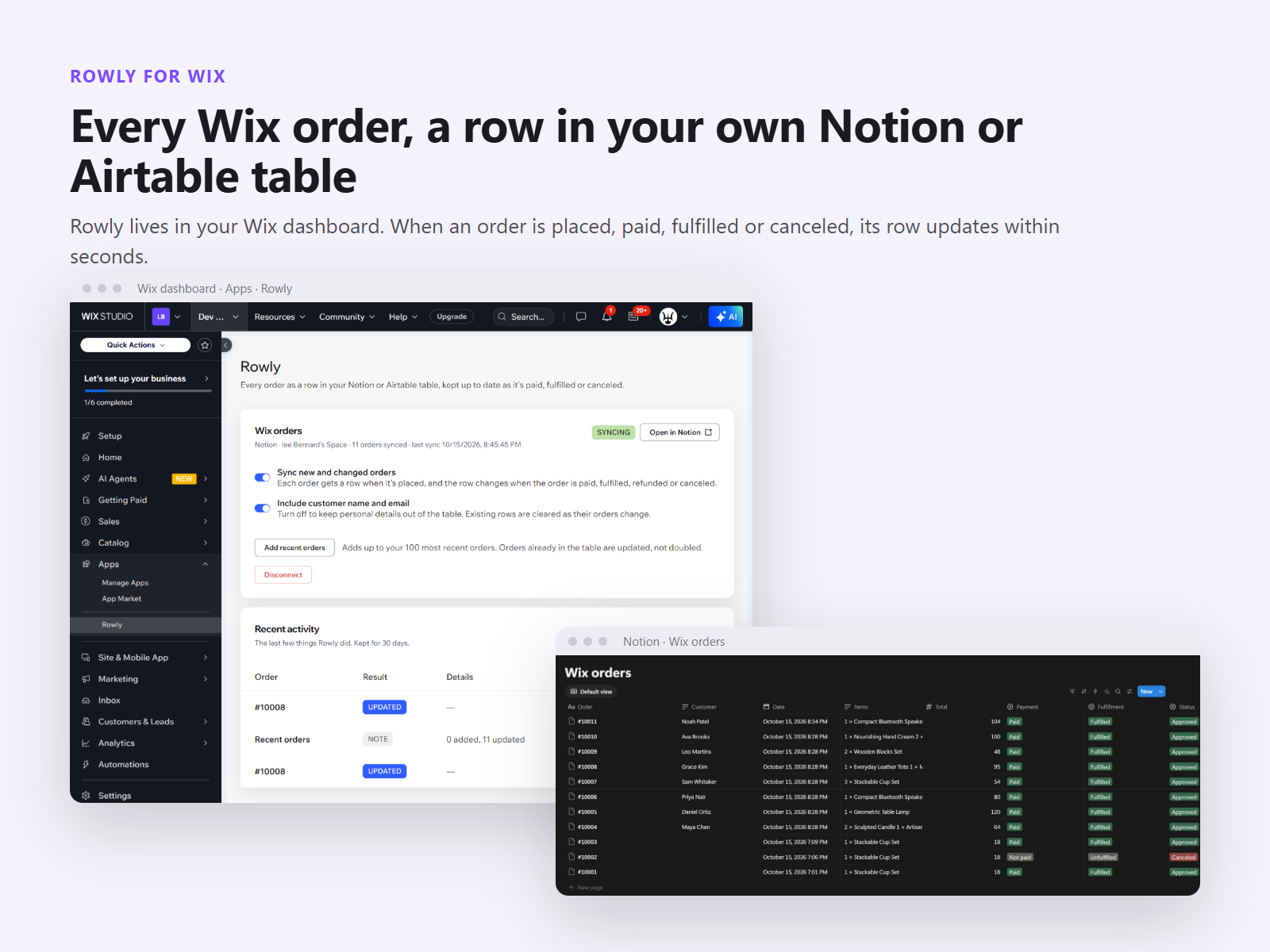
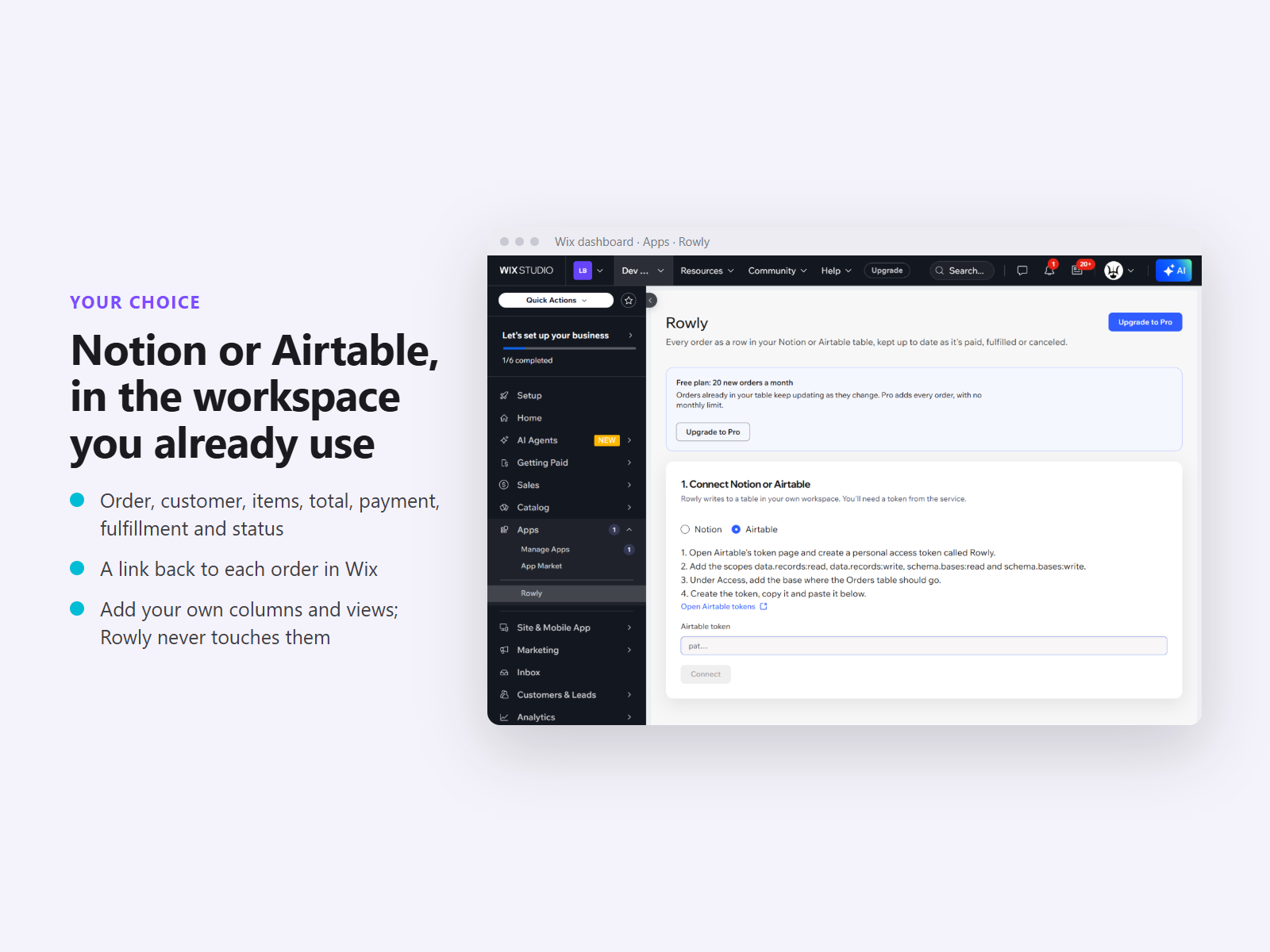
- Every order becomes a row in your Notion or Airtable table
- Rows update when orders are paid, fulfilled or canceled
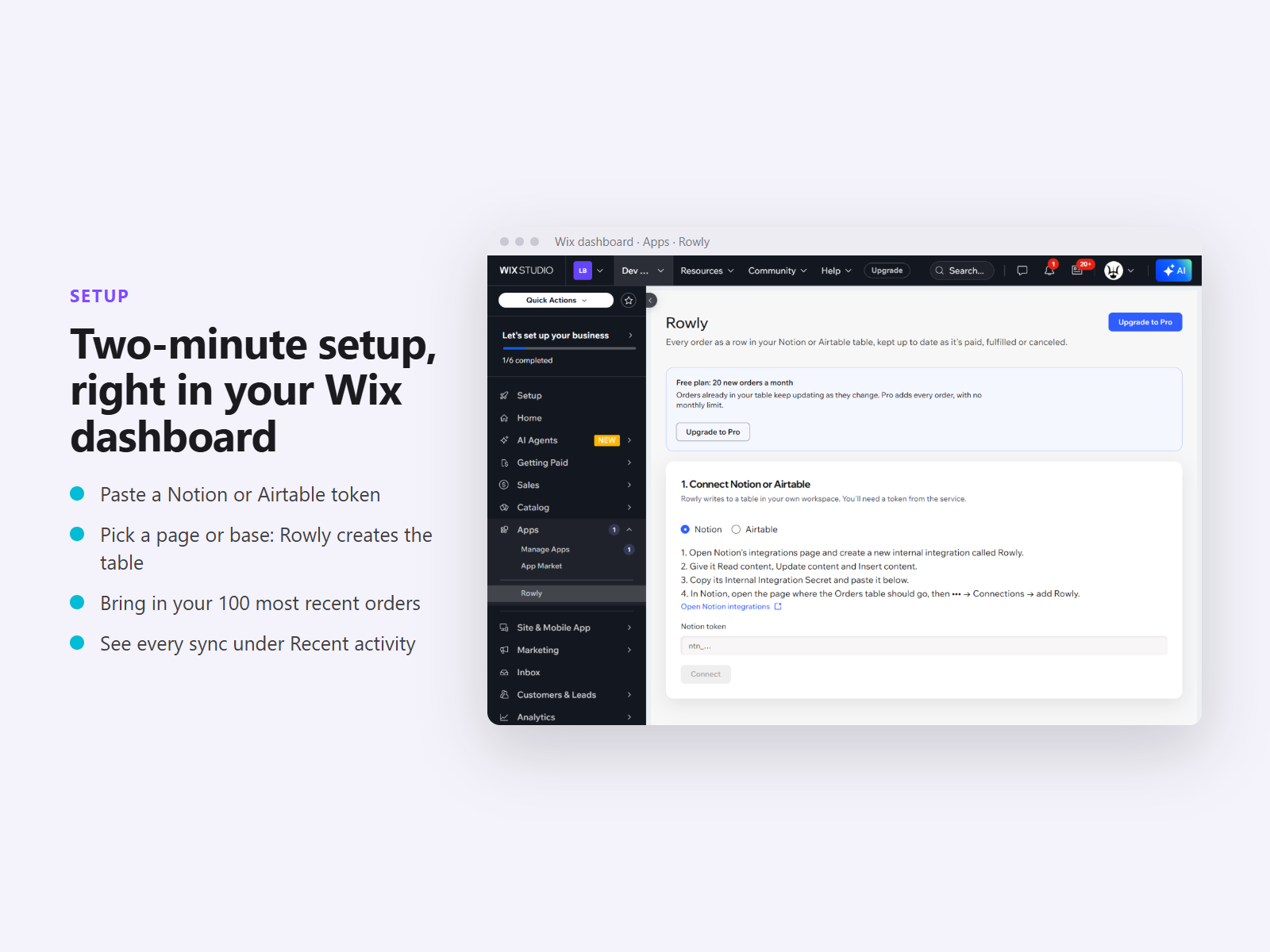
- Two-minute setup: paste a token, pick a page or base
- Bring in your 100 most recent orders with one click
Rating & Reviews
This app hasn’t received any reviews yet, be the first to rate it.Pricing & plans
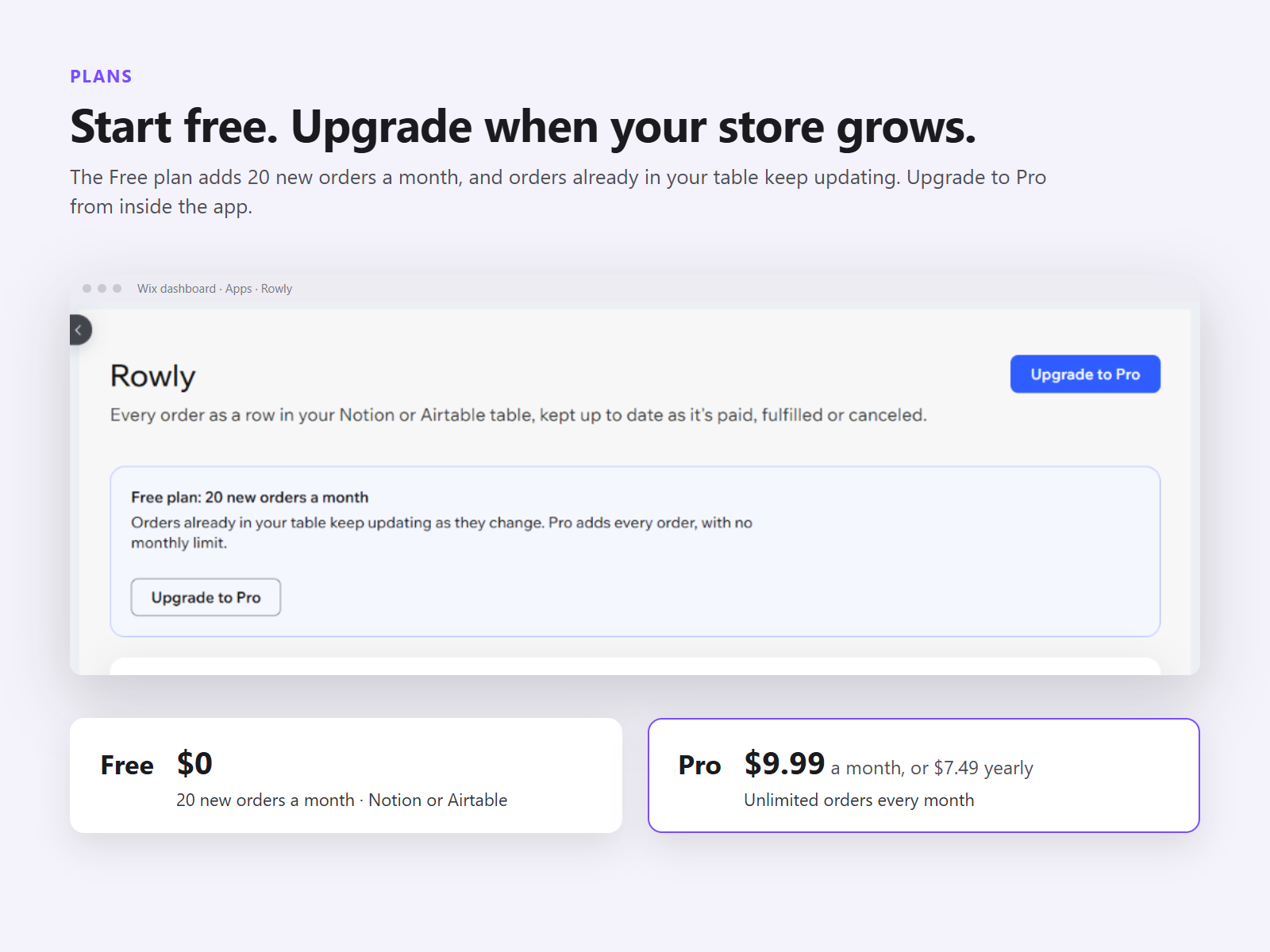
Free plan
Free
20 new orders a month
Notion or Airtable, your choice
Rows update as orders change
Pro plan
$
7
49
/month
Unlimited orders every month
Your own Notion or Airtable table
Rows update when paid or fulfilled
Bring in your 100 latest orders
* Price is in USD.